How to Migrate Office 365 to Exchange Server?
Jenny Lowrence | March 19th, 2026 | Email Migration
Are you planning to migrate Office 365 to Exchange Server but feeling unsure where to start? Many users face this challenge because Microsoft does not offer a direct migration option to transfer emails to Exchange Server. In this article, we will share two different ways to perform the Office 365 to Exchange Server migration.
Office 365 is a cloud-based email and productivity suite, while Exchange Server is an on-premises email server that organizations host within their own infrastructure. Many organization prefer an on-premises setup to meet strict security policies and regulatory compliance. That’s why users want to migrate from Office 365 to Exchange Server for better control, security, and customization. Here, we’ll provide the two best solutions to accomplish this migration process.
Let’s move ahead without any further delay!
How to Migrate Office 365 to Exchange Server Manually?
1. Open Outlook and go to File >> Add Account.
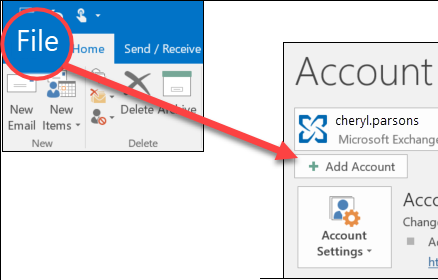
2. Enter your Office 365 login details and click Connect.

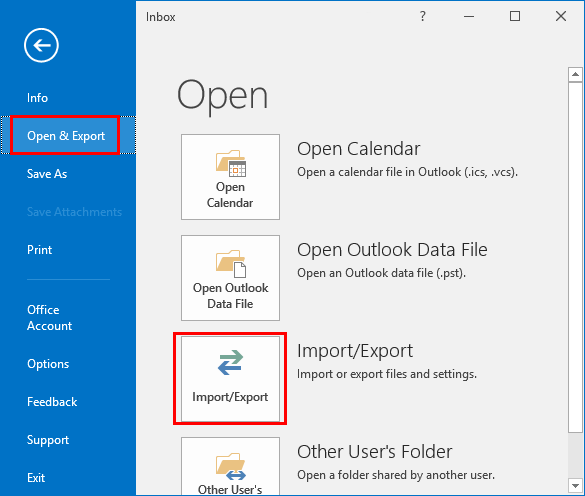
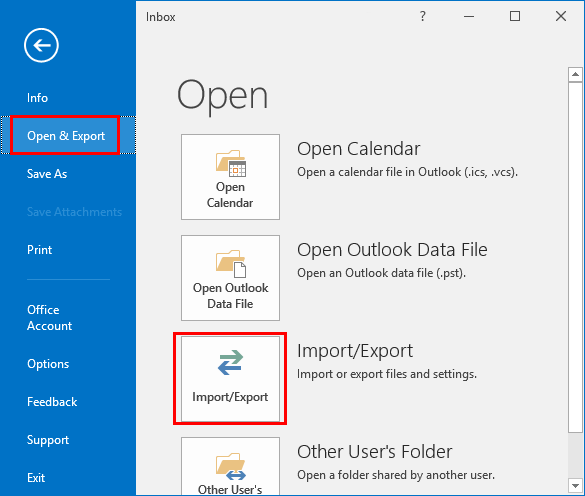
3. Once added, go to File >> Open & Export >> Import/Export.
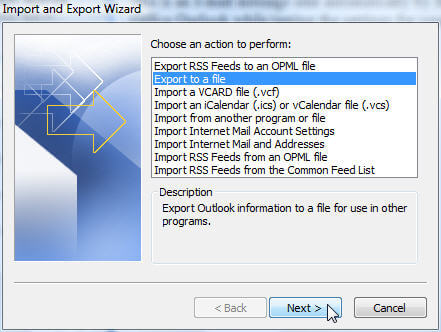
4. Choose Export to a File and click Next.
5. Select Outlook Data File (.pst) and press Next.
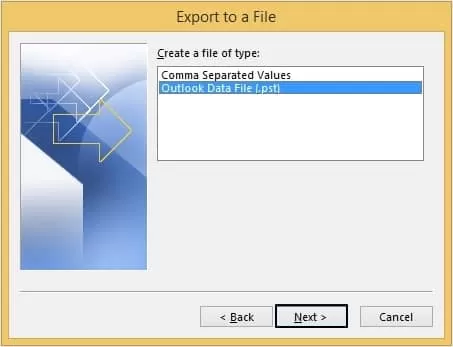
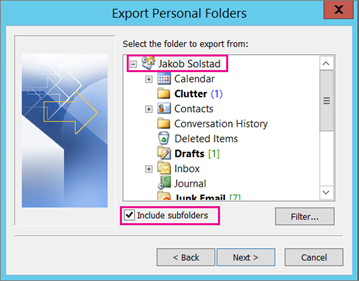
6. Choose Office 365 mailbox folders to export.
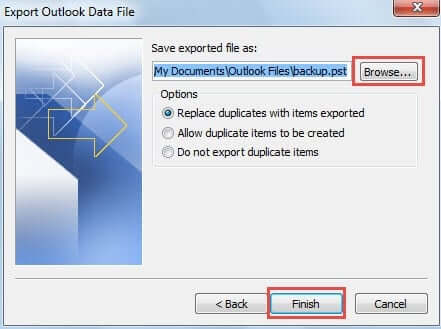
7. Browse target location and click Finish.
8. Now, configure the Exchange Server into Outlook.
9. Next, navigate to File >> Open & Export >> Import/Export.
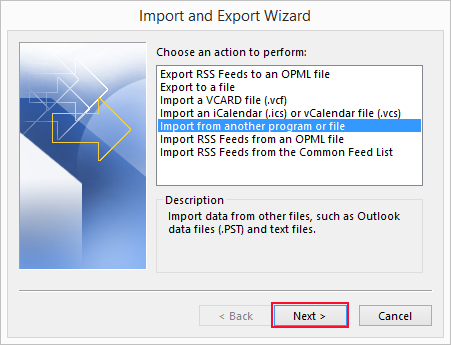
10. Choose Import from another program or file and click Next.
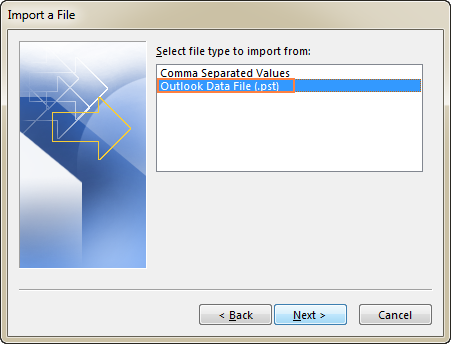
11. Select Outlook Data File (.pst) and press Next.
12. Browse and choose the above exported .pst file and import it into Exchange mailbox folders.
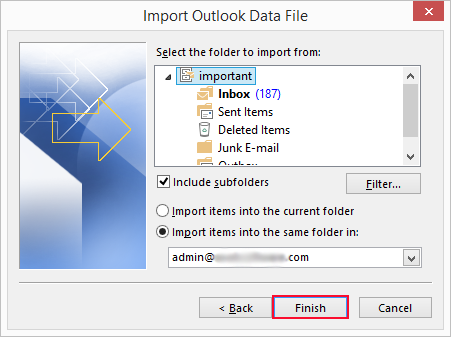
Done! This is how you can move Office 365 emails to Exchange Server.
Limitations of Manual Method
- Requires Outlook installation.
- Lengthy and time-consuming process.
- No option to migrate selected emails.
How to Transfer Office 365 Emails to Exchange Server Automatically?
Check out the Advik Office 365 Migration Tool on your system. The software can migrate Office 365 to Exchange Server in just a few simple clicks. You just need to enter the login details of both email accounts to begin the migration process. With this utility, you can migrate the entire Office 365 mailbox in one go. The tool preserves data integrity and folder hierarchy during the Office 365 to Exchange migration.
Tap on the below link to download it for FREE.


Steps to Migrate Office 365 to Exchange Server
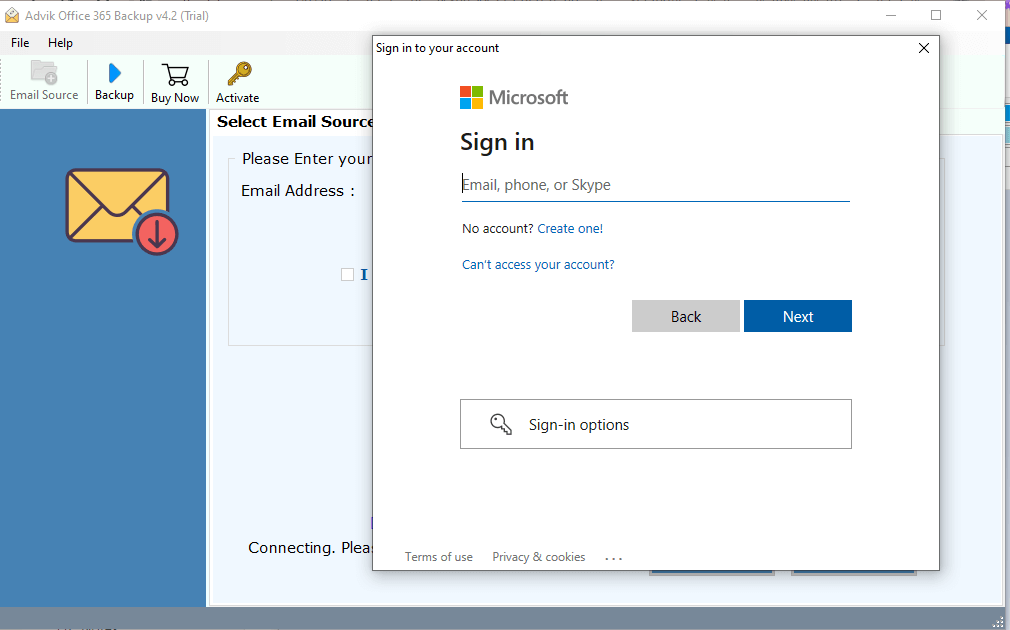
1. Run the tool and enter Office 365 email address.
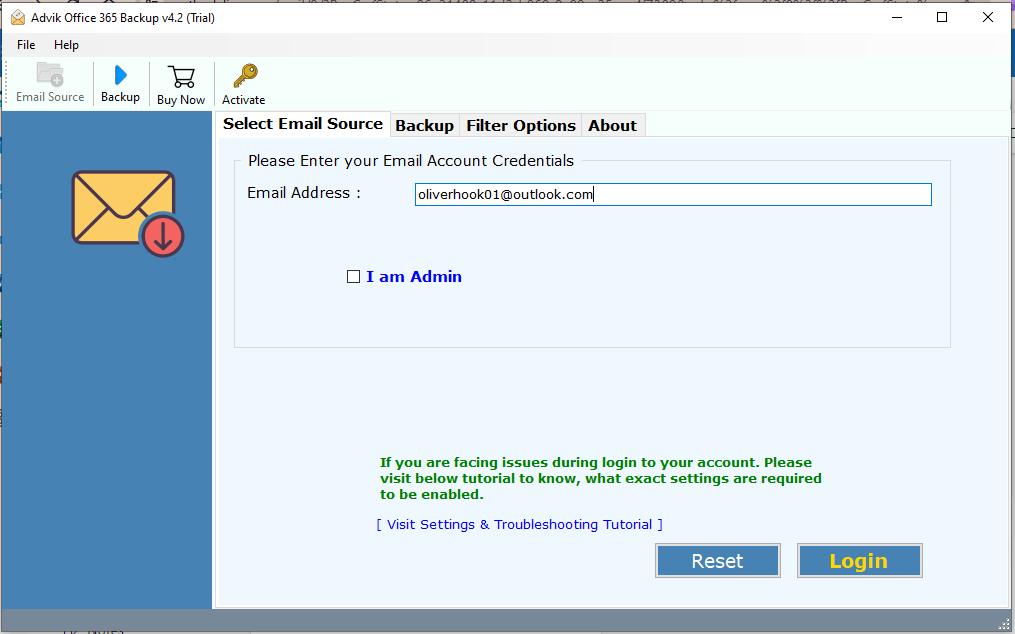
2. Enter the password of Office 365 account to sign in.
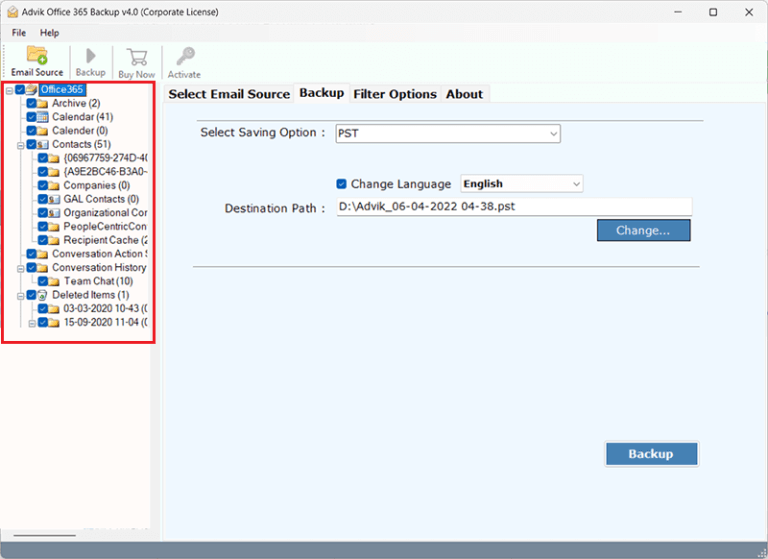
3. Choose the mailbox folders & subfolders to transfer.
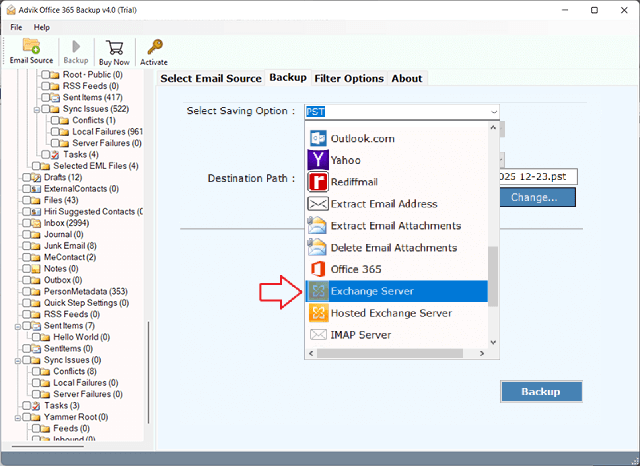
4. Select Exchange Server as a saving option.
5. Enter the login details of the Exchange Server account and click Backup.
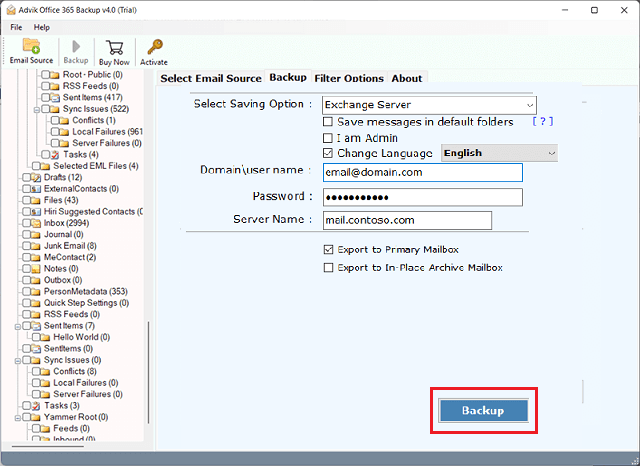
The software will start migrating emails from Office 365 to Exchange Server. Once the process is complete, log in to your Exchange Server account and check the transferred emails here.
Why Choose the Office 365 to Exchange Server Migration Tool?
- Directly transfer emails from Office 365 to Exchange Server.
- Migrate all email folders from Office 365 in a single attempt.
- Advanced email filter options for selective email migration.
- 30+ saving options to migrate Office 365 to Yahoo, Zoho, etc.
- Preserves all email attributes & properties while migrating.
- Maintains folder hierarchy & structure during the migration.
- Simple graphical user interface for all types of users.
- Compatible with all the latest and older versions of Windows OS.
Final Words
In this post, we have discussed how to migrate Office 365 to Exchange Server. Here, we have explained both manual and automated solutions. You can manually transfer Office 365 emails to Exchange Server, but this is a lengthy and complicated process. If you want a simple and quick solution, then use the automated tool. The software can move emails in bulk without any data loss.