How to Migrate Office 365 to iCloud Mail Account?
Jenny Lowrence | February 26th, 2026 | Email Migration, iCloud, Office 365
Summary: If you are wondering how to migrate Office 365 to iCloud Mail account. However, the need for this migration comes when a user switches to a Mac-based system. Switching to a completely different platform may be a bit tricky. Therefore, this is the article where you learn the two best ways to transfer Office 365 emails to iCloud with attachments.
Office 365 is a cloud-based productivity suite that is widely used by businesses and enterprises. It is a complete package of multiple applications such as Word, Excel, SharePoint, etc.
On the other hand, iCloud is Apple’s service, which is used by most Apple users. It is helpful for a reliable and user-friendly experience. iCloud Mail offers strong privacy and security features with end-to-end encryption for email content.
Now, move ahead to the solutions without any further delay!
How to Migrate Office 365 to iCloud for Free?
You can manually transfer Office 365 emails to iCloud via Outlook.
1. Launch the Outlook email client on your system.
2. Go to File tab and choose Add Account.
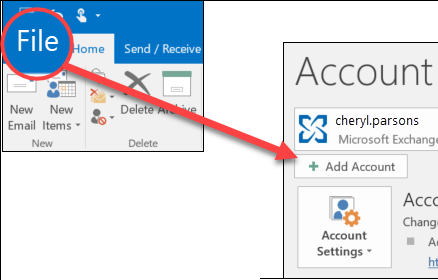
3. Enter Office 365 login details to set up with Outlook.

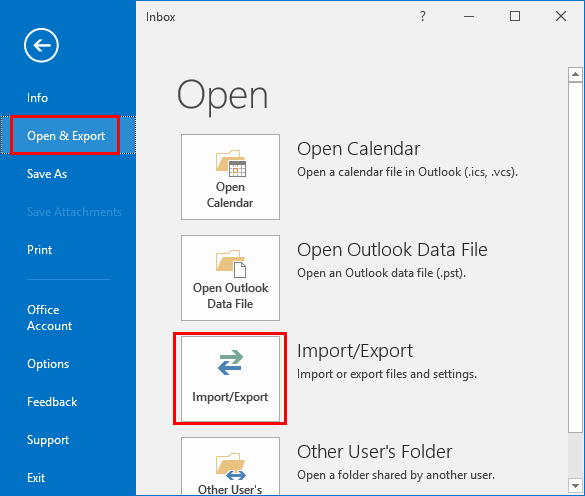
4. Now, click File >> Open & Export >> Import/Export.
5. Choose Export to a File and click Next.
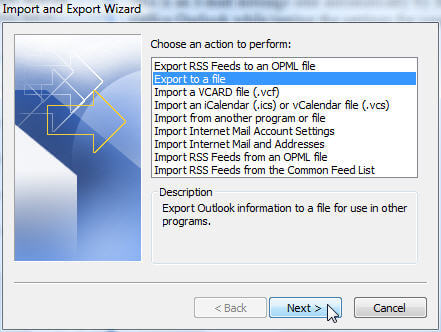
6. Select Outlook Data File (.pst) and press Next.
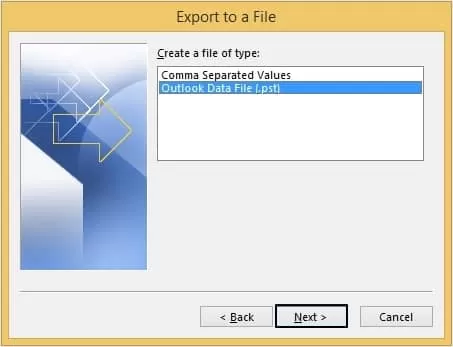
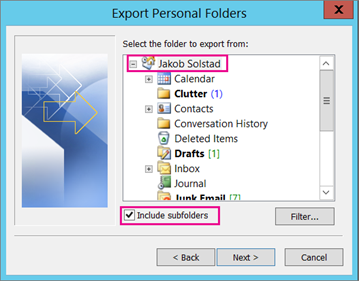
7. Choose the Office 365 mailbox folders to export.
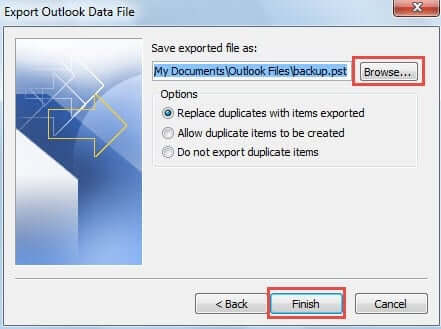
8. Browse target location and click Finish.
9. Now, add your iCloud Mail account to Outlook.
10. After configuration, again navigate to File >> Open & Export >> Import/Export.
11. Choose Import from another program or file and hit Next.
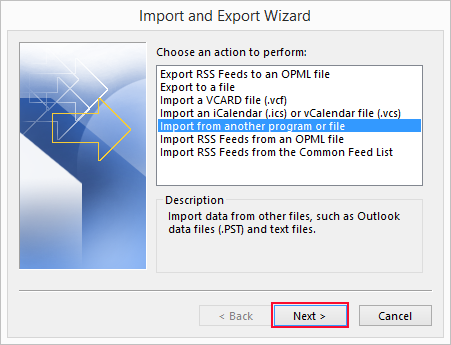
12. Select Outlook Data File (.pst) from Import Wizard.
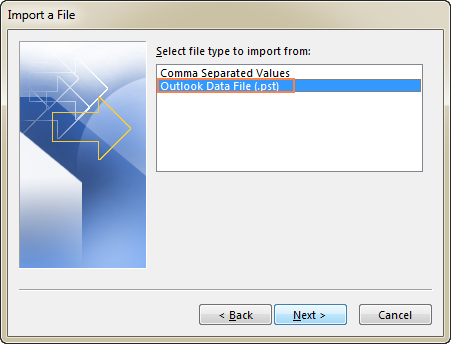
13. Choose the above exported .spt file and import it into iCloud Mailbox folder.
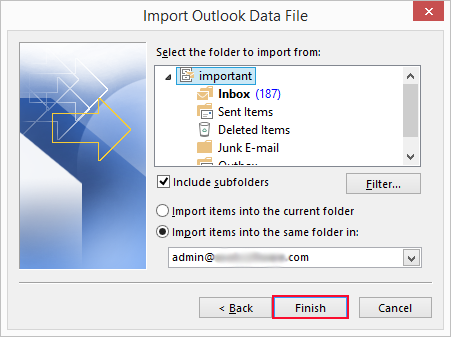
The process is complete!
Limitations of the Manual Approach
- Takes a lot of time to complete the process.
- Outlook must be installed.
- No filter option to move selected emails.
How to Transfer Office 365 Emails to iCloud Mail Automatically?
Try the Advik Office 365 Migration Tool to migrate Office 365 to iCloud in just a few simple clicks. This is an independent tool, which means you do not need to install Outlook or any other application to complete the Office 365 to iCloud migration process. With this utility, you can move all or selected email folders as per your needs. This is a safe and secure solution that preserves all email attributes and mailbox folder hierarchy during the process.
Now, why are you waiting? Just tap on the below link and try it for FREE.


Steps to Migrate Emails from Office 365 to iCloud Mail
1. Run the tool and enter your Office 365 email address.
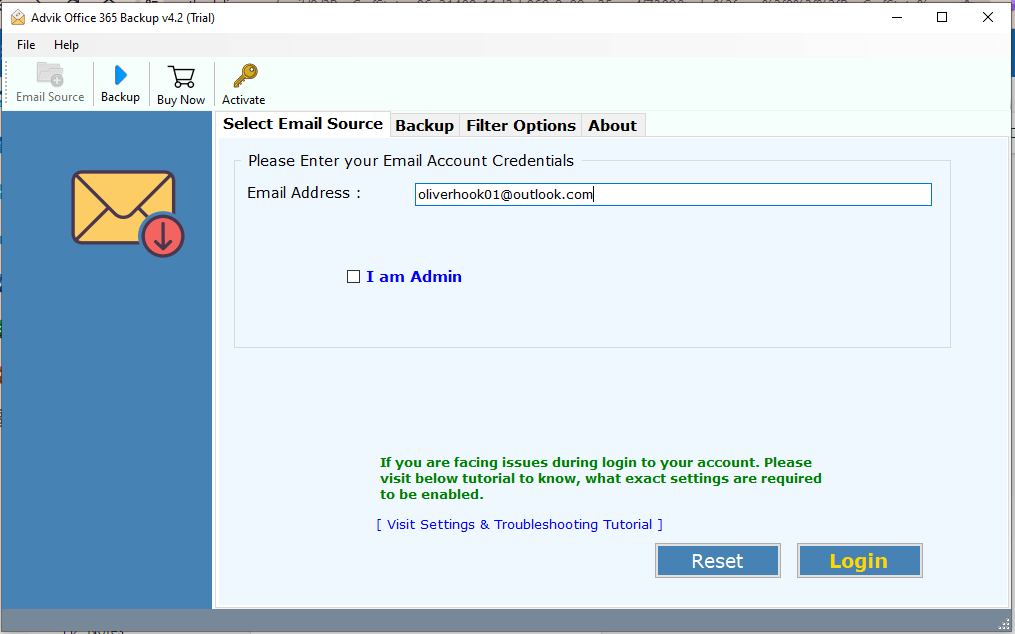
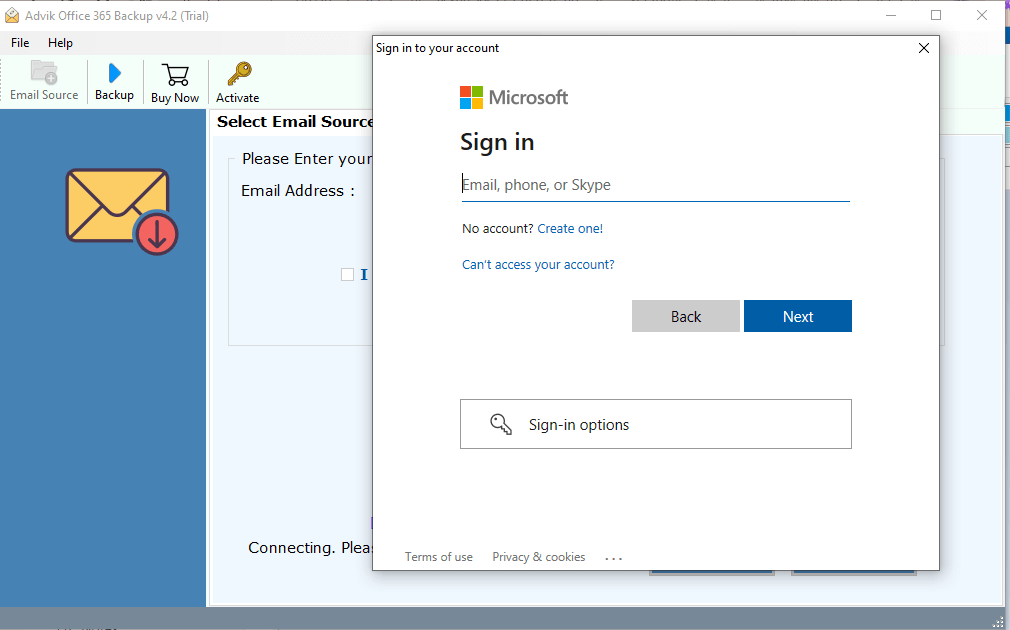
2. Now, enter your Office 365 password and press Login to sign in.
3. Choose the mailbox folders that you want to migrate.
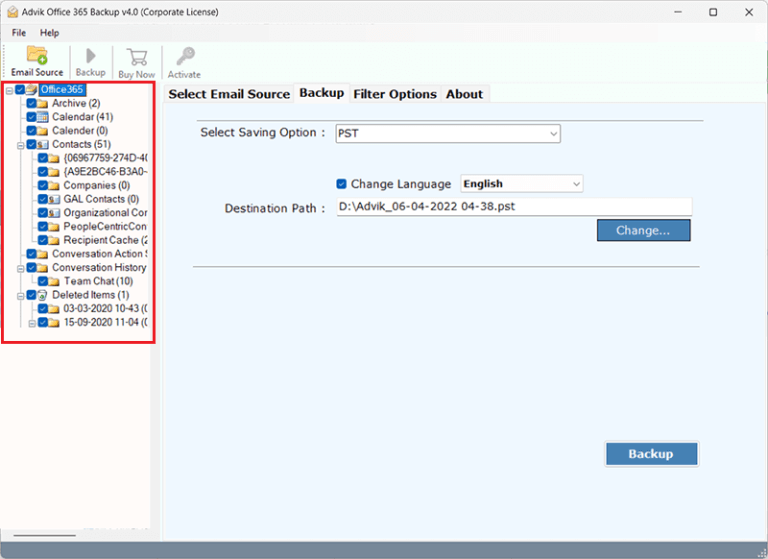
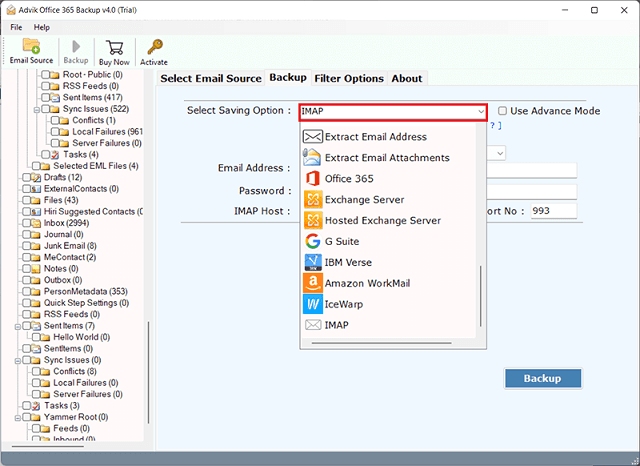
4. Next, select IMAP as a saving option.
5. Enter your iCloud Mail account login details and click Backup.
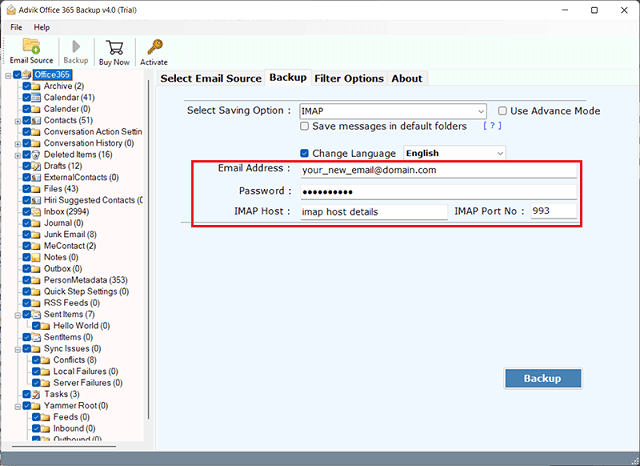
The software will start transferring emails from Office 365 to iCloud. Once the process is complete, you will get a pop-up message with a complete log report.
Advantages of Using Office 365 to iCloud Migration Tool
The software offers various advanced features that make the migration process simple compared to the manual method. Some of them are;
- Direct Migration: The software can directly migrate Office 365 emails to iCloud Mail account.
- Move Emails in Bulk: The tool can transfer the entire Office 365 mailbox in a single attempt.
- Advanced Email Filters: It offers various filter options to migrate emails based on subject, sender, etc.
- 30+ Saving Options: Also, it can transfer Office 365 to Gmail, Yahoo, Zoho Mail, and many more.
- Retain Folder Structure: This utility keeps the original structure of mailbox folders while migrating.
- Preserves Data Integrity: It maintains all email attributes during the Outlook 365 to iCloud migration.
- User-Friendly Interface: This tool is designed in such a way that any novice user can easily operate it.
- Wide Compatibility: This application supports all the latest and old versions of both Mac and Win OS.
Final Words
In this post, we have discussed how to migrate Office 365 to iCloud Mail account. Either you can manually transfer emails from Office 365 to iCloud via Outlook or use an automated tool. Here, we have explained both manual and automated solutions. You can choose any method that is most suitable for you.