How to Migrate Rackspace to Google Workspace?
Jenny Lowrence | January 19th, 2026 | Email Migration
Discover amazing solutions to migrate Rackspace to Google Workspace. There are so many users who are looking solution for Rackspace to Google Workspace migration. Read this post till the end to find out the best procedure to easily transfer Rackspace emails to Google Workspace.
Rackspace is an email hosting service provider that offers business-class email solutions. Many organizations use the Rackspace email service for business communication, but due to limited collaboration features, higher costs, and scalability issues, many users want to migrate Rackspace email to Google Workspace. In this article, we will show you two different methods to perform the migration easily.
Before moving ahead, let’s understand the benefits of switching.
Why Migrate from Rackspace to Google Workspace?
- Google Workspace offers advanced features and integrates smoothly with Drive, Calendar, Tasks, and other business applications.
- The user interface of Google Workspace is more intuitive and user-friendly as compared to Rackspace.
- Google Workspace includes a range of collaborative tools such as Docs, Sheets, and Slides, which make teamwork much easier.
- Google Workspace provides enhanced security features like 2-step verification, data encryption, etc., to secure important data.
How to Migrate Rackspace to Google Workspace Manually?
Follow the below given steps to transfer emails from Rackspace to Google Workspace:
1. Sign in to Google Workspace Admin Console.
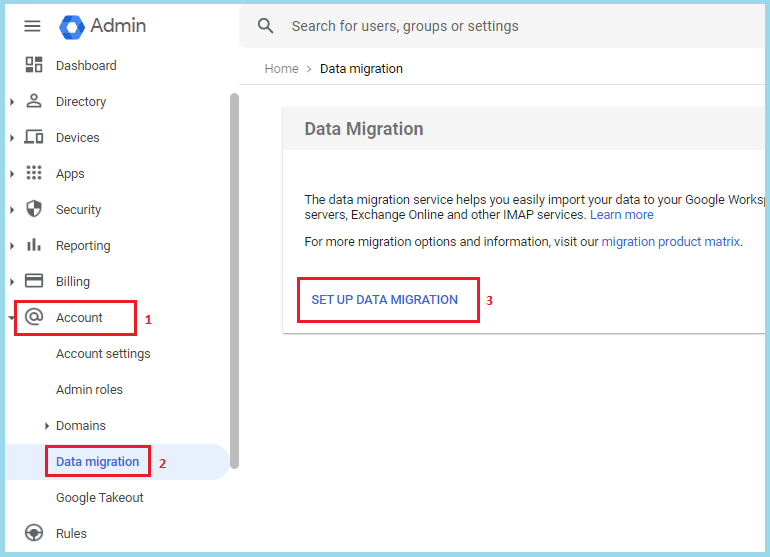
2. Go to Account >> Data Migration >> Set up Data Migration.
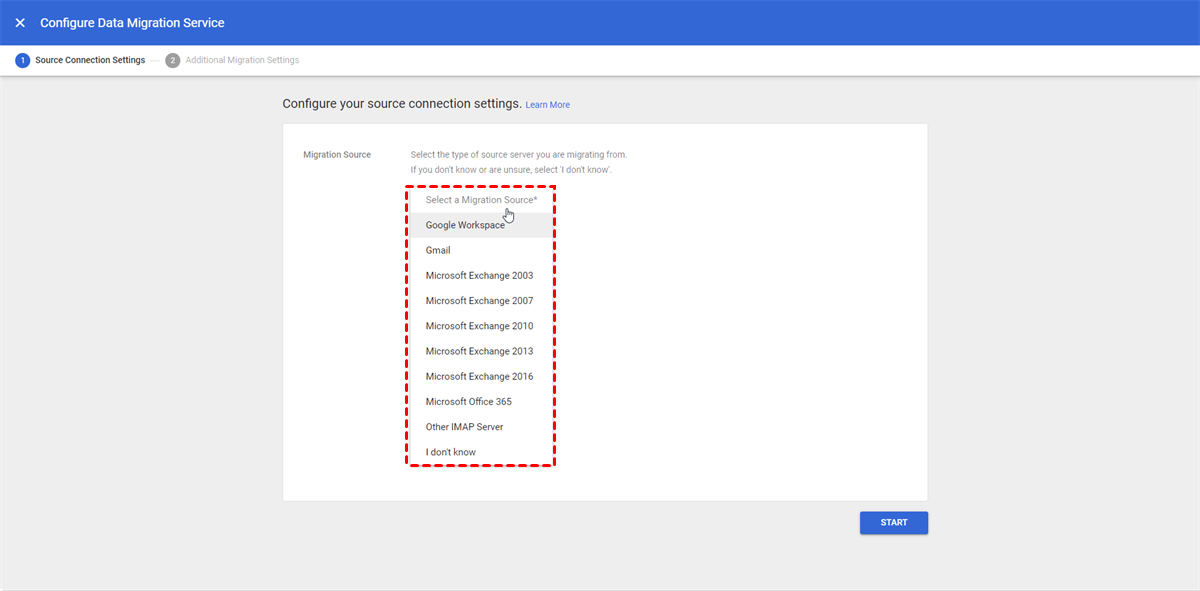
3. Choose Other IMAP Server email server type.
4. Enter your Rackspace IMAP Serverdetails:
IMAP Server: secure.emailsrvr.com, Port: 993 (SSL)
5. Now, enter your Rackspace email address and password account credentials.
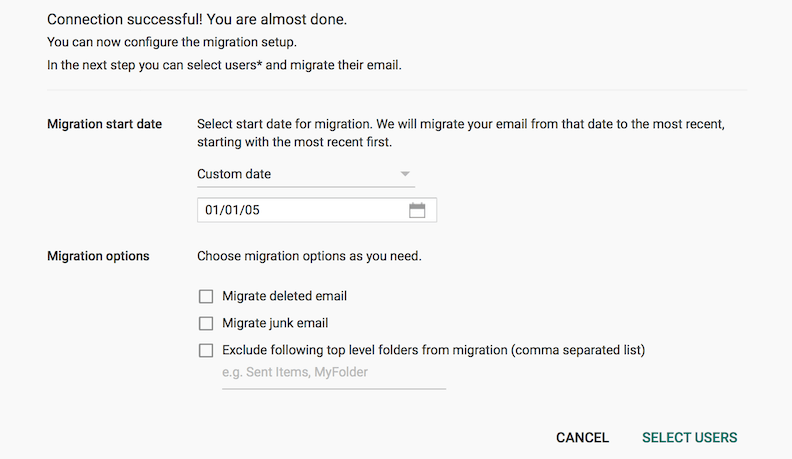
6. Select the start date for migration and choose Email as data type.
7. Add Google Workspace email address as destination.
8. Next press Start button to begin the migration process.
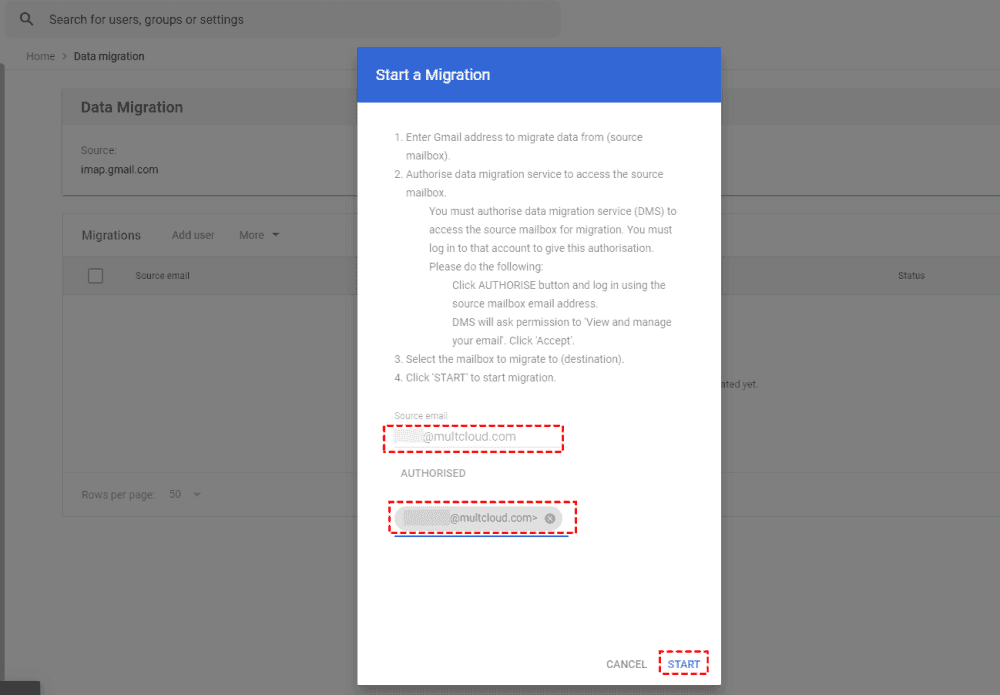
Now, your Rackspace emails have been transferred into your Google Workspace account.
How to Transfer Rackspace Emails to Google Workspace Automatically?
Try the Advik Rackspace Migration Tool on your system. The software can migrate emails from Rackspace to Google Workspace in a few simple clicks. With this utility, you can move the entire Rackspace mailbox in one go. Also, it enables you to choose email folders for selective migration. It keeps the original structure of the mailbox folders even after the Rackspace to Google Workspace migration.
Tap on the below link to try it for FREE.


Steps to Migrate Rackspace Emails to Google Workspace
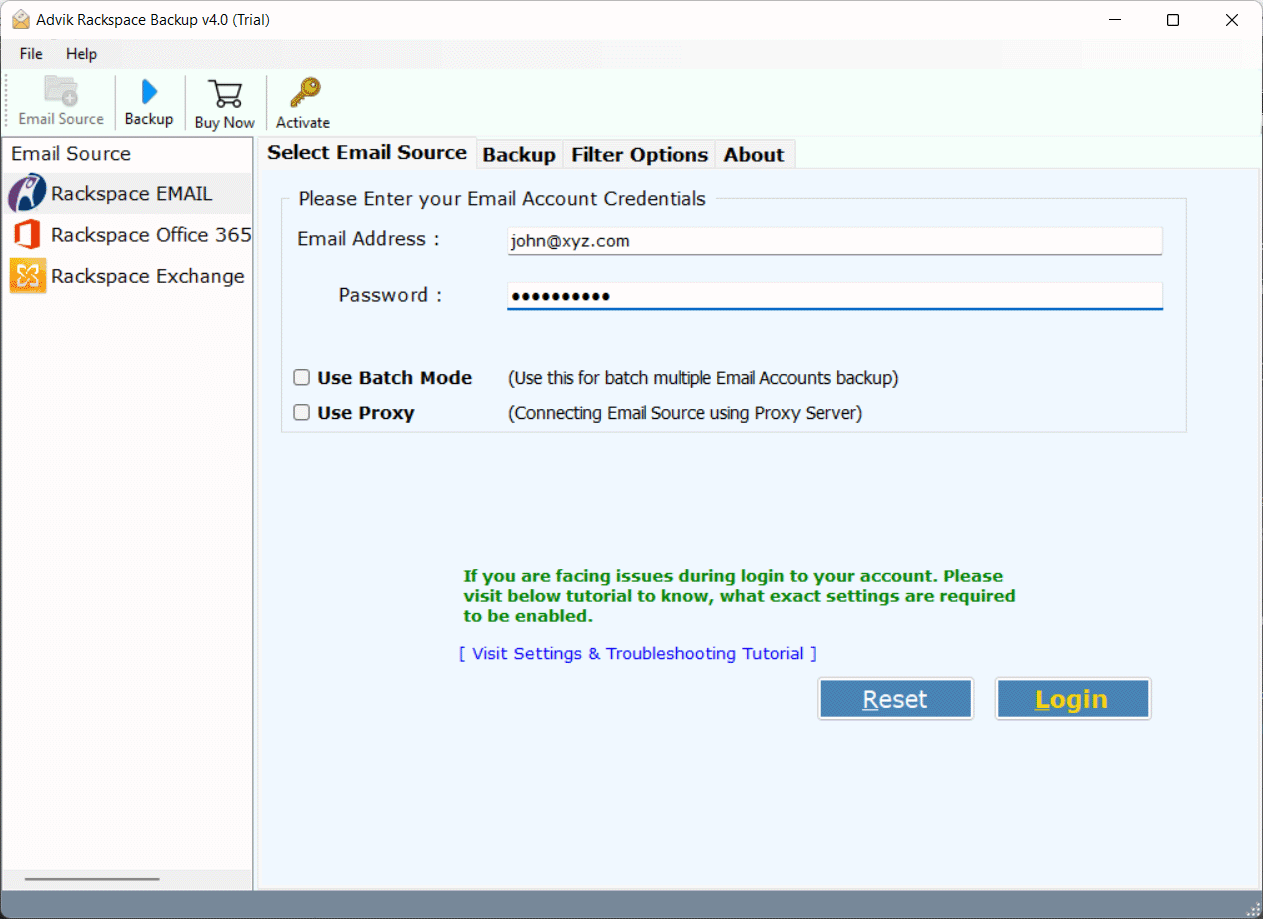
Step 1. Run the tool and sign in with your Rackspace credentials.
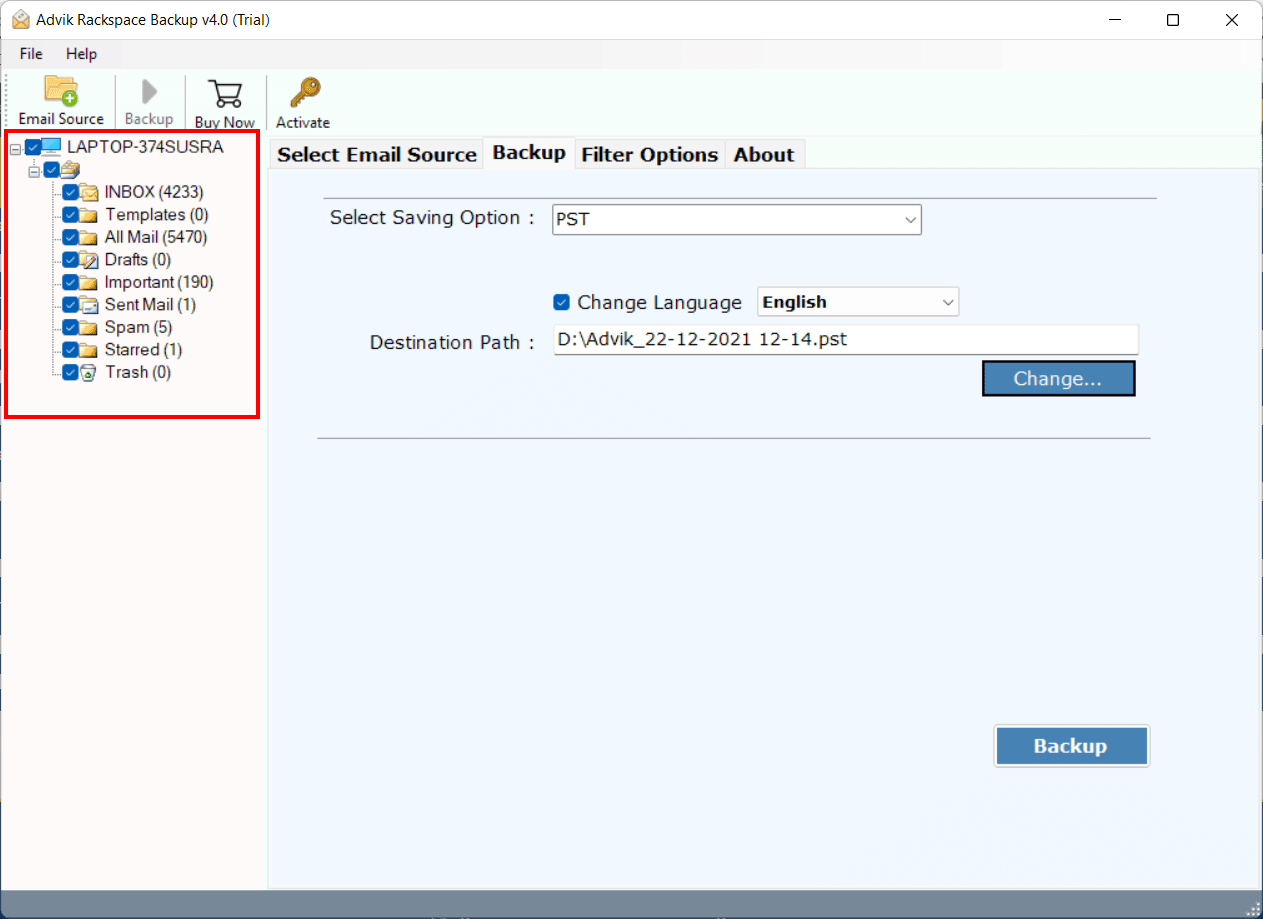
Step 2. Choose the mailbox folders & subfolders to transfer.
Step 3. Select G Suite as a saving option.
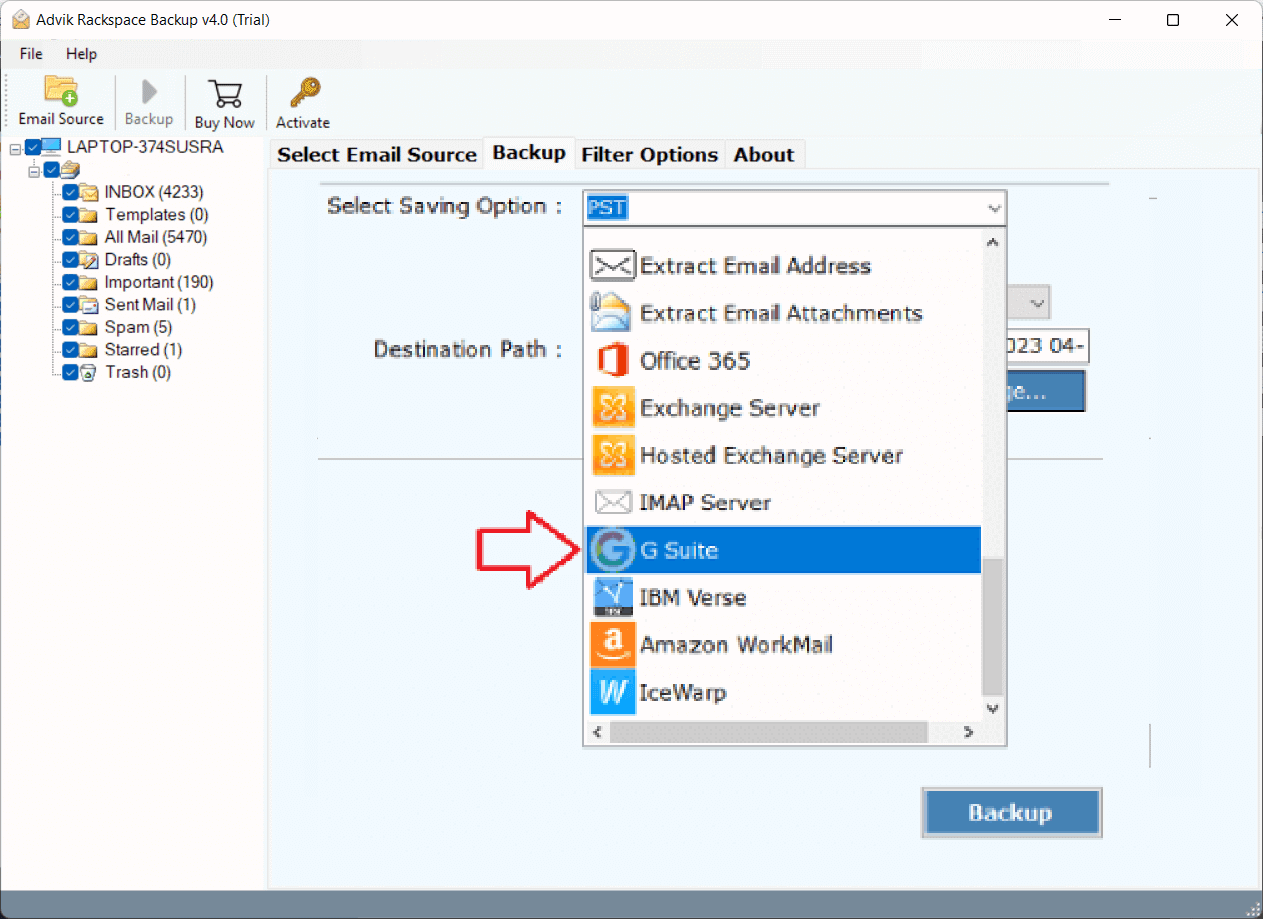
Step 4. Enter your Google Workspace account login details and click the Backup button.
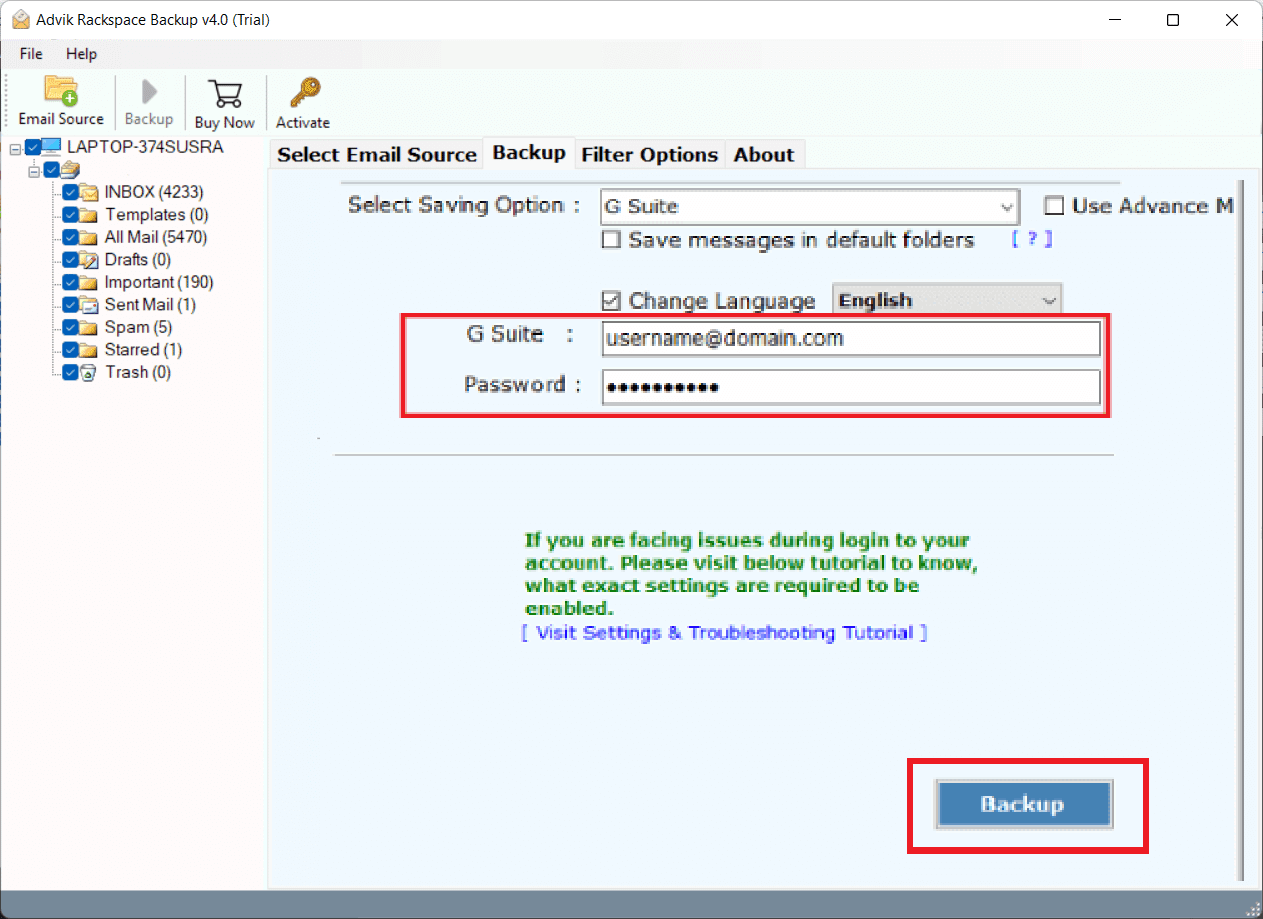
The software will start transferring emails from Rackspace to Google Workspace. Once the process is complete, you will get a pop-up message with a complete log report.
Rackspace to Google Workspace Migration Tool Features
The software has many advanced features and provides lots of benefits to its users:
- Batch mode feature to migrate emails from multiple Rackspace accounts at once.
- Allow to transfer all or selective email folders to avoid unnecessary folders.
- Migrate only the specific emails using filters such as date, time, subject, etc.
- Apart from migrating from Rackspace to G Suite, offers 25+ saving options to export emails.
- Never changes the structure of folders during the migration process.
- Holds all email attributes and attachments throughout the process.
- Fully automatic toolkit that asks for only both accounts credentials.
- Provides a live conversion progress report during the migration.
Final Words
In this blog, we have discussed how to migrate Rackspace to Google Workspace. Here, we have explained the manual as well as a professional solution. By following the above- mentioned methods user can easily complete the Rackspace to Google Workspace migration process without putting in any extra effort.