How to Migrate Roundcube to Yahoo Mail?
Jenny Lowrence | February 13th, 2026 | Email Migration
This post defines the most reliable methods to migrate Roundcube to Yahoo Mail. If you are in search of a solution to transfer emails from Roundcube to Yahoo Mail then read this guide. Here, you will get a step-by-step procedure to easily complete the Roundcube to Yahoo migration.
Roundcube is a Webmail email service along with hosting services to users, but it cannot compete with Yahoo Mail. As a result, many users prefer to switch from Roundcube to Yahoo Mail.
Why Migrate from Roundcube to Yahoo Mail?
Yahoo is one of the largest email services in the world. It provides lots of benefits and many other features for better communication. Some of them are;
- Yahoo Mail provides a user-friendly experience.
- Easy access across multiple devices
- Provides better spam and security protection features
- Long-term email management on a reliable platform
How to Migrate Roundcube Emails to Yahoo Manually?
Roundcube does not offer option to move emails to Yahoo. You can manually do it using an email client like Outlook or Thunderbird. Follow the below given steps to perform Roundcube to Yahoo migration via Thunderbird;
1. Launch the Thunderbird application on your system.
2. Go to Tools and choose Account Settings.
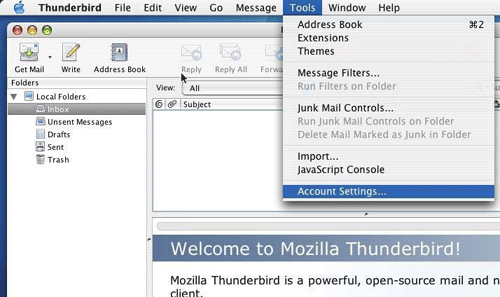
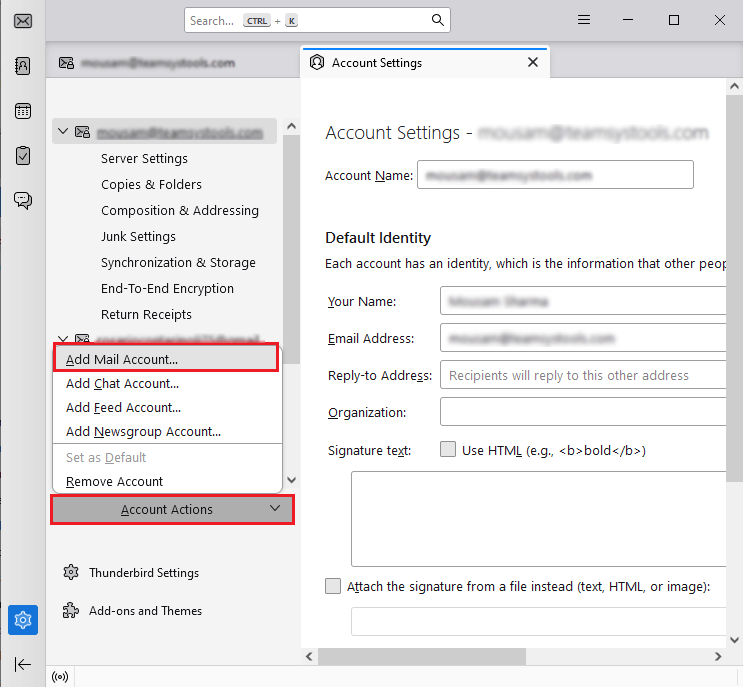
3. Click Account Actions and select Add a Mail Account option.
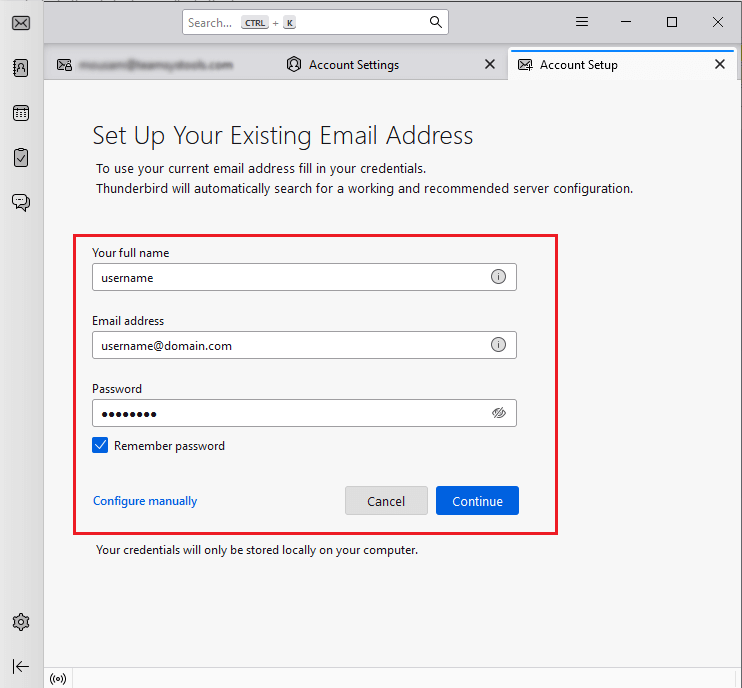
4. Enter the Roundcube account username, email address, password and then press Continue.
5. Enter IMAP server details of Roundcube and complete the setup process.
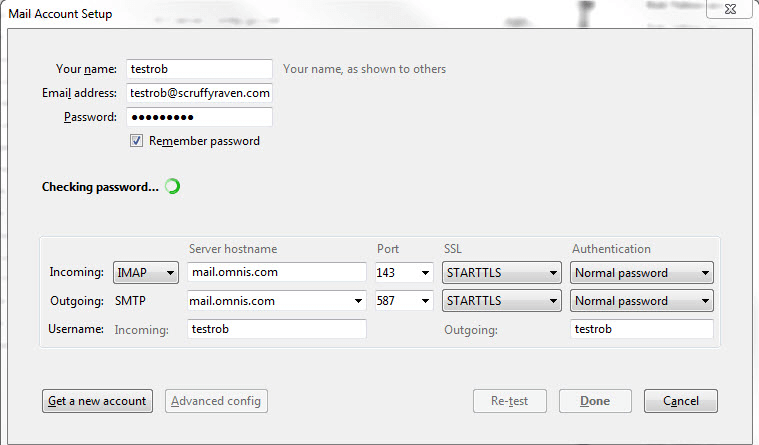
6. Thunderbird will now sync all Roundcube folders and emails.
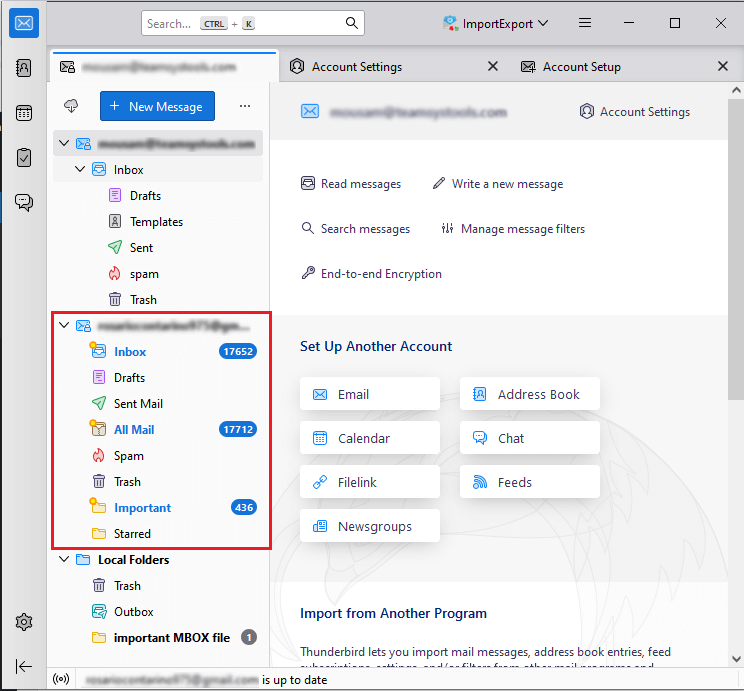
7. Now, repeat the steps to add Yahoo Mail account into Thunderbird.
8. After configuration, Thunderbird shows both accounts side-by-side.
9. Next, open the Roundcube email folder in Thunderbird.
10. Select emails that you want to migrate.
11. Right click -> Copy To -> Yahoo Inbox or other folder.
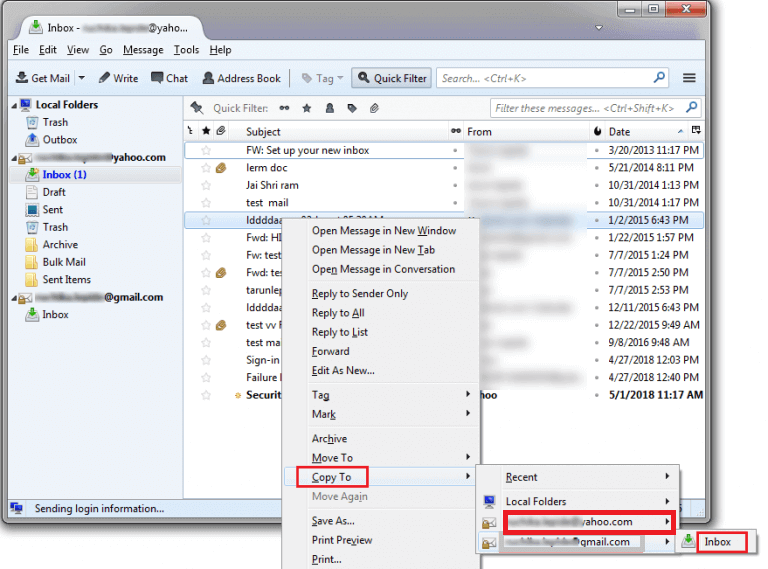
Done! This is how you can manually move RoundCube emails to Yahoo Mail.
How to Transfer Emails from Roundcube to Yahoo Mail Automatically?
If you are tired of long manual steps and want a simple and direct solution, then choosing the professional solution is a smart choice. One such tool is the Advik Roundcube Backup Tool. With this utility, you can directly migrate Roundcube to Yahoo Mail without any configuration. Just enter the login details of both accounts to begin the process.
The software enables you to transfer all or selected folders as per your requirements. It preserves 100% data integrity and mailbox folder hierarchy as well while migrating. It is designed in such a way that beginners can easily operate it without any technical knowledge.
Click on the below download link and try it for FREE.


Steps to Migrate Roundcube to Yahoo Mail
1. Run the tool on your system.
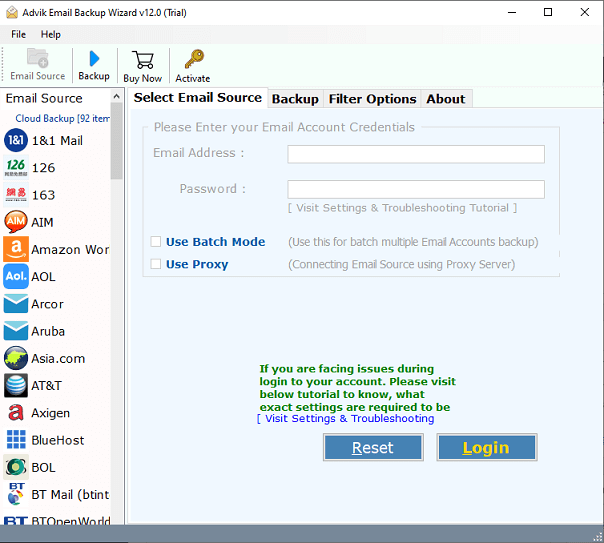
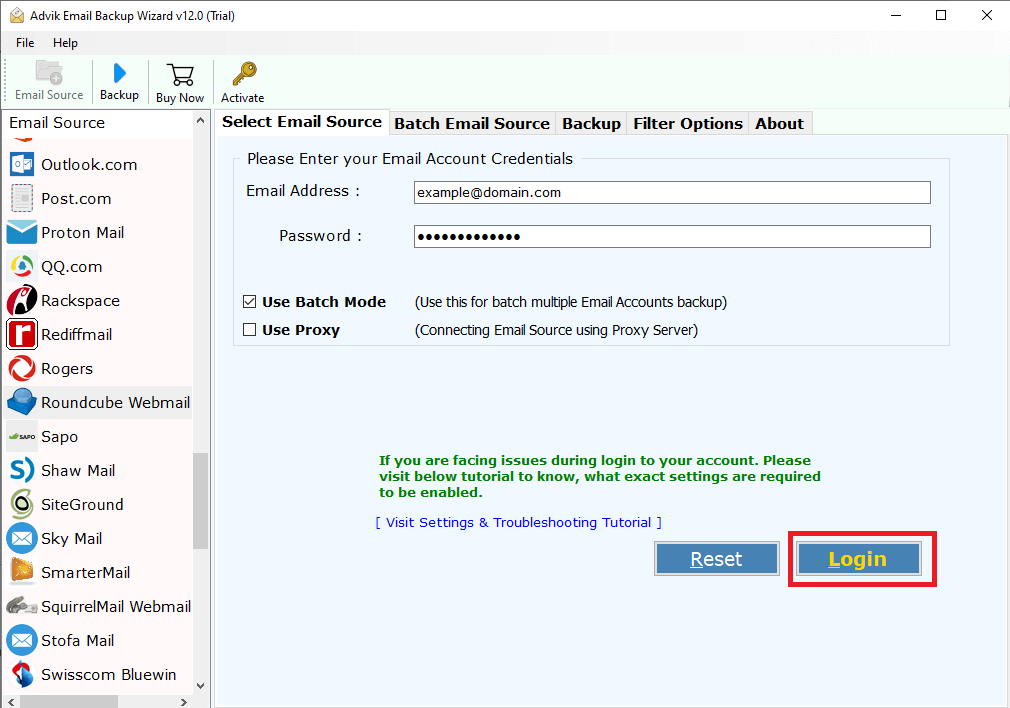
2. Enter Roundcube Webmail account credentials and press Login to sign in.
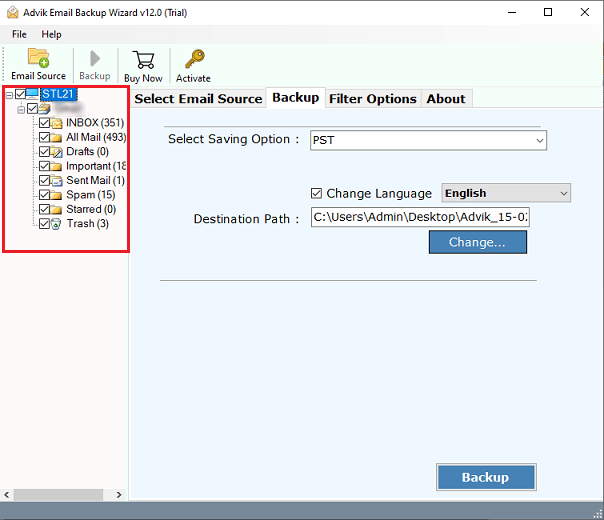
3. Choose the mailbox folders & subfolders to migrate.
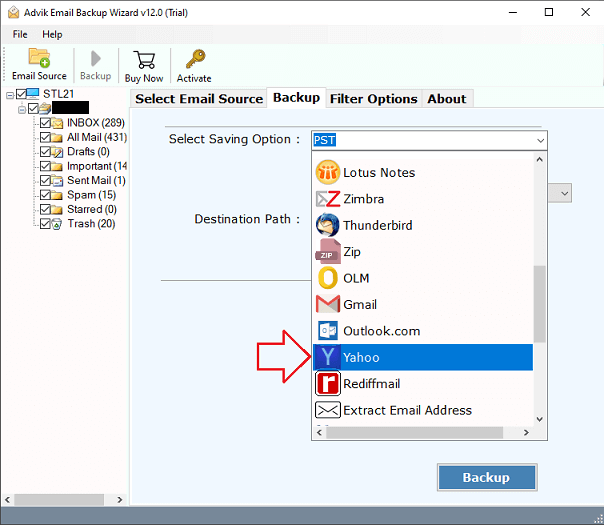
4. Next, select Yahoo as a saving option.
5. Enter your Yahoo Mail account login details and click the Backup button.
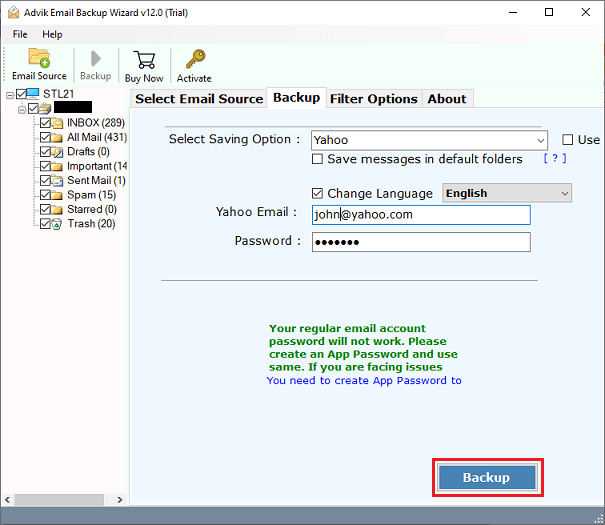
The software will start transferring emails from Roundcube to Yahoo mailbox.
Key Features of the Roundcube to Yahoo Migration Tool
- Easy Migration: Transfer emails directly from Roundcube to Yahoo without any external help.
- Safe & Secure: Securely migrate Roundcube emails to Yahoo without losing data items.
- Complete Mailbox Migration: Move all email folders like inbox, sent items, outbox, etc. at once.
- Advanced Filters: Advanced filter options to migrate only selected Roundcube emails.
- Maintains Folder Structure: Keep the internal folder structure of Roundcube mailboxes intact during the process.
- Preserves Metadata: Ensure all email attributes remain unchanged throughout the process.
- Free Trial: Try out the tool for free to check its working procedure before purchasing.
Final Words
In this blog, we have learned that there are many advantages to migrate Roundcube to Yahoo Mail, including better security, easy accessibility, and more seamless integration. Here, we have explained both manual and automated solutions to do it. The manual method is appropriate for smaller migrations. While the professional software offers a more effective solution for larger migrations.