How to Recover Deleted Yahoo Emails from Years Ago?
Christopher Plummer | January 8th, 2026 | Yahoo Mail
Losing old Yahoo emails can be painful, especially when they contain valuable information, attachments, or records. If you deleted important emails years ago and now need them urgently, this post will be helpful for you. Since permanently deleted emails are like that, they are gone forever. This post walks you through how to recover deleted Yahoo emails from years ago.
Emails are not automatically deleted in Yahoo Mail, which is a significant advantage for the majority of users. However, you may accidentally delete some emails or need them after a certain period of time. This is where the user’s ability to recover a deleted folder in Yahoo Mail becomes an issue.
Methods to Recover Deleted Emails from Yahoo years ago
We can try to restore the items to your inbox using various methods that we have tried and tested ourselves. But, you should keep in mind that this will not always be successful.
Method 1: Recover through “Trash Folder”
- If you deleted Yahoo emails, you can get them back but the condition is that they must not be older than 7 days. So be sure to check this out.
- In your inbox, go to the Yahoo mailbox folder and look for a “Trash” folder.
- Click on it and check the list of different deleted emails, select the one you want to recover.
- Now tap on the “Move” option.
In this way, you can recover a deleted folder in Yahoo Mail within 7 days.
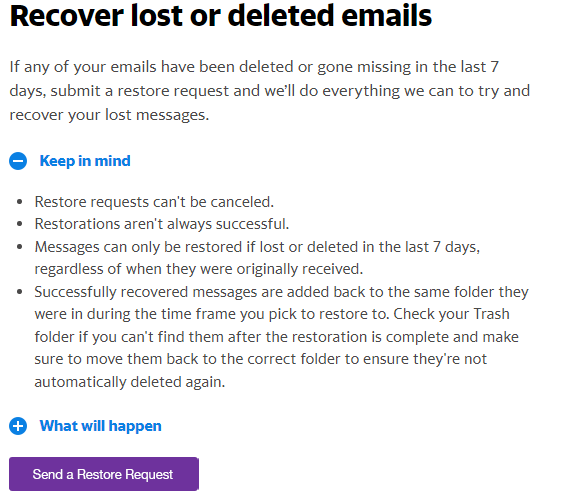
Method 2: Retrieve through “Restore Request”
This is the last solution you can try to recover deleted emails from Yahoo years ago. You can try this as well, but there is no guarantee that it will be successful in giving you the results you want. Submit a recovery request to Yahoo to recover your emails that you accidentally or unintentionally deleted.
1. Sign in to your Yahoo account and click this link.
2. Now click on the “Send a Restore Request” button.
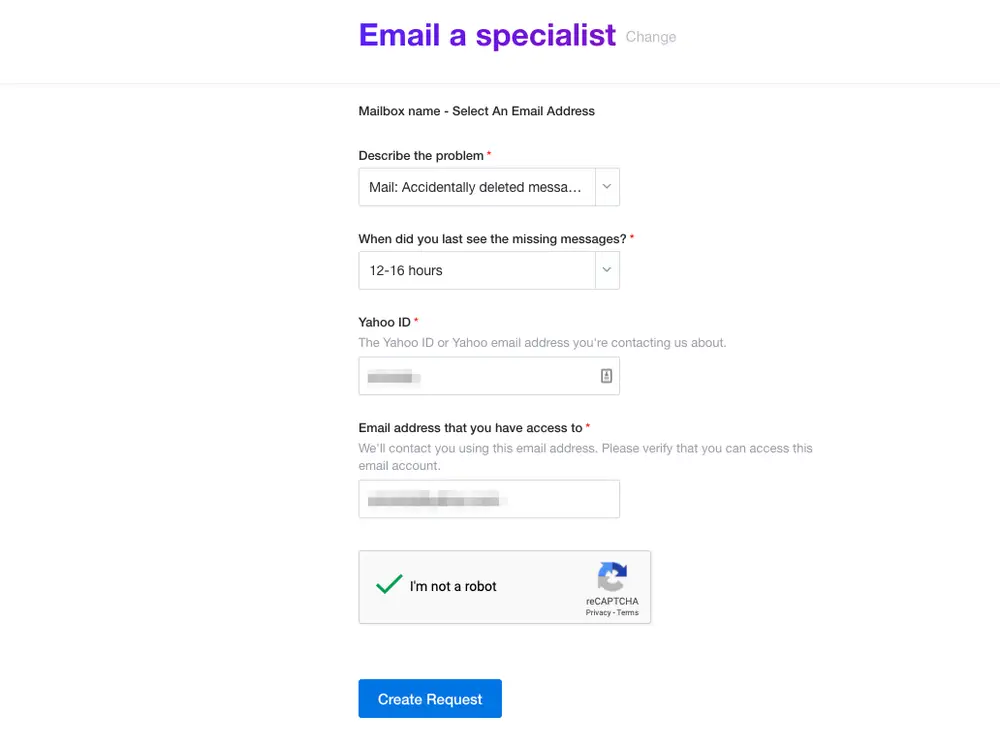
3. A new tab will ask you to describe your problem and enter your Yahoo email address and another email address they can use to contact you further.
4. Now when you are done with the details above, tap on “Create Request”.
5. You will then receive an email from Yahoo that your request has been successfully submitted.
So you can try the above methods to recover deleted emails from Yahoo years ago. However, wait at least 8 hours and you still haven’t received a message, then check all folders and subfolders again.
Pro Tip: Backup Yahoo emails
The only and simple solution is that you need to backup your Yahoo email account. If you’ve backed up your Yahoo email account for the last three years, you can quickly and easily back up your entire archives and see what you’re looking for.
You must use a reliable and simple backup tool to avoid data loss issues. Advik Yahoo Backup Tool is one such software that allows users to backup entire Yahoo email account in a simplified manner. You don’t need to put extra efforts to backup every single file, this tool is a standalone solution to get the whole task done in just a few simple clicks.

Watch How to Recover Deleted Yahoo Emails from Years Ago
Conclusion
We hope we’ve solved your query. As simple as glass, it is very clear that there is a software or manual way that can help you to recover deleted Yahoo emails from years ago. So if you have a backup of your Yahoo account, you can restore it from there. Otherwise, you can try two other methods that we have mentioned, but they are best suited if you want to recover emails from 7 days.