How to Fix Outlook Import Export Greyed Out Issue? 5 Proven Solutions
When Outlook import export option is greyed out, you will not be able to export PST files, import mailbox data or migrate Outlook data. This usually occurs when you are using the New Outlook version, a trial version of Outlook, a corrupted profile or due to administrator restrictions and many more. In this blog, you will learn 5 tested solutions to fix Outlook import export greyed out issue and also know the alternative way to export Outlook data when the feature is not available.
Table of Contents
What is the Import and Export feature in Outlook?
The Outlook import export feature helps users to import mailbox data from other sources such as .pst and text files and export Outlook emails, contacts, calendars, tasks and other mailbox items into PST and CSV files. This is a highly popular feature used by Outlook users for backup, mailbox migration, account transfer and many more. If the Import/Export option is not working then users may find it difficult to transfer or backup their Outlook data.
Why is Import Export Greyed Out in Outlook?
There are several reasons due to which Outlook import export option is not available. The more you know about the root cause, the better you can choose the right solution according to it.
- You are using the New Outlook application which does not support the old Import/Export wizard at this time.
- There could be a problem with your Outlook profile which is preventing some Outlook features from working properly.
- Your organization or administrator has disabled the Import/Export feature via group policies.
- You are using MS Outlook trial version that comes with a limited functions.
- The language settings for non-Unicode programs in Windows does not match the language of the Outlook installation.
- There could be Conflicts with Outlook add on that interfere with Outlook functionality.
Ways to Fix Outlook Import Export Greyed Out Issue
This guide covers 5 solutions:
- Use a licensed version of Outlook.
- Switch from New Outlook to Classic Outlook.
- Change Windows language settings.
- Ask your administrator to enable Import/Export.
- Repair your Outlook profile.
How to Fix Outlook Import Export Option Greyed Out Issue?
Here are several ways to solve the greyed-out issue with the Outlook Import/Export option. Let’s discuss all of them in detail:
Method 1. Buy a licensed version of Outlook
The trial version of Microsoft Outlook has limited functions. The Import/Export option may not be available until you upgrade to Outlook’s is properly licensed and activated.
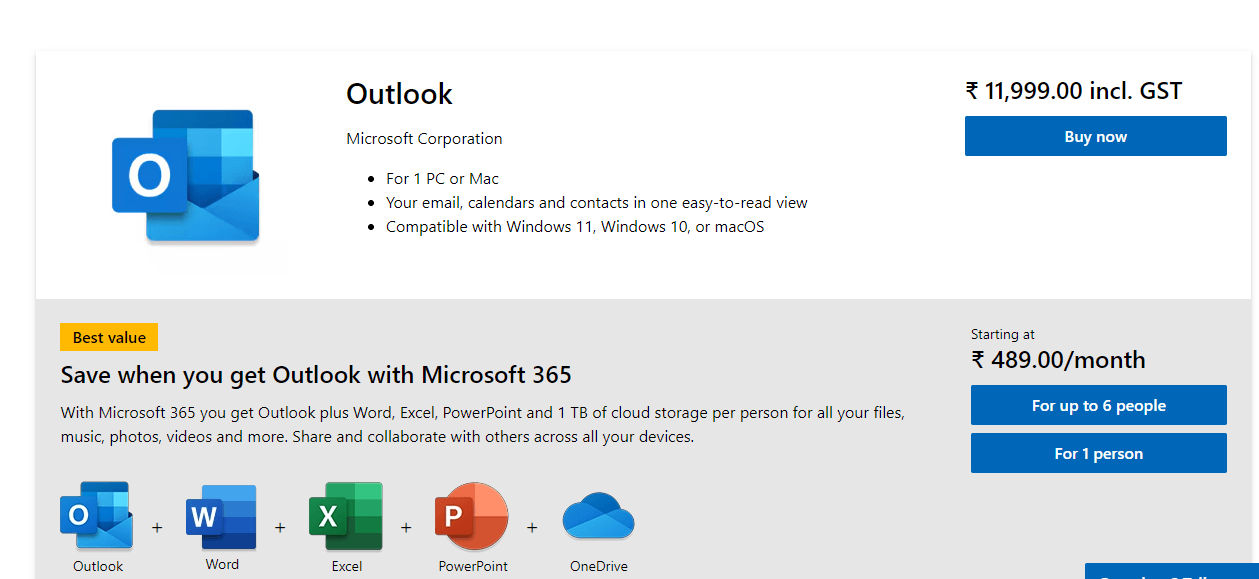
If you are using a trial version of Outlook, activate your Microsoft 365 subscription, or purchase a licensed version of Outlook. After activation, restart Outlook and see if the Import/Export option is available or not.
Method 2. Switch to Classic Outlook Version
The New Outlook application doesn’t comes with import export option. Microsoft has yet to bring the traditional Import/Export option to the New Outlook app.
To switch back to Classic Outlook, do the following:
1. Open Outlook on your computer
2. Look for the New Outlook icon in the top right corner.
3. Switch off that icon.
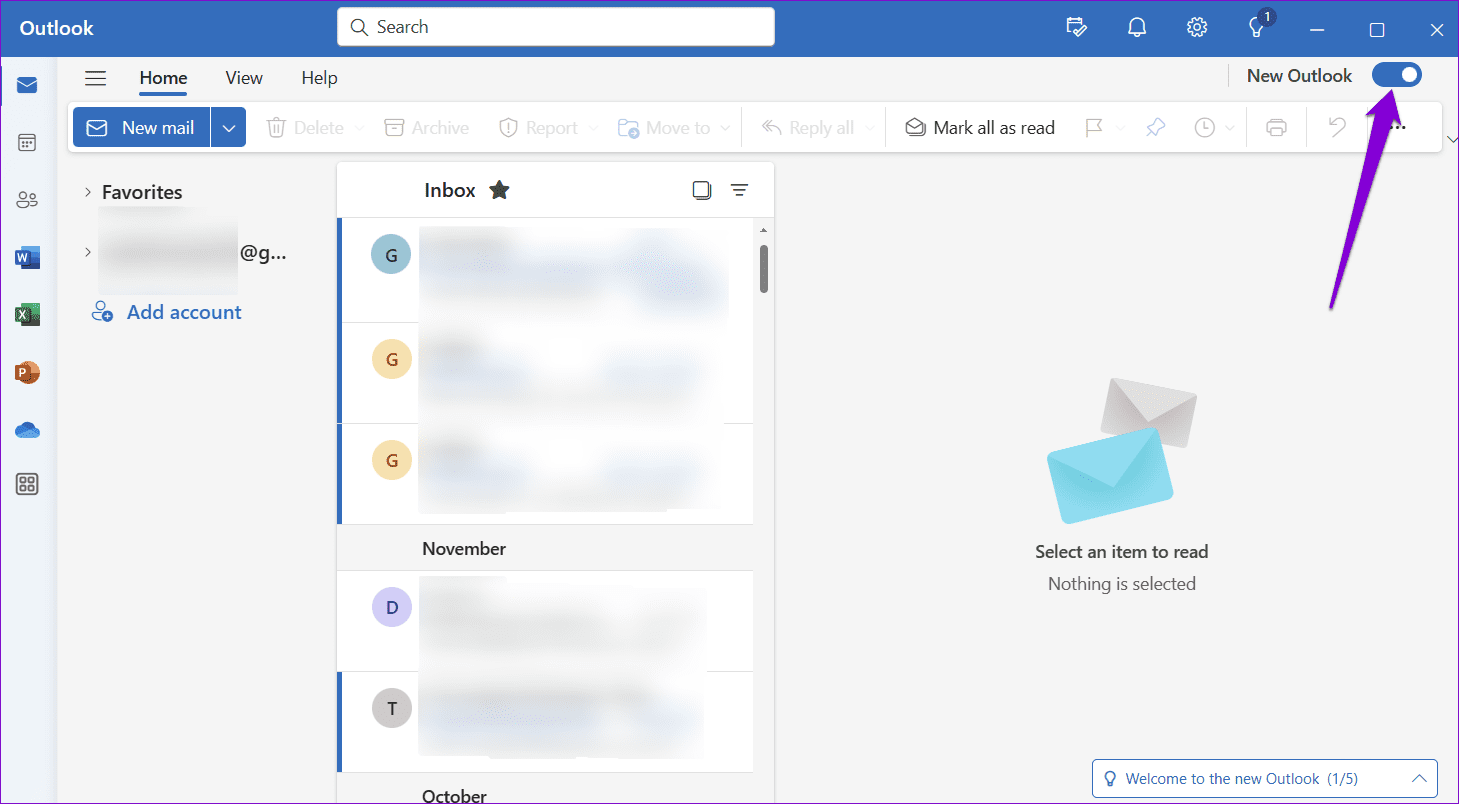
4. When prompted, give feedback or click Skip Feedback.
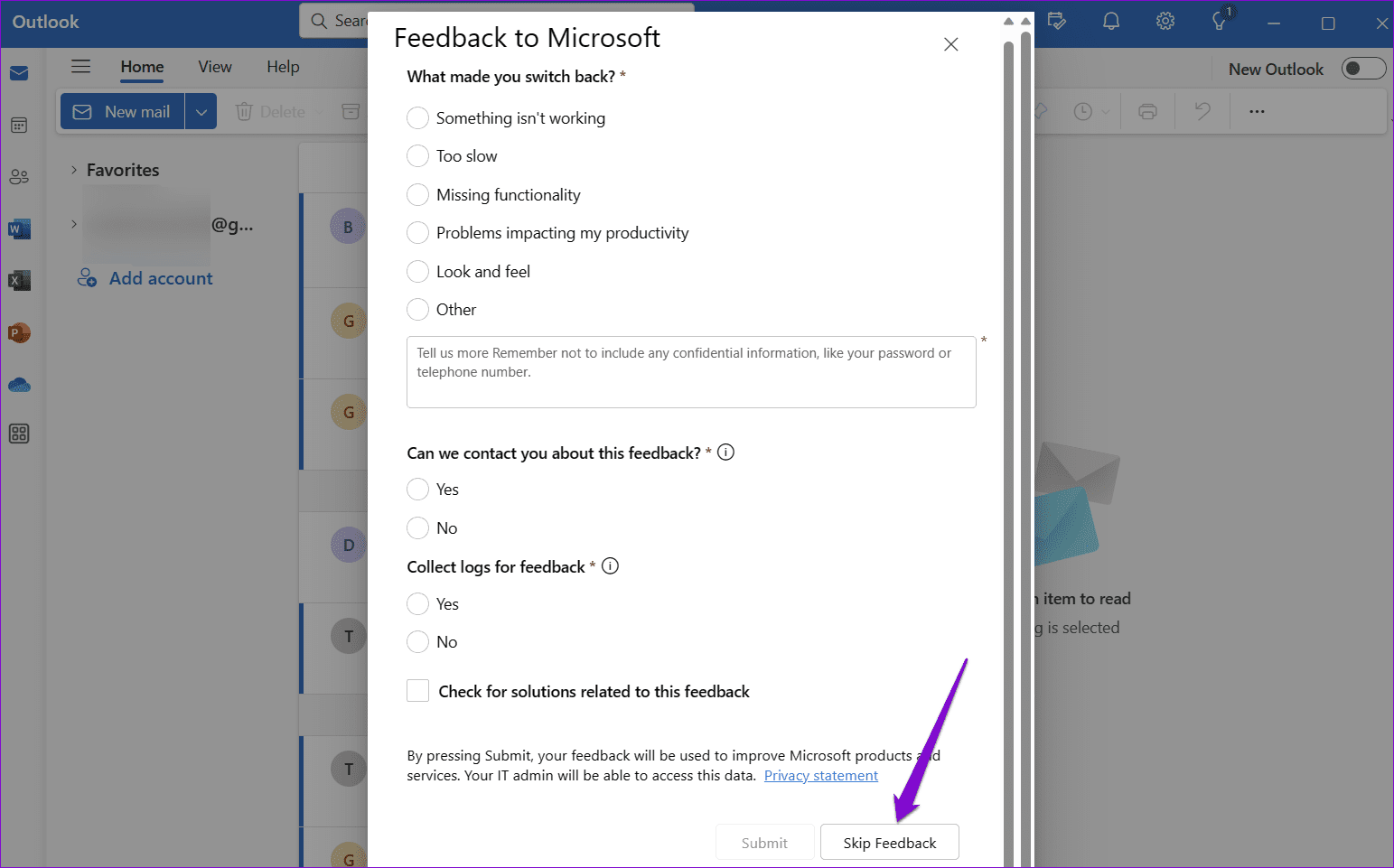
That current Outlook app will close automatically re open in Classic Outlook.
After you switch back, check to see if the Import/Export option is available.
Method 3. Change Windows Language Settings
Sometimes the import export functionality is turned off due to difference between the Windows non-Unicode language settings and the Outlook installation language.
How to do it:
1. On search tab and look for the control panel.
2. Then, here choose Clock and Region option.
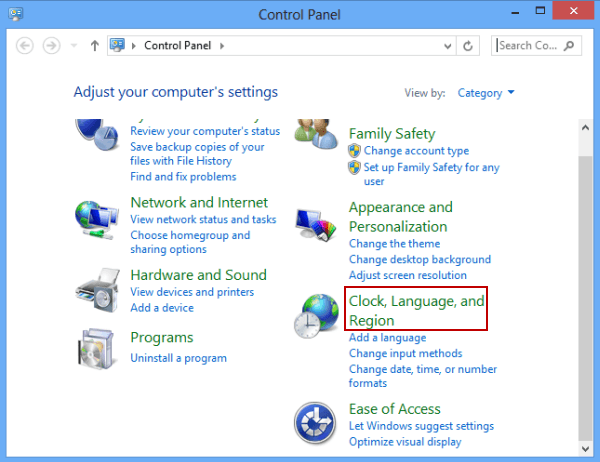
3. Next, select Region.
4. Tap on the Administrative tab.
5. Click Change system locale.
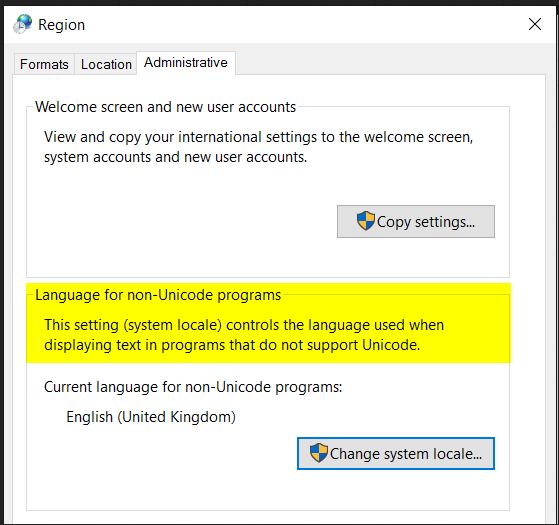
6. Set the language that was used in the installation of Outlook.
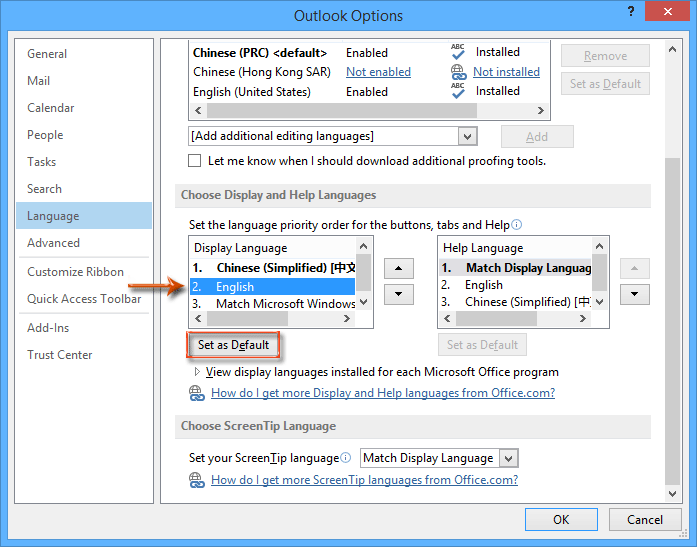
7. Click OK and then restart your computer.
After Windows restarts, open Outlook and check if the issue is resolved.
Method 4. Ask Your Administrator to Enable Import/Export
If you’re using a work or school Microsoft 365 account, your organization may have turned off the Import/Export option through administrative policies.
Check with your IT administrator to make sure that the Import/Export feature is enabled. Once the admin restrictions are removed, you should see the option in Outlook.
Method 5. Fix Your Outlook Profile
If your Outlook profile is damaged then various Outlook features may not to work properly, including Import/Export.
How to repair your Outlook profile? follow these steps;
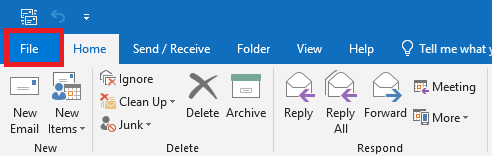
1. Open Outlook app on your computer and go to File tab.
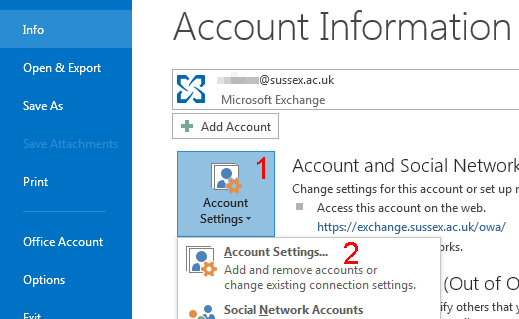
2. Then, click on the Account Settings >> Account Settings.
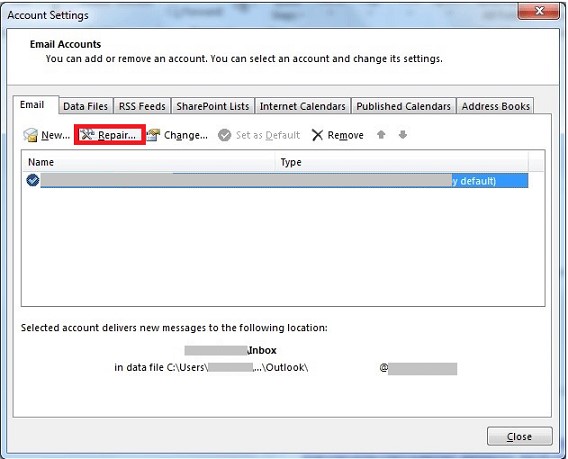
3. Now, click on Email tab and select the Outlook Profile and then click Repair.
4. Lastly, follow the instructions on your screen.
Once the repair process completes, restart Outlook and check the Import/Export option again.
Real User Scenario
During my research on Outlook Import Export problems, i found a common scenario on both Reddit and Microsoft platforms where users upgraded to the New Outlook Application and found that import export option disappeared completely. After following that query, i tried to access the Import/Export wizard after changing back to Classic Outlook. This confirms that the import export wizard is not available in New Outlook is also one of the main reasons for this problem at this point.
Expert opinion
During testing, i found that most of the greyed out import export cases were related either to the New Outlook application or to Outlook profile corruption. For many cases, it was enough to switch to Classic Outlook or repair Outlook profile to fix the issue without reinstalling Outlook.
Now, let’s move on to another section, here I will explain how you can export your Outlook data if import export feature is not working in your Outlook.
How to Export Data When Outlook Import Export is Unavailable?
If your Outlook import export greyed out, then you can take help from Advik Outlook OST Converter. This software is not able to fix the Outlook import export not working issue, but it will still let you export your data completely. With this program, you can export Outlook emails, contacts, calendars, tasks, and other data from your Outlook profile directly. It will preserve and maintain the complete folder hierarchy of the Outlook mailbox throughout the process. Plus, the software can export Outlook data into 30+ different email and document file formats.
Download the best alternative to Outlook Import Export feature and see how it works.
Note: The software is compatible with all Outlook versions such as 2026, 2024, 2021, 2019, 2016 etc.

Steps to Export Outlook Data When Import Export Greyed Out
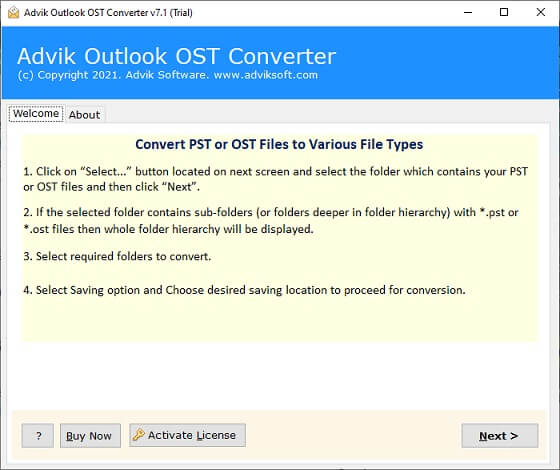
- Install and run this software on your PC.
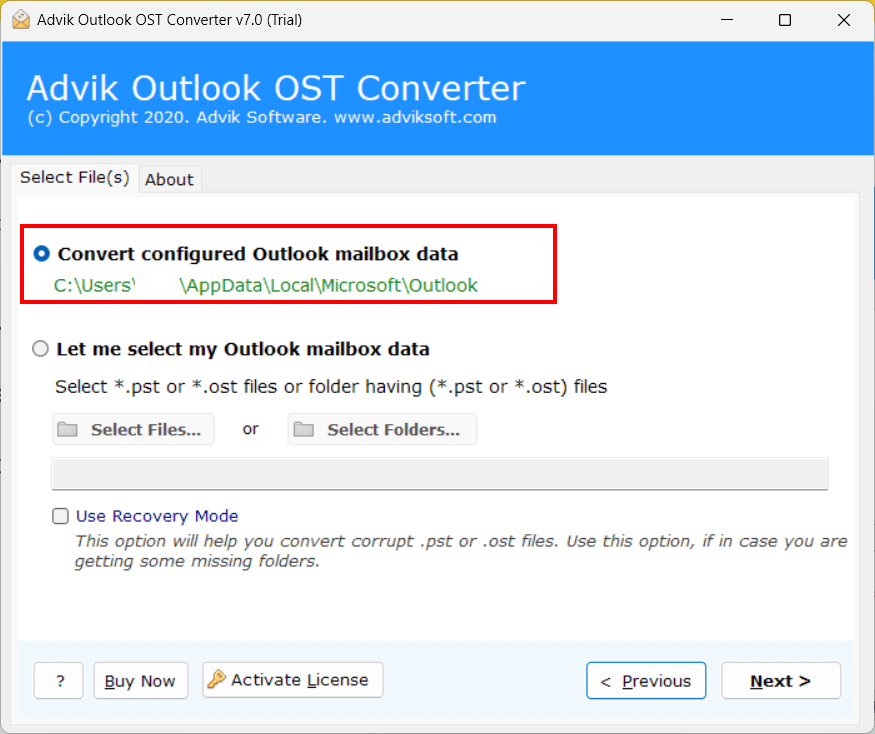
- Select Configured Outlook Account and click on Next button.
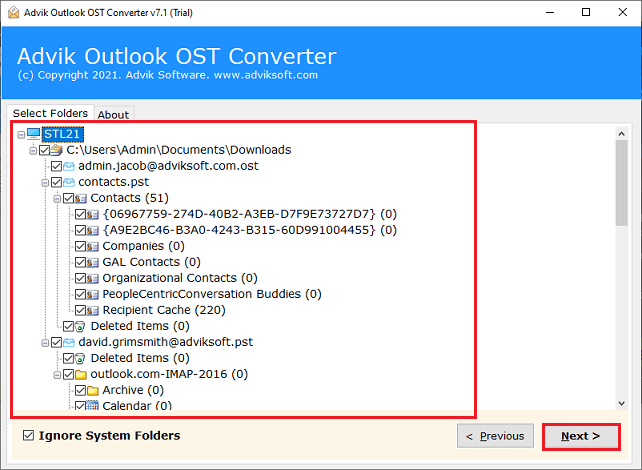
- Now, Choose the mailbox folders that you wish to export.
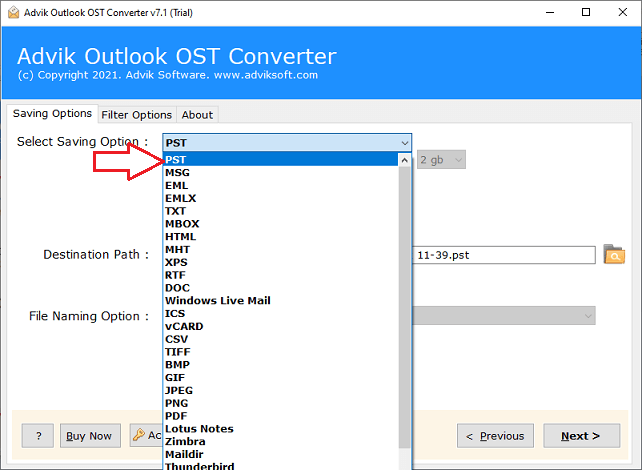
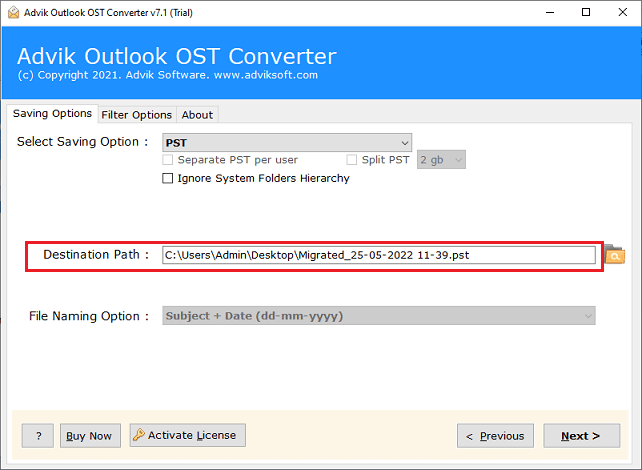
- Select “PST” as a saving option from the list.
- Choose your desired destination path to save the resultant PST File.
- Click the Next button to start the process.
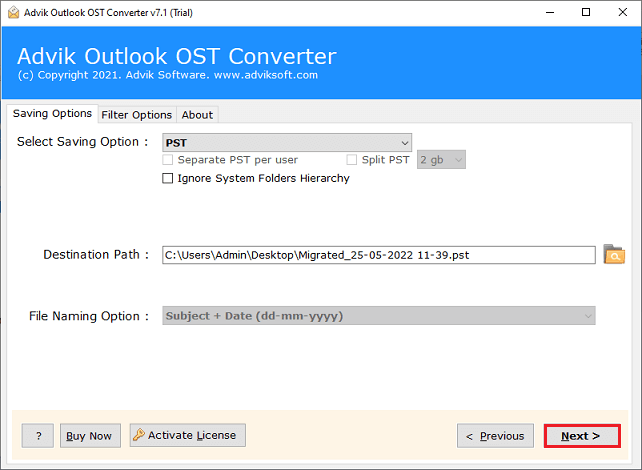
The software will start exporting Outlook data in PST file. You can preview the live export process as well. After completion, the software will provide a log report too. The software exports data even when the Outlook import/export option is unavailable.
Watch How to Fix Outlook Import Export Greyed Out Step by Step
Manual Methods vs Advik Outlook OST Converter
| Feature | Manual Methods | Advik Outlook OST Converter |
|---|---|---|
| Export Outlook Data | Depends on Outlook | Yes |
| Export Multiple Mailboxes | Yes, but becomes slow with large mailboxes | Yes, works fine |
| PST Export | Yes | Yes |
| Additional Export Formats | No | 30+ Formats |
| Technical Knowledge Required | Medium | Low |
| Folder Hierarchy Preservation | Not Guaranteed | Yes |
Final Words
Outlook import export greyed out issue is generally due to New Outlook restrictions, profile corruption, admin restrictions, licensing restrictions or incorrect language settings. If you try to repair your Outlook profile or switch back to Classic Outlook then it will mostly solve the problem. But if import export wizard is still not available then you can use Advik Outlook OST Converter to export Outlook mailbox data directly without using Outlook’s built-in import export feature.
Frequently Asked Questions (FAQs)
Q1. Why is import export option greyed out in Outlook?
Ans. The Import Export option may be greyed out due to the New Outlook application, corrupt Outlook profile, administrator restrictions, differences in language settings and licensing limitations.
Q2. Does New Outlook have Import Export?
Ans. No. The traditional import export wizard is not currently included in the New Outlook application by Microsoft. Users will have to go back to Classic Outlook to use this feature.
Q3. How do I turn on Import Export in Outlook?
Ans. To enable import and export, switch to Classic Outlook, repair your Outlook profile, change the Windows language settings or ask your administrator to remove policy restrictions.
Q4. How to export Outlook emails without import and export feature?
Ans. In case the import export wizard is not available, then you can also export your Outlook mailbox data with Advik Outlook OST Converter.
Q5. Can a corrupted Outlook profile prevent import export from working?
Ans. Yes, a corrupted Outlook profile can also impact various Outlook functions including the import export feature. Usually, the issue can be fixed by repairing the profile.
Q6. Does this software work with Outlook 2024 and Outlook 2021?
Ans. Yes. Advik Outlook OST Converter supports Outlook 2024, 2021, 2019, 2016, 2013 and all the versions below.
Q7. Does this software export contacts and calendars?
Ans. Sure. The software exports emails, contacts, calendars, tasks, journals, notes and other mailbox items of Outlook.
Q8. Do I need to have Outlook to export mailbox data?
Ans. Indeed. The software supports configured Outlook profiles and can directly access mailbox data available in Outlook.

Related Articles