How to Transfer cPanel to Zoho Mail?
Summary: Are you looking for a query “how to transfer cPanel to Zoho Mail” and still haven’t found any possible solutions? Transferring an email account to a new email service provider can be difficult. In this blog, the best and simple methods to migrate cPanel emails to Zoho Mail.
Zoho Mail is a secure email service that can be customized to meet your company’s communication needs. It’s more than simply an inbox with expanded collaboration options. Small businesses and enterprises can use Zoho Mail to set up, create, and use their own domain-based email addresses for business interactions. On the other hand, cPanel is a Linux-based graphical interface that allows users to maintain websites and servers.
Why Migrate from cPanel to Zoho Mail?
Here are some common reasons why users transfer cPanel to Zoho Mail;
- Zoho is free of advertisements and offers a clean marketing-free inbox.
- It offers enhanced security with strong encryption.
- A better integrated professional ecosystem to increase productivity.
- Simple collaboration with team communication and file management.
Here, we will discuss two different methods to migrate cPanel emails to Zoho Mail. Let’s look at each method in detail.
Method 1. How to Transfer cPanel to Zoho Mail?
For server-to-server conversion, Zoho Mail offers a variety of email migration options (POP or IMAP). You can complete the migration by logging in as a super admin to mail.zoho.com and following the procedures below.
- Log in to the Zoho Mail Admin Console.
- Go to Data Migration and select IMAP Migration.
- Enter the server details of your cPanel mail account.
- Add credentials of cPanel accounts.
- Click on Start Migration to begin the process.
Done! This method is not suitable for large mailboxes and doesn’t offer a selective folder migration option.
Method 2. How to Migrate cPanel to Zoho Mail Automatically?
To avoid the limitations which we have mentioned above, we are introducing a professional solution i.e. Advik Email Migration Tool, which gives you an instant solution without any delay. It is the best and easiest method to transfer cPanel to Zoho Mail in bulk. Additionally, it also provides filter options to select which mailboxes to move or transfer. The tool preserves the folder hierarchy as well while migrating.
Download this free email migration tool to easily perform cPanel to Zoho Mail Migration in few simple steps


Steps to Transfer cPanel Emails to Zoho Mail
1: Install and run the Advik Email Migration Tool on your local system.
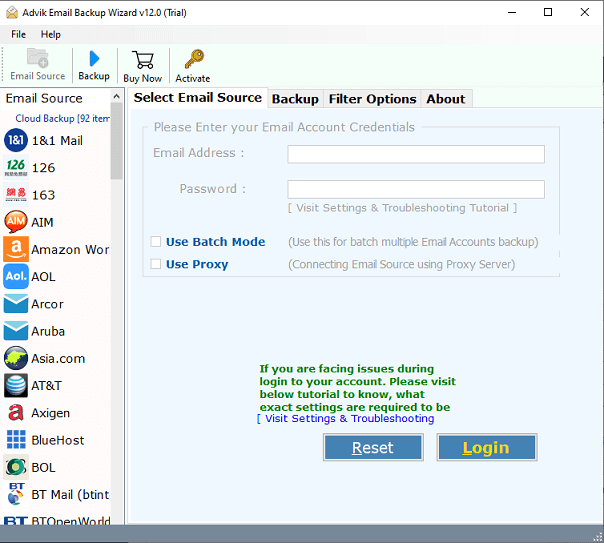
2. Now, choose “IMAP server” as your email source from a 70+ email source list.
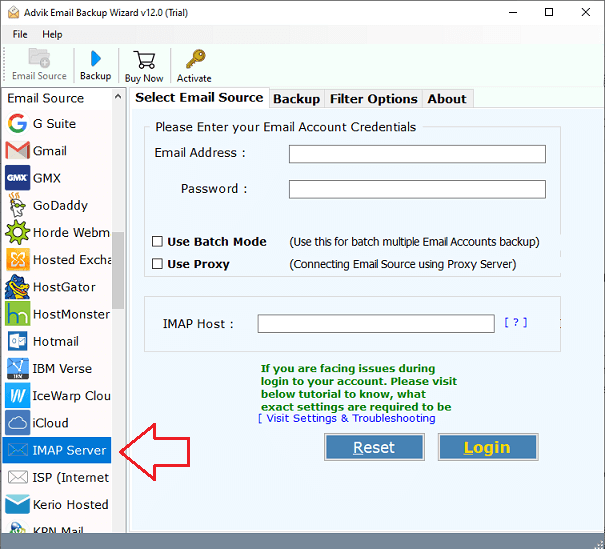
3. Now log in to the software interface with your credentials of your cPanel webmail account.
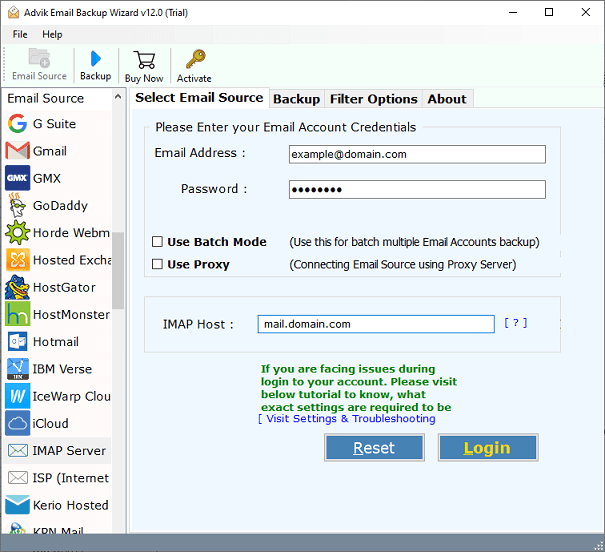
4. Choose the required email folder from cPanel mailbox.
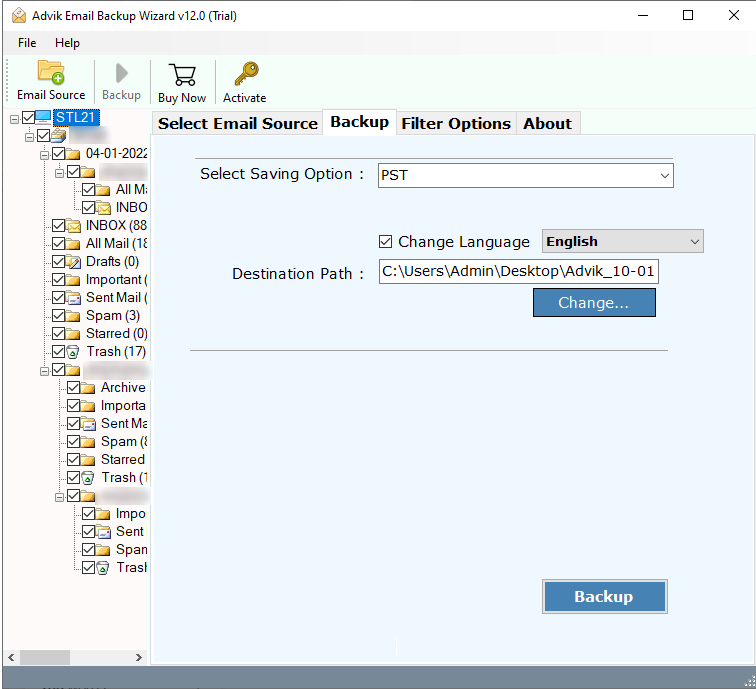
5. Now, select “IMAP server” as your saving option.
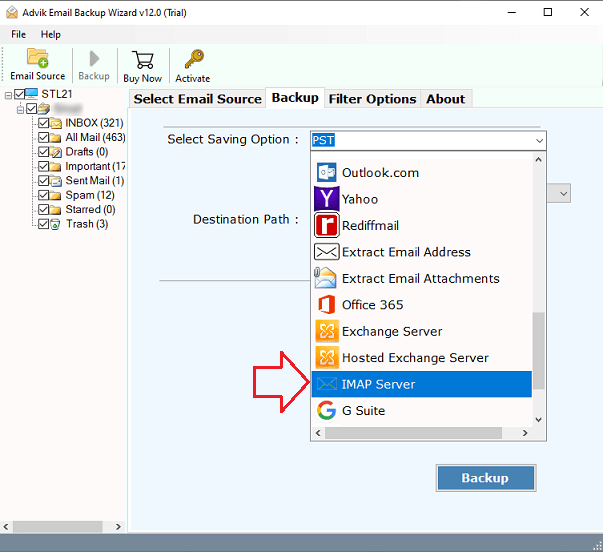
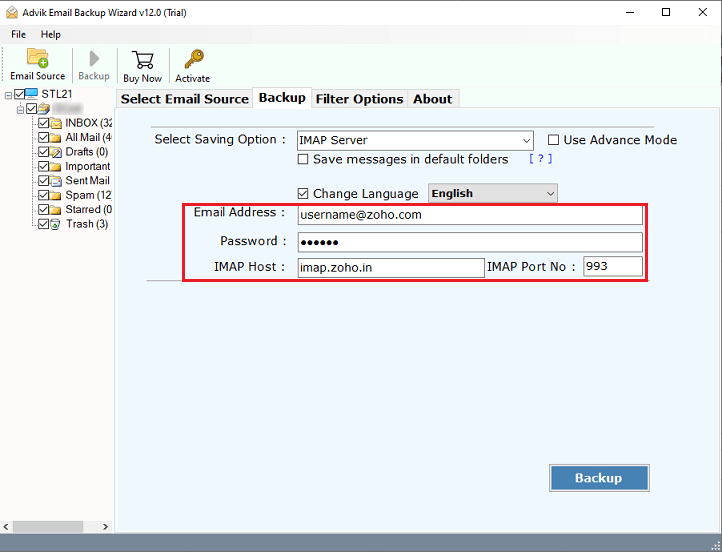
6. Enter your Zoho Mail login credentials, such as Zoho Mail email address, password, IMAP Host, and IMAP Port No.
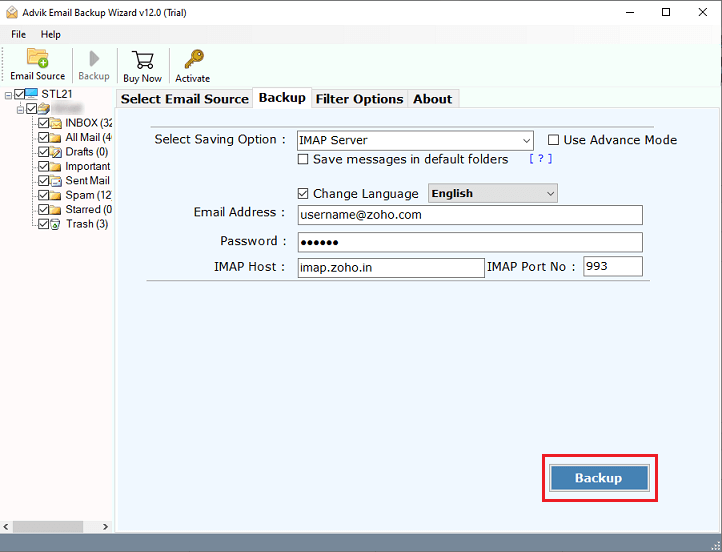
7. To begin the email migration from cPanel to Zoho Mail, press the Backup button.
Watch How to Migrate cPanel Emails to Zoho Mail
Conclusion
In this blog, we have covered how to move cPanel webmail directly to Zoho Mail. The manual method of migrating cPanel emails to Zoho Mail has many disadvantages. To avoid such limitations, we recommend users to opt for the expert-recommended solution to transfer cPanel to Zoho Mail hassle-free. Download the trial version and try the application before you buy it to better understand how it works. Users who are satisfied with the product can easily purchase it for lifetime use.