How to Migrate Emails from cPanel to DirectAdmin?
Jackson Strong | January 16th, 2026 | Email Migration
Many users struggle while migrating from cPanel to DirecAdmin. If you are also switching hosting panels and wondering how to migrate from cPanel to DirectAdmin, this guide will walk you through the safest and easiest way. Read this article till the end to learn the step-by-step instructions to ease this process.
If you have experience with web hosting, you’re probably familiar with DirectAdmin, which is also the most popular control panel in the market and is provided by numerous hosting providers. It is a web-based control panel known for its usability and speed, and it works effectively with all types of hosting accounts. Also, it allows administrators to modify settings and manage data on the DirectAdmin server.
One significant difference is that cPanel provides a more advanced user interface compared to DirectAdmin. However, DirectAdmin is available at much lower prices compared to cPanel. But the choice between these two depends on the user’s preferences.
How to Migrate Emails from cPanel to DirectAdmin Directly?
To ease this process, the Advik Email Migration Tool is the highly recommended application. This utility will help you to transfer cPanel emails to DirectAdmin account. It will maintain folder hierarchy and email key elements during the transfer process. Thus, no data loss will take place while exporting emails from cPanel into DirectAdmin.
Download the software for Windows or Mac.


Steps to Migrate cPanel to DirectAdmin
1. Install and Run the automated tool on your computer.
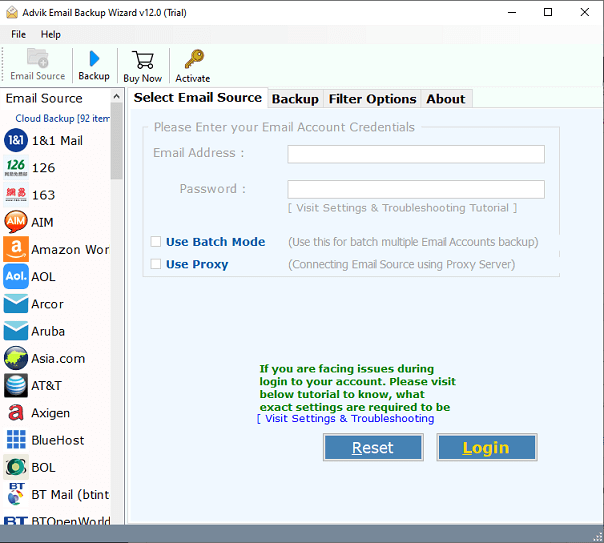
2. Then, choose Webmail from the source email clients and enter your email account credentials.
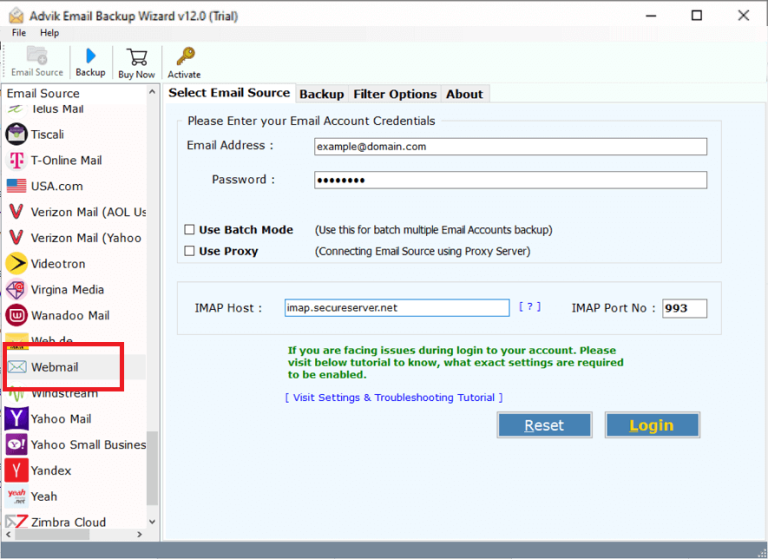
3. Now, choose the email folders from the preview pane that you need to transfer into DirectAdmin account.
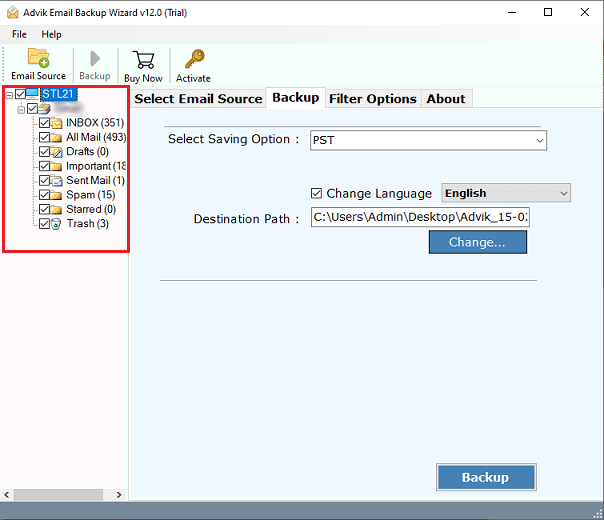
4. After that, select IMAP as a saving option from the drop-down list.
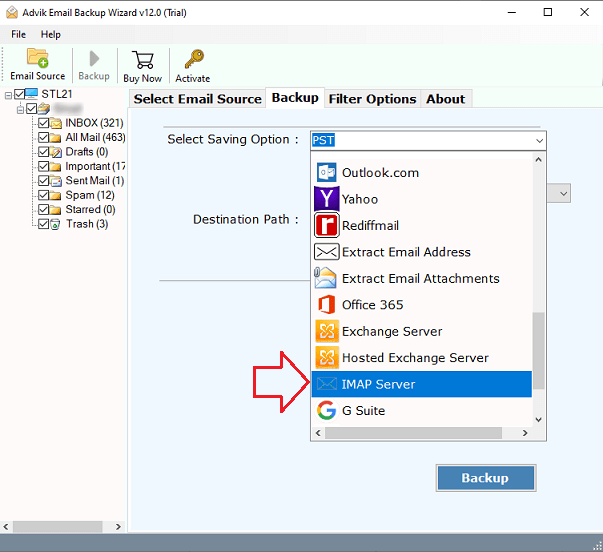
5. Then, enter the details of your DirectAdmin account and, press the Backup button.
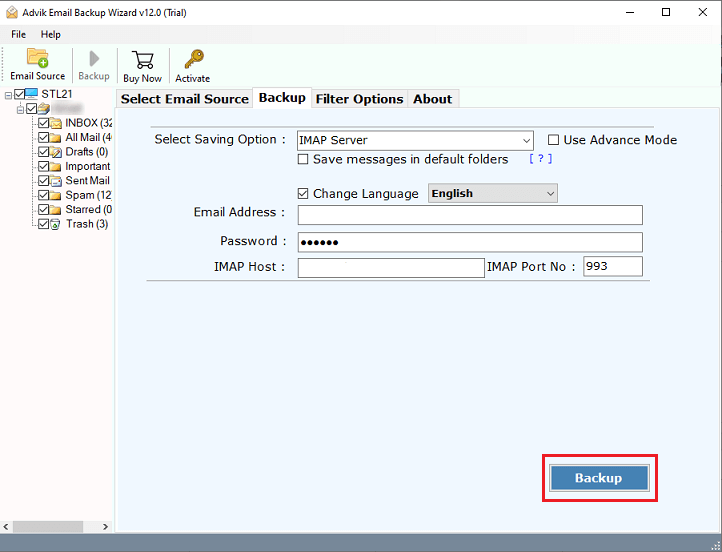
Done!! This process will start in a few seconds and you will be notified through a notification. Click on the OK button.
There are several features due to which users can choose this application to transfer cPanel to DirectAdmin Migration Tool. Here are some of its features;
- It enables the migration of cPanel emails while preserving attachments, contacts, sender and receiver information.
- Migrate all folders or selectively migrate cPanel to DirectAdmin.
- Migrate cPanel email to Google Workspace, Office 365, Yahoo Mail, AWS Workmail, AOL Mail, Exchange Server, etc.
- It can effortlessly load cPanel email messages into the software panel by providing the cPanel account credentials.
- This tool functions independently and eliminates the need to install any additional software.
- Batch migration feature to easily migrate data from multiple cPanel email accounts simultaneously.
Watch How to Perform the cPanel to DirectAdmin Migration
Conclusion
Here we have discussed a direct and reliable approach to migrate emails from cPanel to DirectAdmin account. By using this professional software users can overcome this situation easily. Also, users can test the demo version of this application to learn about the complete work and functionalities.
FAQs – Migrate from cPanel to DirectAdmin
Q1. Can I migrate all emails from cPanel to DirectAdmin at once?
Ans. Yes, the software can transfer the entire mailbox in a single attempt.
Q2. Will the folder structure remain the same after the migration?
Ans. Yes, the folder hierarchy will remain intact even after the cPanel to DirectAdmin migration.
Q3. How long does the migration process take?
Ans. The time depends on the mailbox size.