How to Transfer Emails from Mailbird to Gmail?
Jenny Lowrence | February 16th, 2026 | Email Migration
Mailbird is a desktop-based email app you use on your computer. It lets you manage your emails, tasks, and schedule all in one place. However, users want to transfer emails from Mailbird to Gmail to easily access them. Many users are encountering problems when trying to migrate Mailbird emails to Gmail.
Transferring Mailbird emails to Gmail will let you access them from anywhere and at any time. Also, it has many amazing features that attract users to switch from Mailbird to Gmail. Such as spam filtering, search email, 15 GB of free storage space, 2-step authentication, and easy integration with various Google Cloud apps.
Methods to Transfer Mailbird to Gmail Account
We have two solutions to migrate emails from Mailbird to Gmail:
- Manual Method
- Professional Migration Tool
We will first start with the manual procedure and then we will go over the automated solution. Let’s get started:
How to Import Mailbird Emails to Gmail Manually?
- Launch the Mailbird app on your computer.
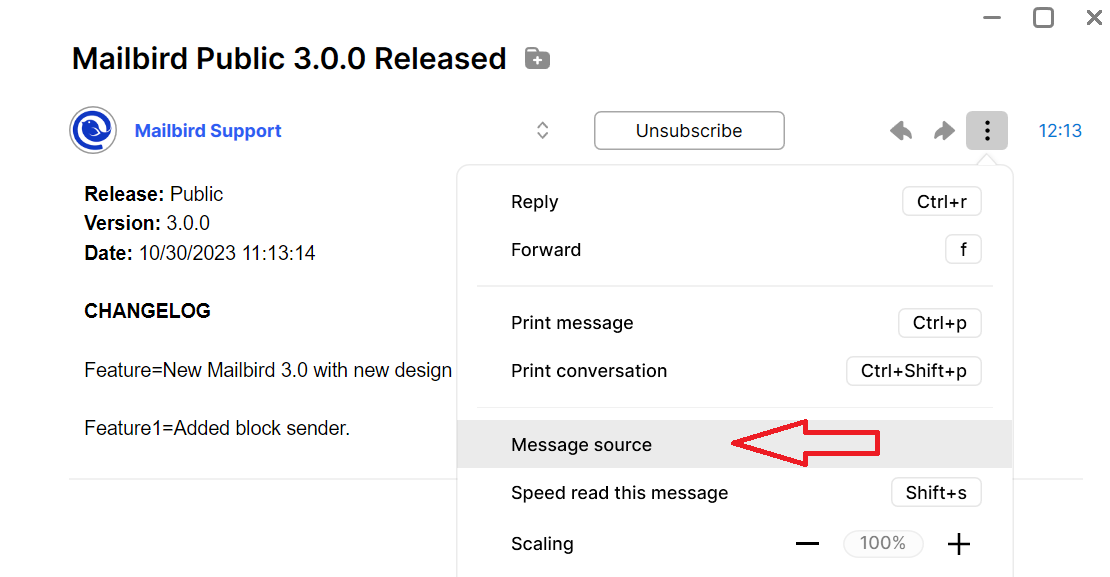
- Select the emails and click on the three-dot icon.
- Here, choose Message source from the menu.
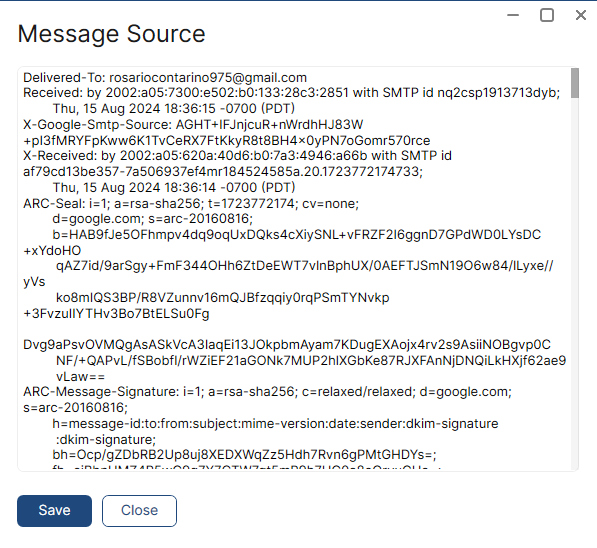
- Tap on the save to export the plain text format.
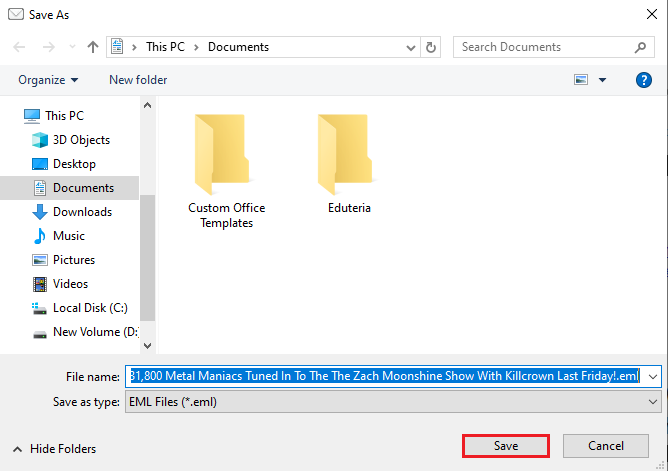
- Lastly, click Save and export it as a .eml file.
- Repeat the same process for the remaining emails.
- Now, install and run Outlook on your system.
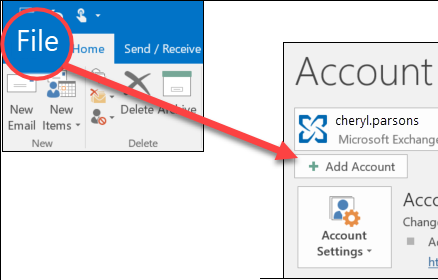
- Click the File tab and choose Add account.
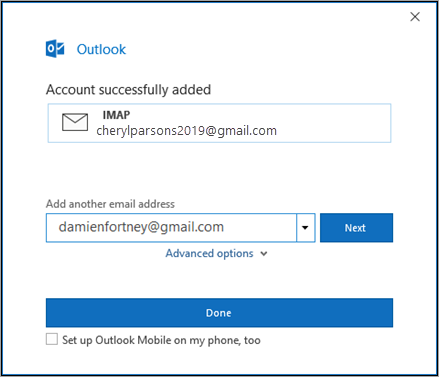
- Now, configure your Gmail account.
- Then, drag and drop .eml files into it.
- Copy the single email into your Gmail mailbox one by one.
Once the import is complete, check your Gmail inbox to confirm the emails have been successfully transferred.
That’s it! Your Mailbird emails should now be in your Gmail account.
How to Transfer Emails from Mailbird to Gmail Automatically?
As we discussed the manual solution is tricky and lengthy, so only some can manage to use this method. If you want an easy-to-use approach, try the Advik Email Migration Tool Software on your system (Mac & Windows). This tool will easily transfer Mailbird emails to Gmail account in a few simple steps. You can transfer single as well as multiple Mailbird emails to Gmail in a single attempt. Also, it will preserve email data integrity throughout the process.
Additionally, with its email filter feature, you can choose emails based on to, from, cc, bcc, specific dates, and many more.
Click on the below download button and transfer 25 emails from Mailbird to Gmail for FREE.


Steps to Migrate Mailbird to Gmail Account
Step 1. Run this software on your system.
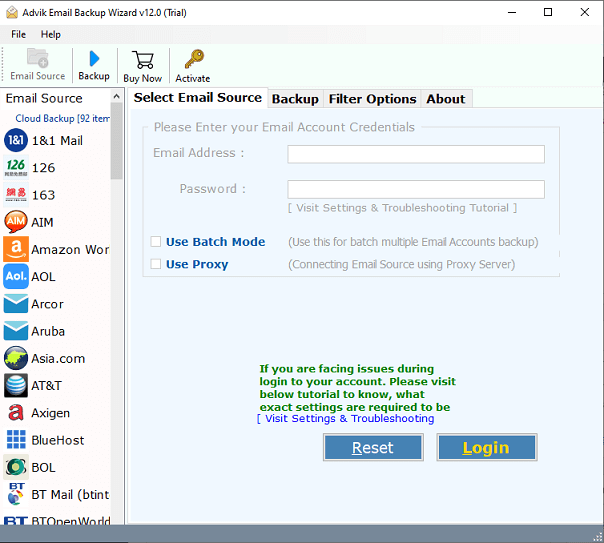
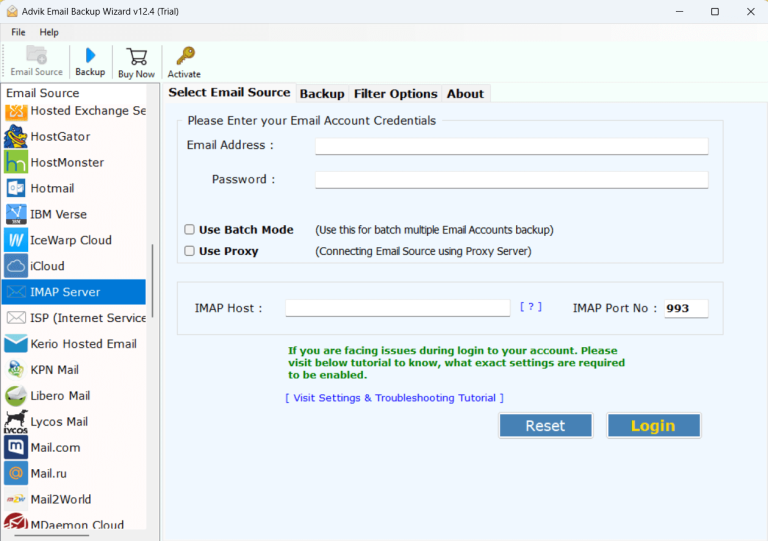
Step 2. Select your email account configured in Mailbird & log in.
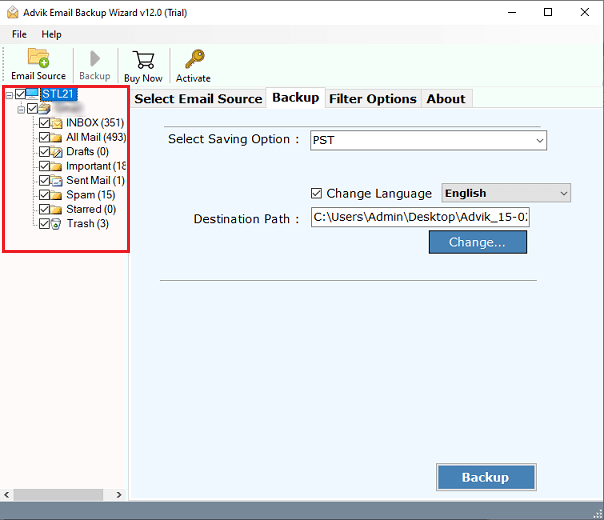
Step 3. Select the required emails from the preview.
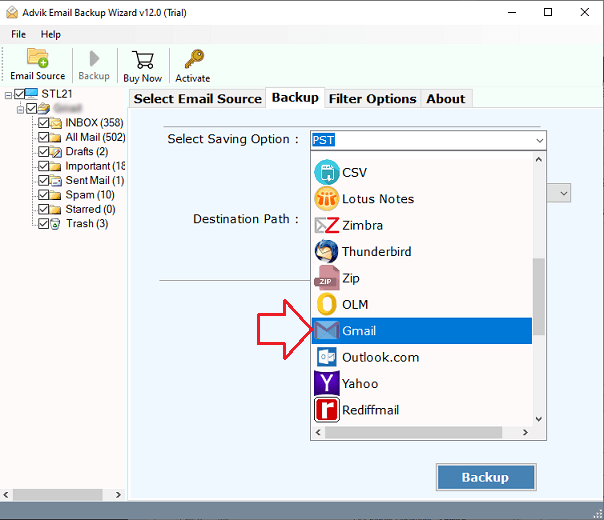
Step 4. Choose Gmail as a saving option from the list.
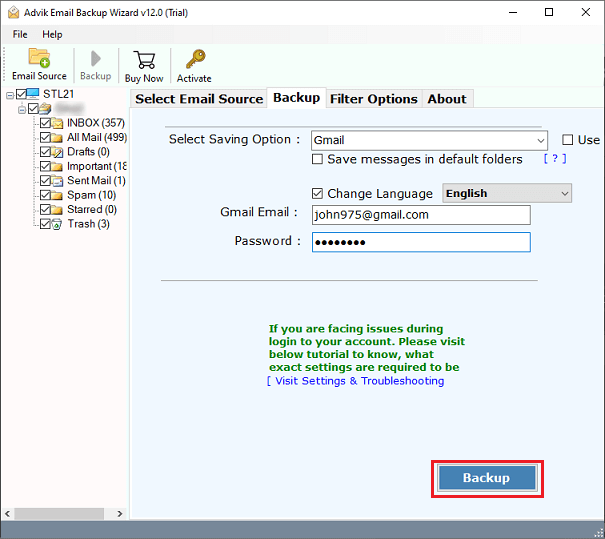
Step 5. Enter Gmail credentials and click Backup.
The process has been started, once completed, you will get a pop-up message.
Now, you can check out your Gmail mailbox where all Mailbird emails are already transferred.
This will help you to conveniently store all data in one place.
Why Do Professionals Avoid Manual Solution?
- Difficult to Execute: The manual methods are tricky. While using automated software, the Mailbird to Gmail email transfer concludes in just 5 simple steps.
- Takes Time: The manual method is lengthy and hence it takes time to implement the procedure. With Advk software, you can save your time and effort as well.
- Can’t Move Many Emails at Once: Bulk migration isn’t possible with the manual method. However, the Advik software allows you to transfer unlimited emails from Mailbird to Gmail account at once.
- Different for Each App Version: The steps might change depending on the app. However, the Advik software is a single app that completes the whole process.
- Risk of Losing Data: There’s a higher chance of mistakes and data loss in manual methods. But with Advik software, you can rest assured about data security and safety.
- Needs Tech Knowledge: You need some technical skills, like setting up an IMAP/POP3 Gmail account. With the Advik software, you just need to export Mailbird emails and Gmail account credentials, and the rest of the steps are managed by the software itself.
Final Words
This blog explains various methods to transfer Mailbird to Gmail account. We have covered the two best solutions to handle this email transfer process. We have seen that manually migrating emails from Mailbird to Gmail is challenging and time-consuming. Alternatively, we have offered an easy-to-use approach that easily completes the whole process in a few simple steps. You can also try out its FREE demo version to check its working procedure, and features and migrate the first 25 emails at no cost.
FAQs – Transfer Mailbird to Gmail
Q1. How can I directly transfer Mailbird emails to Gmail?
Ans. With the automated tool, you can import Mailbird emails to Gmail directly.
Q2. Does the software allow us to migrate all emails at once?
Ans. Yes, the software can move the entire mailbox folders in one go.
Q3. Can I use this application to transfer Mailbird contacts to Gmail?
Ans. Yes, the software gives the facilities to export Mailbird contacts to CSV format, which is supported with Gmail account.