How to Backup MailBird Emails to PC?
Jackson Strong | February 15th, 2026 | Data Backup
Summary: This write-up will cover detailed information about how to backup Mailbird emails. Here, we will discuss the secure and instant solutions to save Mailbird emails with attachments. Read the complete blog and learn the step-by-step process for downloading Mailbird emails.
Mailbird is a popular email client. It allows users to manage multiple email accounts in one place. It offers various advanced features to manage emails. However, it can store emails up to a limit. Once that limit is reached, you need to save your emails from the email platform to your system’s hard drive. Additionally, backing up your Mailbird emails is a good idea to keep your data safe.
In this article, we will show you both manual and automated solutions to perform the Mailbird email backup process.
How to Backup Mailbird Emails Manually?
- Log into your Mailbird email client.
- Open the email that you want to save.
- Click on downward arrow options.
- Now, select the Print option and click on Print Message.
- Next, select MS Print to PDF and hit on Print.
- Choose the destination path and click Save button.
vbn,n This is how you can take backup Mailbird email in PDF format. However, this is a time-consuming process if you have a large amount of emails for backup.
How to Save Mailbird Emails to Computer?
Download and Install the Advik Email Backup Wizard on your PC. This tool can easily backup Mailbird email in just 5 simple steps. It offers various saving options to export Mailbird emails in 30+ different file formats of your choice. Even it will maintain a complete folder hierarchy and preserve email elements of Mailbird emails throughout the process. It provides various advanced filter options for selective email backup.
Click on the FREE download button and check its working process.


Steps to Backup MailBird Emails to PC
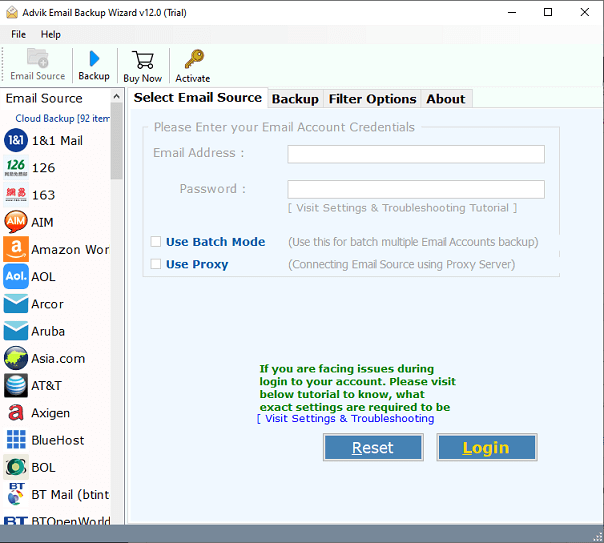
Step 1. Run the software and select IMAP server.
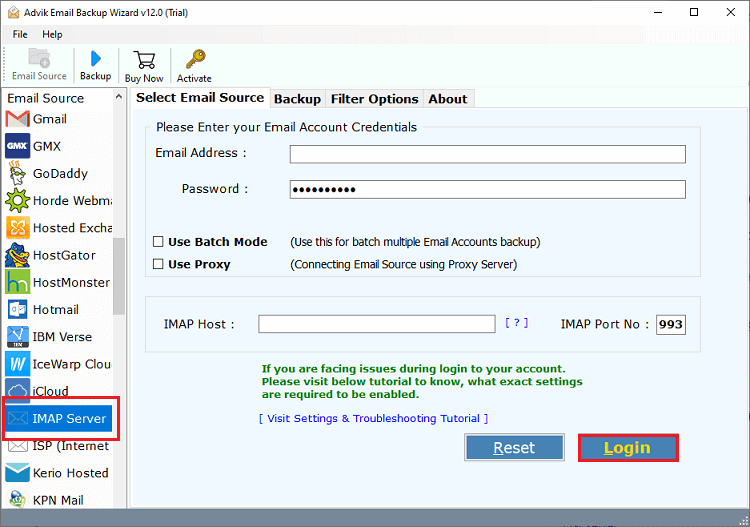
Step 2. Enter your Mailbird account credentials to sign in.
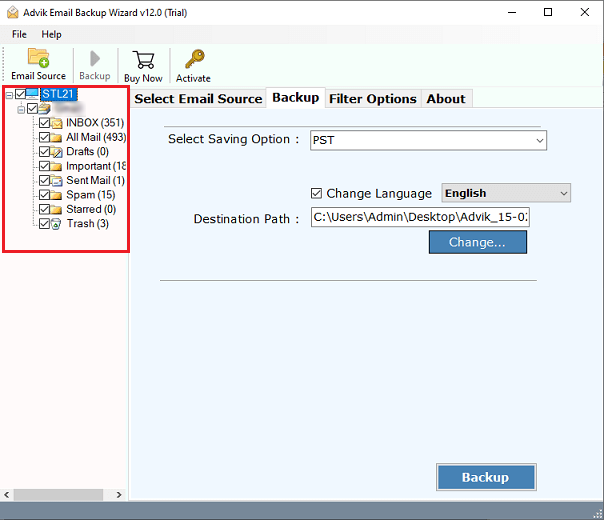
Step 3. Select mailbox folders to download.
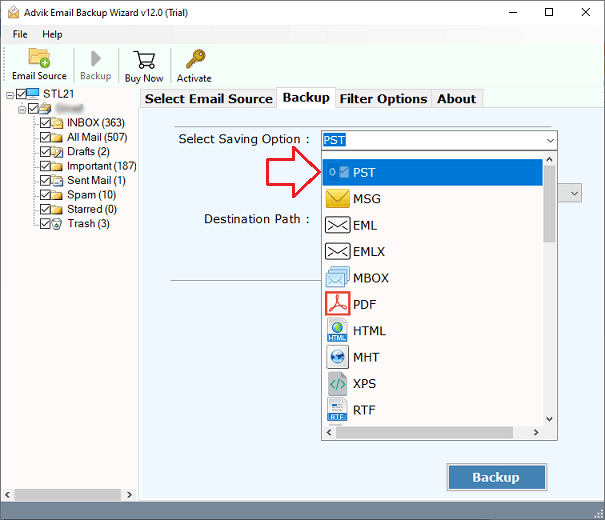
Step 4. Choose any file format from the saving option.
Step 5. Browse the target location and click the Backup button.
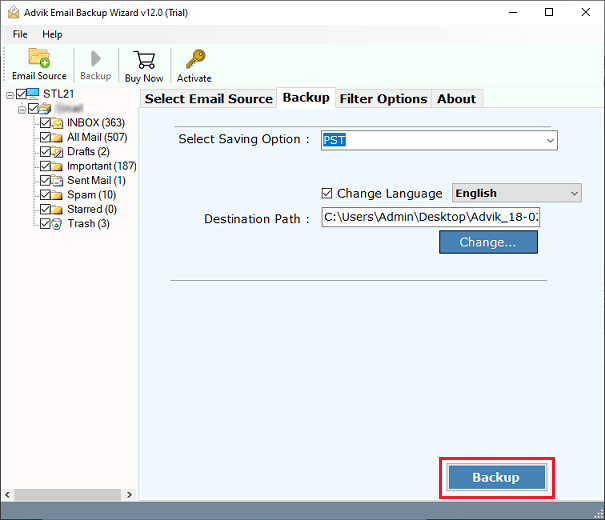
Now, the software will start downloading emails from Mailbird account in no time.
Once completed, you can check all the exported emails in your chosen location.
Advantages of Using Advik Mailbird Backup Tool
There are the following advantages and benefits of using this handy software to save Mailbird emails. Some of them are;
- Save Emails in Bulk: The software lets you backup multiple Mailbird emails in a single attempt. You can choose to download emails from various Mailbird mail accounts as well.
- 30+ Saving Options: Users can save Mailbird emails locally in various file formats. It includes email file formats, document file formats, and many more.
- Preserve Folder Hierarchy: With this software, you can rest assured about the email folder hierarchy. It keeps them intact and downloads them in their original format.
- Filter Options: This advanced tool also has an email filtering feature through which you can choose selective emails. Such as based on to, from, cc, bcc, subject, export, or include folders, etc.
- Maintain Data Integrity: The tool lets users keep all key elements of their emails unmodified throughout the process. Such as metadata, inline images, hyperlinks, attachments, and signatures, etc.
- Wide Compatibility: This software can be easily installed on various versions of both Windows & Mac OS. It includes Windows OS 11, 10, 8, 7 and Mac OS X 10.0, 10.1, 10.2, 10.3 etc.
Conclusion
We hope that you found this article helpful for you. We have explained two different methods to backup Mailbird emails to computer. The manual method works well if you have a limited number of emails. On the other hand, the automated tool can download Mailbird email messages in bulk with full accuracy. Try its free demo version to check its working procedure then proceed further to buy its licensed version.
Frequently Asked Questions
Q 1. Can I try the software for free?
Ans. Yes, download the software for Windows or Mac, the system you have. The trial version will save 25 emails from each folder for free.
Q 2. In which file format I can save Mailbird emails?
Ans. There are 30+ saving options in which you can backup Mailbird emails.
Q 3. Is it possible to back up Mailbird emails to another Mailbird?
Ans. Yes, you can transfer emails from one Mailbird server to another Mailbird server. The software offers this option as well.
