How to Convert Yandex Emails to PDF Files in Bulk?
Learn the step-by-step instructions to convert Yandex emails to PDF documents. This article will show you both manual and automated solutions to export Yandex emails to PDF files.
PDF (Portable Document Format) is one of the popular and accepted digital formats. This document format is read on almost any computer or mobile device. The best advantage of this format is that it prevents unwanted changes.
Exporting Yandex emails to PDF documents is a practice in which people want to save data in an organized way. As PDFs are the easiest document type to view and share. It ensures things don’t get lost and gives a clean look.
How to Convert Yandex Emails to PDF?
There are different indirect ways to export Yandex emails to PDF format but below we are going to share only the most prominent ones that may help you to successfully download Yandex emails as PDF files. So, let’s have a quick glance at them one by one.
Method 1. How to Save Yandex Email as PDF Manually?
- Go to https://mail.yandex.com/ and Sign in.
- Open the email for downloading in PDF format.
- Now, click on three dot menu and select the Print option.
- Select Destination as “Save as PDF”.
- Next, click the Save button.
Finished! The email will be downloaded from Yandex to PDF file. However, with this approach, you can convert only one email at a time. If you have a large number of emails to export then it takes lot of time to complete the conversion process.
Method 2. How to Batch Export Yandex Emails to PDF Documents?
You may have dozens of important emails that need to be saved as .pdf files, take help from Advik Yandex Backup Tool. This software will convert Yandex emails to PDFs in bulk. Also, you can apply multiple email filters to export selected emails only. The tool preserves email attributes and structure while exporting.
Click on the FREE Download button and try it.


Steps to Convert Yandex Mail to PDF Documents
1. Run Advik Yandex Backup Tool and Sign in.
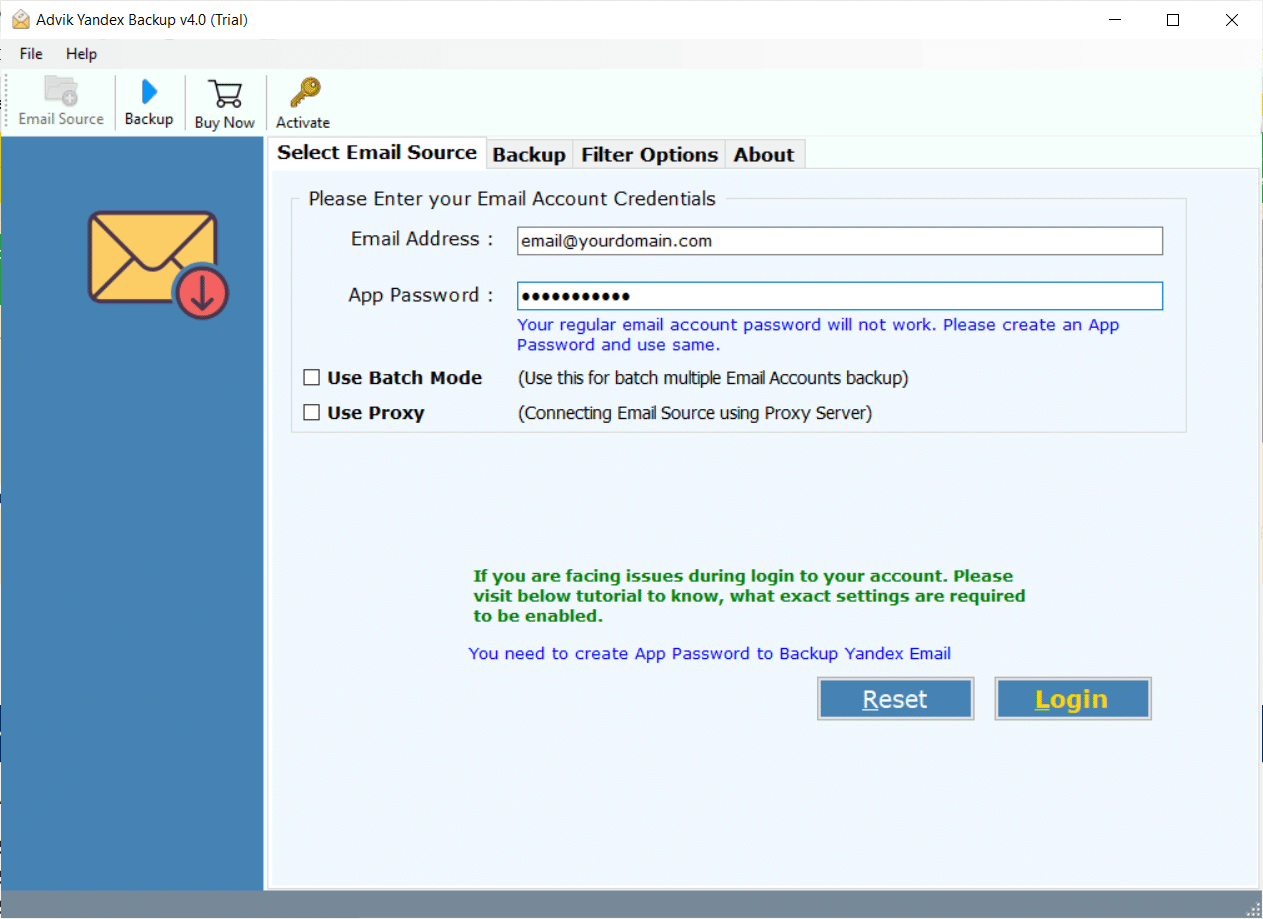
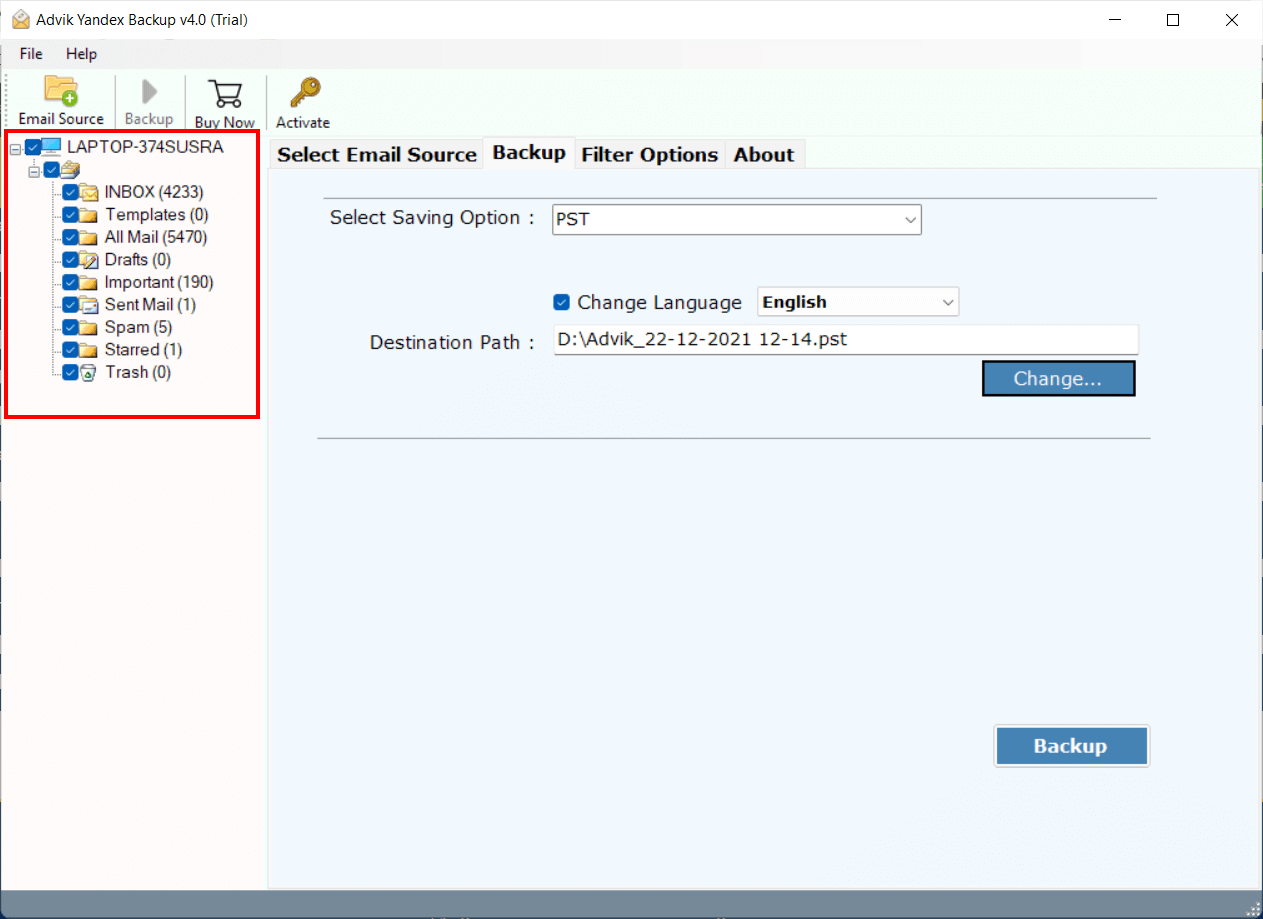
2. Select email folder from the menu.
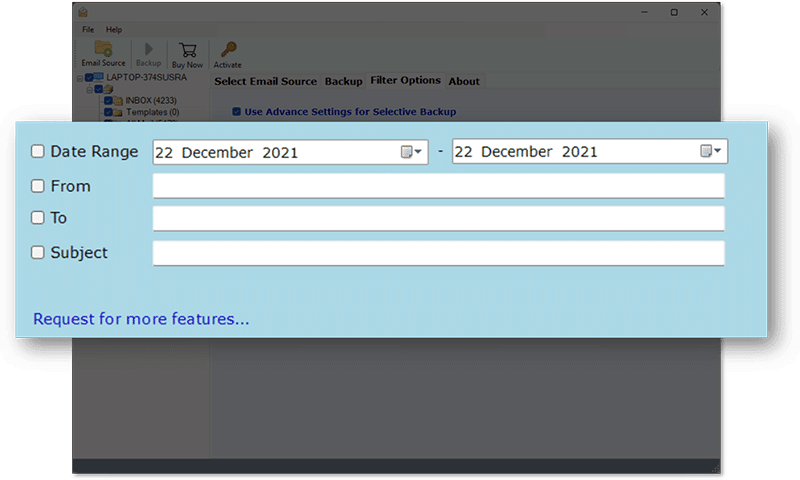
3. Go to Filter Option to convert specific emails (Optional).
4. Choose PDF from saving option from the software.
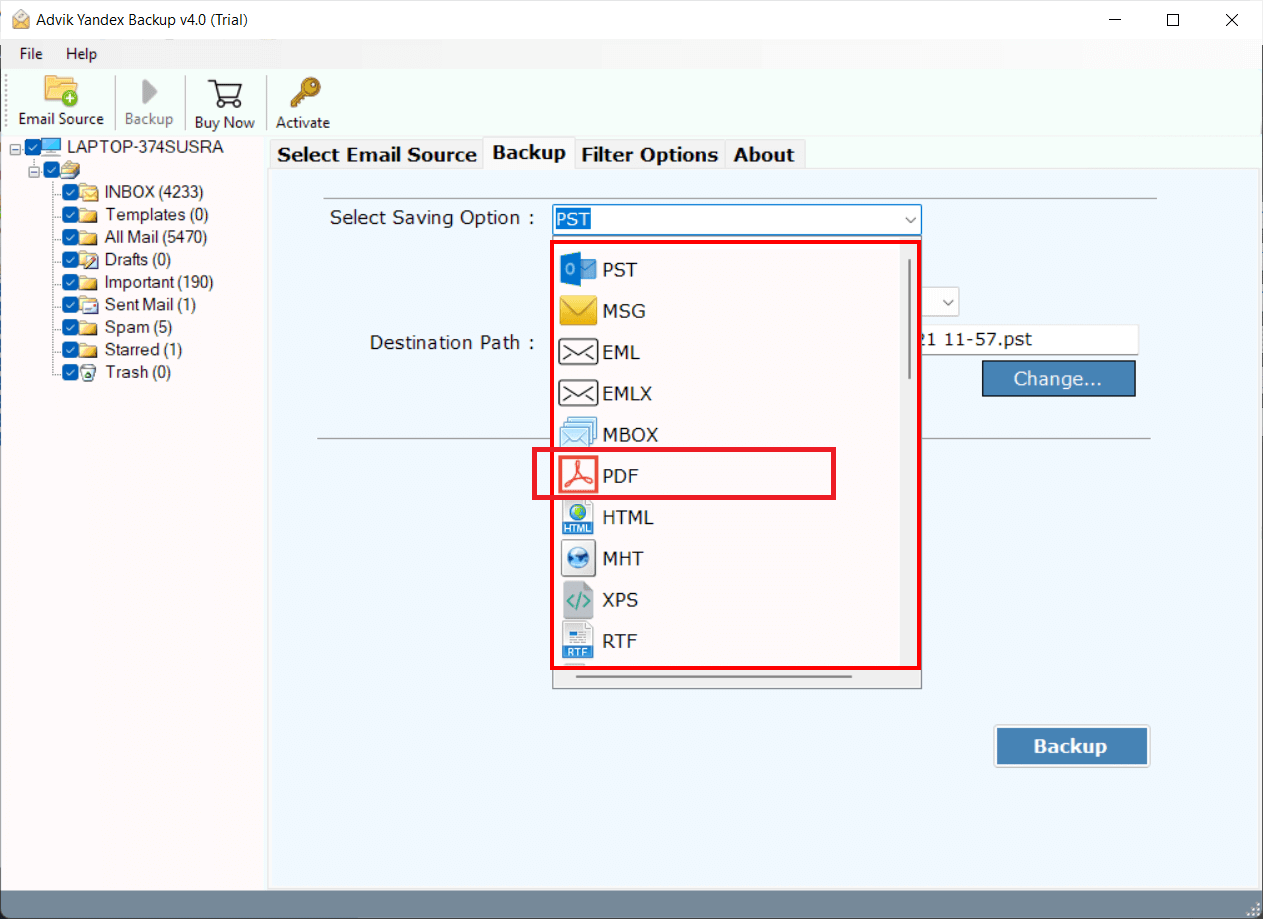
5. Now, select destination path to save emails and click Backup button.
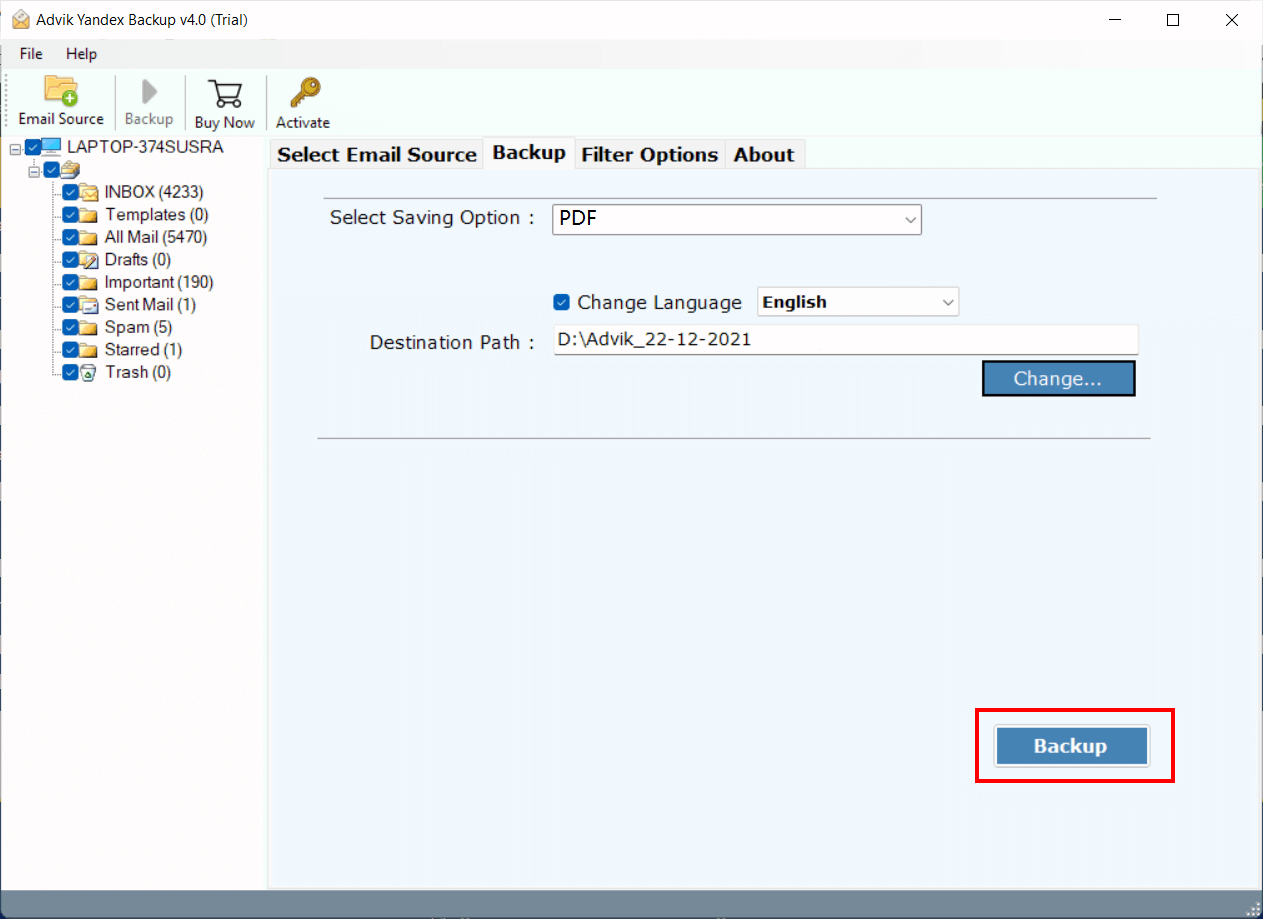
The software will start converting emails from Yandex.Mail to PDF documents. The same will be saved to the targeted location.
Take a moment to check the efficiency of this program. You will get dozens of benefits from the Advik Yandex Backup Tool. Download the software for free and try it. Below are a few highlights of the software.
- Print Yandex email from Inbox, Outbox, Drafts, and other customized folders in batch
- Transfer emails from Yandex to Gmail or Google Workspace
- Migrate from Yandex to Office 365 with complete mailbox folders
- Simple and easy-to-understand interface with 24/7 technical support
- The free demo will save 25 emails from each folder
- Export Yandex Email to PST, EML, MBOX, DOC, HTML and 20+ formats
- and many more
Final Summary
Yandex.Mail allows the user to save email as .pdf document from Print option. However, the same can not be done for hundreds and thousands of emails. You have to go for a professional way to convert Yandex emails to PDFs i.e. Advik Yandex Backup Tool. This application is Windows-supported and can be used by technical and non-technical users as well. You can save entire mailbox folders to PDF in one single attempt. Try it now.