How to Export All Emails from Roundcube?
Jackson Strong | February 1st, 2026 | Data Backup
Learn step by step guide to export all emails from Roundcube with attachments. The below methods has been tested and are 100% successful.
Roundcube Mail is an online email client software. Most of the hosting companies offer this service for business email account hosting. It is used by many individuals and business professionals for managing emails. However, sometimes Roundcube users want to export their emails.
The process of exporting emails from Roundcube means saving copies of your emails to your system. By downloading all emails from Roundcube, you can keep a backup of your email messages for future reference.
Is Exporting Emails from Rouncube Complex?
The process to export all emails from Roundcube is not necessarily complex, but it’s difficult depending on the method you choose and the size of your mailbox. For users with small volumes of data, the process is simple and straightforward. On the other hand, users who have a large mailbox consume more manual effort.
Today we will be discussing how to export all emails from Roundcube. Basically, there are two ways by which Roundcub save all emails with attachments. Both solutions are explained below.
Can Roundcube Export All Emails Directly?
Roundcube has a built-in feature to export emails. Here’s a simple way to manually save entire messages from Roundcube. Just follow these steps:
- Log in to your Roundcube webmail account.
- Select the email you want to export.
- Click on “More…” in the menu bar.
- Choose “Export” from the dropdown list.
- Select a location to save the EML file and give it a name.
- Click “Save” to export the email as an EML file.
After following these steps, you will be able to export Roundcube to EML file.
Note: This method allows you to save one email at a time and only in EML format. You can’t export multiple emails from Roundcube at a time and it can be time-consuming to export all emails one by one.
How to Export All Folders from Roundcube to PC?
Wondering how to pick the best one? Here is an easy-to-use tool to export all emails from Roundcube webmail account.
Advik Roundcube Backup Wizard will let you export Roundcube messages and folders in bulk without any issues. Also, here you will get an option to export emails in multiple file formats.
Moreover, if you need to choose selective emails based on date ranges, To, from, subject, etc you can do so with so much ease. With this tool, you can export all Roundcube emails with attachments in one single attempt.
Download and try the software for free.


Steps to Export All Emails from Roundcube
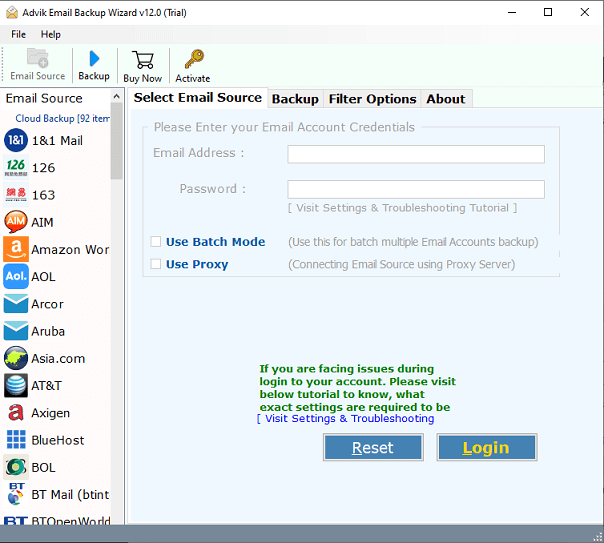
1. Run the Roundcube Export Tool and select Roundcube as the email source.
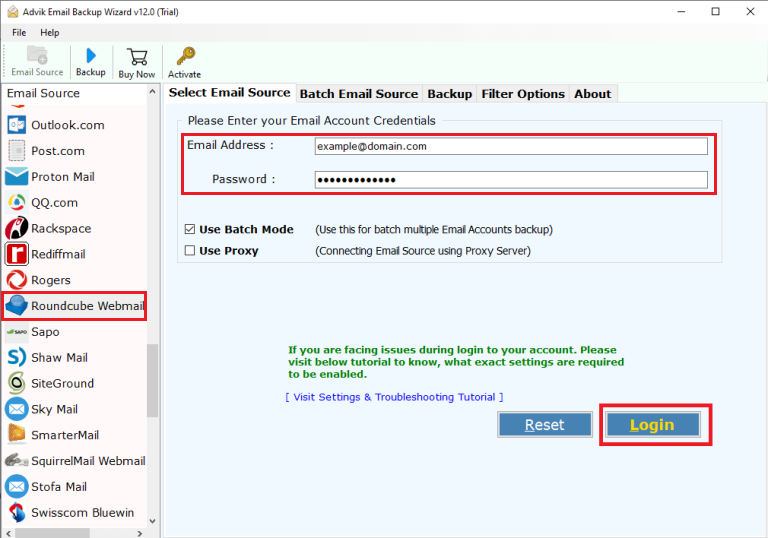
2. Enter your Roundcube credentials and click the login button.
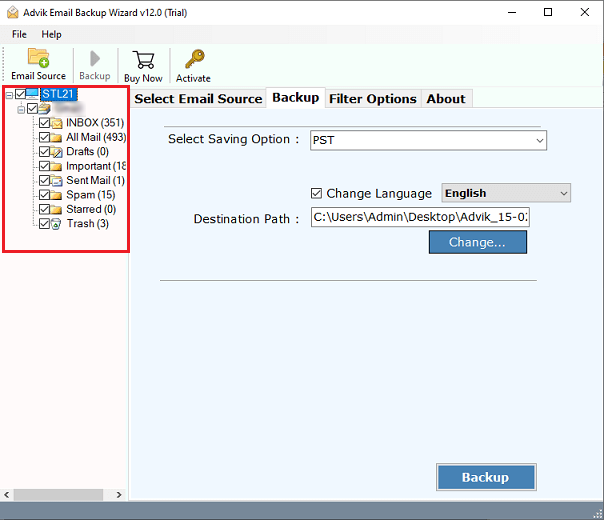
3. Now, choose the required mailbox folders from the preview.
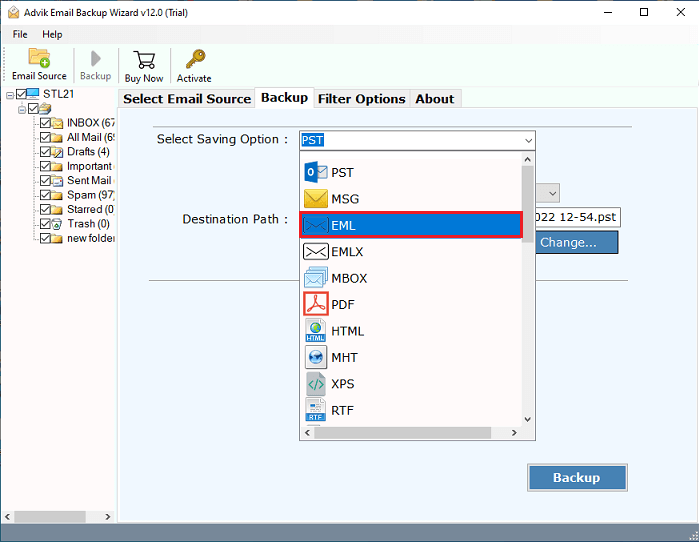
4. Next, select the needed file format from the 30+ options.
5. Lastly, browse the destination path and click the backup button.
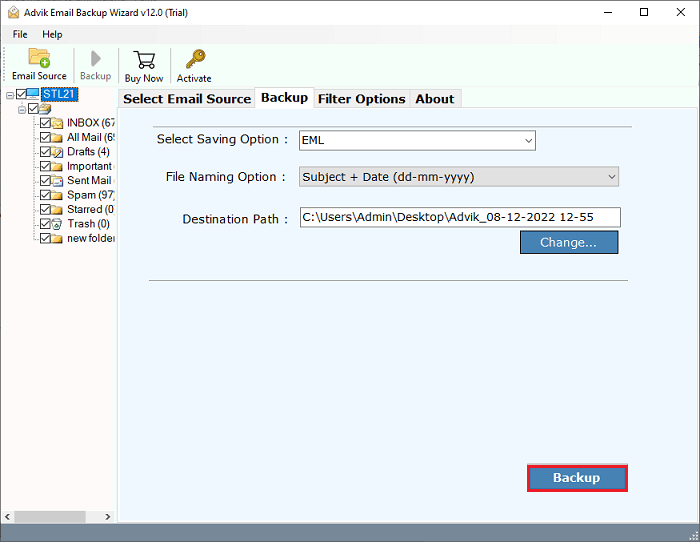
Done!! This is how you can easily export all emails from Roundcube email account in a few simple steps.
Now, have a look at some other beneficial features to ease your process.
- Save emails from Roundcube and other IMAP-based mail apps.
- Export emails along with attachments and other attributes without any changes.
- Migrate emails from Roundcube to Gmail, Yahoo, AOL, Outlook.com, Office365, and more.
- Extract emails from a specific date range using the mail filter function.
- Export Roundcube to PST, DOC, MSG, HTML, PDF and many more.
- Compatible with all Windows OS versions, including Windows 11, 10, 8.1, 8, 7, XP, and Vista.
Conclusion
So far, we have seen the process of exporting emails and folders from Roundcube account. We have covered both the manual and professional methods in detail. You can choose the method that works best for you. However, the automatic method is the top choice to export all emails from Roundcube.
