How to Export HostGator Emails to PST File?
Jenny Lowrence | February 23rd, 2026 | Data Backup
This blog is for the users who want to export HostGator emails to PST file. Here, we will discuss the complete step-by-step guide to convert HosGator to PST using manual and automated methods. Read the complete blog to know more.
HostGator is an email service provider that offers domain registration and web hosting services. Users can easily create and manage a business email account with HostGator email hosting. They will get the ability to save each sent and received email on the HostGator mail server.
PST is a file format used by MS Outlook to save emails, contacts, calendars, and other mailbox items on user devices. This is a portable, flexible, and highly efficient file format for managing large volumes of emails offline.
Why Export HostGator to PST?
Here are some reasons for exporting HostGator emails to PSt format;
- Data Backup: Converting HostGator emails to PST format offers a secure way to backup your crucial emails.
- Access Flexibility: Saving HostGator emails in PST, enables you to access them in offline mode.
- Migration Needs: PST files make it easy to transfer emails from HostGator to Outlook.
How to Convert HostGator Emails to PST Manually?
To manually export HostGator emails to PST, you need to configure your email account with Outlook. Follow these steps;
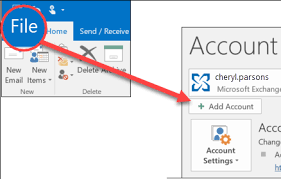
1. Launch Outlook and go to File >> Add Account.
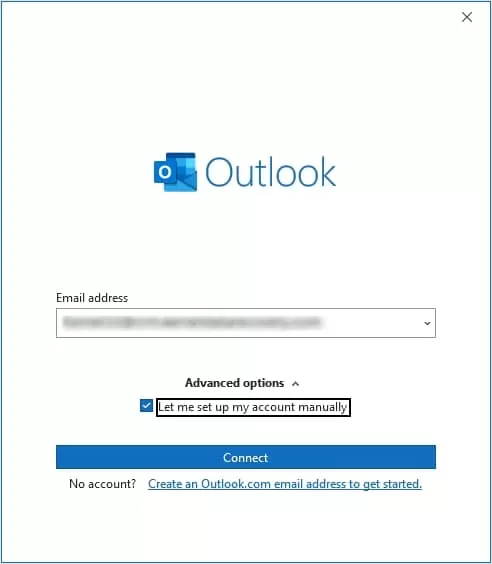
2. Set up your HostGator account with Outlook.
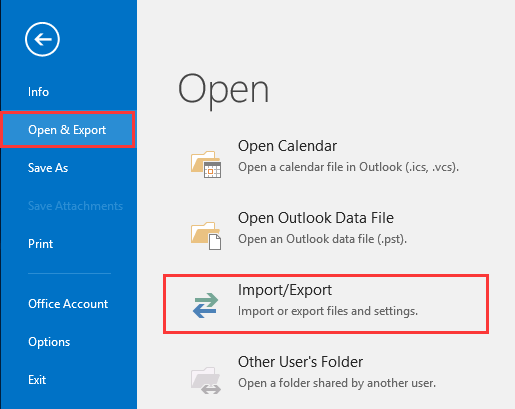
3. After configuration, click File >> Open & Export >> Import/Export.
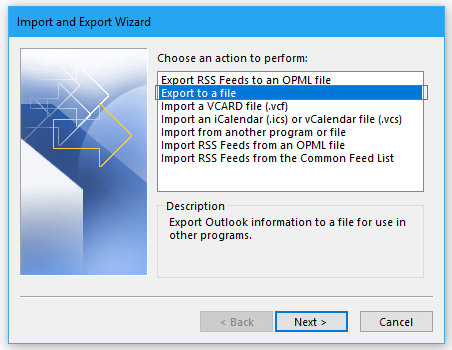
4. Choose Export to a File and click Next.
5. Select Outlook Data File (.pst) and press Next.
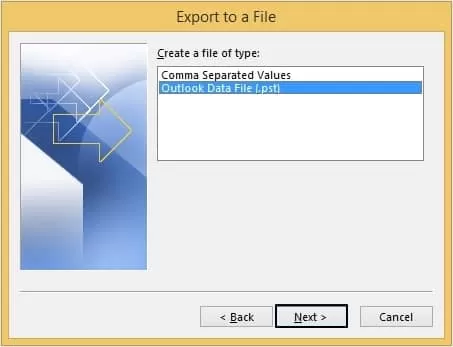
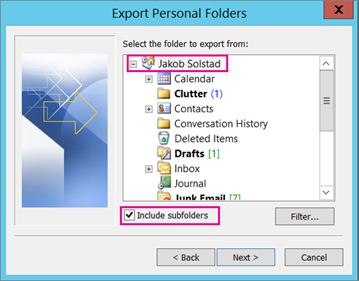
6. Now, select HostGator mailbox folders to export.
7. Click on Browse to choose destination location and click the Finish button to begin the exporting process.
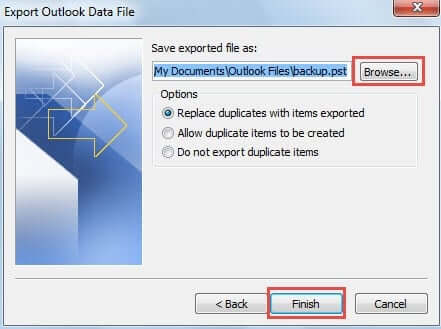
The process is complete!
Why Is Manual Solution Not Recommended?
- This is a lengthy and complicated process.
- Outlook must be installed.
- In case Import export greyed out in Outlook, this approach not work.
How to Export Emails from HostGator to PST Automatically?
Try the Advik Email Backup Wizard to export HostGator to PST without Outlook. The software can export the complete HostGator mailbox in a single attempt. Additionally, it also offers advanced filter options to convert selected emails. While exporting, the tool retains the original structure of mailbox folders as well.
You can download the FREE version and analyze its working procedure.


Steps to Export HostGator Emails to PST
1. Run the tool on your system.
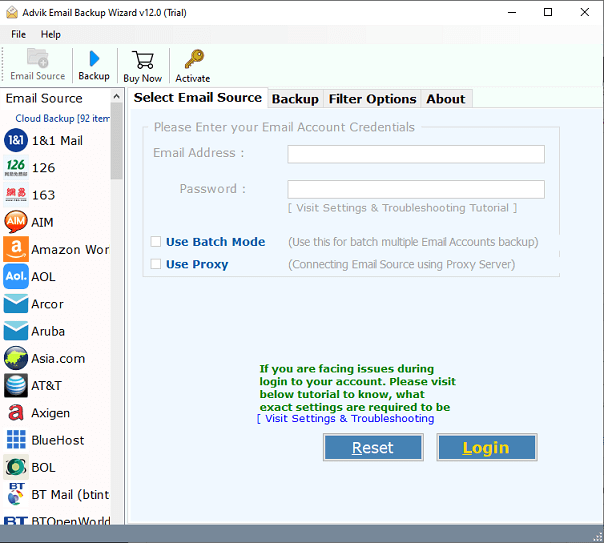
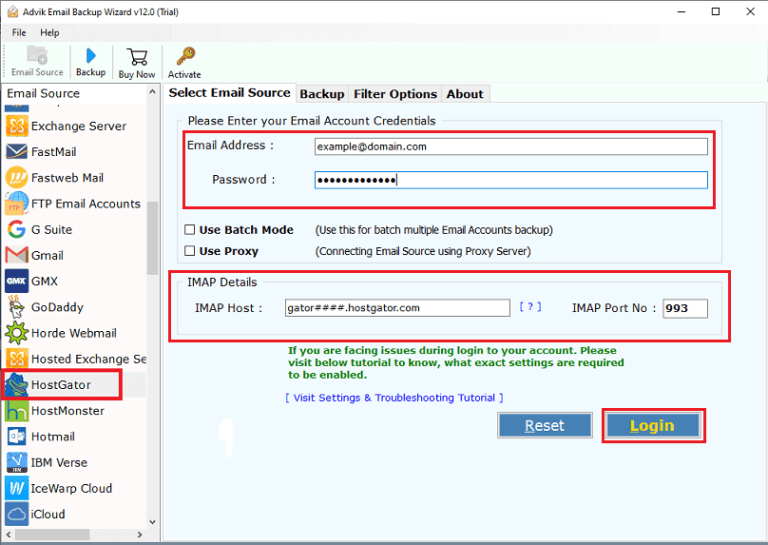
2. Choose HostGator and enter its login details to sign in.
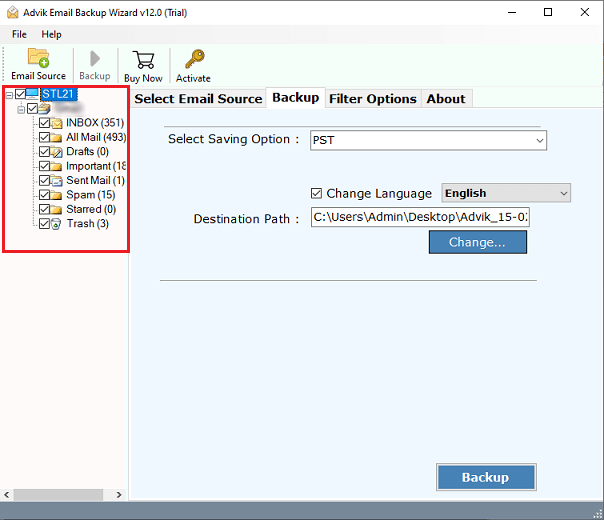
3. Choose the mailbox folders that you want to export.
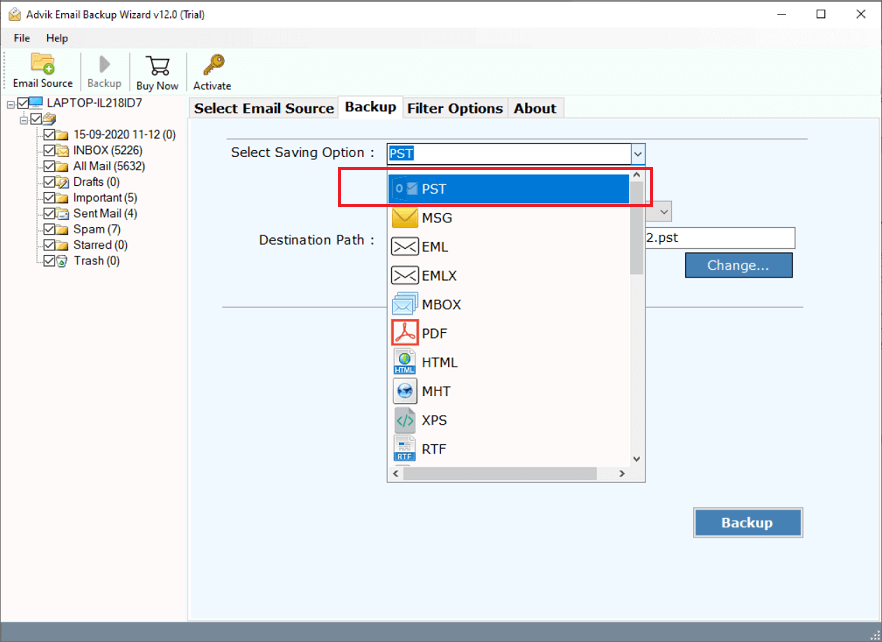
4. Next, select PST as a saving option.
5. Browse target location and click Backup.
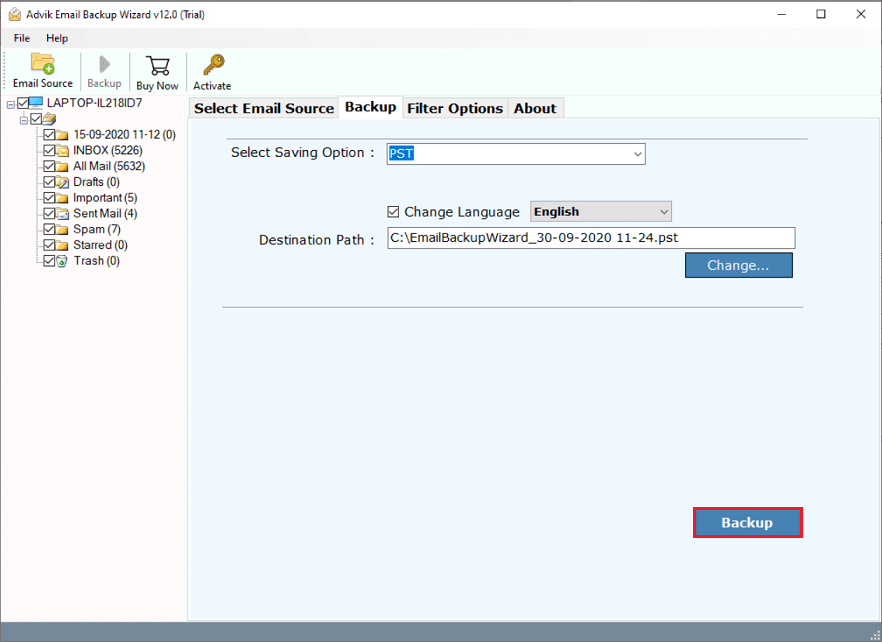
The software will start exporting HostGator emails to Outlook PST format. Once the process is complete, it will automatically redirect to the destination folder.
Benefits of Using Automated Tool
- Direct Solution: This is an independent tool, which means you do not need to install Outlook or any other application to complete the exporting process.
- 30+ Saving Options: The tool offers various saving options to export HosdtGatoer emails into multiple formats. Also, it can migrate HostGator to Gmail, Office 365, and many more.
- Bulk Exporting: The software can export the entire mailbox at once. You do not need to repeat the steps to each folder one by one.
- Selective Conversion: There are times when users need to export some specific emails, this utility will help them. It offers advanced email filter options to convert selective emails.
- Maintains Folder Structure: The tool keeps the original structure of mailbox folders during the process. Also, it preserves all email attributes while exporting.
- Easy to Use: The software is designed with a simple graphical user interface. Beginners can easily use it without any technical training or guidance.
- Wide Compatibility: You can run this application on Windows and Mac-based systems without any compatibility issues. It supports all the latest and old versions of both operating systems.
Conclusion
In this post, we have discussed how to export HostGator to PST file. You can manually convert HostGator emails to PST using Outlook but it comes with some limitations. So, we recommend that you use the automated solution to export emails from HostGator to Outlook PST without any hassle. You can download its free demo version, which allows you to export 25 emails from each folder without any cost. If you are satisfied with its funcitionality then you can purchase its licensed edition.
