How to Export Hotmail to Word Document Files?
Jackson Strong | November 3rd, 2025 | Data Backup
Are you searching for a solution to convert Hotmail to Word Document files? If yes, then stop searching. In this blog, we will discuss a workable solution to export Hotmail to Word document file. Here, we will provide an automated way to save Hotmail emails as a document file with ease. Stay tuned with us to know more.
Hotmail was one of the first web-based email services. It allows its users to access their email from any web browser, marking a significant mark from traditional desktop-based applications. Currently, it was acquired by Microsoft and is hosted at outlook.com. However, sometimes users want to save their Hotmail emails as a doc file. Now the question is, why do users want to export their Hotmail emails into Word File.
Why Need to Convert Hotmail to Word Document Files?
Here are some common reasons for conversion include –
- Exporting Hotmail emails to doc file helps you to keep copies of your important emails locally.
- It is easy to make modifications in Word document file according to need.
- One can easily share a doc file with other users who are not using the email service.
- Exporting emails helps organize and store important information in a structured.
Since Hotmail does not offer an option to save its emails into Word files. We are left using the automated solution for this conversion.
How to Export Hotmail Emails to Word Document Files?
Try out the Advik Email Backup Tool to convert Hotmail emails to Word document file in bulk. It can export the entire mailbox in a single attempt. Apart from this, it also offers advanced email filter options to export Hotmail emails based on date range, to, from, subject, etc. It will maintain email folder and sub-folder hierarchy along with email attributes (like cc, bcc, date, time, message, signature, attachments, hyperlinks, etc.). The software will also let you backup Hotmail emails in multiple formats.
Download the software and explore its amazing features.


Steps to Convert Hotmail Emails to DOC File
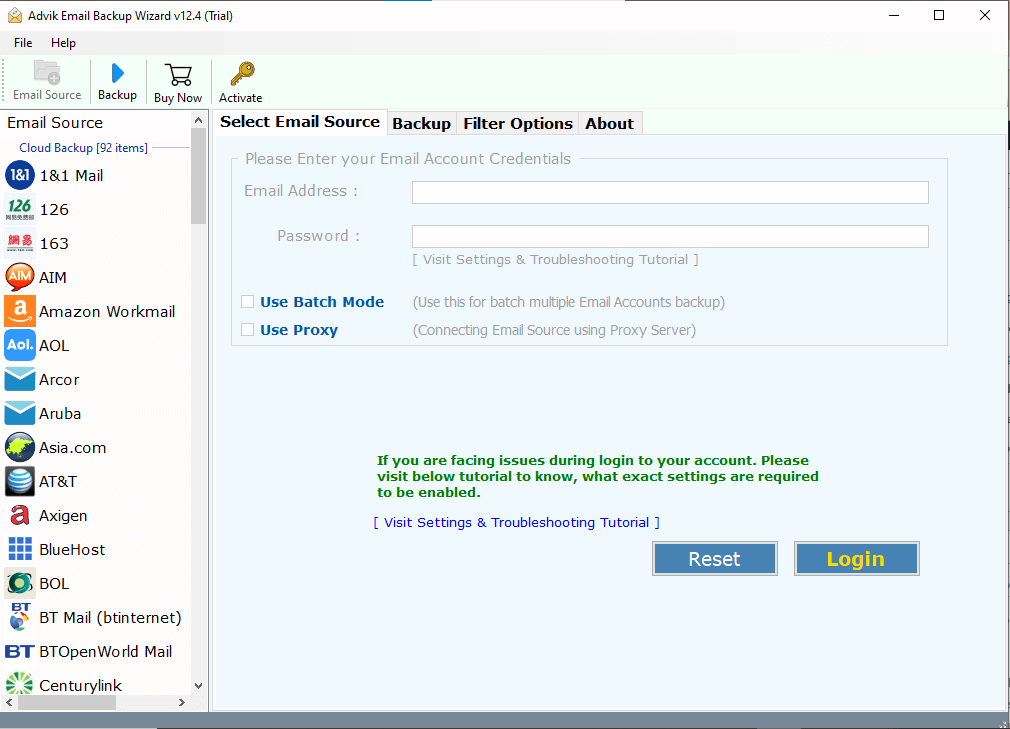
1. Launch the software on your system.
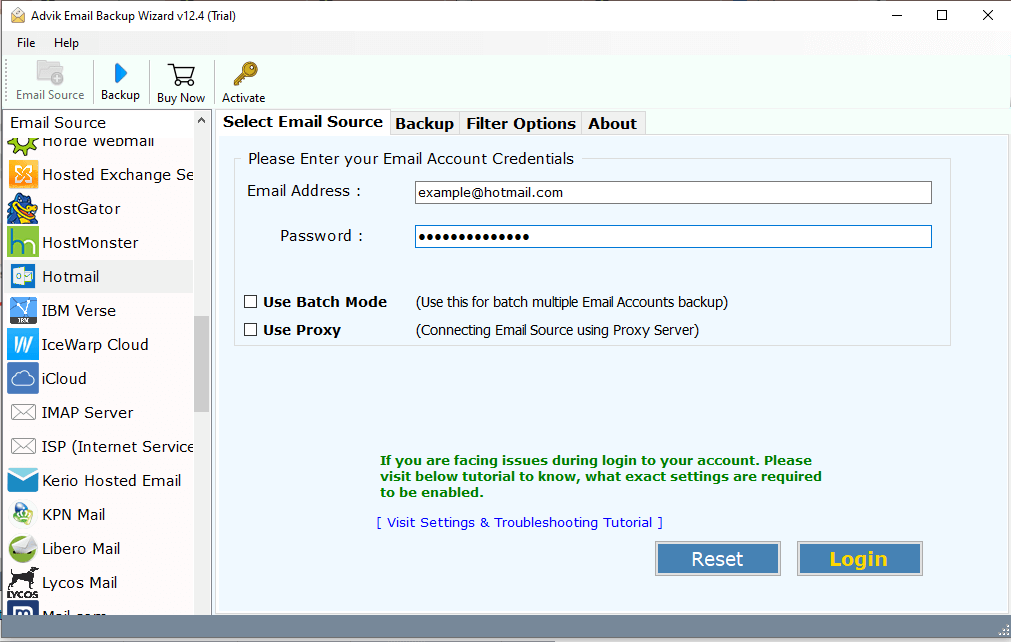
2. Search for Hotmail and enter your login details.
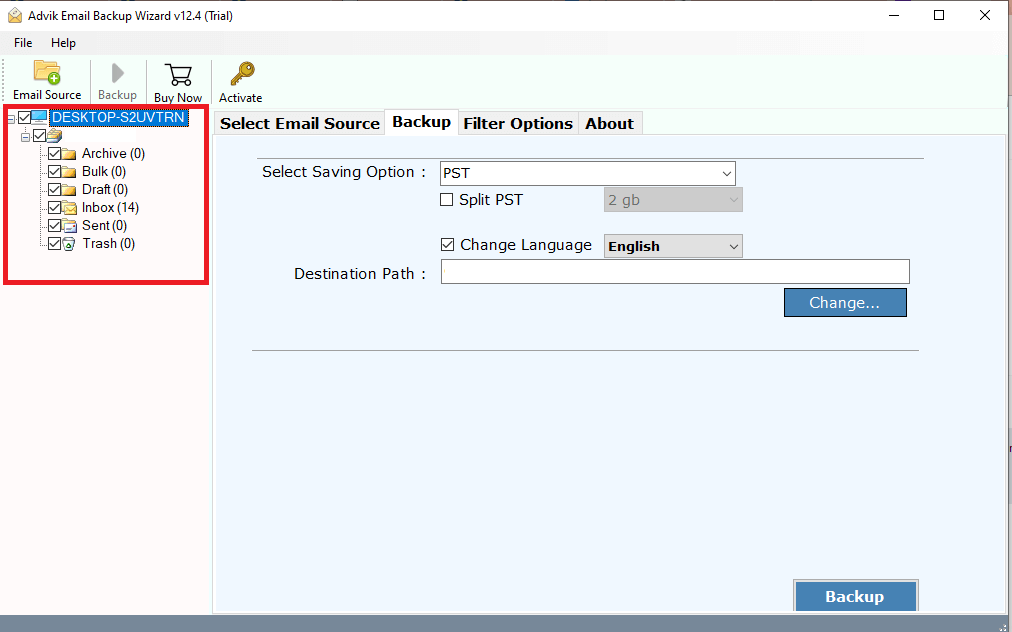
3. Select the email folders you want to export.
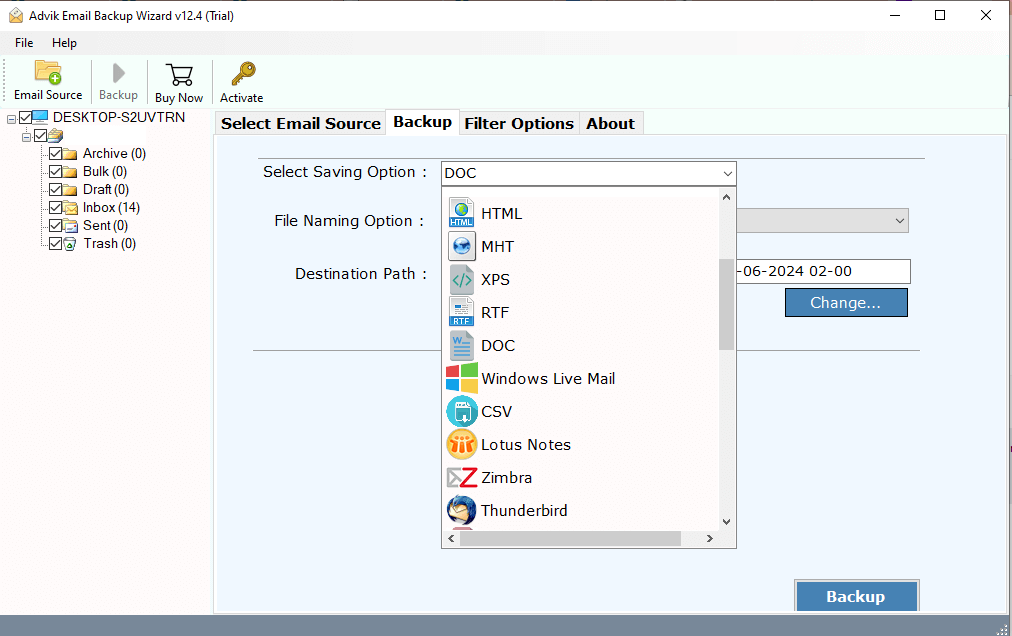
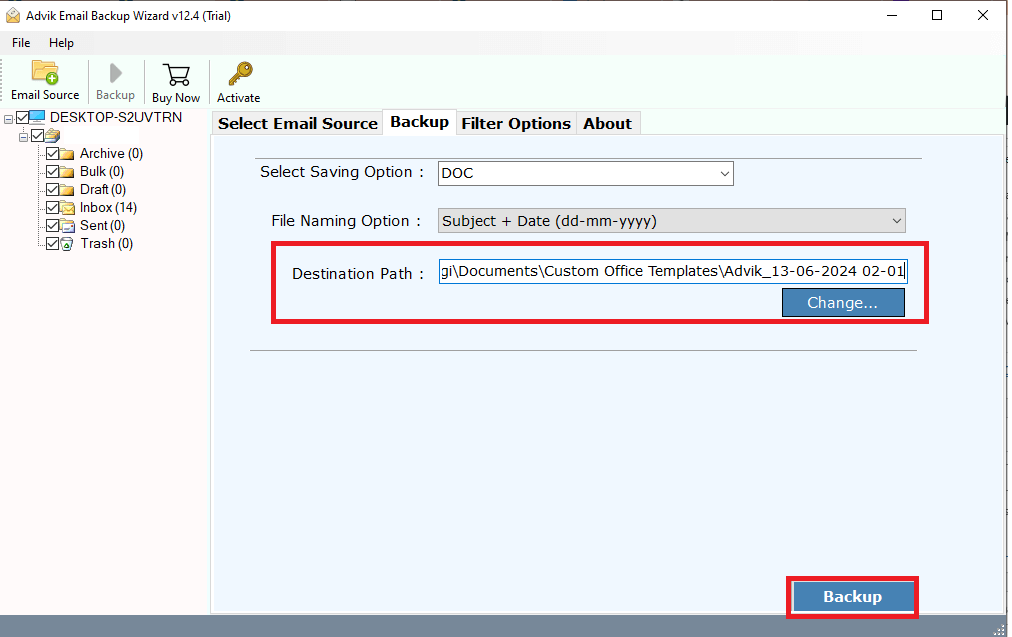
4. Choose DOC from the saving option.
5. Browse the targeted location and hit the Convert button.
6. Go to the exported data file and right-click on it >> Open With >> Microsoft Word.
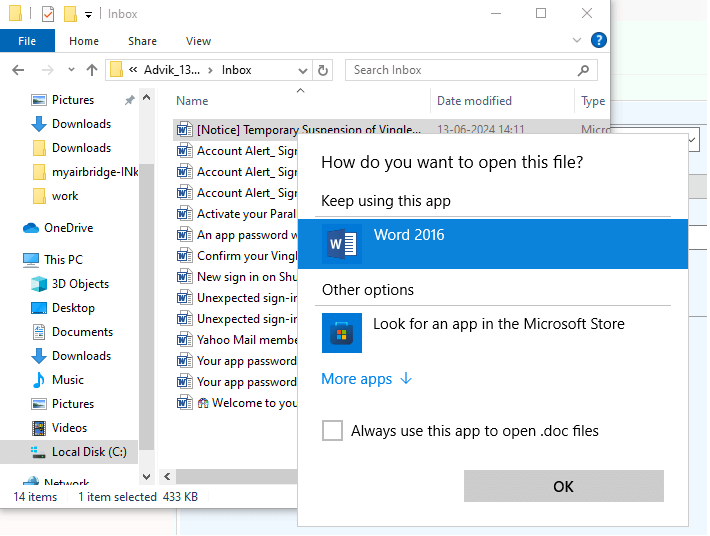
Done! Here complete the Hotmail to DOC conversion in a few clicks. The tool will export all your emails into a .doc file and then you can easily open it in a Word file.
In addition, there are various prominent features offered by this tool, some of which includes –
- Batch export Hotmail to Word Document file at once.
- Advance filter options for selective email export.
- Maintain email folder and sub-folder hierarchy and structure.
- Preserves all email attributes and properties while converting.
- 30+ saving options to export Hotmail to PST, MBOX, EML, etc.
- Allow export of a selective email folder from your Hotmail account.
- Simple and easy-to-use interface for all types of users.
- Works on all versions of both Mac and Windows operating systems.
- A free demo version to check its working procedure before buying it.
- 24/7 customer support to assist user queries related to the product.
Conclusion
There are various users who want to export Hotmail emails to Word document file. Here we make the process simple for you and explain the detailed process to convert Hotmail to Word Document file. The tool mentioned in this post is a user-friendly one that can effortlessly export your emails without affecting data integrity.
