How to Export Rediffmail to PST File Format?
Jim Backus | November 24th, 2025 | Export Emails
Do you need to export Rediffmail to PST? If yes, then this guide will help you. Here, we are going to explain methods to convert Rediffmail to PST files. In addition, we also discuss the reasons for exporting Rediffmail emails to PST file.
Rediffmail is a popular web-based email service provided by Rediff.com. It delivers news and information, enterprise email services, and an internet-based local advertising platform. Nowadays, users use email applications like MS Outlook because it provide many unique features. That’s why many users want to export Frontier emails to PST for the Outlook program. To help those users, we have come up with two simple methods for converting Rediffmail emails to PST format.
Why Export Rediffmail to PST File?
There are several reasons why users convert Rediffmail emails into PST file. Some of them are;
- You can easily access PST files in Outlook without an internet connection.
- Saving emails in PST format ensures data safety and prevents accidental loss.
- PST file provides a password facility to prevent unauthorized access.
- You can store emails, contacts, calendars, and other data items in a PST file.
How to Convert Rediffmail Email to PST Manually?
Rediffmail does not offer an option to convert its emails to PST file. To manually do it, first of all, you need to add your Rediffmail account to Outlook and then export its mailbox folders into PST.
Follow the below-given steps to perform Rediffmail to PST conversion.
1. Launch Outlook and click on File >> Add Account.
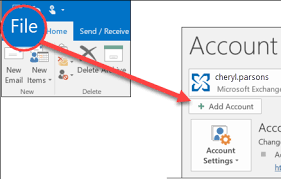
2. Enter your Rediffmail account details to set up with Outlook.
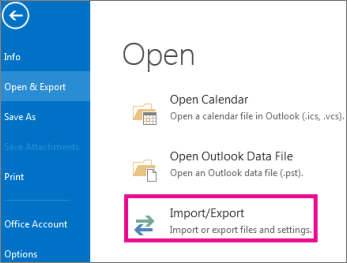
3. After configuration, click on File >> Open & Export >> Import/Export.
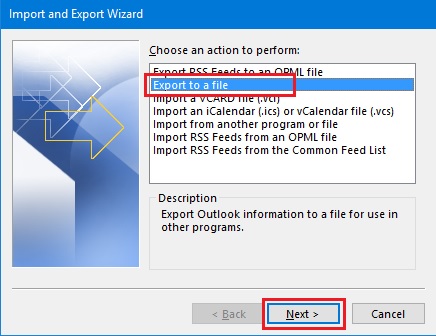
4. Choose Export to a file and hit on Next button.
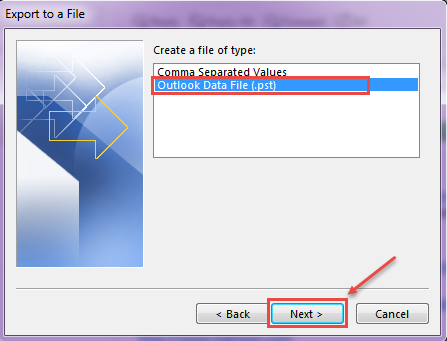
6. Select Outlook Data File (.pst) and press Next.
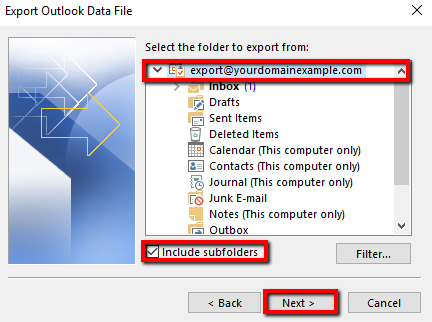
7. Choose the Rediffmail email folder to export.
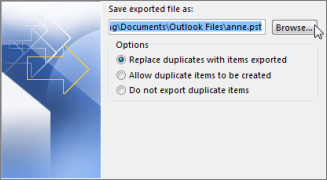
8. Click on Browse to choose the destination location and tap on the Finish button.
This is how you can convert Rediffmail email folder to PST using Outlook.
Limitations of Manual Method
- This is a lengthy and complicated process.
- No email filter option is available to export selected emails.
- The method does not work if Outlook import-export is greyed out.
How to Export Rediffmail Emails to PST Automatically?
If you want an easy and direct solution, then try the Advik Rediffmail Backup Tool on your system. The software can directly convert Rediffmail emails to PST in just a few simple clicks. With this utility, you can export the entire mailbox in a single attempt. Apart from this, it also allows you to choose specific emails or folders for exporting. It keeps the original structure of Rediffmail mailbox folders even after the process.
Download the FREE demo version and analyze its working procedure.


Steps to Export Rediffmail to PST
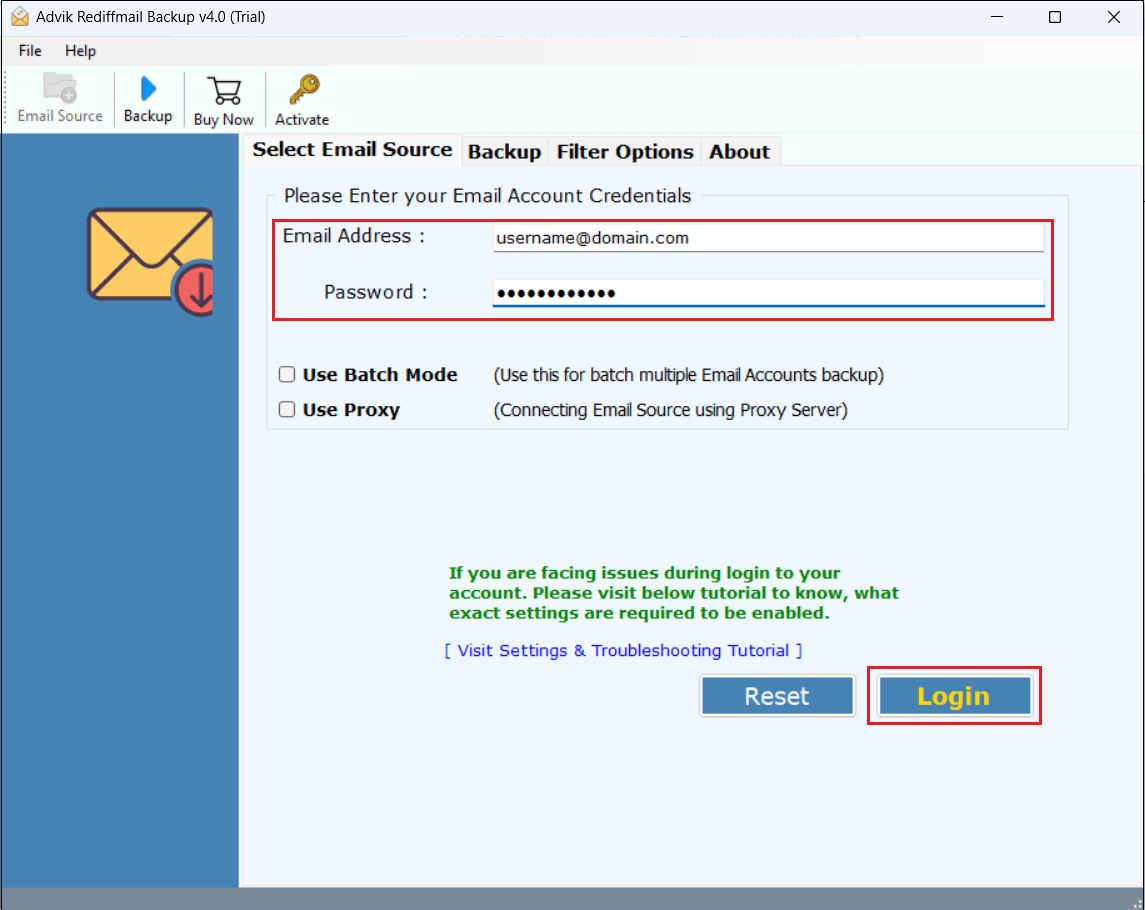
1. Run the tool and enter your Rediffmail login details to sign in.
2. Choose the mailbox folders to export.
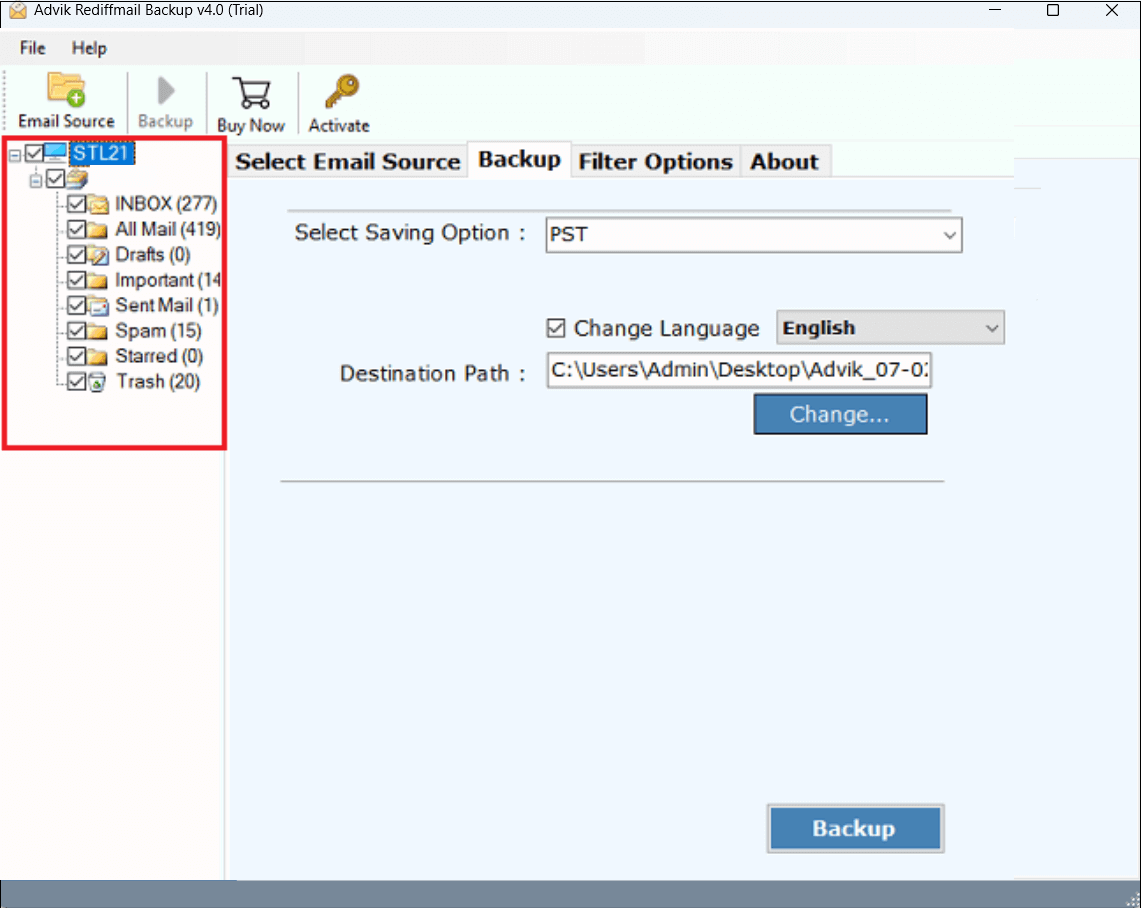
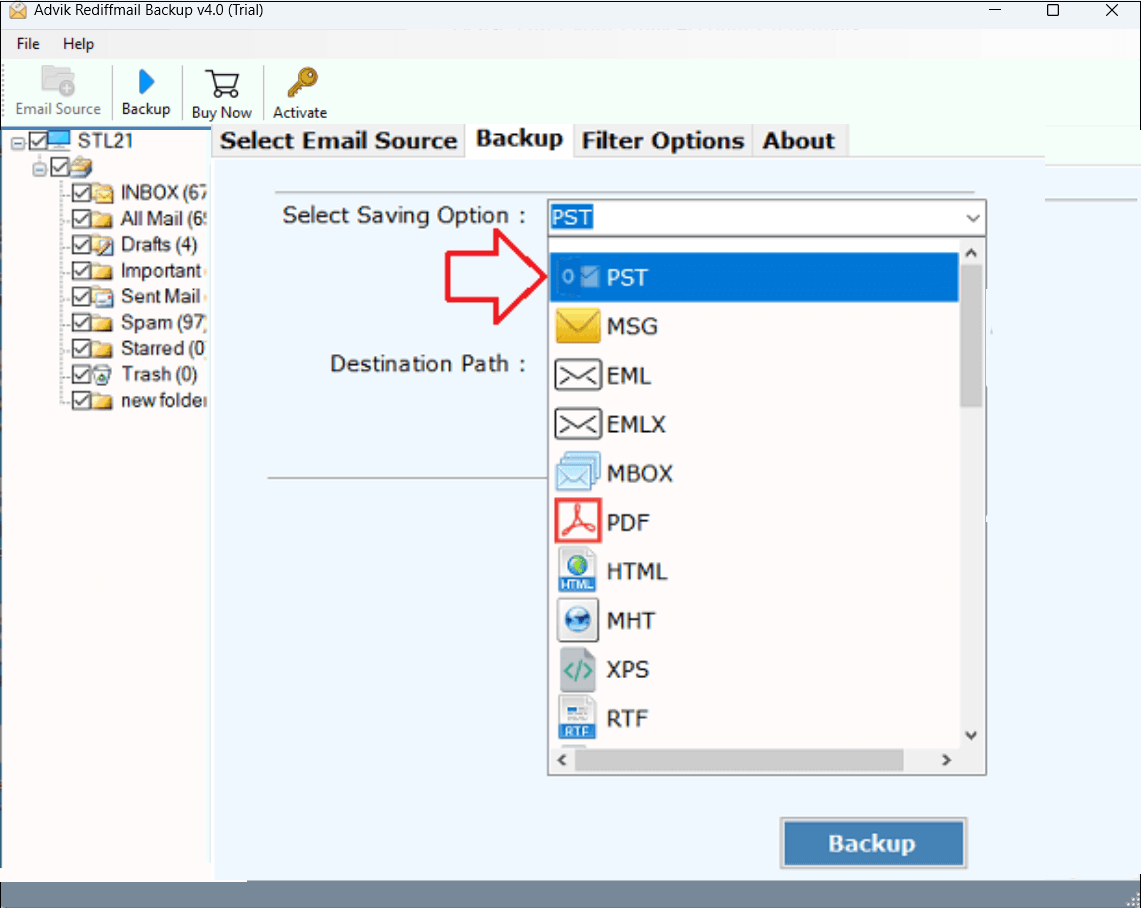
3. Select PST as a saving option.
4. Choose destination path to save the exported file and click Backup.
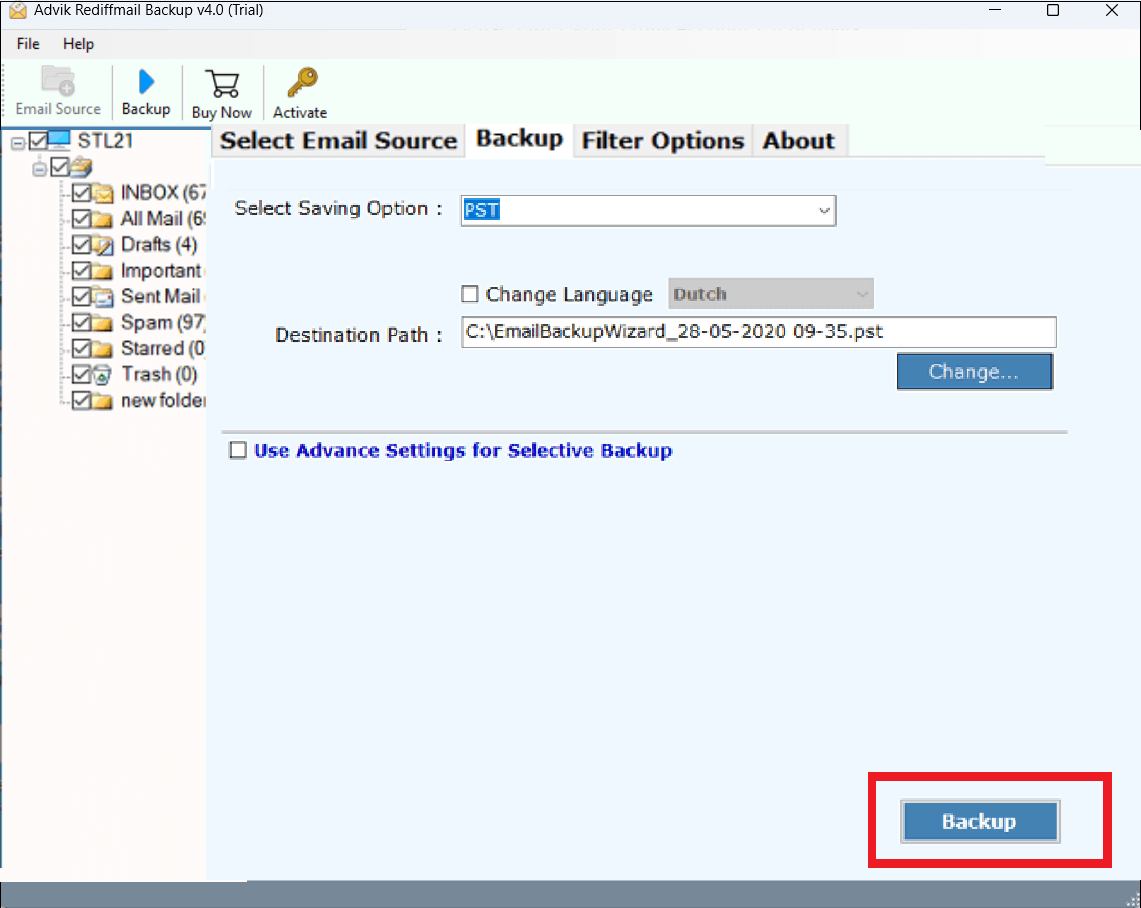
Now sit back and relax! The software will export Rediffmail mailbox to PST in no time.
Why Choose an Automated Tool Over Manual Solution?
There are various advantages of using this email backup wizard, which are given here;
- Direct Solution: The software can directly export Rediffmail emails to PST without installing any external application.
- Batch Export: With this utility, you can export emails from multiple Rediffmail accounts to Outlook PST at once.
- 100% Data Integrity: The tool ensures complete and accurate data conversion without losing a single bit of data.
- Multiple Saving Options: Apart from PST, with this tool, you can export Rediffmail emails in various file formats.
- Selective Conversion: Using this tool, you can export Rediffmail emails based on date range, to, from, subject, etc.
- User-Friendly Interface: The software is very simple and easy to use, which makes it suitable for all types of users.
- Windows Supportive: You can run this application on any Windows-based system, including Windows 11.
Conclusion
In this post, we have discussed how to export Rediffmail to PST manually and automatically. Both methods help you to convert Rediffmail emails to PST file. While the manual method works, it requires effort and technical knowledge. On the other hand, the professional tool can easily complte the Rediffmail to PST conversion process without any hassle.
Frequently Asked Questions
Q1. Can Rediffmail export to PST file?
Ans. No, Rediffmail doesn’t export to PST file directly. However, using Outlook or an automated tool, you can save Rediffmail emails in .pst format.
Q2. Is it possible to export only selected Rediffmail emails to PST file?
Ans. Yes, AdvikSoftware provides advanced email filter options to export only selective emails.
Q3. Can I run this application on my Windows 11 based PC?
Ans. Yes, this software supports all versions of Windows OS, including Win 11.
