How to Export SiteGround Emails to PST?
Jackson Strong | February 11th, 2026 | Data Backup
Summary: If you’re using SiteGround for email hosting and are looking for a solution to export SiteGround emails to PST file, you’ve come to the right place. This blog explains how to convert SiteGround emails to PST using both free and paid methods. Keep reading the blog post to know more.
SiteGround is a popular web hosting service that offers reliable email hosting. It also allows users to manage emails efficiently through its platform. On the other hand, PST (Personal Storage Table) is a file format used by Microsoft Outlook to store emails, contacts, calendars, and other data.
Exporting SiteGround emails to Outlook PST format can be beneficial for users who want to have a local copy by the backup SiteGround emails or manage them in Outlook’s user-friendly interface. By exporting SiteGround emails to PST, users can easily access their emails offline, organize them better, and ensure that they are safely stored for future reference. Additionally, this method can help free up space on the SiteGround server while keeping an organized archive of important emails.
Now, we will discuss two easy ways to carry out this task without any issues.
How to Export SiteGround Emails to PST File?
One of the simplest ways to convert SiteGround emails to PST format is by configuring your SiteGround email account in Outlook using IMAP. This method ensures that all your emails are synced from SiteGround to Outlook, and then you can export them to a PST file.
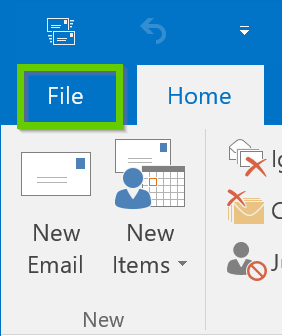
1. Run the Outlook application and navigate to File in the menu.
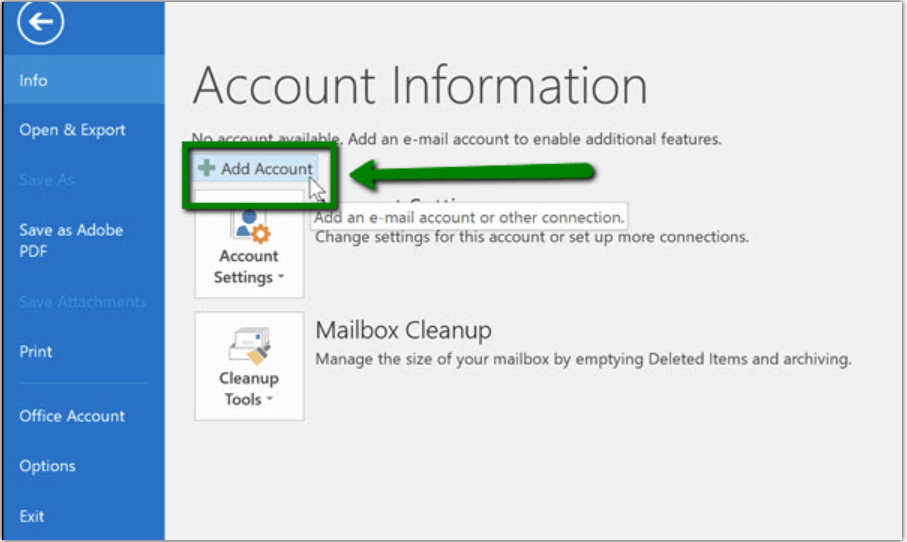
2. Click on the Add Account button.
4. Enter SiteGround email account details and click the Continue button.
5. Once added, you will account added successfully confirmation message.
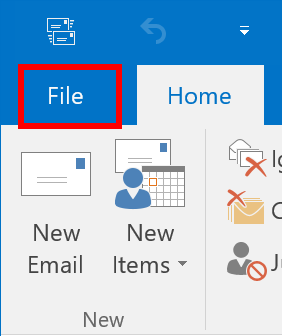
6. Now, restart the Outlook application and go to the File tab.
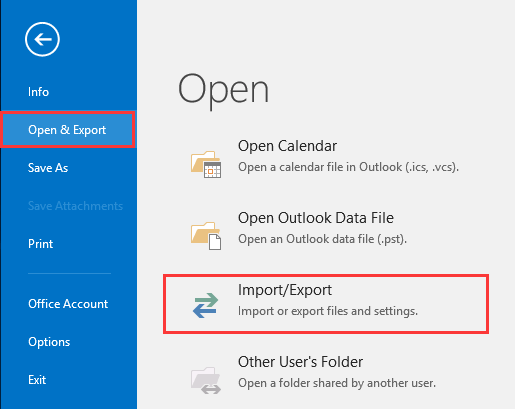
7. Choose the Open & Export >> Import/Export option.
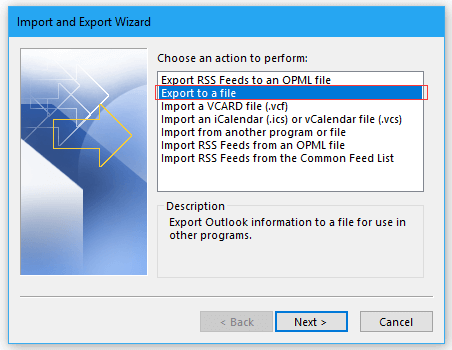
8. Select Export to a file and click on the Next button.
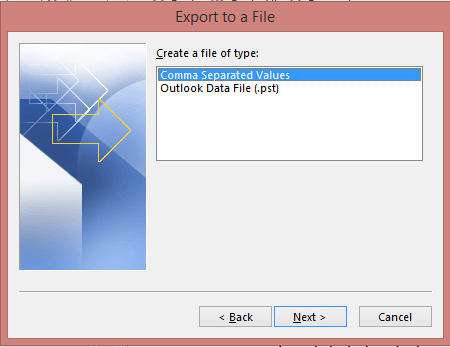
9. Thereafter, choose Outlook data file(.pst) and tap on the Next button.
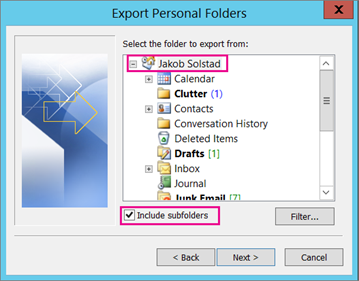
10. Select the required mailbox from your saved SiteGround emails.
11. Browse a location to save the resultant data file and click on the Finish.
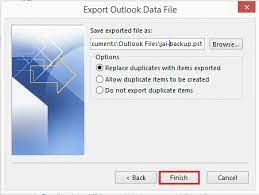
Now, you can see that all of your SiteGround emails have been successfully converted into PST file format.
- Requires a lot of technical knowledge to add a SiteGround email account to Outlook
How to Convert SiteGround Emails to Outlook PST Automatically?
If the above solution doesn’t work for you, then try Advik Email Backup Wizard to export SiteGround to PST without any hassle. This program is simple and easy to access, and anyone can export emails from SiteGround to Outlook PST in just a few simple steps. You can choose selective emails from SiteGround mailbox folders based on various email filters such as date range, To, from, Cc, Bcc, etc.
If you want to know how this tool works, then give a try to its FREE Demo edition.


Steps to Export SiteGround to PST
- Run the software on your system.
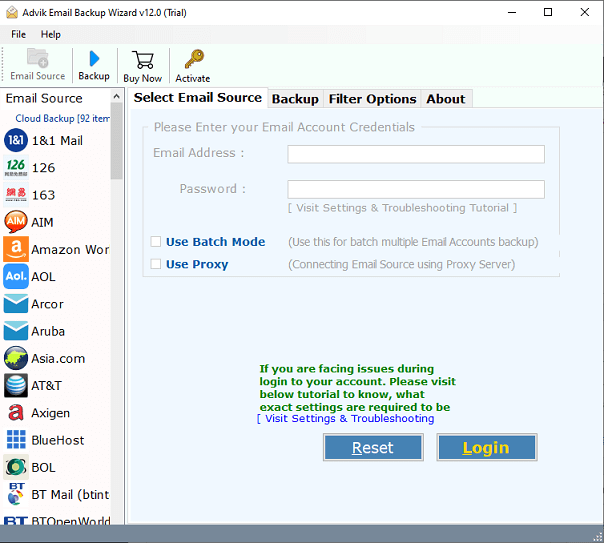
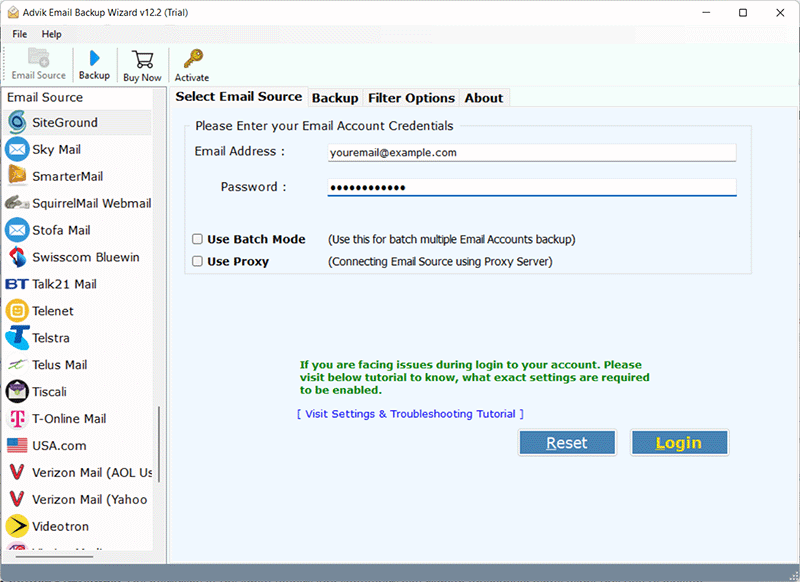
- Choose SiteGround as an email source and sign in with its login details.
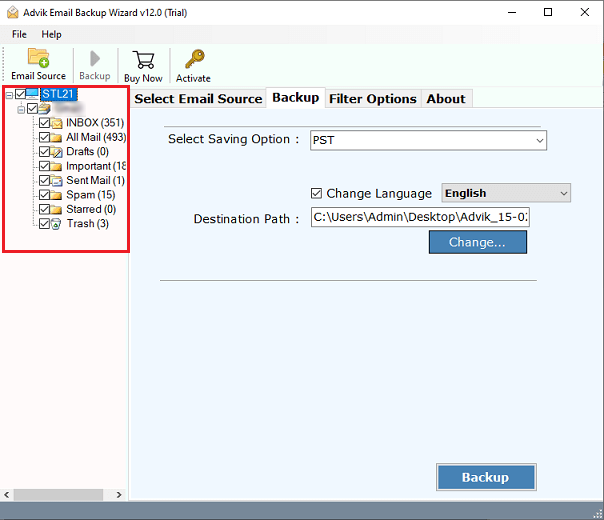
- Choose the required emails from your SiteGround mailbox folders.
- Now, select PST as a saving option from the drop-down list.
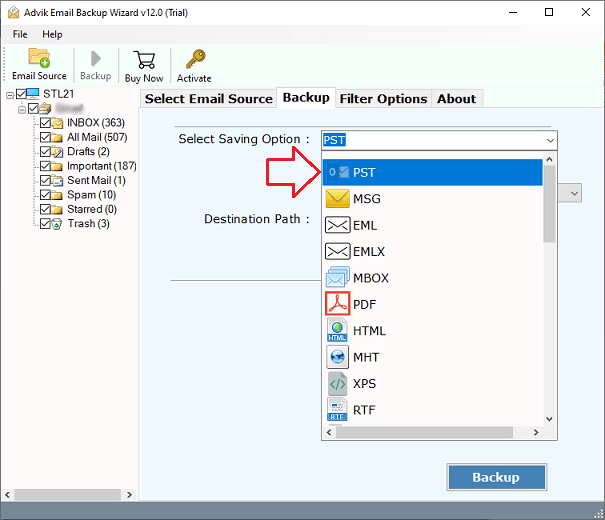
- Then, choose a location to save the resultant file and tap on the Backup button.
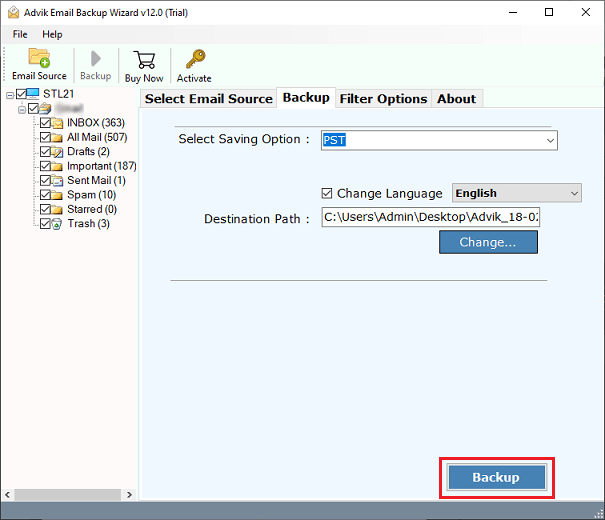
Done!! Now, the software will export all your SiteGround email folders into PST format.
Benefits of Using an Automated Software
This SiteGround to PST converter is a powerful tool that simplifies the process of exporting SiteGround emails to PST format for Outlook. It makes the migration from SiteGround to Outlook easy and hassle-free.
Here are some of the key features of the software:
- Batch Conversion: The tool allows you to export multiple SiteGround mailboxes to PST in one go. Also, you can choose to export emails from multiple SiteGround email accounts as well.
- No File Limitations: There are no restrictions on the number of emails you can export. You can easily convert unlimited SiteGround emails to PST without any problems.
- Advanced Mode Option: This feature lets you export selective SiteGround emails to PST. You can enable the Advanced Mode to choose specific emails or folders for conversion.
- Supports All Outlook Versions: The tool is compatible with all Outlook versions, including 2019, 2016, 2013, 2010, and others. It works on both Windows and Mac OS.
- Windows & Mac Compatible: The software runs smoothly on all versions of Windows & Mac OS, including Windows 10, 8.1, 8, 7, XP, Vista, and Mac OS 14, 13, 12, 11, 10, etc.
This tool is perfect for anyone who needs to export SiteGround emails to PST and ensure a smooth migration to Outlook.
Conclusion
In this article, we have explained two useful solutions to export SiteGround to PST file. One is manual and the other is an automated solution. You can select any of those that best suit your needs. But, still, have doubts and want an instant solution? Then, we suggest you choose a professional method that comes with a lot of advantages.
