How to Convert Thunderbird Emails to MSG Files?
Jenny Lowrence | November 23rd, 2025 | Export Emails
Thunderbird is an open-source email client that can be freely used on any system. It is widely used by individuals and professionals to manage their emails efficiently. However, there are times when users need to convert Thunderbird emails to MSG format.
Since, Thunderbird doesn’t provide any built-in option to save email as MSG format directly. Users need to follow specific steps or use a professional Thunderbird to MSG Converter tool. In this guide, we’ll explain how to export Thunderbird emails to MSG format, including both Manual and automated solutions.
Before proceeding with the methods, we understand why users want to save Thunderbird email as MSG format.
Why Export Thunderbird to MSG?
Here are some benefits of converting Thunderbird emails to MSG files:
- Directly open in MS Outlook
- Share specific emails without exporting the entire mailbox.
- Maintains the original structure and metadata of emails.
- Widely accepted in legal investigations.
- Export selected emails for long-term storage.
Let’s start the process without any further delay.
How to Convert Thunderbird Emails to MSG Files Manually?
In the manual approach, first, you need to convert Thunderbird emails to EML and then open these files with Outlook. After that, drag and drop them from Outlook to your system to export Thunderbird to MSG format.
- Open Thunderbird and click on Add-ons.
- Install ImportExportTools NG in Thunderbird.
- Now, restart the Thunderbird application.
- Right-click on a folder that you want to export into .msg.
- Navigate to ImportExportTools NG >> Export all messages in the folder >> EML format.
- Choose the folder to save exported EML files.
- Next, go to the location where EML files are saved and right-click on it, and select Open with Outlook.
- Finally, drag and drop this file onto your system.
By following above steps, Thunderbird save email as MSG format.
Limitations of Manual Approach
- Lengthy and complicated process
- Does not export emails in bulk
- Need to install ImportExportTools NG
How to Export Thunderbird Emails to MSG Files Automatically?
Advik Thunderbird Converter is an easy approach to convert Thunderbird to MSG files in just a few simple clicks. To do it, run the tool and select your Thunderbird profile. After that, choose MSG for the saving option and start the exporting process.
The tool will export all emails from Thunderbird to MSG at once. Additionally, you can also select particular emails or folders to convert only them. It can directly export emails from your Thunderbird profile without affecting data integrity.
Click on the link below and download the demo version of the software.


Steps to Convert Thunderbird to MSG
1. Run the Thunderbird to MSG Converter on your system.
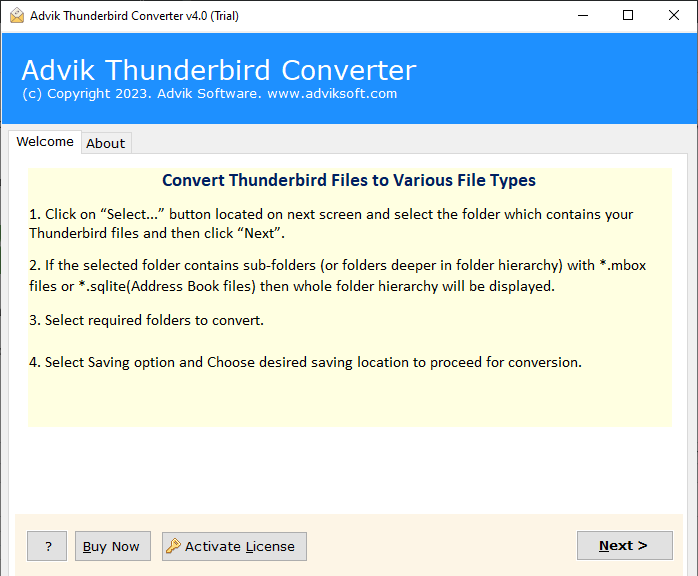
2. Then, select choose Convert configured Thunderbird mailbox data option.
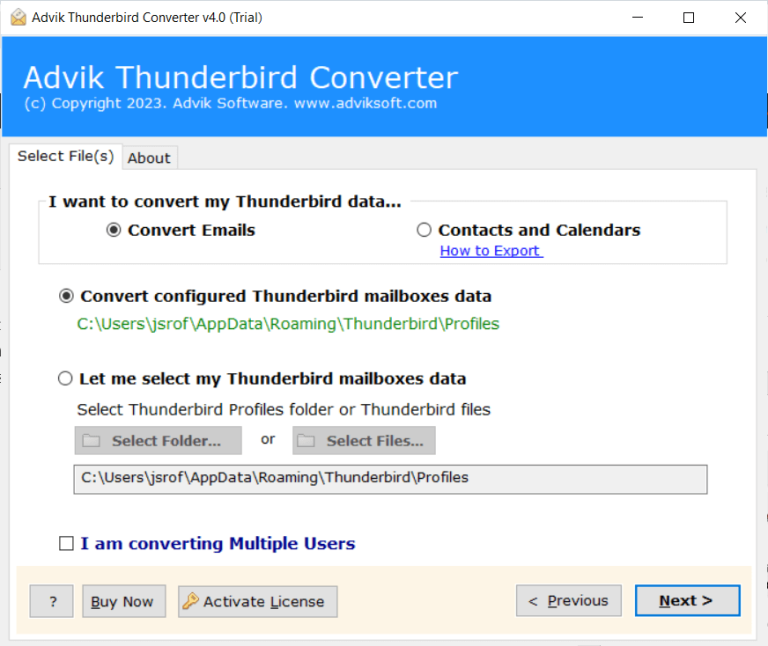
3. Choose the email folder you want to export.
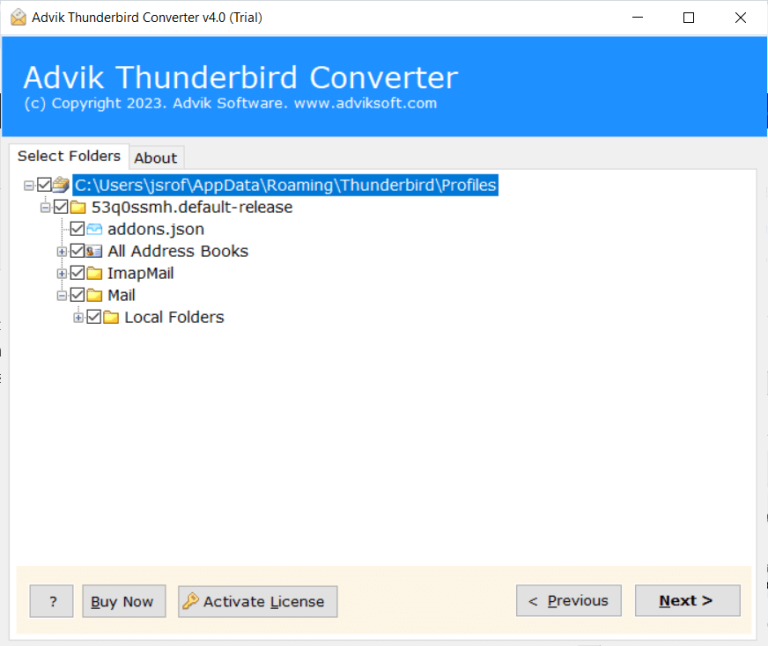
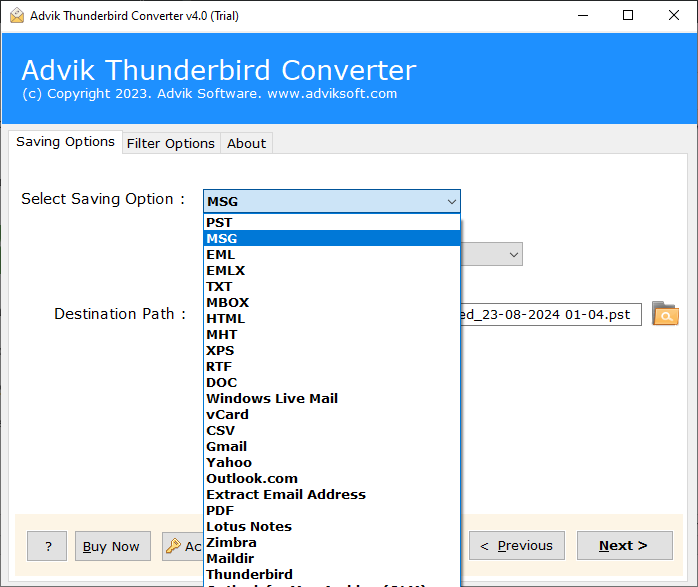
4. Choose MSG from the multiple saving options.
5. Browse the targeted location and hit the Convert button.
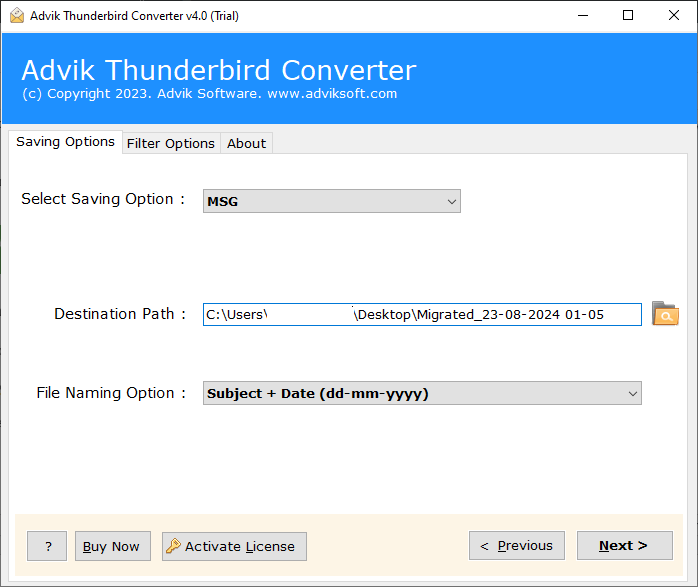
Finish! Here starts the process, and in a few seconds the tool will export all Thunderbird emails with attachments into MSG format at your desired location.
Why Use Advik Thunderbird to MSG Converter Tool?
With this tool, there are various outstanding features that make the export process easy and efficient. Some of them are –
- The tool will export email directly from your Thunderbird profile, thus making it an easy and hassle-free process.
- With an advanced algorithm, the tool maintains data integrity while exporting emails from Thunderbird to MSG files.
- Using this tool, you can also transfer Thunderbird emails to another Thunderbird account.
- It will maintain the email folder and sub-folder hierarchy and structure.
- Using this tool, you can also extract attachments from Thunderbird emails.
- Compatible with Windows 11, 10, 7, Vista, XP, and all other versions.
- A free demo version of the software is also available which will export 25 emails from each folder.
Conclusion
In this article, we have discussed the two different ways to export Thunderbird emails to MSG file. However, the manual approach is a very lengthy and complicated process. So, we suggest that you use the automated tool. The software can directly convert Thunderbird to MSG in bulk without affecting data integrity. You can try the demo version of the software and analyze its working.
Frequently Asked Questions
Q 1. Can Thunderbird export to MSG file?
Ans. No, Mozilla Thunderbird does not provide any built-in option to export emails directly to .msg format. To convert Thunderbird emails to MSG files, you need to either use a two-step manual process (first saving emails as EML and then converting them to MSG) or use a third-party tool.
Q 2. Is it possible to export selected Thunderbird emails to MSG files?
Ans. Yes, the software can convert Thunderbird emails based on date range, to, from, subject, etc.
Q 3. Can I run this application on Windows 11-based system?
Ans. Yes, the software is compatible with all the latest and old versions of Windows OS including Win 11.