How to Delete Attachments in Yahoo Mail By Keeping Emails?
Jim Backus | January 9th, 2026 | Data Backup
Attachments play an important role in emails. However, sometimes there are a few attachments that take up unnecessary space in your Yahoo Mail. In that case, it will be convenient to remove attachments from Yahoo Mail. In this article, we will discuss how to delete attachments in Yahoo Mail by keeping emails.
Every user who receives emails has attachments in their Yahoo Mail account. It can be in any form – documents, photos, spreadsheets, etc. It fills up your storage quickly. However, sometimes those attachments were not important, occupied unnecessary space, and needed to be deleted.
To understand this situation, let’s see a real user query:
“I am running out of free storage space in my Yahoo Mail account. One of the main causes of this space consumption is the large number of huge email attachments. So, to reclaim my storage space, I would prefer to delete email attachments in Yahoo Mail by keeping emails. Is it possible? If yes, then how? Please suggest to me.”
In this article, we will discuss the secure and efficient ways to delete Yahoo attachments without deleting email.
How to Delete Attachments in Yahoo Mail Manually?
1. First, log in to your Yahoo Mail account.
2. In the search bar, type:has attachments and press enter.
3. Then delete all the emails that have attachments.
Noted that, using this method you will delete not only attachments but emails as well. Unfortunately, there is no manual approach to deleting attachments in Yahoo by keeping emails. However, you can perform the process using an automated tool.
How to Remove Attachments from Yahoo Mail Without Deleting Emails?
Advik Yahoo Mail Backup Tool is a secure and efficient tool. The software effortlessly delete attachments in Yahoo Mail without deleting email. The tool gives a direct option to delete attachments from your Yahoo mailbox in a few simple clicks. You need to enter your login details and choose the respective saving option.
Additionally, the tool offers an advanced filter option to delete any particular type of attachments (.pdf, .doc, etc). Additionally, you can also remove attachments from emails that you receive from any particular date, person, subject, etc.

Steps to Delete Attachments in Yahoo Mail By Keeping Emails
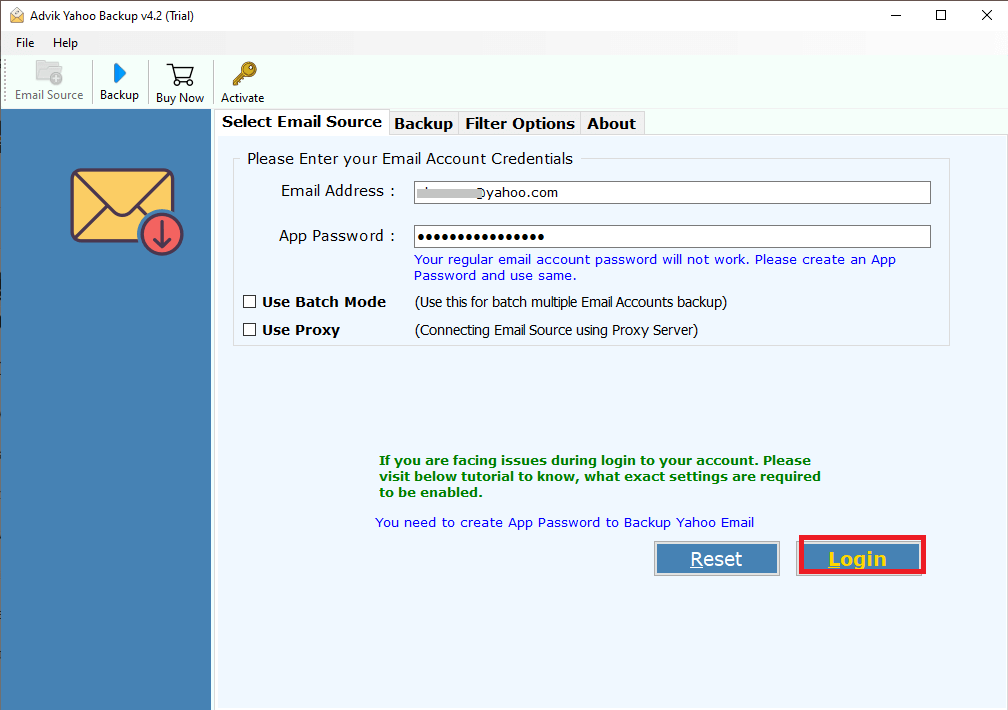
1. Run the tool and sign in with your Yahoo Mail credentials.
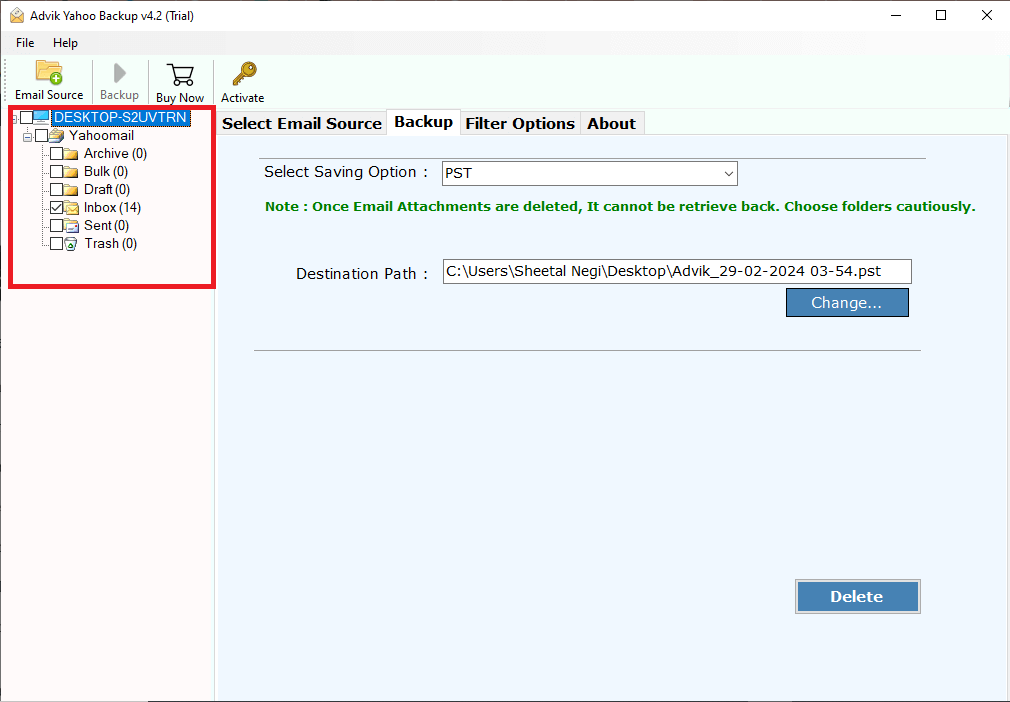
2. Select the Email Folder to remove attachments.
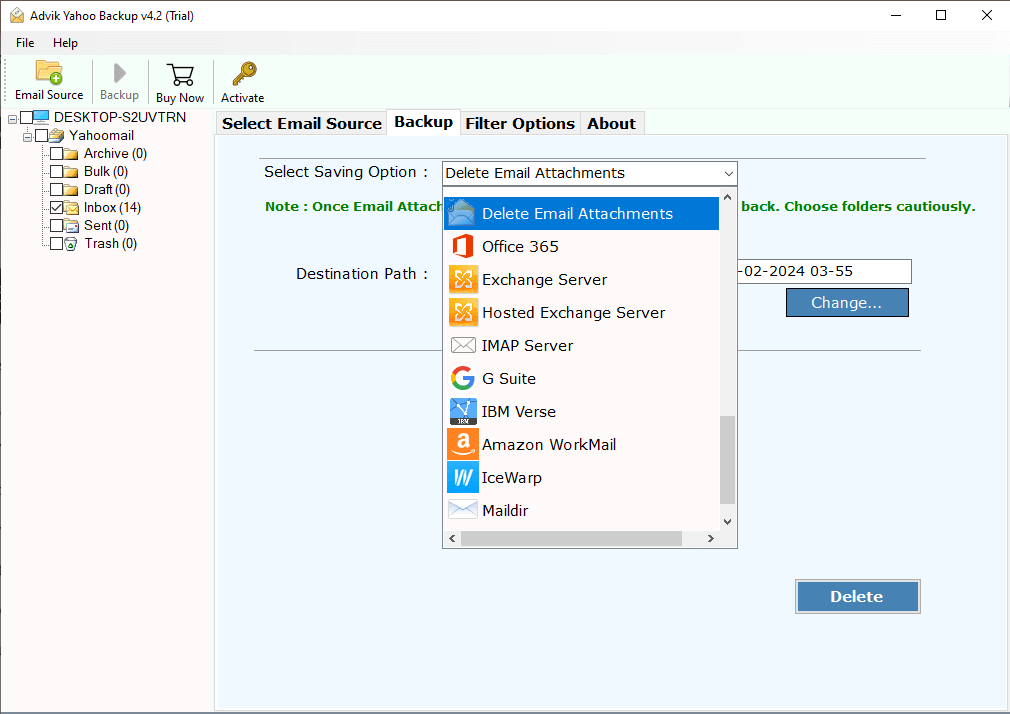
3. Select Delete Email Attachments from the saving options.
4. Apply the filters if needed.
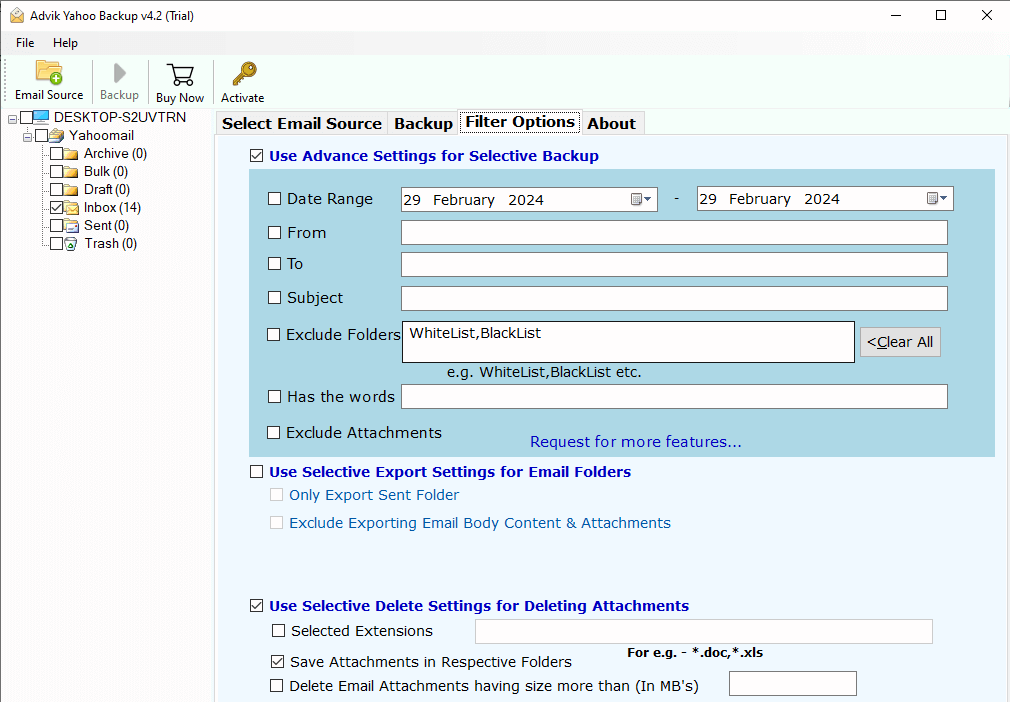
5. At last hit the Delete button to start the deletion process.
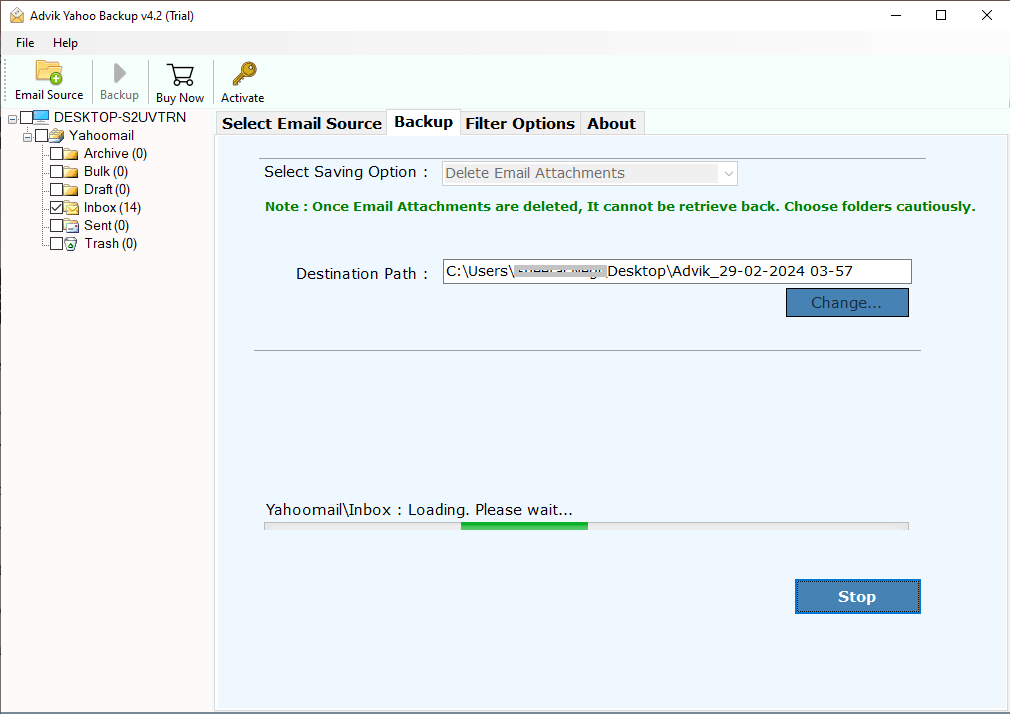
Done! Here, you can remove attachments from Yahoo Mail without deleting emails. With this tool, there are various other prominent features,
- Preserve data integrity while deleting email attachments.
- All your emails and their metadata will remain unchanged.
- Using this tool you can also backup multiple Yahoo accounts at once.
- Simple and easy-to-use features.
- Delete attachments from all email folders in a single click.
Watch How to Delete Attachments from Yahoo Mail
Conclusion
This article serves as a solution to the query – how to Delete Attachments in Yahoo Mail with and without deleting emails. Here we mention manual as well as professional tool to remove email attachments from Yahoo Mail account. However, if you only want to delete attachments, not email, then try the automated solution mentioned in this post.