How to Import PST to Hotmail Account?
Jackson Strong | February 2nd, 2026 | Email Migration
Are you wondering how to import PST to Hotmail? Don’t worry! Here, we will discuss two different methods to open PST file in Hotmail account. Stick to this article till the end and upload your PST file without any hassle.
MS Outlook is one of the most widely used communication managers for personal or professional use. It uses PST files to store emails, contacts, calendars, and other mailbox data. On the other hand, Hotmail is now Outlook.com, is a web-based email solution. It has strong security features or accessibility across devices that make email management easier.
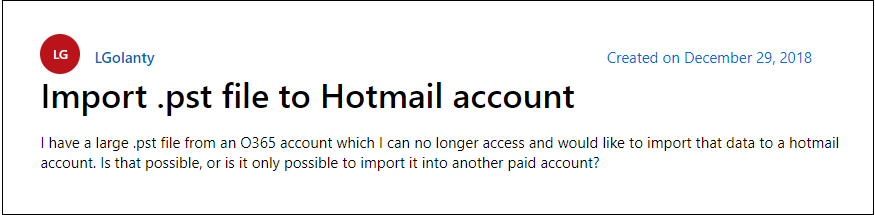
There could be many reasons why users are searching to import PST file to Hotmail account. Various Hotmail users search for the same issue. Let’s take a look at a user query asked in the Microsoft forum. Here user simply asks for a way to import his large .pst file into Hotmail mailbox.
To know how to easily open Outlook PST file in Hotmail account. The easy-to-use methods are explained below. Go through one by one and decide which one to choose.
How to Import PST to Hotmail Manually?
1. Run Outlook and click File >> Add Account.
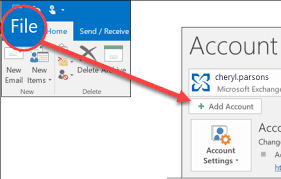
2. Configure your Hotmail account to Outlook using IMAP.
3. Go to Open & Export >> Import/Export option.
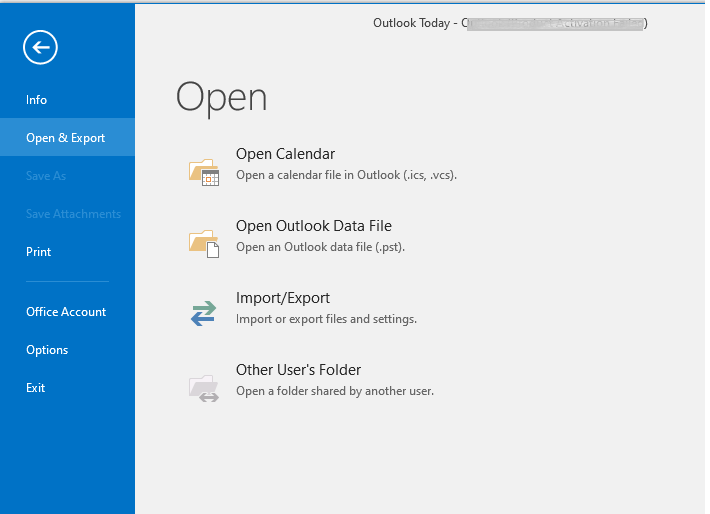
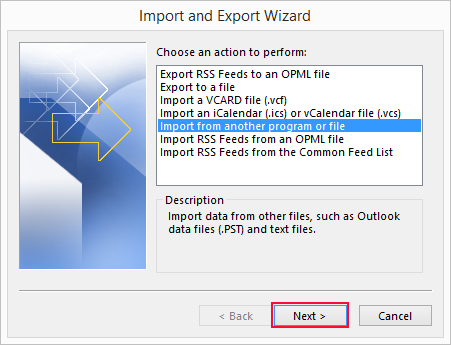
4. Select Import from another program or file.
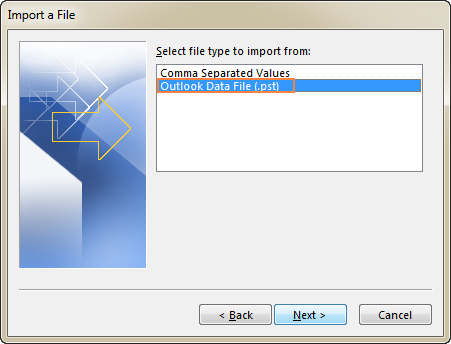
5. Now, choose Outlook Data File option.
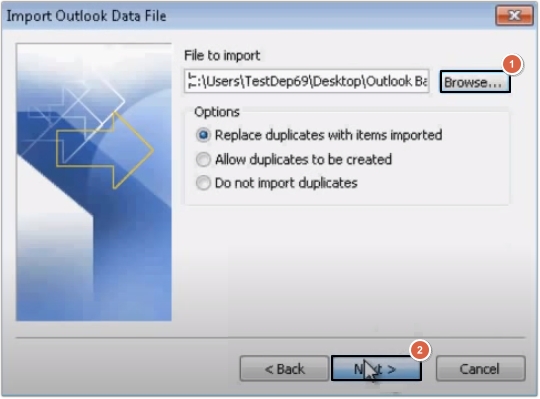
6. Browse and select .pst file that you want to import.
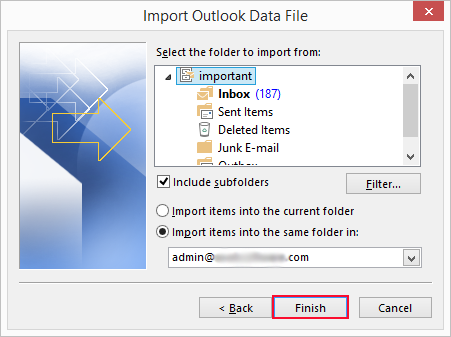
7. Next, select the recently added Hotmail mailbox folder and click Finsih button.
The manual method is recommended only for users who know how to configure email accounts in Outlook.
Although we’ve outlined 9 simple steps, it takes much more time to complete each step. For a more easy and simple approach, refer to the below method.
How to Open PST File in Hotmail Automatically?
With the help of Advik PST File Converter, you can upload your data. This software will effortlessly import emails from PST file to Hotmail mailbox. The tool is capable of transferring multiple PST files without any data loss. Moreover, there will be no file size limitation, which means you can import large-size PST file. In addition, the software is loaded with many advanced features that make importing an easy task.
Just load the PST file and select the email folder you want to import. After that, from the saving options, choose Outlook.com and enter your login credentials. The tool will start importing your emails and other data without affecting mailbox structure and hierarchy.
Click the below link to download the free version of the software.


Steps to Import PST File to Hotmail
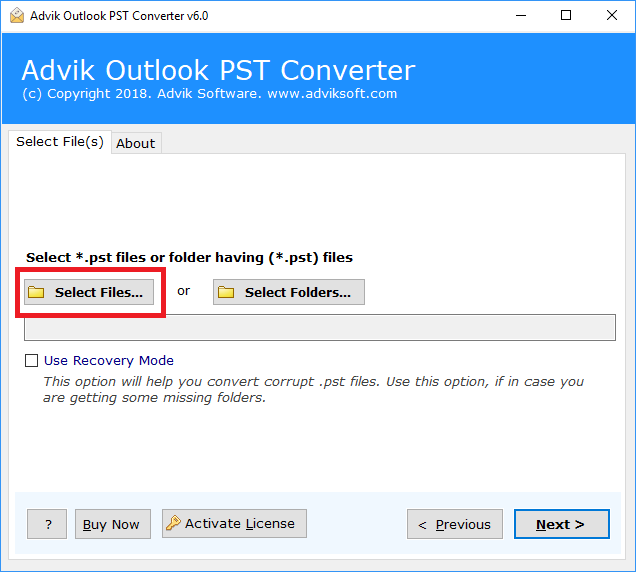
Step 1. Run the software and click Select files.
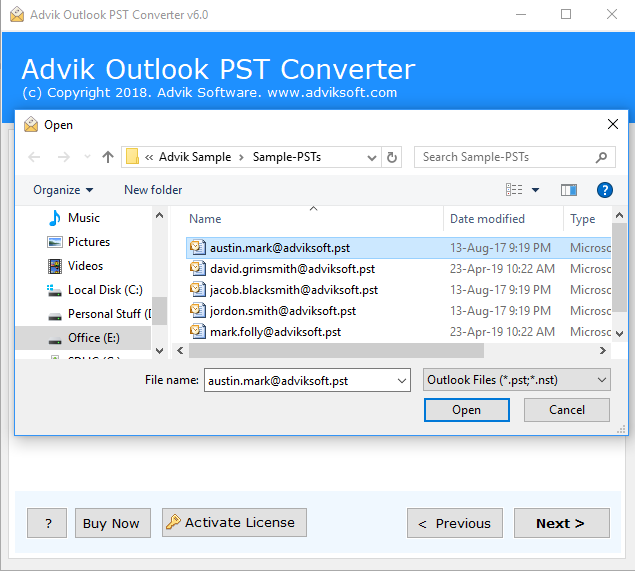
Step 2. Browse, and select Outlook PST file into the software panel.
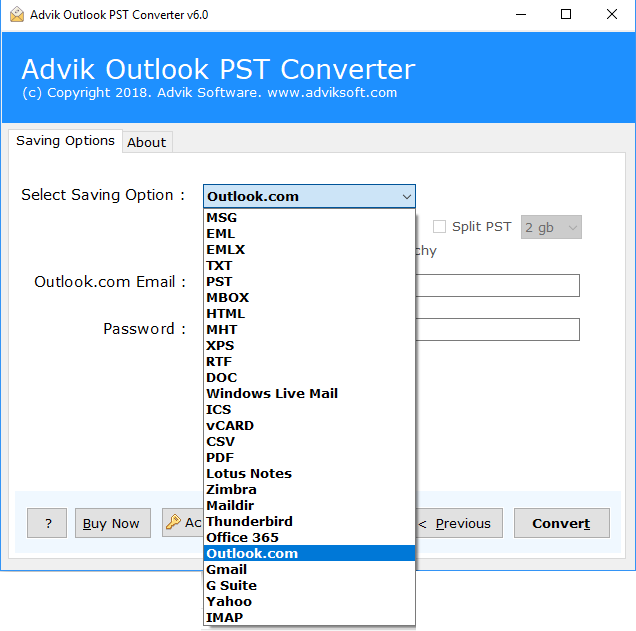
Step 3. Choose Outlook.com as a saving option.
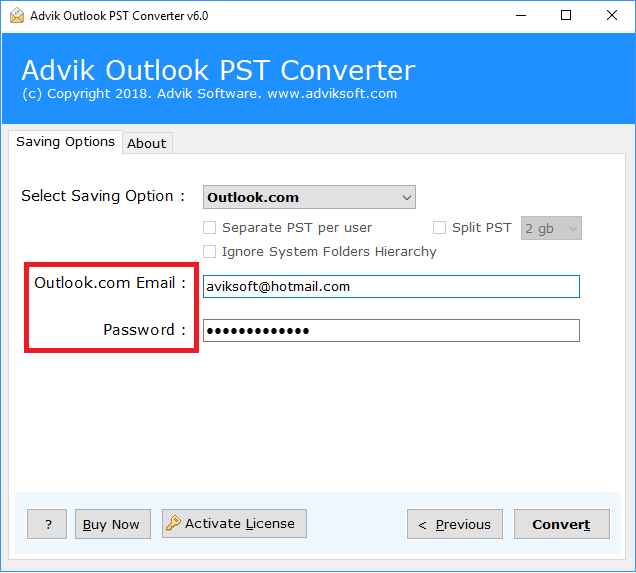
Step 4. Enter your Hotmail login details and click Convert.
Now, the tool will start importing .pst files to Hotmail account in no time.
After the completion of the process, you will be notified through a log report.
Done! This is how you can upload PST to Hotmail account without the Outlook application.
Watch How to Open Outlook PST File in Hotmail Account
Benefits of using Automated Software
The software also consists of multiple useful features that make it the best of other solutions. Check out the key highlights of this wizard.
- Upload multiple .pst files into Hotmail mailbox in a single attempt.
- Convert PST to MBOX, EML, MSG, TGZ, DOC and 10+ file formats
- Import PST to Office 365, Google Mail, Yahoo Mail, G Suite, and many more
- User-friendly interface for technical and non-technical-minded users
- Selective mailbox folder migration option based on various email filters.
- Option to Split PST into small parts (additional option to split PST per user)
- Free Demo version to import 25 emails from PST file to Hotmail.
- Easily Workable in Windows 10, 8, 7, XP, Server 2000, and all previous versions
Conclusion
The above article described an easy way to import PST to Hotmail account. As there is no direct manual solution available that can complete this task easily. So, we left using an automated solution only. We hope that after reading this blog, you will be able to know how to open Outlook PST file in Hotmail account with ease.
Frequently Asked Questions (FAQs)
Q1. How do I import PST file to Hotmail account?
Ans. Use automated software or manually configure Hotmail in Outlook and transfer the emails.
Q2. Will my email folders and structure remain intact after importing PST to Hotmail?
Ans. Yes, using automated software like Advik guarantees that you maintain the folder structure throughout the process.
Q3. Is there any size limit using this software?
Ans. If you import PST file to Hotmail via the manual method then it might cause an issue with transferring PST files. As data file corruption chances are higher in this situation. However, with Adviksoft, you can import PST file with more than 5 Gb.
Q4. How do I import PST into Hotmail without Outlook?
Ans. Follow the steps below;
- Run the Software and add .pst files.
- Choose mailbox folders to transfer.
- Select Hotmail as a saving option.
- Enter Hotmail account details & click Backup.
Q5. Can I run this software on Windows 7?
Ans. Of course, you can. The Advik Software can be easily installed on all the latest and previous versions of the Windows OS.