How to Open PST File in Chrome Browser?
Jim Backus | November 5th, 2025 | Google Chrome, Outlook
Learn how to open PST file in Chrome Browser. In this blog, you will get step-by-step instructions to view PST file in Chrome browser.
PST files are created by Microsoft Outlook to store emails, contacts, calendars, tasks, and many more. Opening a PST file directly in the Chrome Browser is not possible because Chrome cannot read an Outlook data file by default. However, if you need to view PST emails in Chrome, then this post will help you. This article includes a practical method to assist you in importing PST emails in Chrome offline. After that, you can easily open PST emails in Google Chrome or any internet browser.
Reasons to Open PST File in Chrome Browser
Here are some common reasons:
- You don’t have Outlook installed.
- If you want to read PST emails on any device via the browser.
- You prefer a lightweight way to access stored emails.
- When you receive a PST file from someone and only need to view its contents.
Now, let’s proceed on the solution without any further delay!
How to View PST File in Google Chrome?
Download and install the Advik PST Converter in your Windows. This application will convert PST emails to .html files. Once, you export all emails from PST file, you can open the .HTML files in any internet browser. During this file conversion process, the software will maintain folder and sub folder hierarchy as well.
Download the software and try it for free.


Steps to Open PST File in Chrome Browser;
Step 1. Run software in your Windows system.
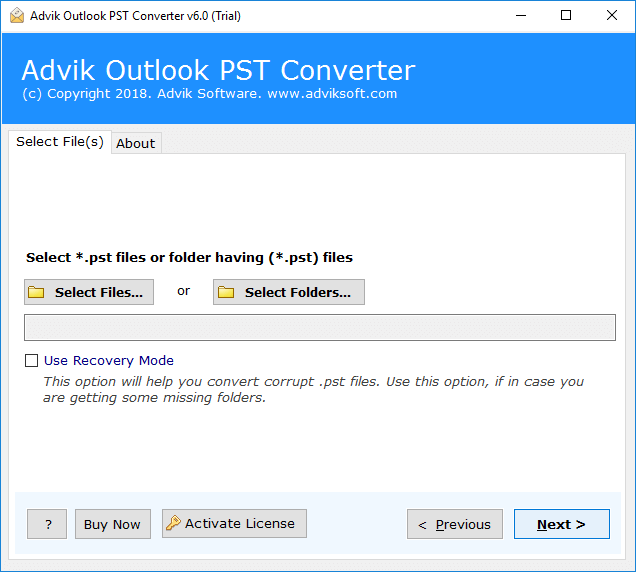
Step 2. Add Outlook .pst file into software panel.
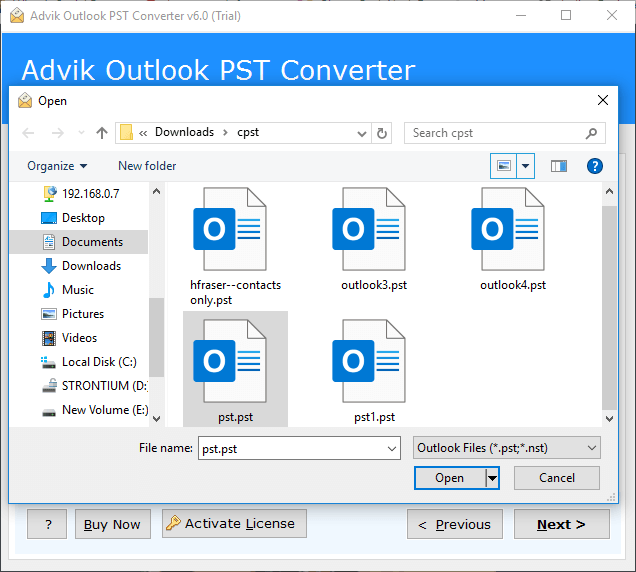
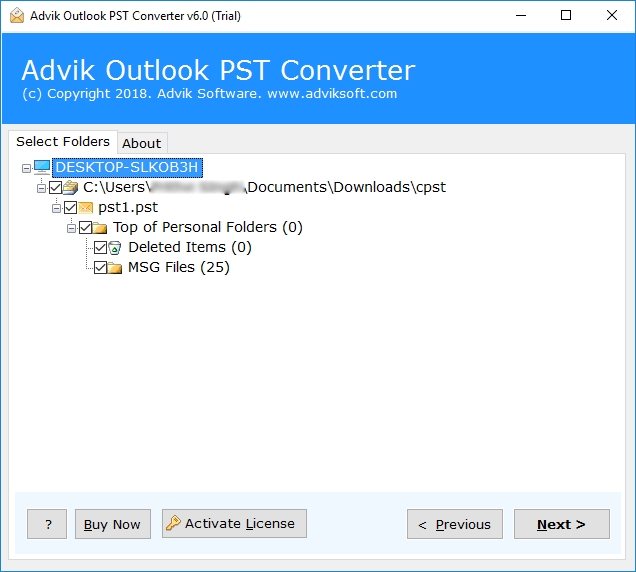
Step 3. Select mailbox folders to convert.
Step 4. Choose HTML as saving option from the list.
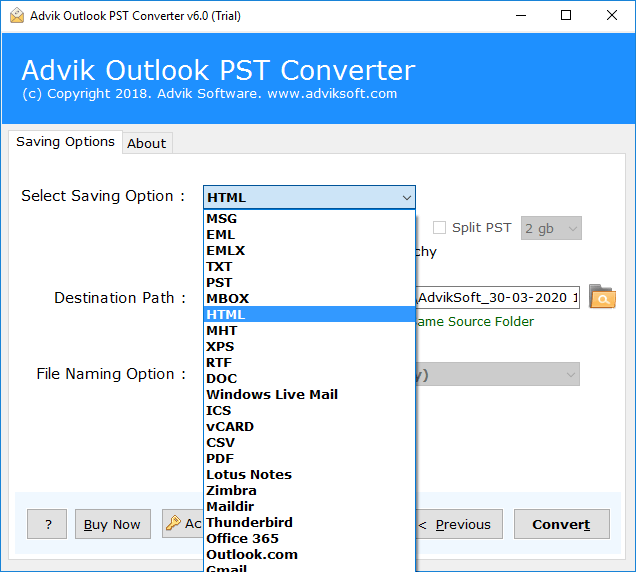
Step 5. Click Convert button to start conversion process.
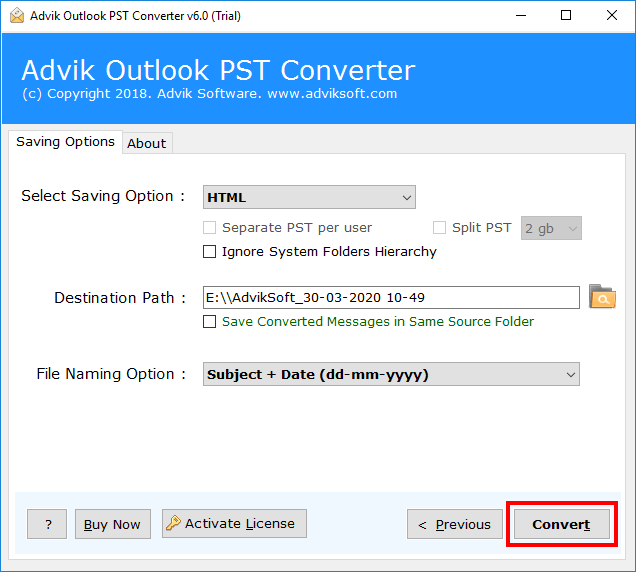
After completion of the above process. You will get your PST file emails in HTML format.
Now, you can open PST file emails in Chrome without facing any issues.
Watch How to Read PST Emails in Chrome Browser
Benefits of Using This Autoamated Tool
- A simple, easy-to-use interface for all types of users.
- Read multiple PST files in Chrome Browser at once.
- Preserves data integrity and folder structure.
- Enable users to open PST file without Outlook.
- Convert PST to PDF, MBOX, EML, MSG, etc.
- Compatible with all verions of Windows OS.
