How to Import Hotmail to Thunderbird? Step-by-Step Guide
Jenny Lowrence | January 23rd, 2026 | Email Migration
Do you still have an old Hotmail account and want to migrate emails from Hotmail to Thunderbird? If yes, then this article will guide you on how to import Hotmail to Thunderbird. In this post, we’ll explain manual as well as professional solutions to convert emails from Hotmail to Thunderbird. Stay tuned with us and add Hotmail to Thunderbird quickly.
Hotmail is one of the first email services. With a Hotmail account, users can take advantage of several services, including email communication, contact organization, calendar management, and many more. However, in 2013, Microsoft discontinued it and merged with Outlook.com. That’s why users want to import Hotmail emails to Thunderbird, because it is a free and open source email client that offers a lot of useful features to simplify email communication. In this article, we will discuss two different methods to transfer Hotmail mailbox data items into Thunderbird profile.
Let’s get started!
How to Add Hotmail Account to Thunderbird Free?
Follow the steps below to manually import Hotmail to Thunderbird:
1. Open the Thunderbird application on your system.
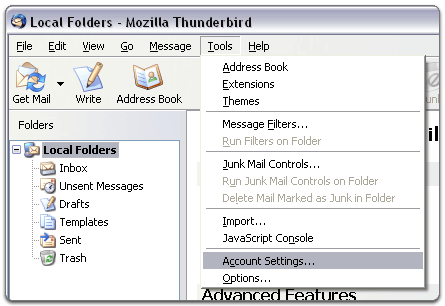
2. Go to Tools and select Account Settings.
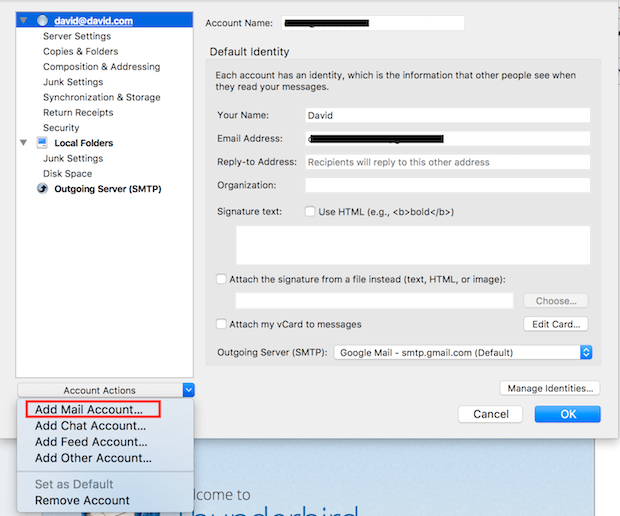
3. Click on Account Actions, and choose Add Mail Account.
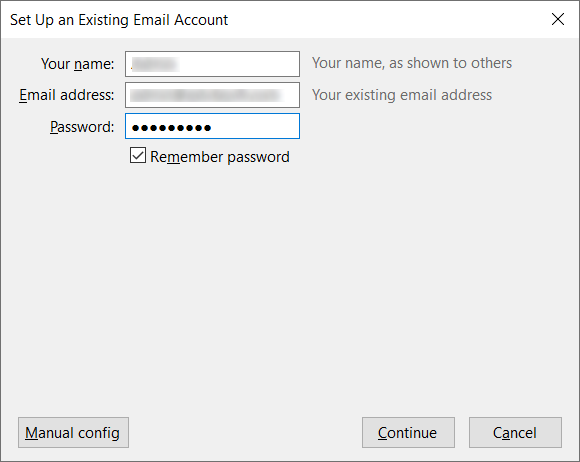
4. Enter your name, Hotmail email address, password and then click Continue.
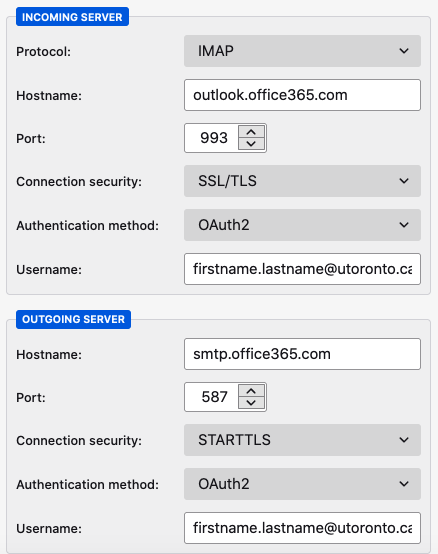
5. Enter incoming server: outlook.office365.com, port number 993 and outgoing server: smtp.office365.com, port number 587.
6. Click on Done button to set up Hotmail account in Thunderbird.
The process is complete! This is how you can export emails from Hotmail to Thunderbird.
How to Import Hotmail to Thunderbird Automatically?
If you want a simple and direct solution, then try the Advik Email Migration Tool on your system. The software can directly convert emails from Hotmail to Thunderbird without any configuration. It can export all email folders from Hotmail to Thunderbird in a single attempt. Also, it allows you to transfer selected emails. The tool preserves data integrity and folder hierarchy throughout the process.
Give a Free try of this handy tool and enjoy its functionality.


Steps to Import Emails from Hotmail to Thunderbird
1. Run the tool on your Mac and Windows PC.
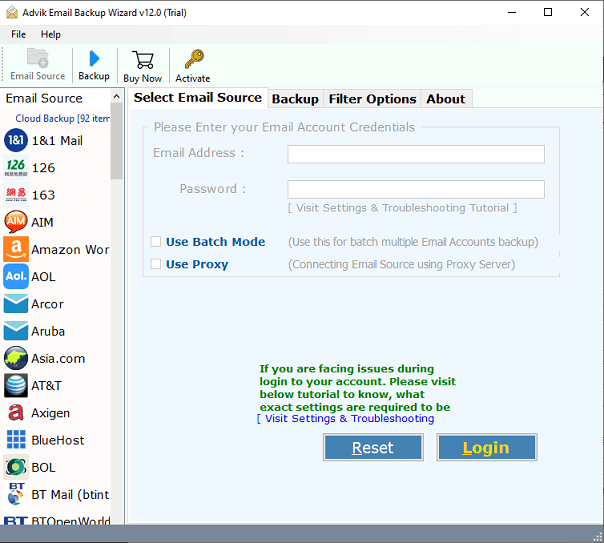
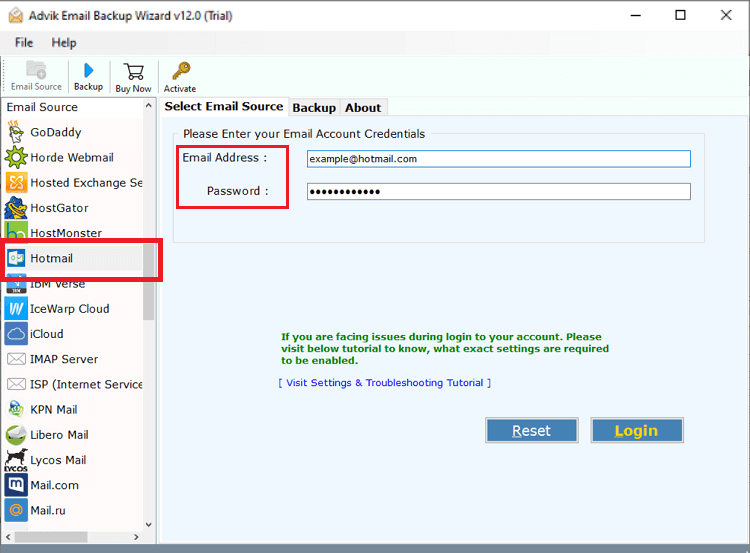
2. Choose Hotmail as the email source and sign in.
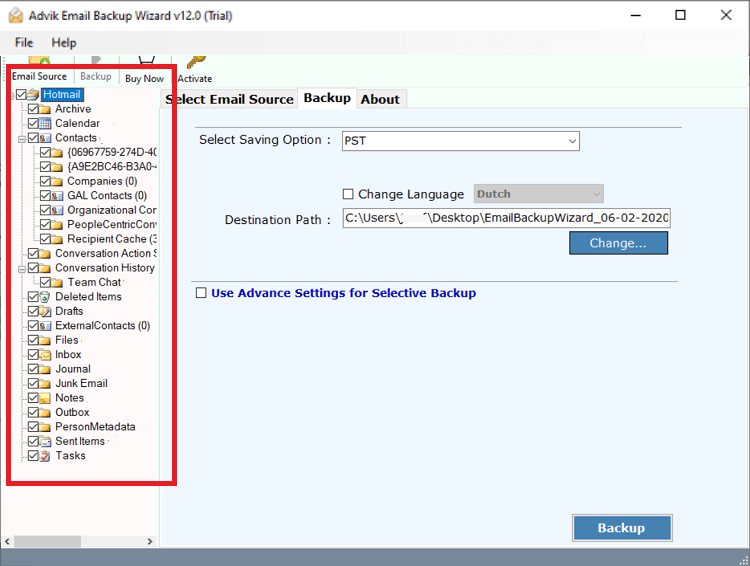
3. Choose the required mailbox folders to migrate.
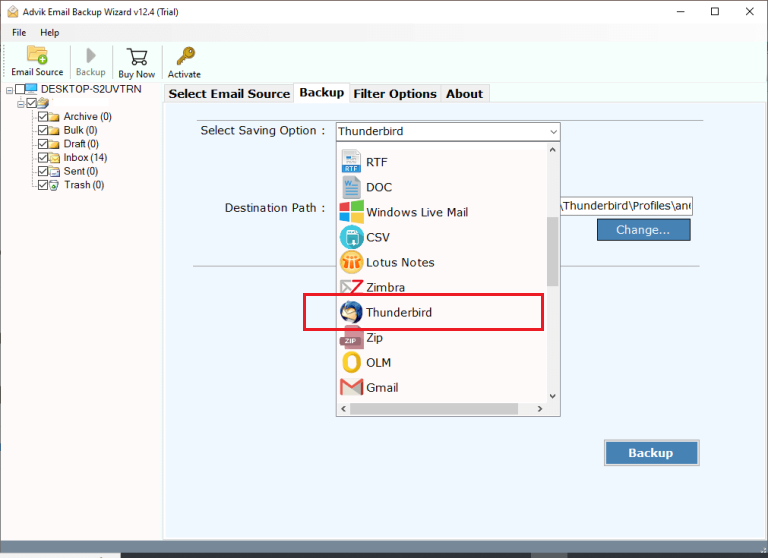
4. Next, select Thunderbird as a saving option.
5. Apply Filter options to export selected emails. (Optional)
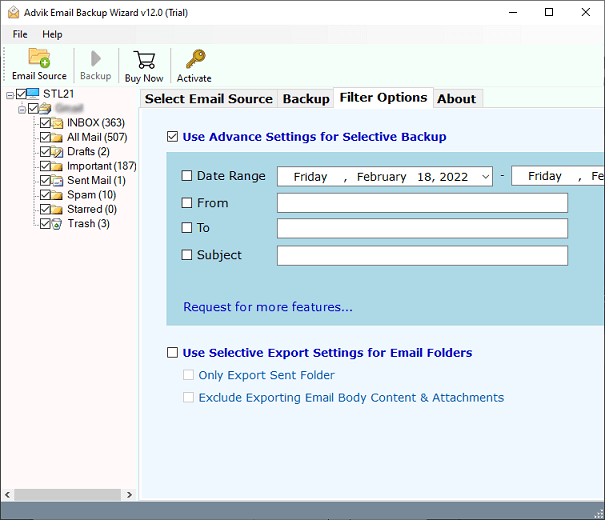
6. Click the Backup button to begin the importing process.
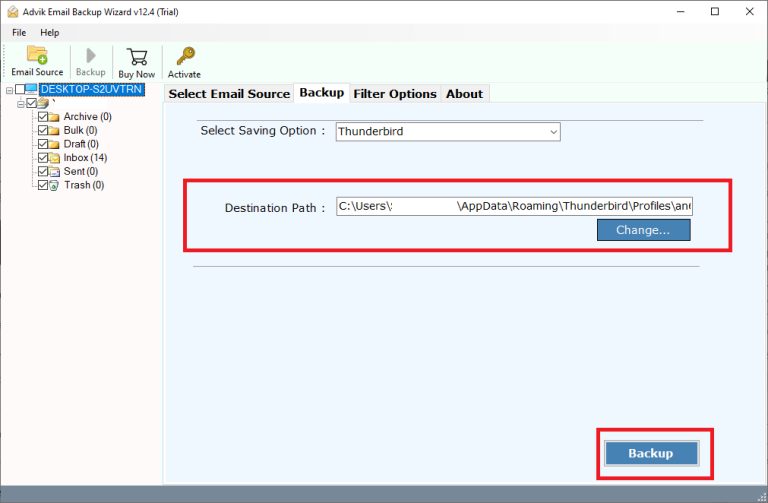
Now, sit back and relax! The software will import Hotmail emails to Thunderbird quickly. Once the process is complete, open Thunderbird and check the imported emails here.
Benefits of Using Hotmail to Thunderbird Converter
- Direct Importing: The software can directly export emails from Hotmail to Thunderbird account. You do not need to add Hotmail account to Thunderbird for migrating emails.
- Export Folders in Bulk: With this utility, you can convert the entire Hotmail mailbox in a single attempt. You do not need to repeat the steps to import each folder.
- Selective Migration: Sometimes users do not need to import all email folders from Hotmail to Thunderbird. The tool offers advanced filter options that allow you to export selected emails based on date range, to, from, subject, etc.
- Maintains Folder Hierarchy: This utility keeps the original structure of the mailbox folder during the process. Also, it preserves all email properties while importing.
- 30+ Saving Options: The software offers various saving options to migrate Hotmail emails to any cloud-based platform. Using this application, you can also export Hotmail to PST, MBOX, PDF, EML, etc.
- Simple and Easy to Use: This program is designed with a simple graphical user interface. Any novice user can easily use it without any technical training and guidance.
- Windows and Mac Supportive: You can run this application on both Mac and Windows based system. It supports all the latest and old versions of both Mac and Windows operating systems.
The Final Words
Importing emails from Hotmail to Thunderbird is a simple task if you use the right approach. Here, we have provided a manual and a professional solution to import Hotmail to Thunderbird without any hassle. You can manually add Hotmail account email to Tghunderbird but you may face issues when using it. So, we prefer to use the professional tool to convert emails from Hotmail to Thunderbird in a seamless manner.