How to Migrate cPanel Emails to Outlook.com?
Jenny Lowrence | February 3rd, 2026 | Email Migration
Thousands of users ask on technical forums regarding to migrate cPanel to Outlook.com. If you are also looking to get an ideal solution for this query, then this post is for you. This write-up is helpful for all those users who want to transfer cPanel emails to Outlook.com in the most seamless manner. Here, we are going to discuss two simple and effective techniques to complete the migration process.
Before proceeding with the solutions, let’s understand the benefits of migrating cPanel email to Outlook Web Access.
Why Migrate from cPanel to Outlook.com?
Once you transfer your cPanel email to Outlook.com, you will get several advantages. Some of them are;
- Enhanced Security: Provides advanced security to protect against threats.
- Accessibility: Migrating cPanel to Outlook.com allows to access from anywhere, anytime.
- Seamless Integration with Microsoft Services: Outlook.com easily integrates with OneDrive, Calendar, Teams, and other Microsoft tools for better productivity.
How to Migrate cPanel Emails to Outlook.com Manually?
You can manually transfer cPanel to Outlook.com via Outlook. In this approach, you need to sync both accounts in Outlook via IMAP to move emails between them.
Follow the steps below to perform cPanel to Outlook.com migration:
Step 1. Add cPanel Email to Outlook
- Launch the Outlook email client on your system.
- Click on File tab and select Add Account.
- Enter cPanel email address and click Connect.
- Choose IMAP as the Account type.
- Enter Incoming/Outgoing Server: mail.yourdomain.com.
- Type password and complete the configuration process.
- Wait for Outlook sync all cPanel email folders.
Step 2. Add Outlook.com Account to Outlook
- Again go to File >> Add Account.
- Enter your Outlook.com email credentials.
- Complete the setup process and wait for sync Outlook.com folders.
Step 3. Move cPanel Emails to Outlook.com
- Open cPanel mailbox in Outlook.
- Select emails that you want to migrate.
- Drag & drop them into Outlook.com mailbox folders.
Limitations of Manual Approach
- The method contains multiple steps, so it takes a lot of time to complete the process.
- MS Outlook must be installed on your system.
- Users must have technical knowledge to set up email accounts.
How to Transfer Emails from cPanel to Outlook.com Safely?
Download and install the Advik Email Migration Tool on your system. With this tool, you can directly migrate cPanel to Outlook.com in just a few simple clicks. The software asks only for the credentials of both accounts for the cPanel to Outlook.com migration. It can move the entire mailbox in one go. It keeps the original structure of mailbox folders while migrating.
Tap on the below link to try it for FREE.


Steps to Migrate cPanel to Outlook.com
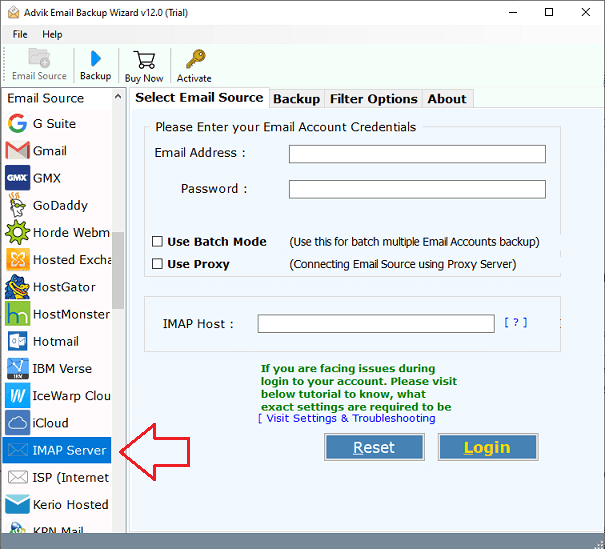
1. Run the tool and choose IMAP Server from the email source list.
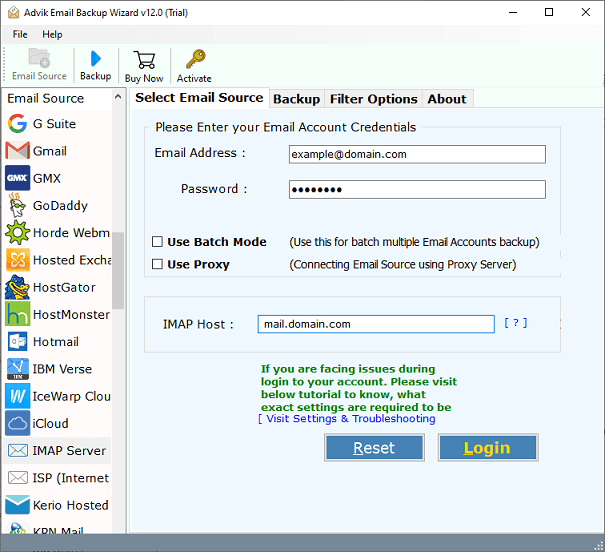
2. Enter your cPanel email account login credentials to sign in.
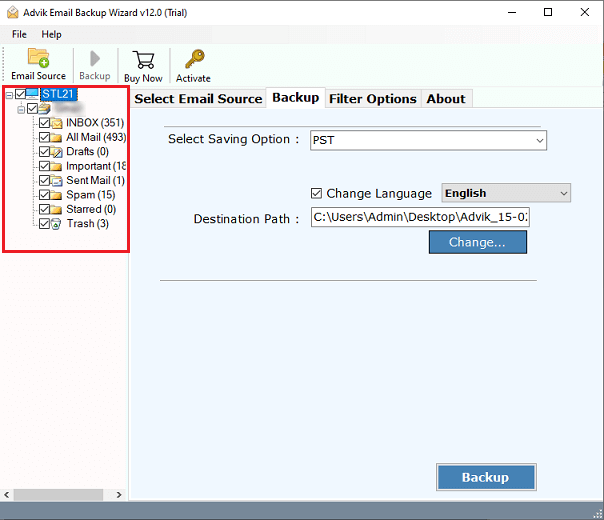
3. Choose the required mailbox folders.
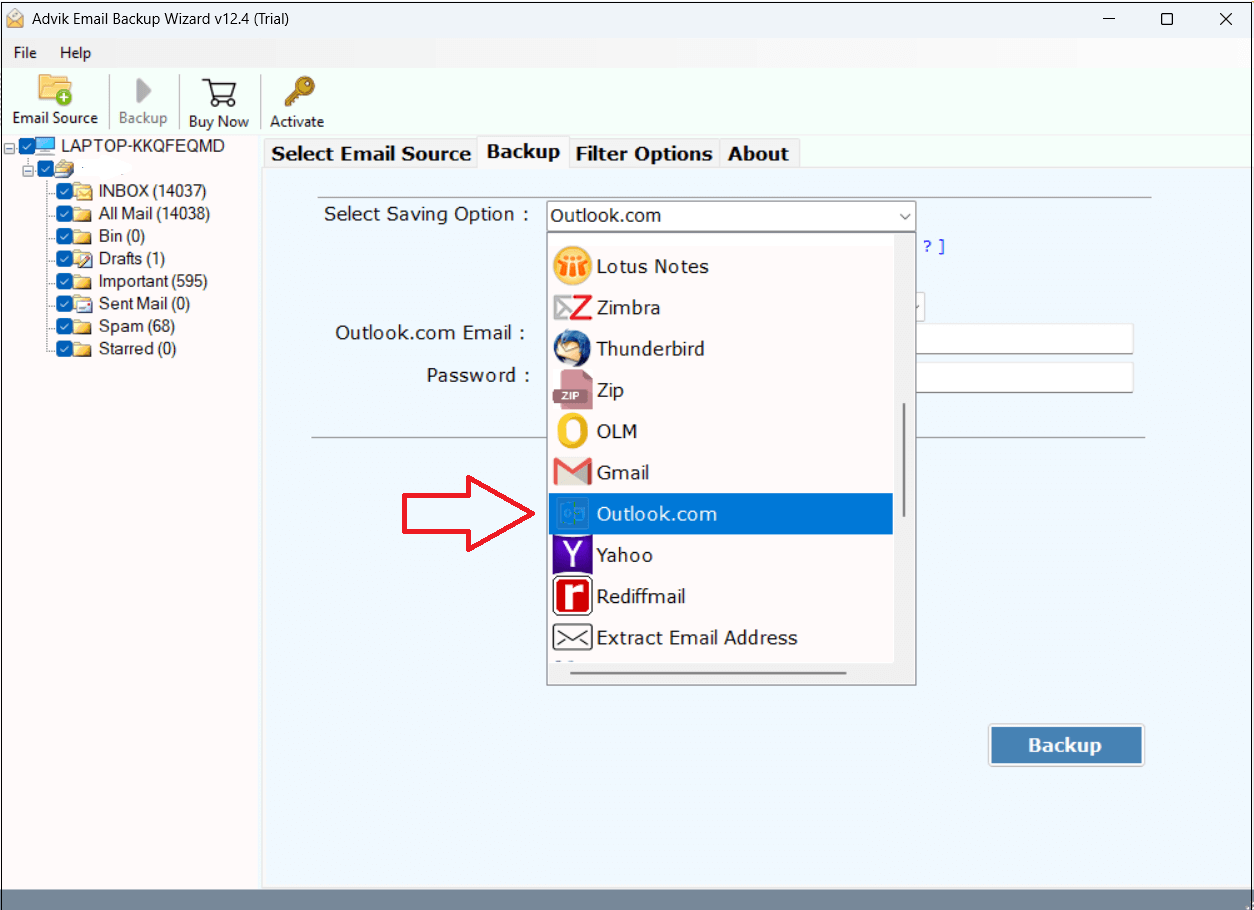
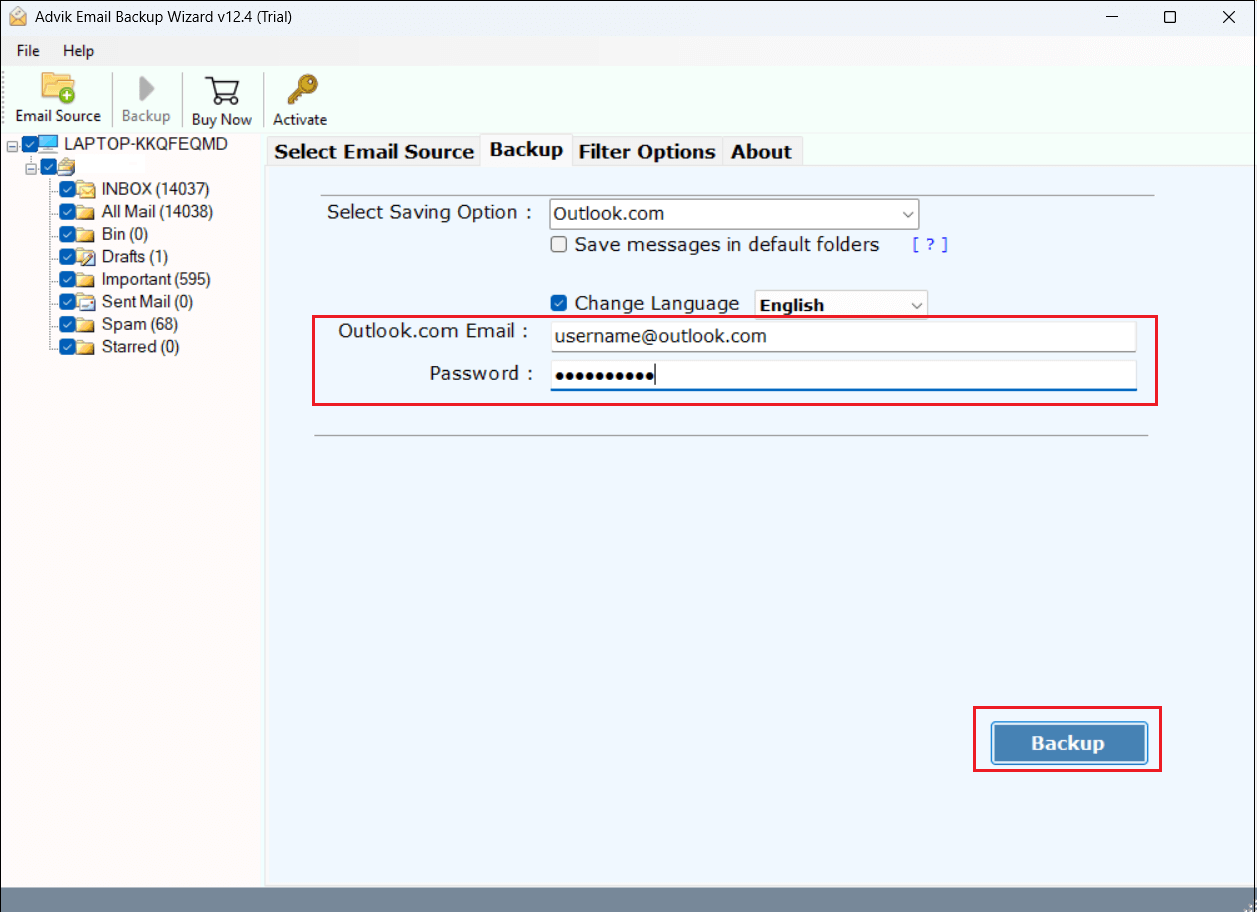
4. Select Outlook.com as a saving option.
5. Enter your Outlook.com account login details and click the Backup button.
6. The software will start migrating emails from cPanel to Outlook.com mailbox.
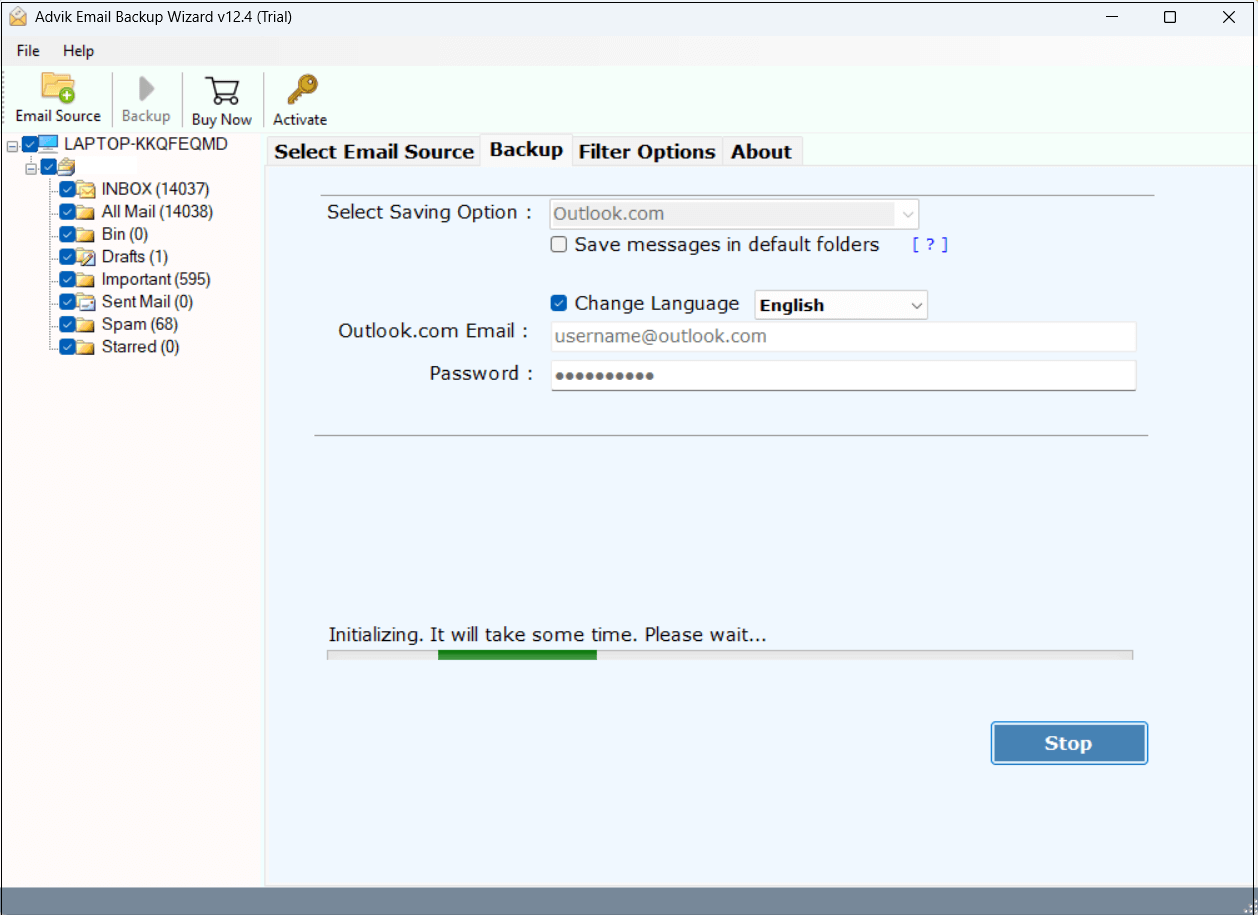
Now sit back and relax! The software will complete the migration process in a few seconds.
Benefits of using Automated Tool
- No need to install any email client to perform cPanel to Outlook.com migration.
- Migrate all email folders from cPanel to Outlook.com in a single attempt.
- Advanced email filter options to transfer emails based on date range, to, from, subject, etc.
- Maintains all key elements and the mailbox folder hierarchy as well during the process.
- Also, transfer cPanel to Gmail, Office 365, and other cloud-based email platforms.
- Simple & easy to use and 24/7 customer support to solve user queries.
Final Words
In this post, we have discussed how to migrate cPanel to Outlook.com account. Here, we have mentioned both manual and automated solutions. Both methods are 100% workable; you can choose any solution that best fits your needs. However, the manual approach takes a lot of time, as you need to move large mailboxes. While, the professional solution can quickly transfer cPanel emails to Outlook.com in bulk.