How to Migrate Emails from cPanel to Yahoo Mail?
Jenny Lowrence | February 5th, 2026 | Data Backup
Migrating emails from cPanel to Yahoo Mail is a common need when users want to switch from web hosting email services to a free, cloud-based email platform. However, there is no direct option to migrate cPanel to Yahoo Mail. Many users often struggle to find a reliable solution. In this write-up, we’ll show you the easiest way to transfer cPanel emails to Yahoo Mail safely without losing data.
Before proceeding with the solution, we understand why users choose Yahoo Mail to move emails.
Why Migrate Emails from cPanel to Yahoo Mail?
Here are some benefits of switching from cPanel to Yahoo:
- Access emails from any device, anywhere.
- User-friendly interface of Yahoo with customizable themes.
- Yahoo Mail provides free cloud storage to store emails, attachments, and files.
- It offers robust spam filtering tools which helps users to keep their data safe.
How to Transfer cPanel Emails to Yahoo Mail?
There is no manual solution to migrate emails from cPanel to Yahoo Mail. You can take help from the Advik Email Migration Tool. The tool is designed in such a way that any novice user can easily operate it. With this tool, you can directly move cPanel emails to Yahoo Mail. It allows you to migrate all or selected email folders as per your needs. During the cPanel to Yahoo migration, the tool preserves the mailbox folder hierarchy as well.
Download the FREE demo version and analyze its working procedure.


Steps to Migrate cPanel to Yahoo Mail
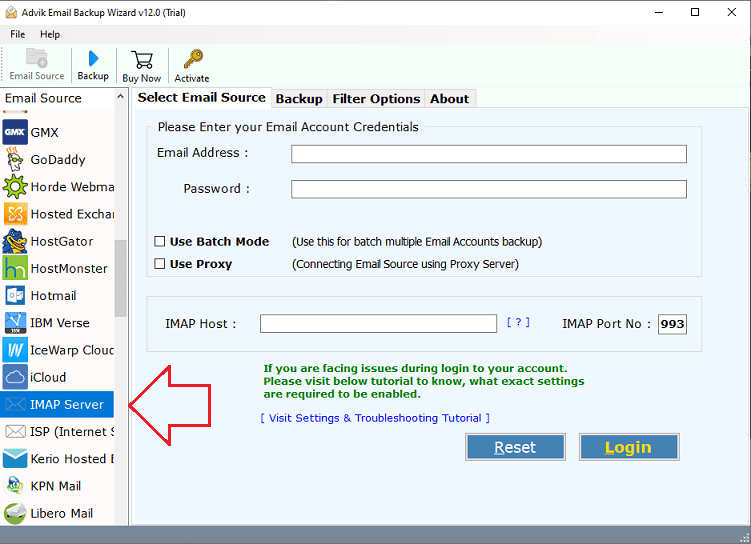
1. Run the tool and choose IMAP Server as email source.
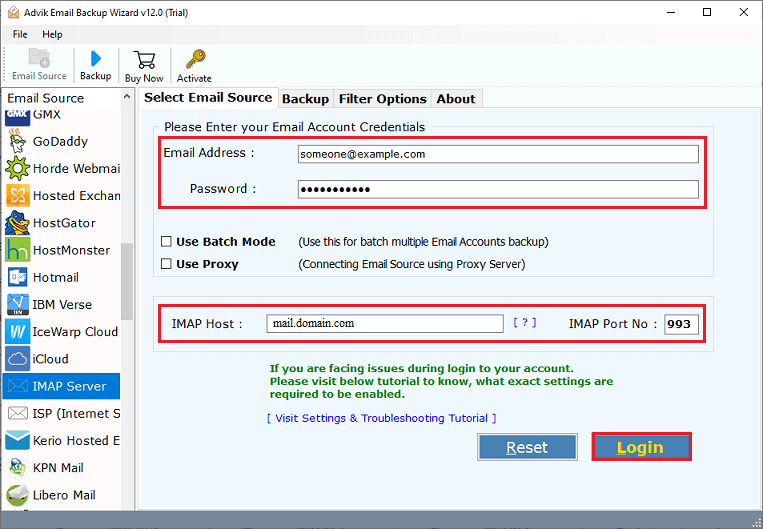
2. Enter cPanel account login details to sign in.
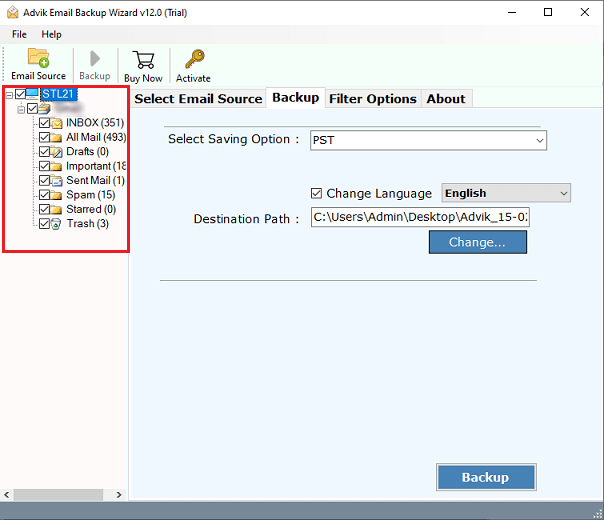
3. Choose the mailbox folders to migrate.
4. Now, select Yahoo Mail as a saving option.
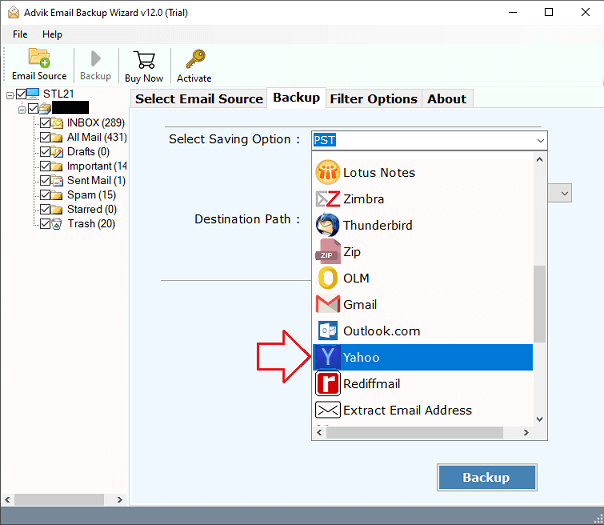
5. Enter your Yahoo Mail login credentials and click Backup.
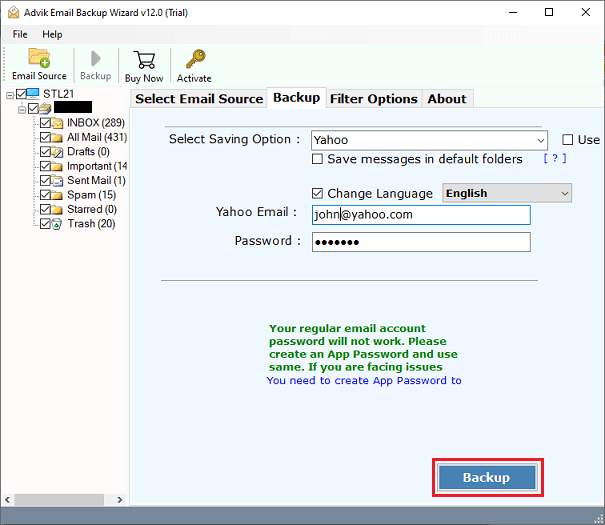
The software will start migrating emails from cPanel to Yahoo mailbox. Once the process is complete, log in to your Yahoo account and check the transferred emails here.
Prime Features of cPanel to Yahoo Migration Tool
- Bulk & Selective Migration: The software can transfer all emails from cPanel to Yahoo Mail in a single attempt. Additionally, it also allows you to move selected emails based on date range, to, from, subject, etc.
- 30+ Saving Options: The tool offers multiple saving options to export cPanel emails into multiple formats. Also, you can transfer cPanel emails to Gmail, Office 365, Zoho Mail, and many more.
- Preserves Email properties: This is a safe and secure solution. It preserves all email attributes such as attachments, sender/receiver info, hyperlinks, etc. while migrating emails.
- Maintains Folder Strcture: You do not need to worry about the structure of your mailbox folders. The tool keeps the original strcture of cPanel email folders even after the migration.
- Wide Compatibility: You can run this program on both Mac and Windows based system. It supports all the latest and old versions of both operting system without any compatibility issues.
Conclusion
In this post, we have discussed how to migrate cPanel to Yahoo Mail. However, there is no manual solution to do it. So, here, we have explained a simple and quick solution to transfer emails from cPanel to Yahoo Mail. The software can move email folders in bulk with full accuracy. You can download the trial version, which allows you to migrate 25 emails from each folder without any cost.