How to Migrate Webmail to Outlook.com?
Jenny Lowrence | February 10th, 2026 | Email Migration
Are you looking for a free solution to migrate Webmail to Outlook.com. This article provides a free way to transfer Webmail emails to Outlook.com account. Also, we’ll show you the challenges of migrating from Webmail to Outlook.com using free manual tricks.
To overcome all these challenges, we also provide a direct option to do so without requiring any technical knowledge. Stay tuned with us to know more.
Many users rely on Webmail services to manage their emails through a browser. While Webmail is simple, it often lacks advanced features, security, and seamless accessibility that modern email platforms provide.
Outlook.com is a reliable email service. It offers strong spam protection, easy integration with Microsoft services, and easy accessibility from anywhere.
Let’s get started!
How to Migrate Webmail to Outlook.com for Free?
You can manually transfer Webmail emails to Outlook.com via Outlook. Follow these steps;
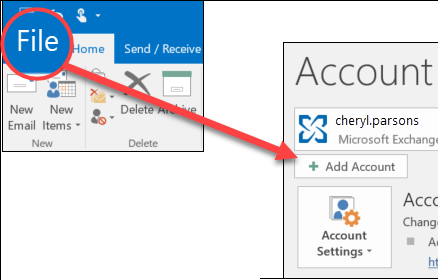
1. Launch Outlook and go to File >> Add Account.
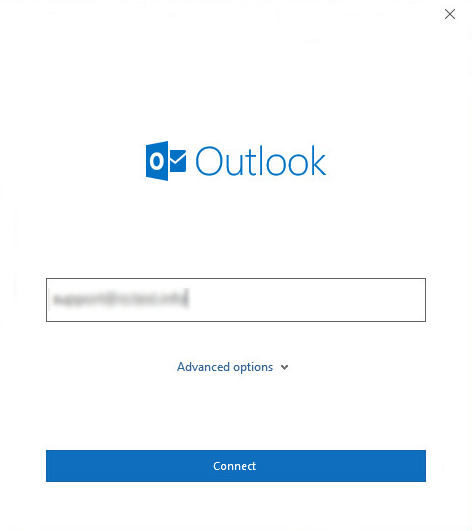
2. Enter your Webmail account credentials to set up with Outlook.
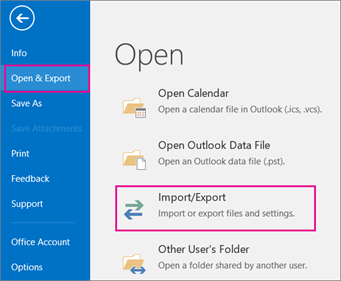
3. Now, navigate to File >> Open & Export >> Import/Export.
4. Choose Export to a File and click Next.
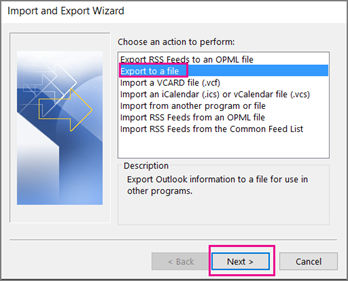
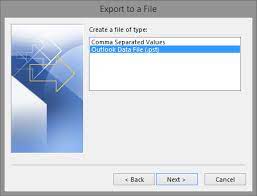
5. Select Outlook Data File (.pst) and press Next.
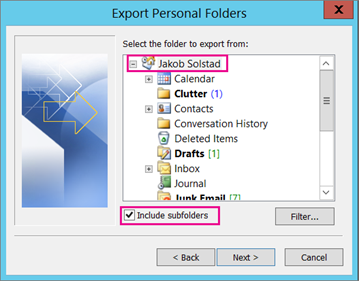
6. Next, choose Webmail mailbox folders to export.
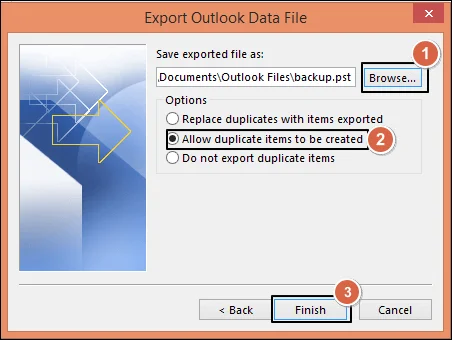
7. Browse the destination location and click Finish.
8. Now, add your Outlook.com account to Outlook.
9. After configuration, again go to File >> Open & Export >> Import/Export.
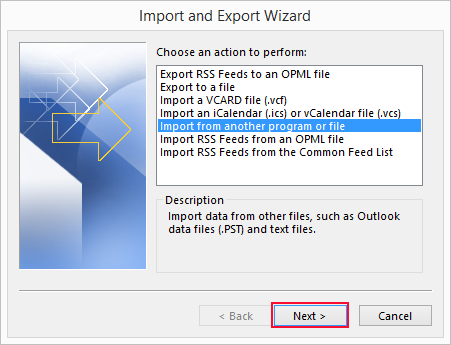
10. Choose Import from another program or file and hit on Next.
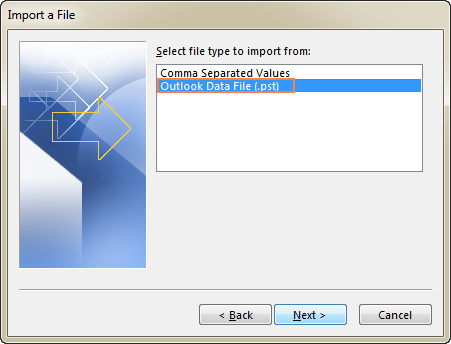
11. Select Outlook Data File(.pst) and press Next.
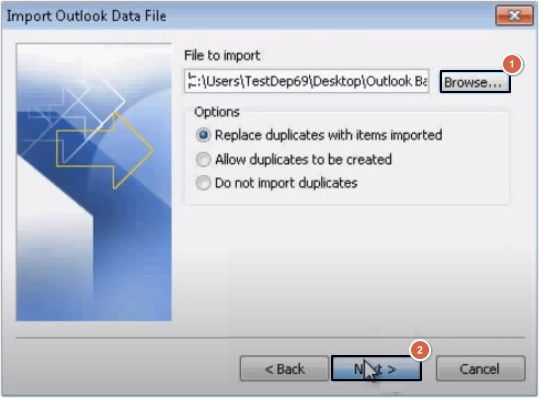
12. Browse and select the above exported .pst file.
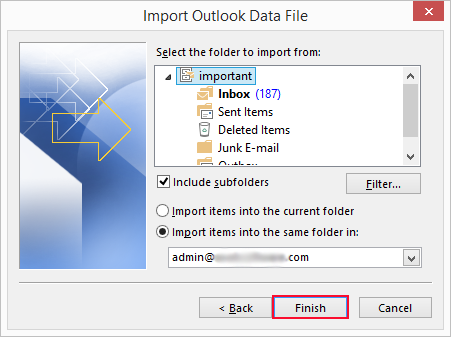
13. Choose the Outlook.com mailbox folders to import and press Finish to complete the process.
Done! This is how you can manually migrate emails from Webmail to Outlook.com account.
Limitations of the Manual Approach
- This is a very lengthy and time-consuming process.
- Users must have a technical expert to perform migtayion process.
- No filter options to move selected emails.
- If Outlook import-export is greyed out then this approach do not work.
How to Transfer Webmail Emails to Outlook.com Automatically?
To overcome all the limitations of manual; solution, try the Advik Email Migration Tool on your system. The software provides a direct solution to migrate Webmail to Outlook.com without any external help. It enables you to move all or selected mailbox folders as per your needs. During the Webmail to Outlook.com migration, the tool retains the original strcture of mailbox folders without any single change.
Just tap on the below link and try it for FREE.


Steps to Migrate from Webmail to Outlook.com
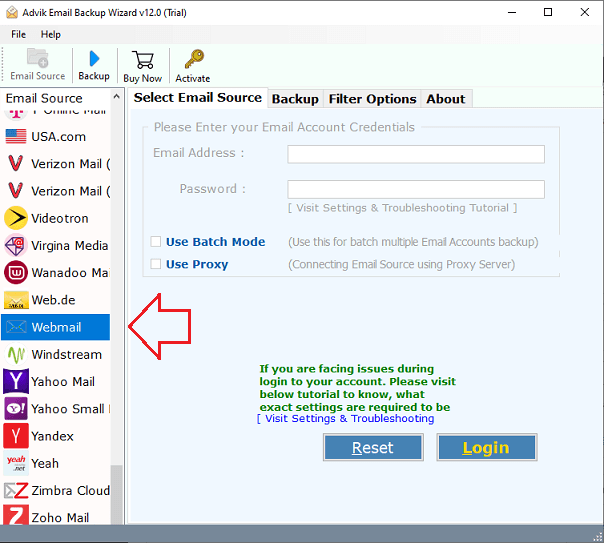
1. Run the tool and choose Webmail as email source.
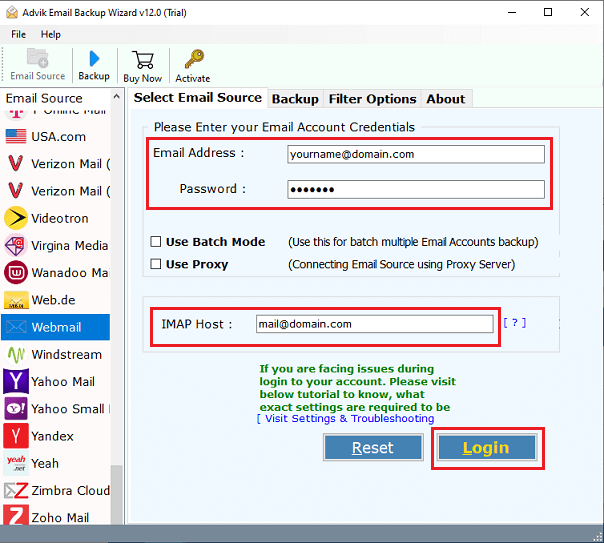
2. Enter your Webmail account login credentials and press Login.
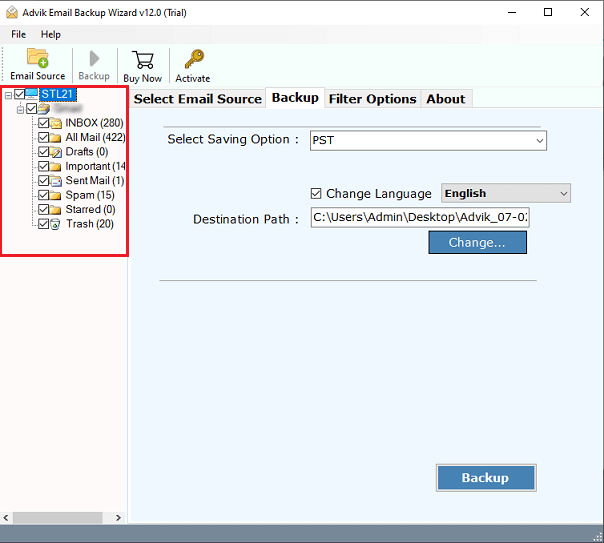
3. Choose mailbox folders to migrate.
4. Select Outlook.com as a saving option.
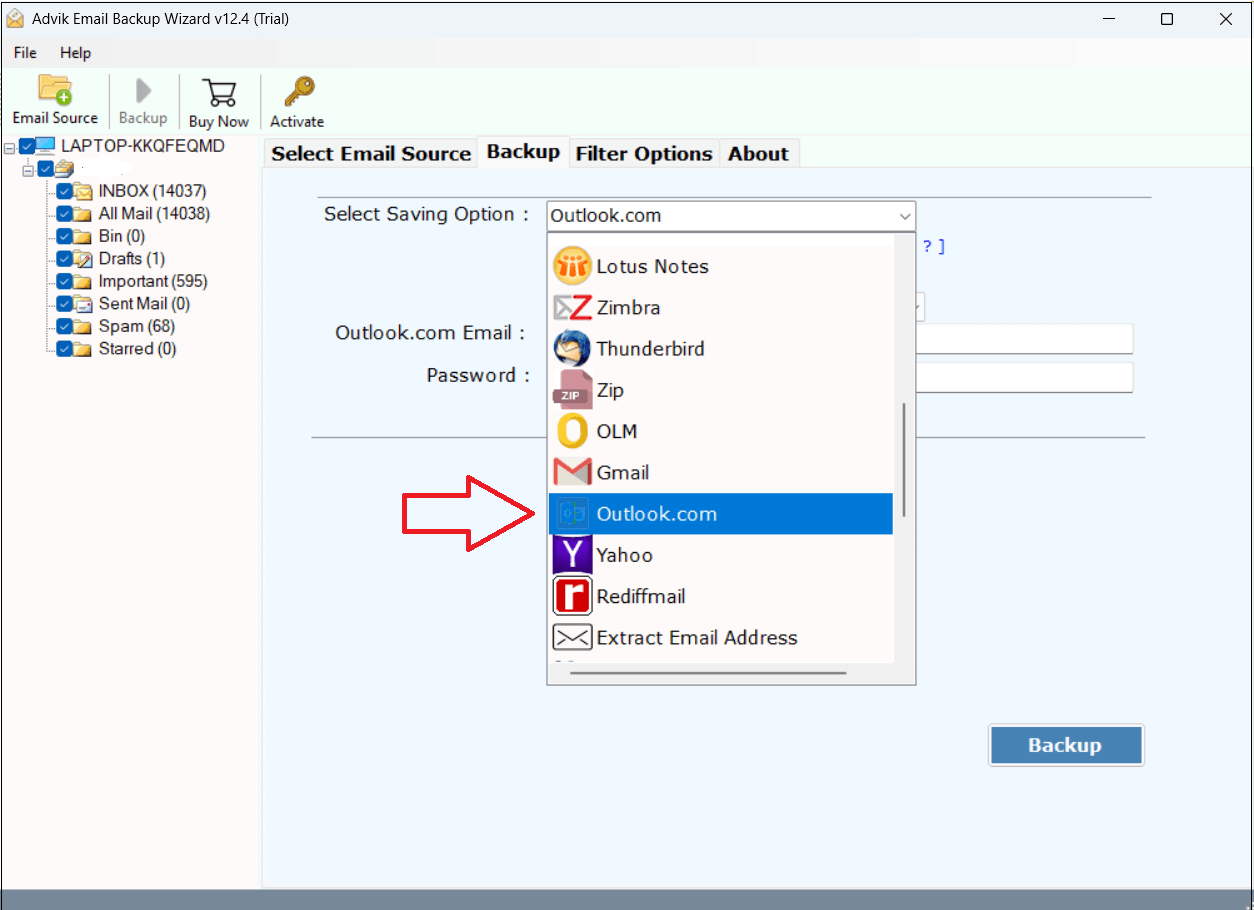
6. Enter your Outlook.com account credentials and press Backup.
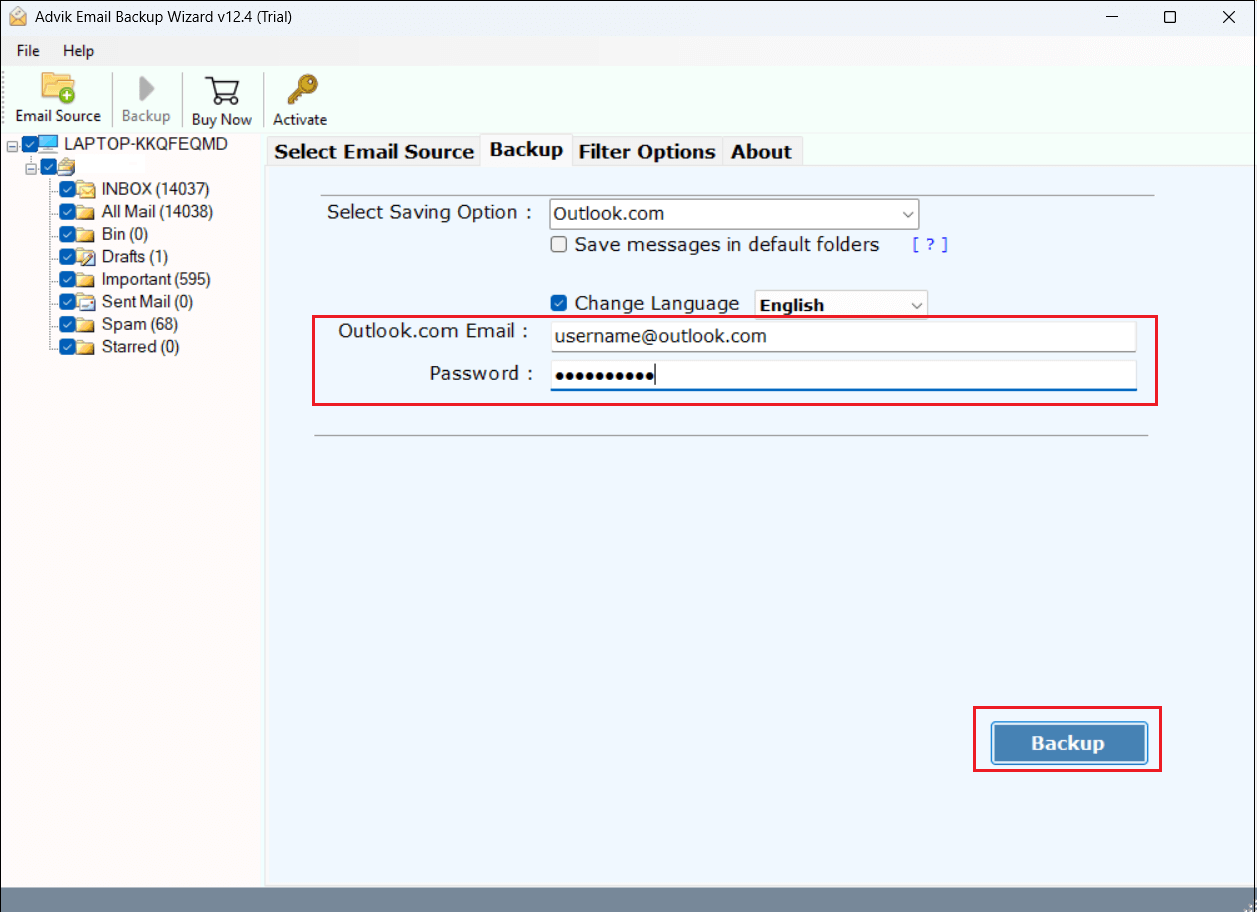
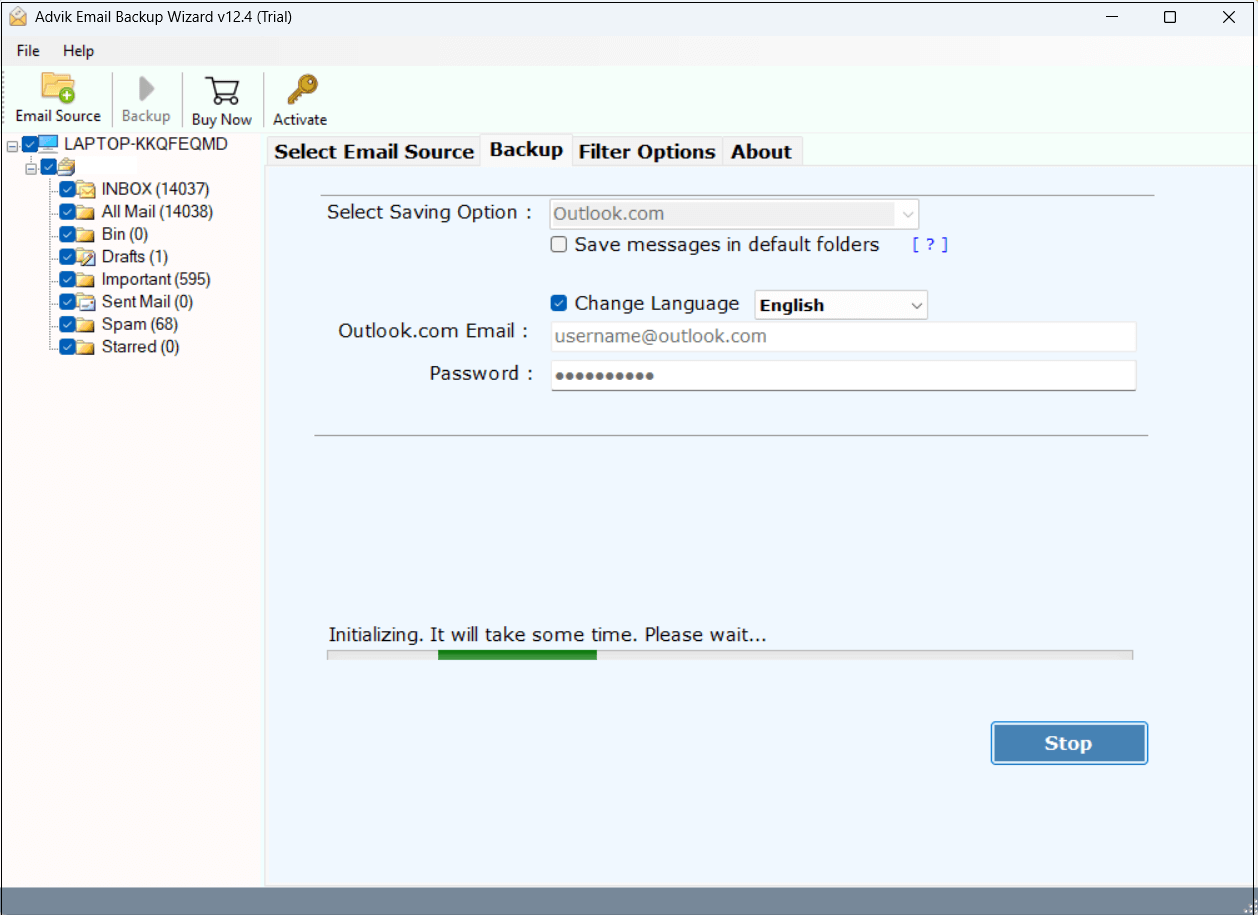
7. The software will start migrating emails from Webmail to Outlook.com mailbox.
Advantages of Using the Professional Solution
- Direct migration of the Webmail mailbox without installing any external application.
- A batch mode option to transfer emails from multiple Webmail accounts to Outlook.com at once.
- Allows moving all or selected Webmail email folders as per requirements.
- Preserves all email attributes such as attachments, hyperlinks, signature, etc. while migrating.
- Keeps the original structure of mailbox folders during the Webmail to Outlook.com migration.
- Simplified user graphical interface is helpful for all types of users.
Final Words
Migrating emails from Webmail account to Outlook.com is a simple task if you choose the right approach. In this post, we have mentioned the two simple and effective techniques to transfer Webmail emails to Outlook.com. You can manually do it via Outlook, but this is a lengthy process. If you want a simple and direct solution to migrate Webmail to Outlook.com, then we recommend that you to choose the professional solution. You can download the free version of this utility to analyze its working procedure before purchasing its licensed edition.