How to Open RPMSG File Without Outlook?
Jackson Strong | August 6th, 2025 | Data Backup
Ever come across a file with a .rpmsg extension and felt confused? You’re not alone. Many users see this file and don’t know what to do next, especially if Outlook is not installed. Unlike common files, an RPMSG file is a protected email message created using Microsoft’s Rights Management Service (RMS).
Think of an RPMSG file as a secure digital envelope. It contains an email along with important details like the sender’s message, attachments, and usage permissions. These files are designed to control who can open, read, or forward the message.
Sometimes, users need to open RPMSG files without Outlook for various purposes. So, no matter what reasons you are looking for solutions for this query, this blog will guide you with a step-by-step process on how to do it effectively.
How to Open RPMSG File Without Outlook?
- Open Outlook Web App in your browser.
- Locate the email with the RPMSG file.
- If the file was sent as an attachment, click on the email to view it.
- Click on the RPMSG file.
- Outlook Web App will detect that the file is a Rights-Protected Message.
- A secure viewing window will open inside your browser.
- If it asks for permissions, click Sign in with your Microsoft account credentials.
- Now, the system verifies whether you have the right to view the protected message.
- Once authenticated, the protected email content will be displayed in Outlook Web App.
How to View RPMSG Files without Outlook?
An instant solution to access emails from RPMSG file is the Advik MSG Converter. The software enables you to open RPMSG files without Outlook in just a few simple clicks. With this utility, you can convert RPMSG to PDF and other formats to read without Outlook. It preserves email attributes and structure while converting. Using this application, you can open multiple files in a single attempt.
Click on the link below to download it for FREE.

Steps to Open RPMSG File Without Outlook
1. Run the software on your Windows PC.
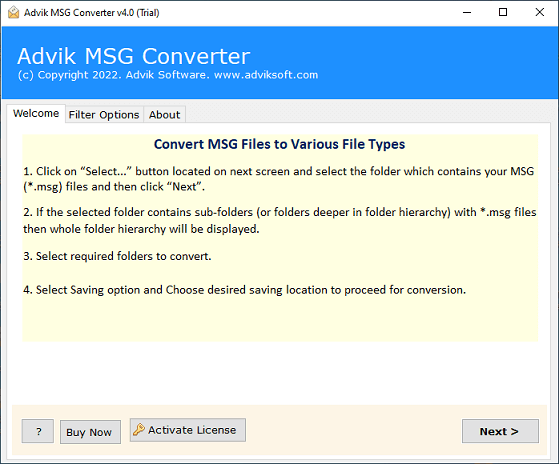
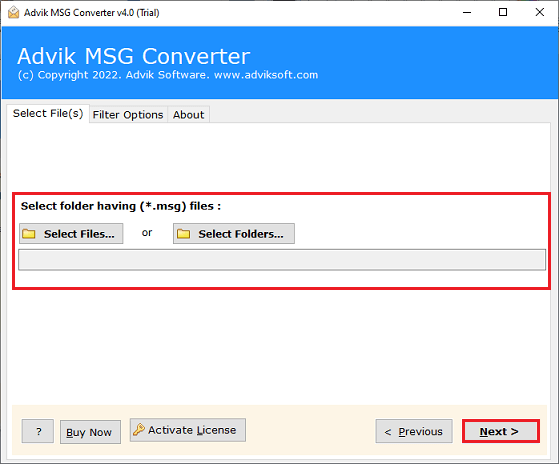
2. Add the RPMSG file into the software and click Next.
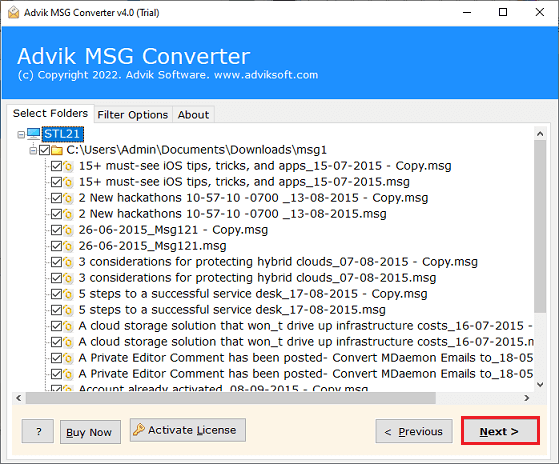
3. Choose the required RPMSG files and press Next.
4. Now, select a saving option from the given list.
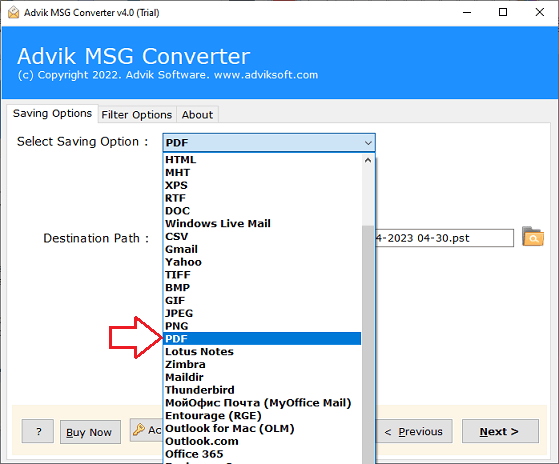
5. Browse the target location and click the Next button.
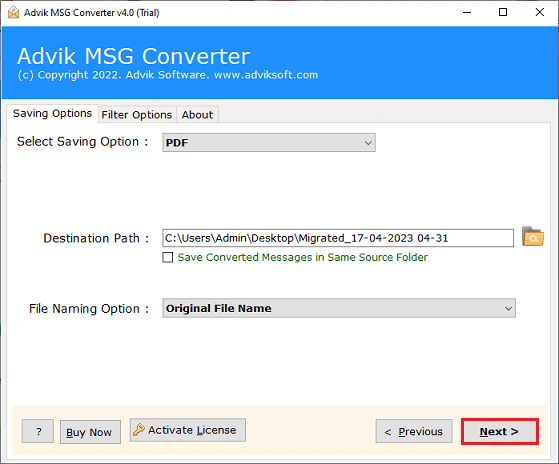
The software will start converting RPMSG file into your desired format. Once the conversion is complete, you can easily open the exported file without Outlook.
Watch How to Open RPMSG File without Outlook
Advantages of using Automated Tool
- Open RPMSG File in Bulk: This software will enable you to view multiple RPMSG files at once. Using Select Folder option, you can add multiple RPMSG files and then export them all together.
- Export RPMSG into Multiple Formats: The software offers various saving options to save RPMSG files. You can convert RPMSG to MBOX, EML, CSV, HTML, and many other formats.
- Freedom to Choose Destination Path: This toolkit gives the freedom to choose a location to save the resultant file. In this way, you can easily access the file after the conversion.
- Simple GUI: This tool has an easy-to-use interface. Any novice user can easily use it without having any technical guidance.
- Windows Supportive: You can run this tool on any Windows-based system. It supports all the latest and old versions, including Win 11, 10, 8.1, 8, 7, and all editions below.
Conclusion
Opening RPMSG files without Outlook can be tricky without the right solution. Here, we have mentioned both manual and automatic solutions so you can choose according to your needs. However, when implementing these solutions, we found manual methods to be a bit slow and time-consuming. Users are advised to use the quick solution to open RPMSG file without Outlook.
