How to Save Yahoo Email as MSG File? – Complete Guide
Christopher Plummer | January 8th, 2026 | Data Backup, Yahoo Mail
Are you looking for a solution to save Yahoo email as MSG file? If yes, then this article will be extremely beneficial for you to export Yahoo email to MSG file format. In this blog, we have provided the two best solutions to export emails from Yahoo Mail to MSG. Read this article till the end and choose the solution that is best fits your needs.
Microsoft Outlook and Exchange use the MSG file format to store email messages, contacts, appointments, and other tasks. One or more email fields, such as sender, recipient, subject, date and message body, or contact information, appointment details, and one or more task requirements, may be included in such communications. The MSG file contains the properties that make up the Message object, inclusive. The headers, main message body, and hyperlinks in an MSG file are all plain ASCII text. MSG files are also compatible with Microsoft’s Messaging Applications Programming Interface (MAPI).
There are basically two best ways to export Yahoo email to MSG file format.
#1. Using Outlook Desktop-based email client (Manual Free)
#2. Using Professional Tool (Quick & Instant Solution)
Let’s get started wothout any further delay!
Method 1. How to Save Email as MSG File via Outlook?
The steps for setting up your Yahoo Mail account for POP access in Outlook on Windows are listed here, but they apply to any email client and platform.
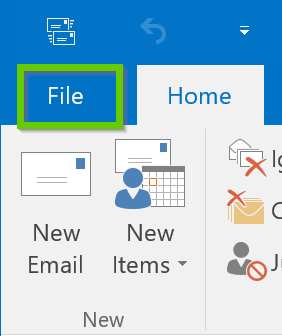
1. Go to “File” in Outlook.
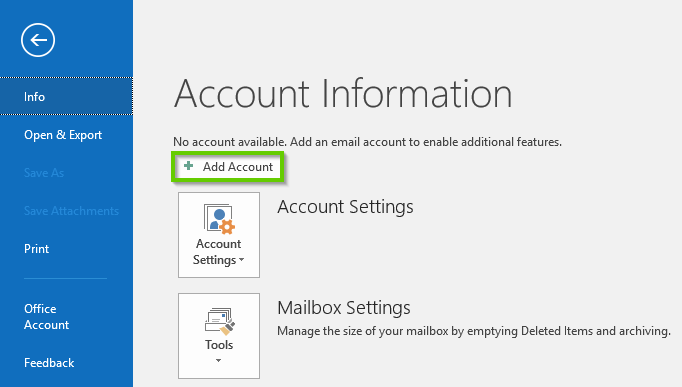
2. Select the “Add Account” option.
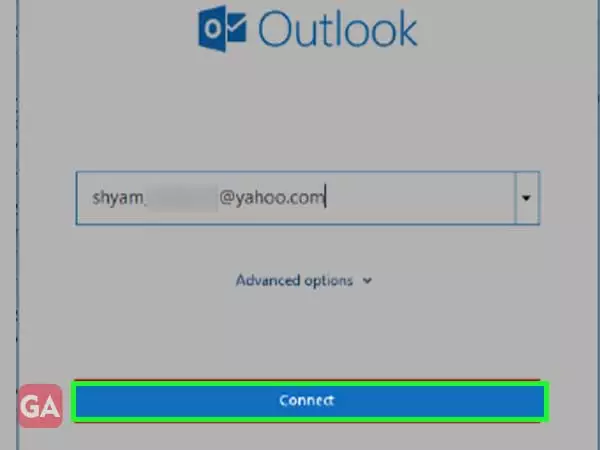
3. Select “Advanced options” after entering your “Yahoo Mail email address”.
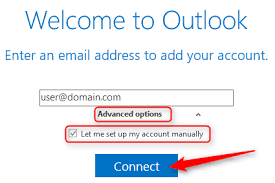
4. Check the box next to it “Allow me to manually set up my account” before selecting “Connect”.
5. Choose “POP”.
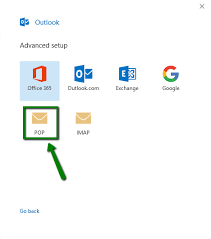
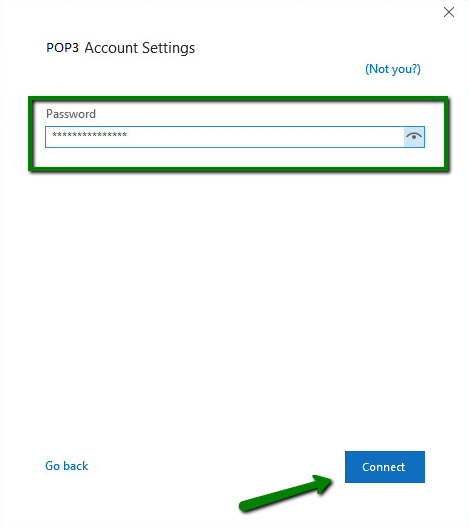
6. Put your Yahoo Mail password in the box below.
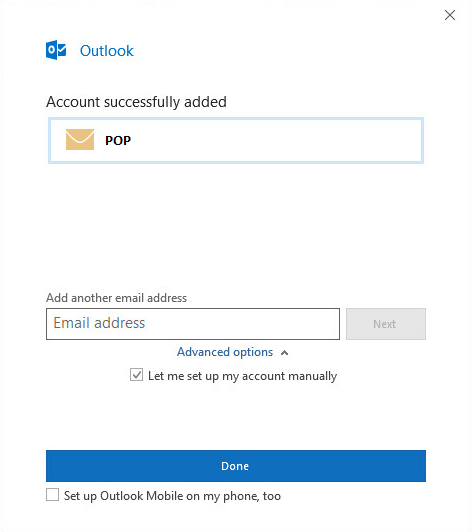
7. To finish connecting your Yahoo Mail to Outlook using POP, select “Done”.
Step 2. Export emails from Yahoo Mail to MSG File
To export emails from Yahoo to MSG, a user can follow the methods below:
1. On your computer, create a “new folder”.
2. Open Outlook in Microsoft Office.
3. Go to the “Inbox” folder, which is where your emails are saved.
4. Select the emails to be converted to MSG and drag and drop them into the following step.
5. If a user has a large number of emails, repeat the steps above until all of the emails have been exported.
Limitations of Manual Solution:
- MS Outlook doesn’t allow you to export multiple emails into MSG format at one time.
- Saving mails one by one in MSG format takes unnecessary time.
- Other methods of exporting multiple emails to MSG file such as drag and drop by selecting all mails will not produce good results as there is always some ambiguity.
- As MSG files are saved with a name similar to the subject of the email message leads to inconsistency if multiple emails have the same subject.
- MS Outlook doesn’t allow you to provide different naming options for MSG files.
Method 2. How to Export Yahoo Email to MSG Automatically?
This above stated method for exporting Yahoo emails to MSG format is one of the most appropriate methods to migrate Yahoo emails to MSG file one by one. But this method fails when we try to export multiple email messages and other approaches to do so will produce inconsistency. To convert Yahoo email messages to MSG efficiently and without any limitation, use Advik Yahoo Backup Tool to export several Yahoo emails to MSG in the minimum time.


Steps to Save Yahoo Email as MSG in Bulk
1. Install and run Yahoo Backup Tool on your system.
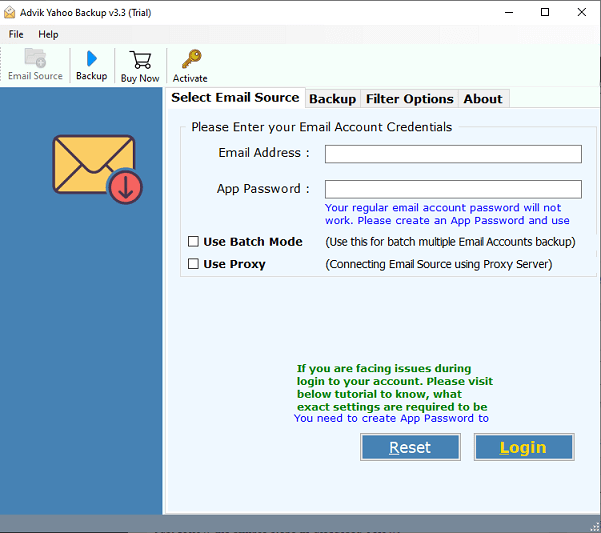
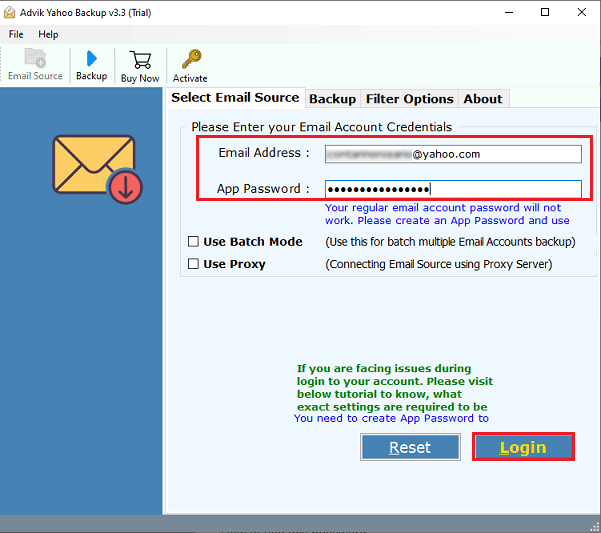
2. Now enter your Yahoo account credentials such as Yahoo email address and password.
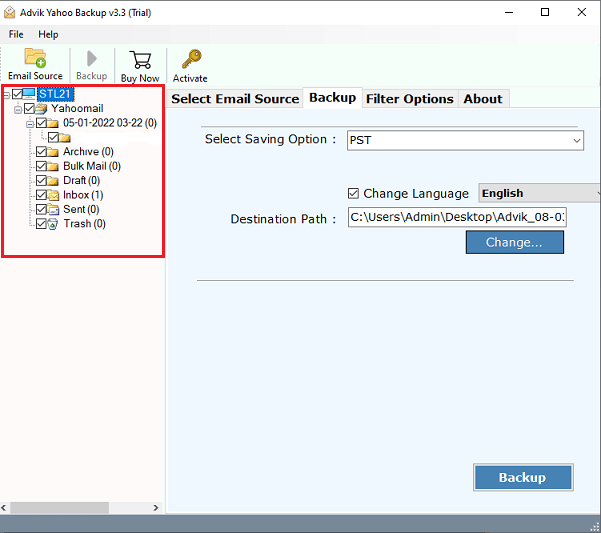
3. Choose the necessary folders to export to MSG format.
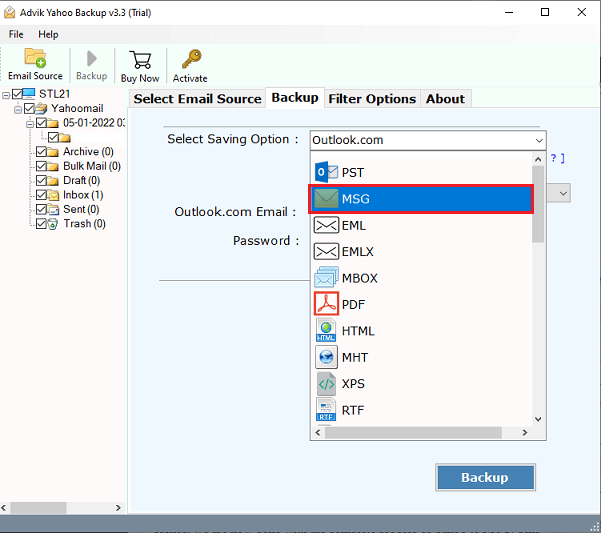
4. Choose “MSG” as a saving option from the list of 30+ saving options.
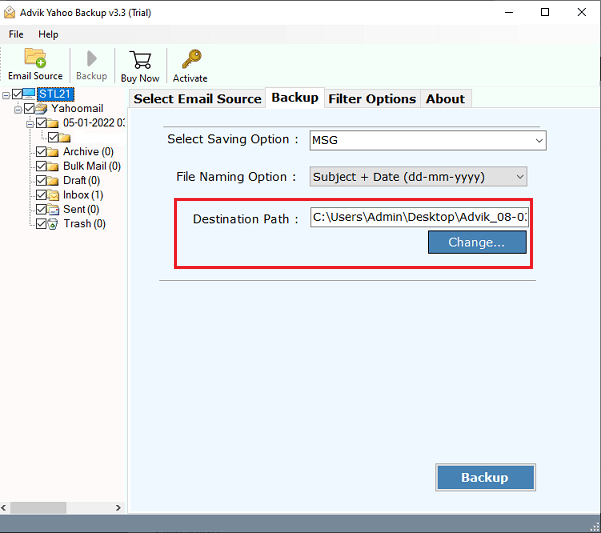
5. Select the desired “Destination Path” to locate the resulting data file.
6. Finally, click the “Backup” button to start the conversion process.
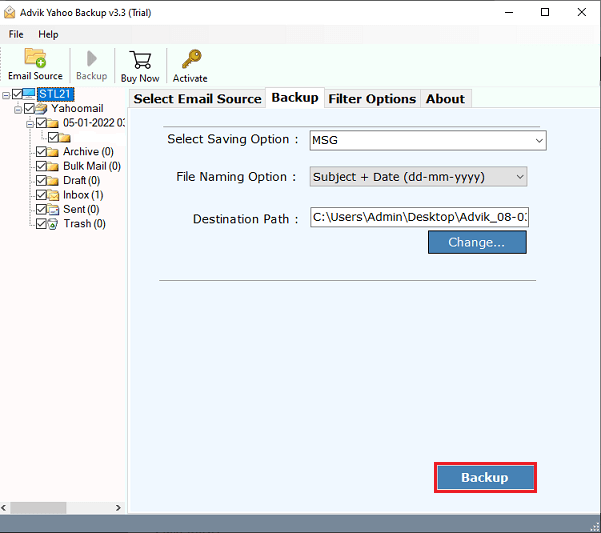
Rest assured, this tool will start exporting Yahoo emails to MSG file at your chosen location. Once the process is complete, you will be notified with a confirmation message via a log text.
- The software can save Yahoo email as MSG in bulk.
- Direct solution to convert Yahoo email to MSG.
- Advanced filter options to export selected emails.
- Preserves data integrity and folder hierarchy.
- Simple graphical user interface for all types of users.
Final Words
So now we have completed the complete Yahoo to MSG process. This is how you can export Yahoo to MSG file. Undoubtedly, Yahoo Mail is the best among several email services that insist users use it. But it creates many problems when you need to search for important emails among many emails. Therefore, it is recommended to save Yahoo email as MSG. Manual technique has been described to export emails from Yahoo to MSG file format. Furthermore, a professional tool is also mentioned to overcome the disadvantages of manual solution.
