How to Move Folders from One Gmail Account to Another?
Many users migrate folders across Gmail accounts when they change their email address, merge several accounts or create a backup of important communications. It can be difficult to manage numerous Gmail accounts, particularly if you have essential emails over a variety of folders and labels. However, Gmail does not have a direct option to transfer folders between accounts which makes the process confusing for many users. In this write up we will explain two easy procedures to move folders from one Gmail account to another in detail. If you also have a similar query, then go through this guide to ensure you have the right solutions.
A query was posted on Google community;
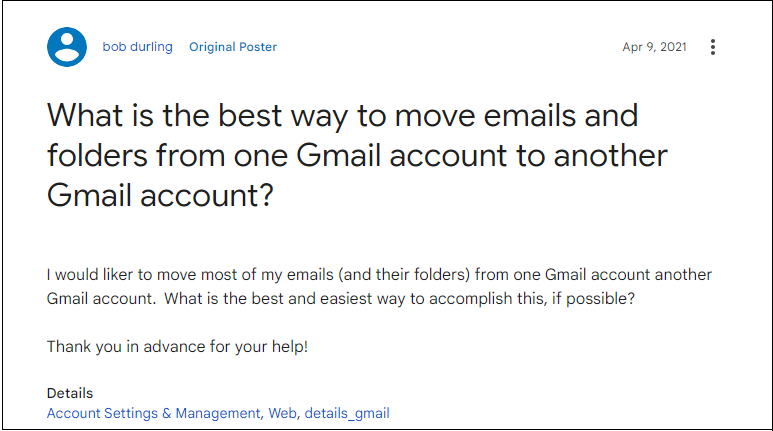
From the above scenario, it is quite obvious that the user wants to transfer Gmail folders to another Gmail account. It could also be due to less storage space offered by Gmail. As you might know, it only offers 15 GB of free storage space and it can be less for some users. Apart from this, the reasons may vary from person to person.
Table of Contents
- Reasons to Move Email Folders from One Gmail Account to Another
- How to Transfer Gmail Folders to Another Gmail Account for Free?
- How to Move Gmail Folders to Another Gmail Account?
- Video Tutorial
- Benefits of Using Professional Solution
- Real World Migration Example
- Final Words
- Frequently Asked Questions (FAQs)
Reasons to Transfer Folders from One Gmail Account to Another
Here are some reasons why users need to move Gmail folder to another account:
- You may use a personal Gmail account for work and now you need to combine them.
- If your requirement is to start fresh with a new email address but do not want to lose old conversations.
- When a Gmail account is nearing its storage limit, you may move older folders to another account to free up space.
- Moving folders helps to keep all important conversations in one account to easily access at one place.
- Sometimes, you may need to transfer important emails or folders to another account before deleting old Gmail account.
Whatever your reasons behind this, we are here to provide the easy-to-implement methods for you. So, let’s get started.
How to Move Folders from One Gmail Account to Another?
This solution contains a manual setup, that should be followed carefully. Hence, follow the below steps to transfer Gmail email folders to another Gmail account.
- Log in to your Gmail account on which you want to import emails.
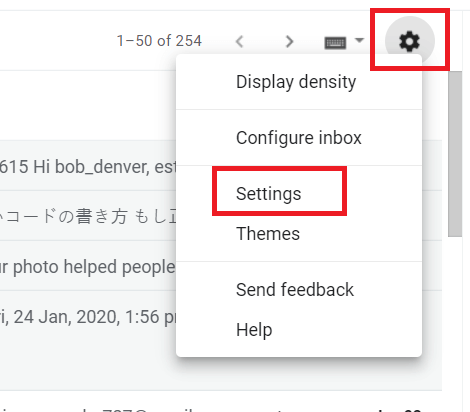
- Click the gear icon and click Settings from the menu.
- Navigate to Account & Import >> Import Emails & Contacts.
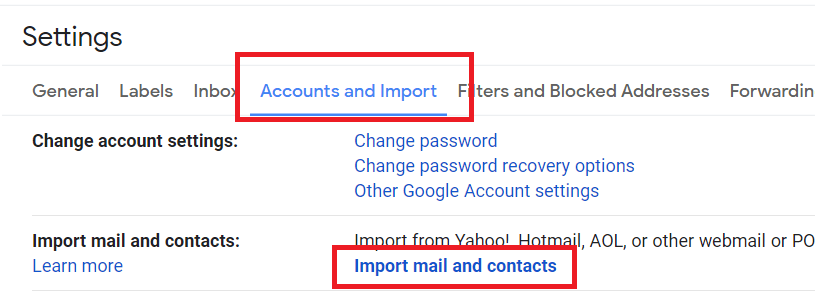
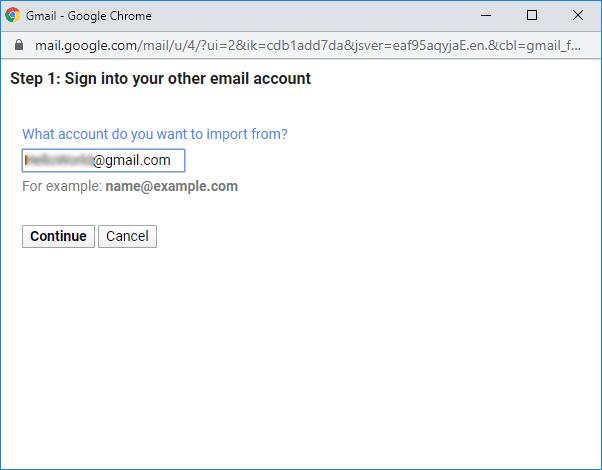
- Enter your secondary Gmail details from which you want to import emails.
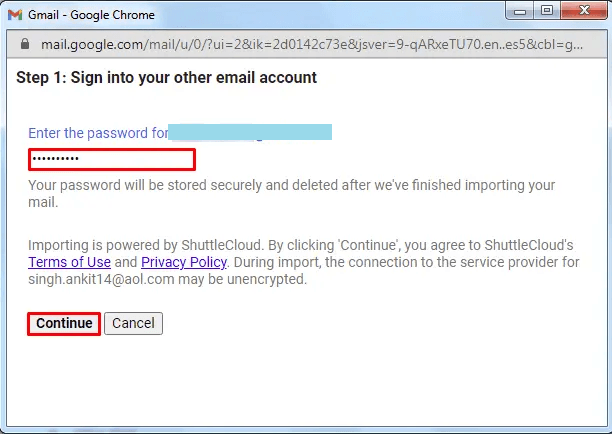
- Enter source Gmail account password and click Continue.
- Now select emails from the option and click Start Import.
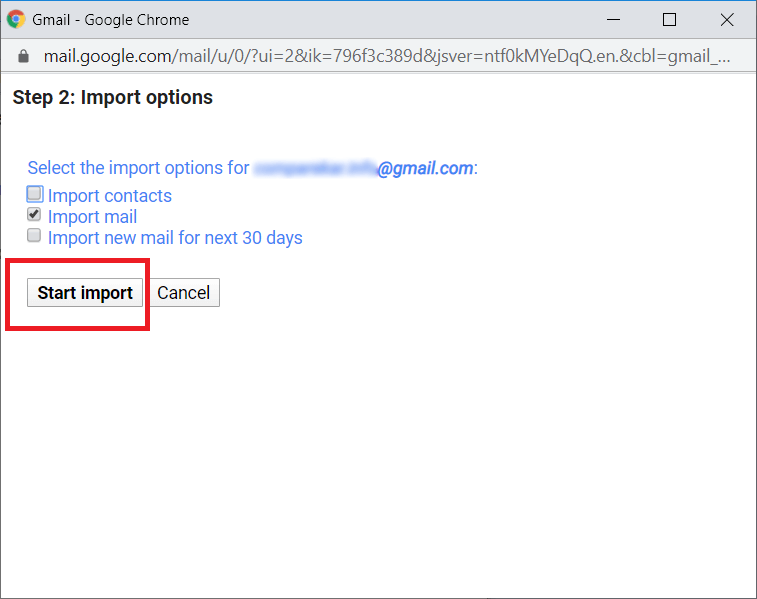
- Done! Now, the system will start importing emails from the selected Gmail account.
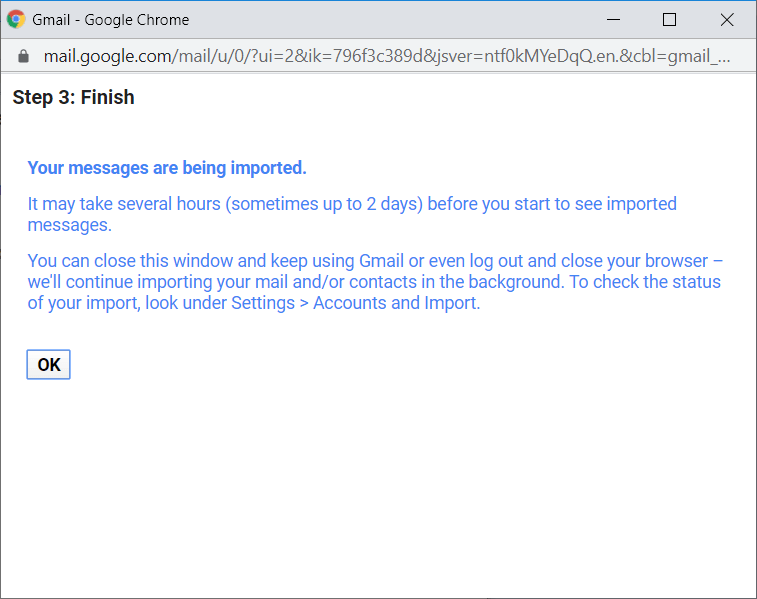
The above solution is the best free way to move Gmail folders to another Gmail account. However, the same cannot be a worthy solution if you are looking for selective email migration. Thus, I would like to share an alternate approach.
How to Transfer Gmail Folders to Another Gmail Account?
Download and install the Advik Gmail Migration Tool on your system. This software is specially designed to move folders from one Gmail account to another account. It allows you to choose single or multiple mailbox folders to transfer in one attempt. In addition, the software also offers an email filter option to move selected or specific emails based on date range, to, from, subject, etc. It keeps the original structure of mailbox folders intact during the process.
Give a Try to Free edition
The software comes with a trial version. You can download the demo version of this utility from the official website. It allows you to transfer first 25 emails from each folder. The working procedure of the trail and licensed version is same but for unlimited migration you need to upgrade to the Pro edition.


Note: Use Gmail App Password to sign in.
Steps to Move Gmail Folders to Another Gmail Account
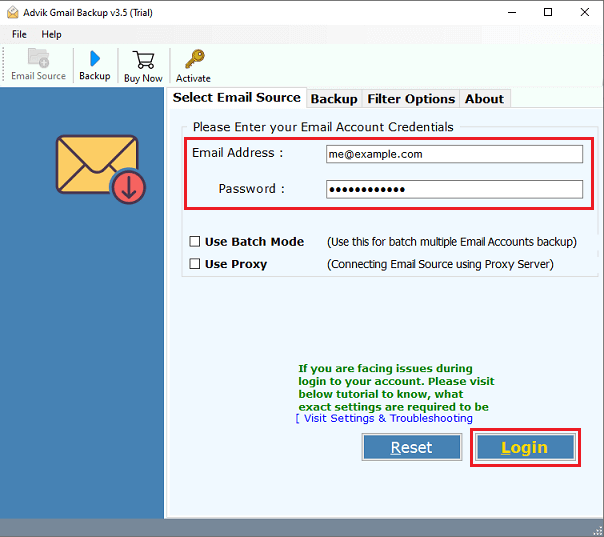
Step 1. Download and install the software and log in to your Gmail account.
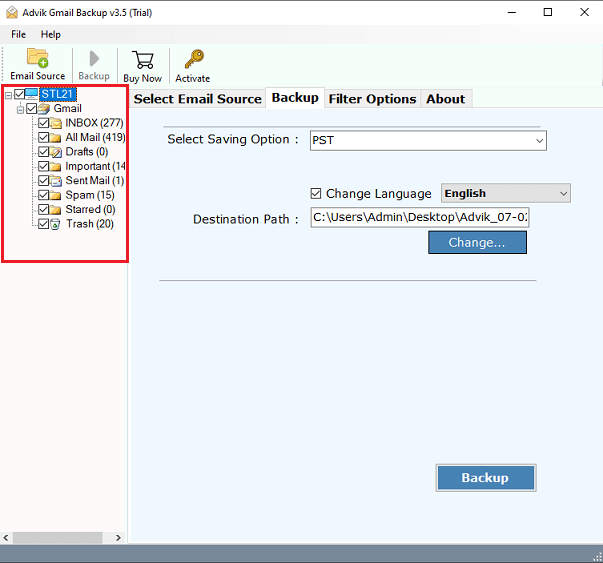
Step 2. Choose the required mailbox folders that you want to move.
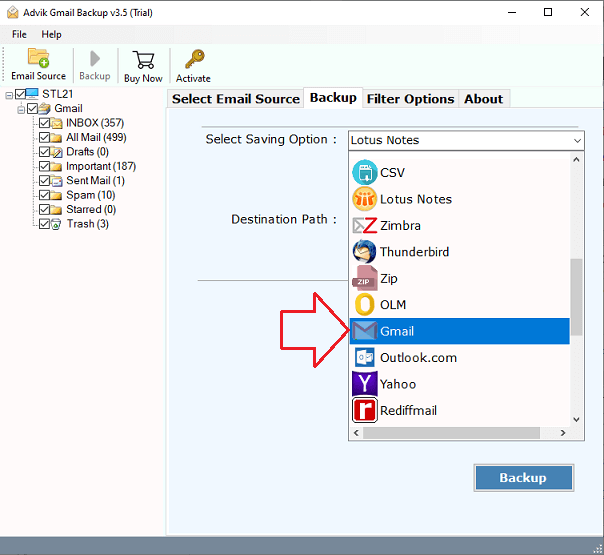
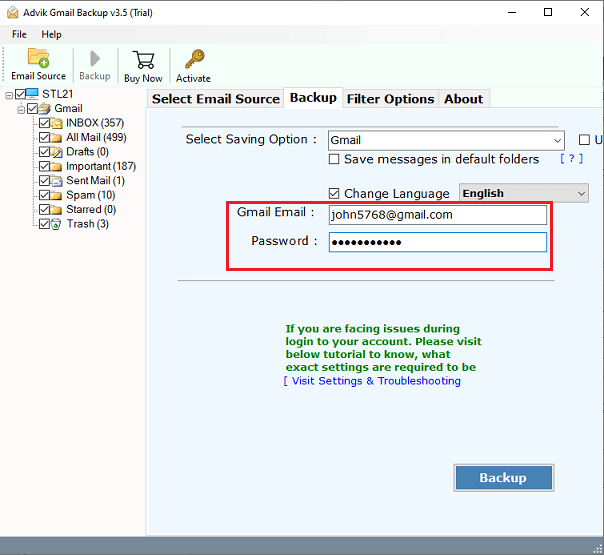
Step 3. From Select Saving Option, choose Gmail.
Step 4. Enter your Gmail credentials on which you want to export data.
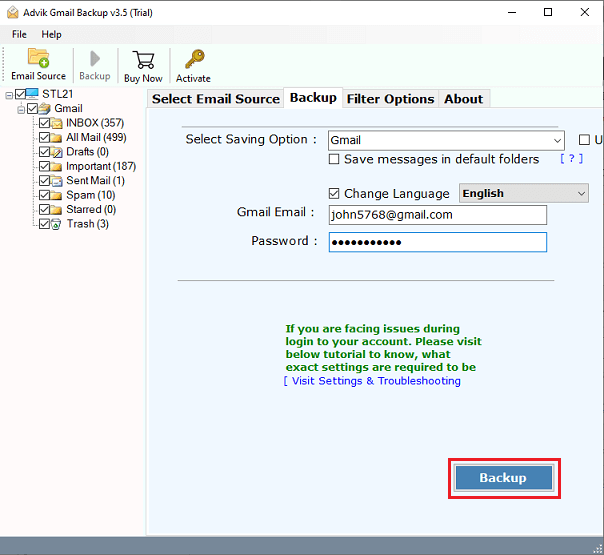
Step 5. Click the Convert button and analyze the live migration process.
Done! This is one of the easiest and safest ways to copy folders from one Gmail account to another automatically.
Watch How to Move Folders from One Gmail Account to Another
Advantages of Using the Software
- Flexible Migration: You can move your Gmail inbox, sent, spam, trash, and important folders from one account to another Gmail account.
- Multiple Saving Options: Besides, you can save Gmail emails in 30+ different file formats to access Gmail emails offline.
- Bulk Migration: With this utility, you can move email folders from one Gmail account to another in bulk without any data loss.
- Multiple Filter Option: Offers various advanced filter options that allows you can transfer emails by date range or email address.
- Retain Folder Hierarchy: Helps to retain the structure of Gmail mailbox folders as well through out the process.
- Simple GUI: The software has a simple and easy-to-use interface. Both technical or non-technical users can easily understand the whole process.
Real Life Migration scenario
A small business user maintained two Gmail accounts and needed to move 5.4 GB of email data containing approximately 18000 emails across 13 Gmail labels from one Gmail account to another. The goal was to move all email folders while keeping their original structure and attachments intact.
He first tried Gmail’s built-in import options. This feature moves only the primary inbox messages were imported and custom labels were skipped. Ans, it took several hours to transfer emails.
Then, the user used a professional Gmail migration tool and it successfully transferred folders. He said that, all folders are moved in their original structure in few minutes. The result was faster and reliable than manual method.
Final Words
In this post, we have discussed how to move folders from one Gmail account to another manually and professionally. To move all emails from one Gmail to another Gmail account, select the first method. Whereas, to transfer specific Gmail folders to another Gmail account choose the second approach. As there are a few limitations bound with the official method, you can freely choose the automatic solution.
Frequently Asked Questions
Q1. Is there any Email Filter Option Available?
Ans. Yes, you will get an email filter option also. So that you can transfer emails as per your requirements.
Q2. Can I migrate single as well as multiple folder(s) in one attempt?
Ans. Yes, the software allows you to choose your mailbox folder to export. You can select multiple mailbox folders also to migrate in a single attempt.
Q3. What is the limitation involved in the free method?
Ans. The official way to transfer Gmail folders to another Gmail account takes up to 2-4 days, depending on mailbox sizes. You won’t get an email filter option as well.
Q4. How many Gmail accounts can be transferred using this Gmail Migration Tool?
Ans. There is no limitation. Yes, you can migrate an unlimited number of Gmail accounts. Also, there is no file size limitation is involved.

Related Articles