How to Transfer HostGator to Google Workspace?
Jackson Strong | February 10th, 2026 | Data Backup
Overview: In this post, you will get complete and correct information on how to transfer HostGator to Google Workspace. Here we’ll show you every step to migrate HostGator to Google Workspace by using both manual and automated techniques. So, let’s get started!
HostGator is a popular web hosting provider that offers reliable email hosting along with websites and domain services. It allows users to create professional email accounts using their own domain and access email through webmail. However, many users are willing to transfer HostGator emails to Google Workspace. This post will explain two simple and secure solutions for doing it.
Why Migrate from HostGator to Google Workspace?
Here are some reasons why users prefer to transfer HostGator to Google Workspace:
- Google Workspace comes with an integrated suite of tools like Docs, Sheets, Meet, etc. that work together in real time.
- With advanced spam filtering and built-in compliance tools, Google Workspace provides a more secure environment.
- It works smoothly with third-party business apps and CRM tools.
- Google Workspace offers easy accessibility from anywhere. Users can access it from both desktop and mobile platforms.
Now, let’s check out an easy and simple way to complete the HostGator to Google Workspace migration process.
How to Transfer HostGator to Google Workspace Manually?
To manually move emails requires correct IMAP settings from HostGator and admin access to Google Workspace.
- Sign in to your HostGator email account.
- Enable IMAP access and save changes.
- Now, go to admin.google.com and log in to Google Admin Console.
- Click Account >> Data Migration.
- Select Email as the migration type.
- Choose Other IMAP Server as the migration source.
- Enter Hostinger email credentials and IMAP details.
- Select Start date and click on Start button to begin the migration process.
Wait for synchronization to complete.
Note: The manual method can be slow for large mailboxes.
How to Migrate Hostinger to Google Workspace Automatically?
Download and install the Advik Email Migration Tool on your system. This is an advanced tool that can transfer HostGator to Google Workspace with complete data security. It transfers all your emails, attachments, and folders in one go. Apart from this, it also provides a feature to select and transfer only specific emails from the mailbox via adate filter. It maintains original data formatting, structure, and metadata during the entire migration.
So, why are you waiting? Just tap on the below link and try it for FREE.


Steps to Transfer HostGator Emails to Google Workspace
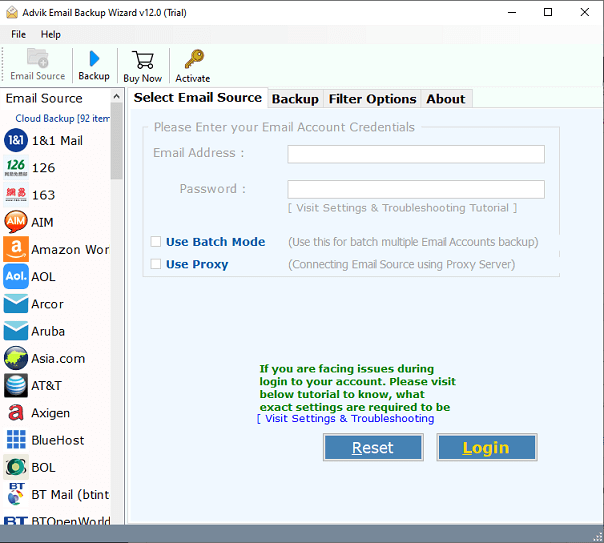
1. Run the tool on your Mac and Windows PC.
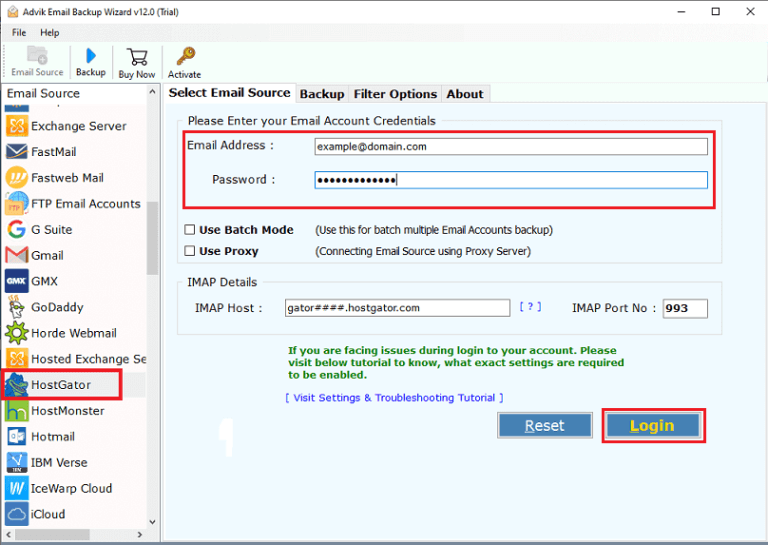
2. Choose HostGator as the email source and enter its login details to sign in.
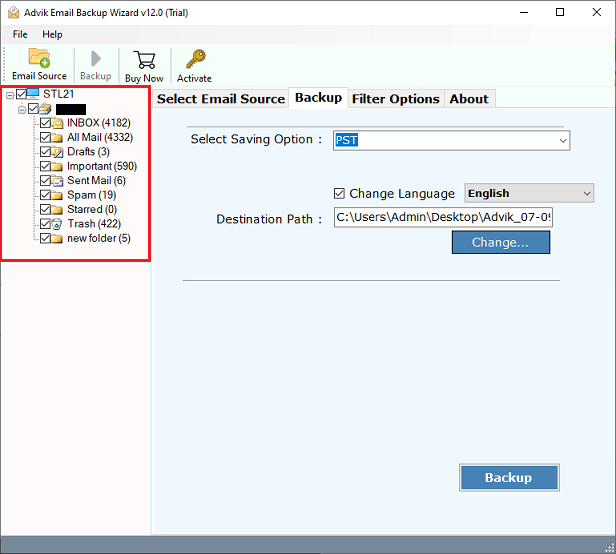
3. Select the mailbox folders that you want to migrate.
4. Next, choose G Suite as a saving option.
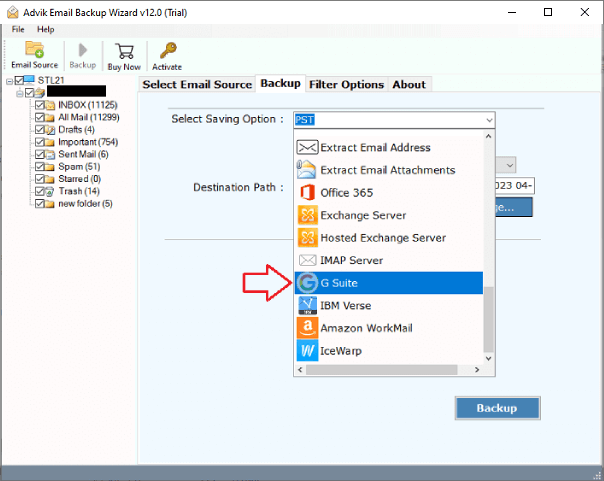
5. Enter Google Workspace login details and click the Backup button.
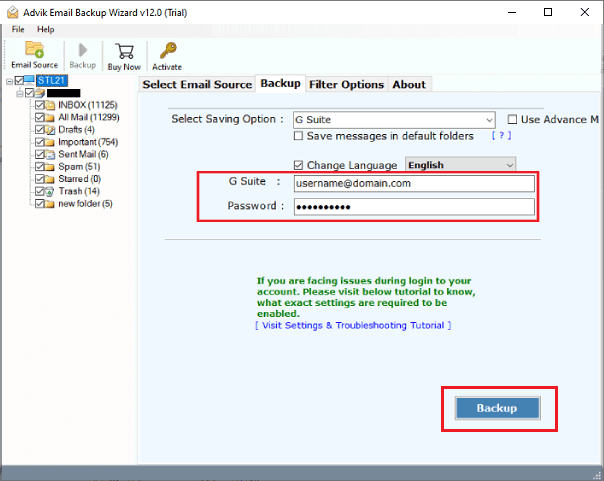
The software will start migrating emails from Hostgator to Google Workspace mailbox. Once the process is complete, you will get a pop-up message with a complete log report.
Prime Features of HosGator to Google Workspace Migration Tool
- Migrate Emails in Bulk: The tool can move all your HostGator data, including emails, attachments, and other data items in a single attempt.
- Retain Folder Structure: Your folders and subfolders stay the same during the HostGator to G Suite migration.
- Maintains Email Properties: The software keeps all email properties, including attachments, headers, subject, etc., intact while transferring.
- Batch Mode: With this tool, you can migrate emails from multiple HostGator accounts to Google Workspace at once.
- Advanced Email Filters: It offers various advanced email filter options to transfer HostGator emails based on date range, to, from, subject, etc.
- Multiple Saving Options: The software provides various saving options to transfer HostGator to Office 365, Gmail, Yahoo, etc., and export into multiple formats.
- Easy to Use: It is designed in such a way that any novice user can easily use it without having any technical knowledge or guidance.
- Wide Compatibility: This application is compatible with both Mac and Windows machines. It supports all versions of both OS.
Final Thoughts
Migrating from HostGator to Google Workspace is a smart move for businesses seeking better email performance, security, and collaboration. In this article, we have introduced both manual and automated solutions to transfer HostGator to Google Workspace quickly and efficiently. You can choose any method that best fits your needs.