How to Transfer Newton Mail to Office 365?
Jackson Strong | August 29th, 2025 | Email Migration
In this informative blog, we are going to explain how to migrate Newton Mail to Office 365. Here, we’ll share two different methods to transfer Newton Mail to Office 365. So that every user who wants to move their emails from Newton Mail to Office 365 can complete their task without any difficulty.
Office 365 is a cloud-based productivity suite that offers various services. With its advanced features and professional services, many users prefer to transfer their emails from Newton Mail to Office 365. With O365, one can get various benefits, such as –
- It is seamlessly integrated with Microsoft applications like Teams, OneDrive, Excel, and many more.
- Office 365 offers robust security features with two-factor authentication.
- With regular updates and security features, safeguard your important data.
- Since it saves all the emails and other data in the cloud. So it is easy to access your emails from any system with internet connectivity.
Since Office 365 possesses these features, many users prefer email migration. Now, without any further delay, let’s move ahead and know the complete process.
Can You Migrate Newton Mail to Office 365 Manually?
There is no direct native option to transfer emails from Newton Mail to Office 365. However, you can use Microsoft Outlook as a bridge to perform Newton to Office 365 migration. This method includes multiple steps to complete this task:
- Add both accounts to Outlook
- Export Newton Mailbox data via Import/Export
- Import the exported Newton data into Office 365 using Import/Export
This method works, but it’s complicated and time-consuming. Also, it does not work if the Outlook import export option greyed out.
How to Transfer Newton Mail to Office 365 Automatically?
With the help of the Advik Email Migration Tool, you can easily complete the Newton Mail to Office 365 migration process. With its simple interface, it is easy for beginners to move emails from Newton Mail to Office 365 mailbox. Moreover, the tool can also migrate Newton Mail to Office 365 in bulk without any data loss. Additionally, it allows to selection of email folders for selective email migration.
To analyse its working, try out the free version of the software. Click the link below to download the trial edition of the tool.


Steps to Migrate Emails from Newton Mail to Office 365
1. Open the software on your system.
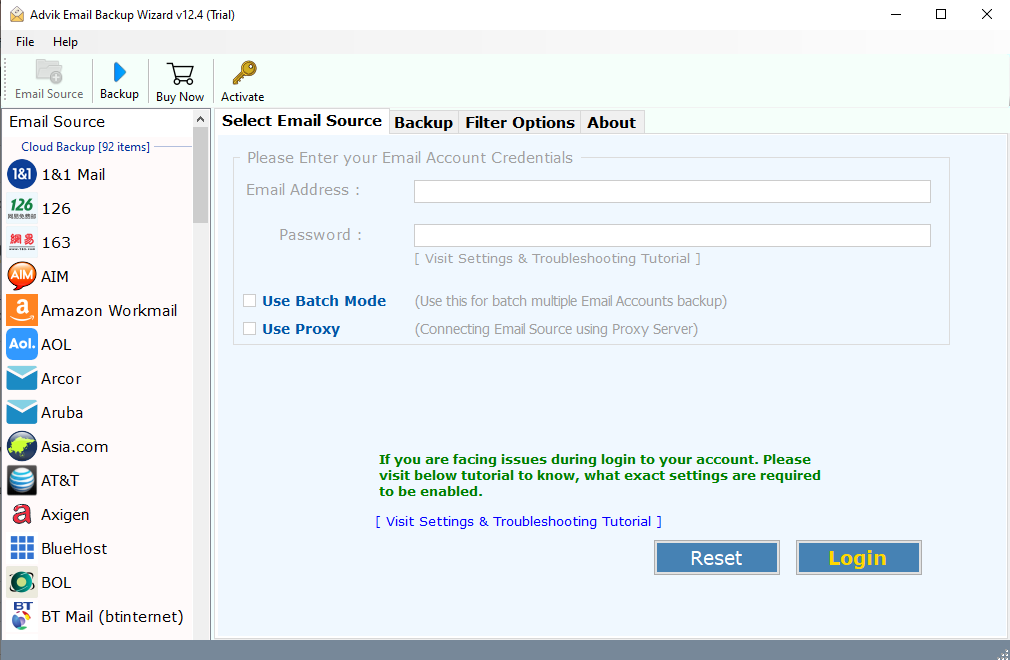
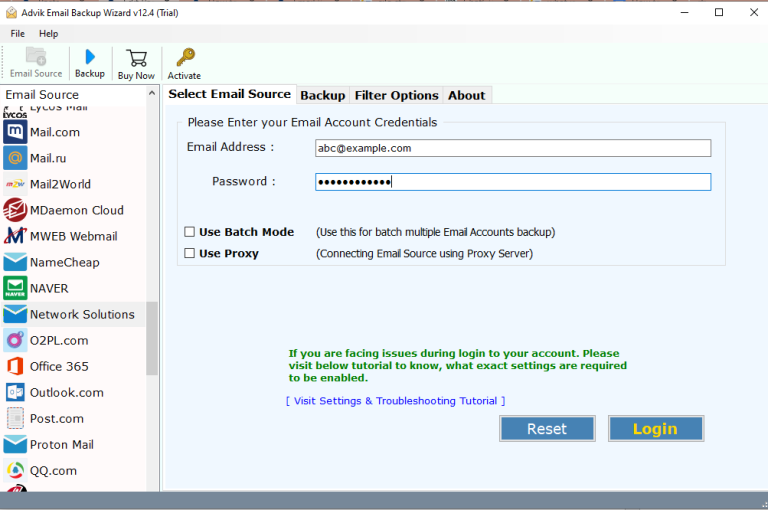
2. Search for IMAP Server from the email source and enter Newton Mail login details.
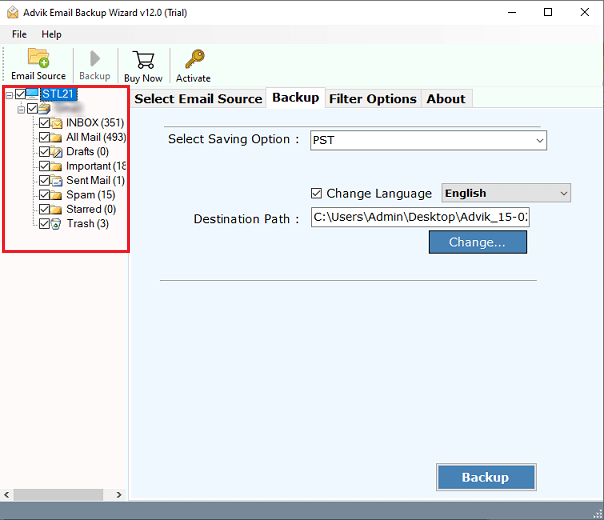
3. Choose the email folders you want to transfer.
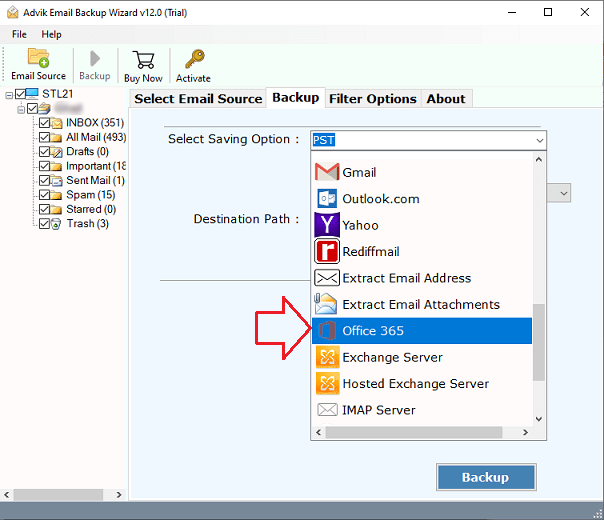
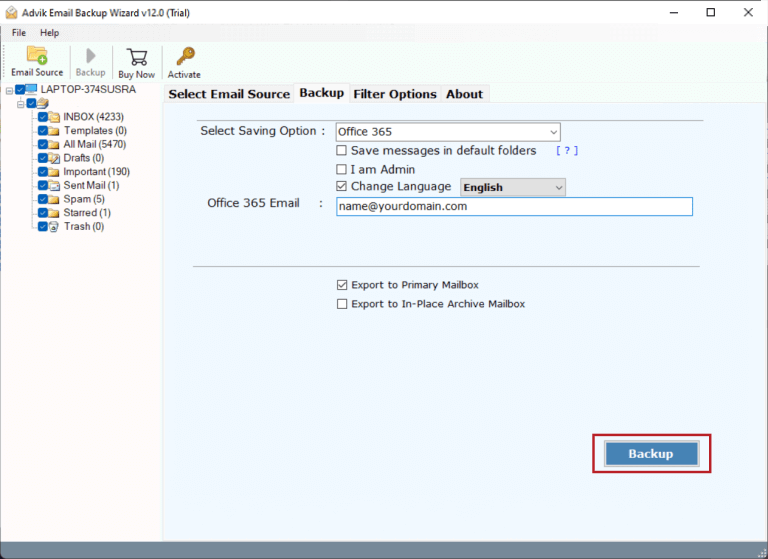
4. From multiple saving options, choose Office 365.
5. Enter your Office 365 email id and click on the Backup button.
6. Microsoft login windows will open, enter your password and sign in.
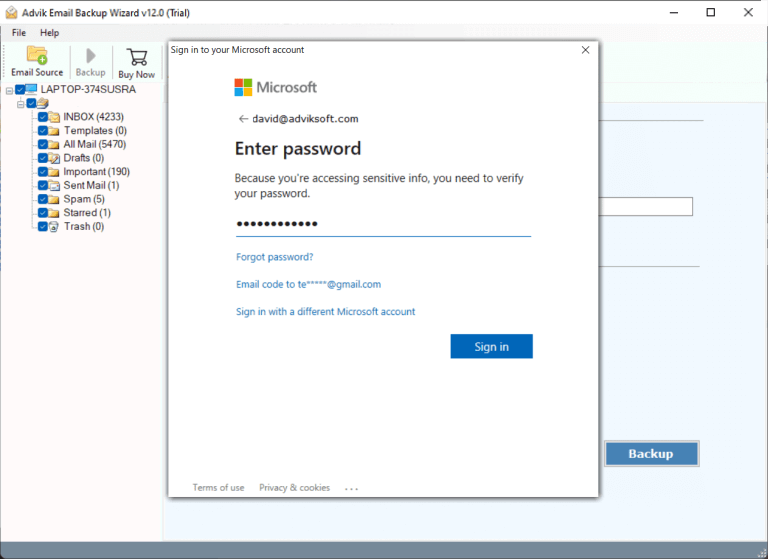
Done! Now the tool will start moving emails from Newton Mail to Office 365 mailbox.
Watch How to Move Newton Mail to Office 365
Why Use Advik Newton Mail to Office 365 Migration Tool?
With automated tools, you get more advanced and robust features. This software offers various benefits –
- Migrate Newton Mail to Office 365 with accuracy and efficiency.
- Preserve data integrity while moving emails.
- Uphold email folder and sub-folder hierarchy and structure.
- It also backup Newton Mail emails to your machine.
- Advanced filter options to migrate selective emails from Newton Mail to Office 365.
- Works on all versions of Windows and Mac OS systems.
Conclusion
In this post, we discussed how to migrate Newton Mail to Office 365 mailbox. Manually transferring is not a simple task. To make the transfer process simple, we also mentioned a professional solution. The tool outlined in this post is the most suitable approach to transfer Newton Mail to Office 365. To analyse the transfer process, you can use the demo version since it only moves 25 emails from each folder.