How to Transfer Windows Live Mail to New Computer?
Jackson Strong | January 2nd, 2026 | Data Backup
Overview: This technical write-up will guide you on how to transfer Windows Live Mail to new computer. Here, we will provide both manual and automated solutions to export emails from Windows Live Mail to a new PC. Check out this step-by-step guide and learn how to move Windows Live Mail to new computer.
Windows Live Mail is a successful version of Microsoft Outlook Express and is included in the Windows Essentials Suite. While it is compatible with all versions of Windows 7 and earlier, it was discontinued before the release of Microsoft Windows Vista due to various issues reported by users, including the recurrence of deleted emails. That’s why many users seek to switch to another email client. However, there can be various possible reasons why users need to move emails from Windows Live Mail to another PC. So, in this article, we will discuss various ways to migrate Windows Live Mail to new computer, including manual and automated solutions. Don’t wait any longer – let’s get started!
How to Transfer Emails from Windows Live Mail to Another Computer Free?
Follow the below steps to copy Windows Live Mail to new computer.
- Open Windows Live Mail on the old computer and follow these steps;
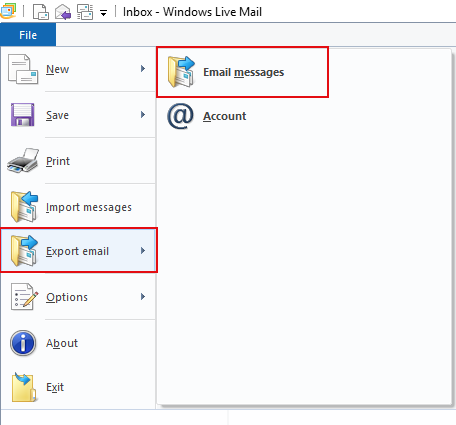
- Click on the ‘File’ tab, then select ‘Export email’ and choose ‘Email messages’.
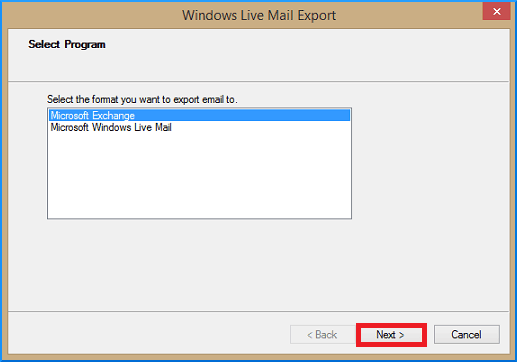
- In the Windows Live Mail Export window, select ‘Microsoft Windows Live Mail’ as the program and click the ‘Next’ button.
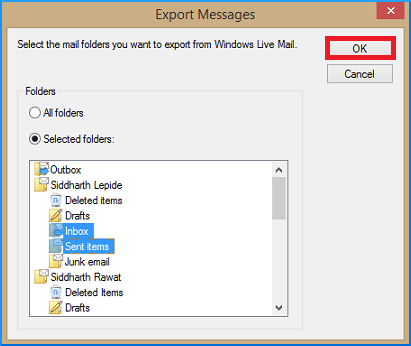
- Select the folder you created on the desktop and click on the ‘OK’ button to initiate the process of exporting all emails from Windows Live Mail to the folder.
Connect your pen drive to the old computer and copy the folder containing EML files of Windows Live Mail.
Using the pen drive, move the EML files to the new computer and install the Windows Live Mail application.
Now, you can easily import EML files to any of the supported applications of your choice on the new computer.
How to Move Windows Live Mail Folders to New PC Directly?
If you are unable to migrate data using a manual solution, then you can use a professional solution. Advik Windows Live Mail Converter Tool is an all-in-one application to transfer Windows Live emails to another computer.
This tool will help you:
- Convert Windows Live Mail to PST, EML, PDF, MSG, DOC, HTML, etc.
- Preserves the mailbox folder hierarchy as well during the process
- Transfer Windows Live Mail folders to new computer in bulk.
- Also export selective Windows Live Mail emails to another computer/PC/Hard Drive etc.


Steps to Transfer Windows Live Mail to New Computer
- First of all, install and run this application on your system.
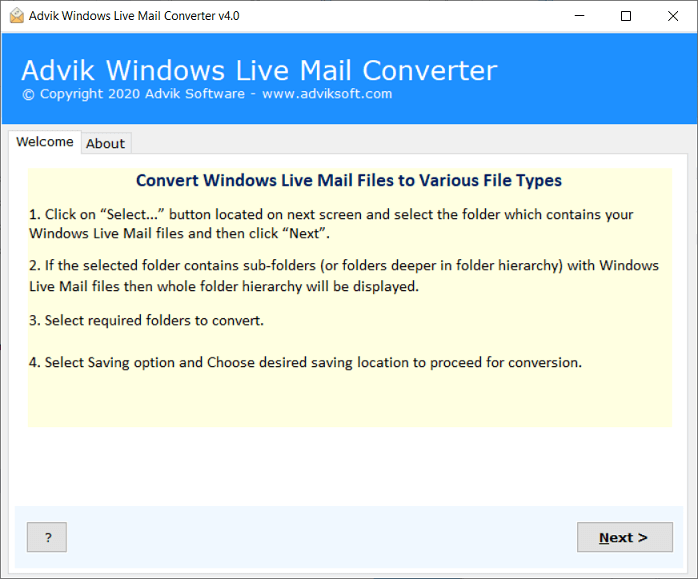
- Then, Choose the “Configured Windows Live Mail mailbox data” option.
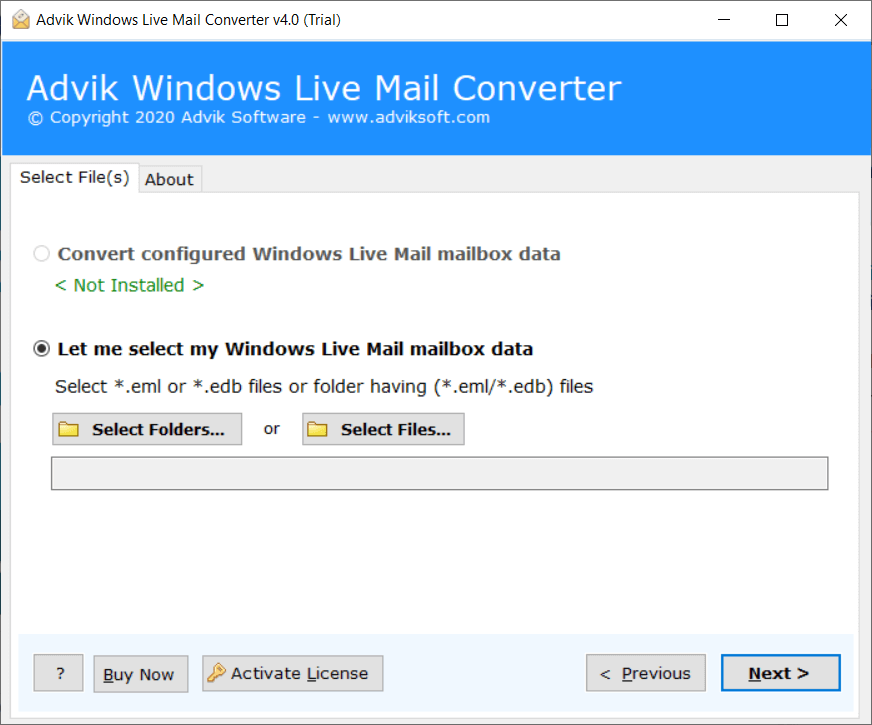
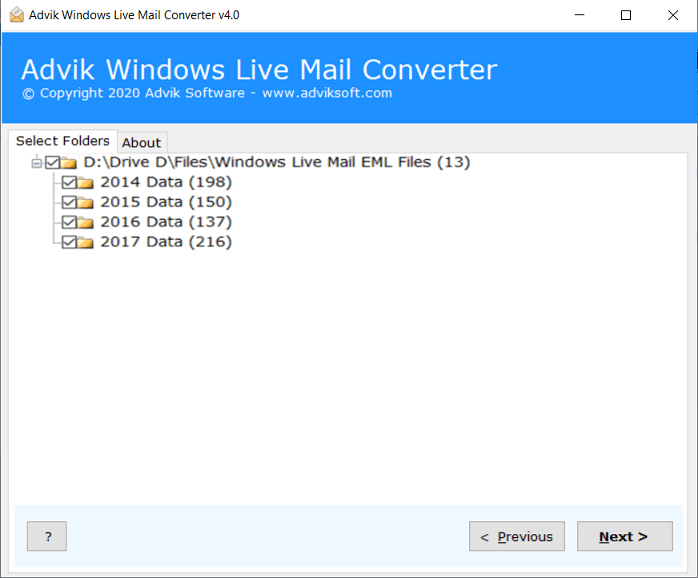
- Now, the tool will quickly load the WLM mailbox folders in its panel. Select the required items to export WLM emails.
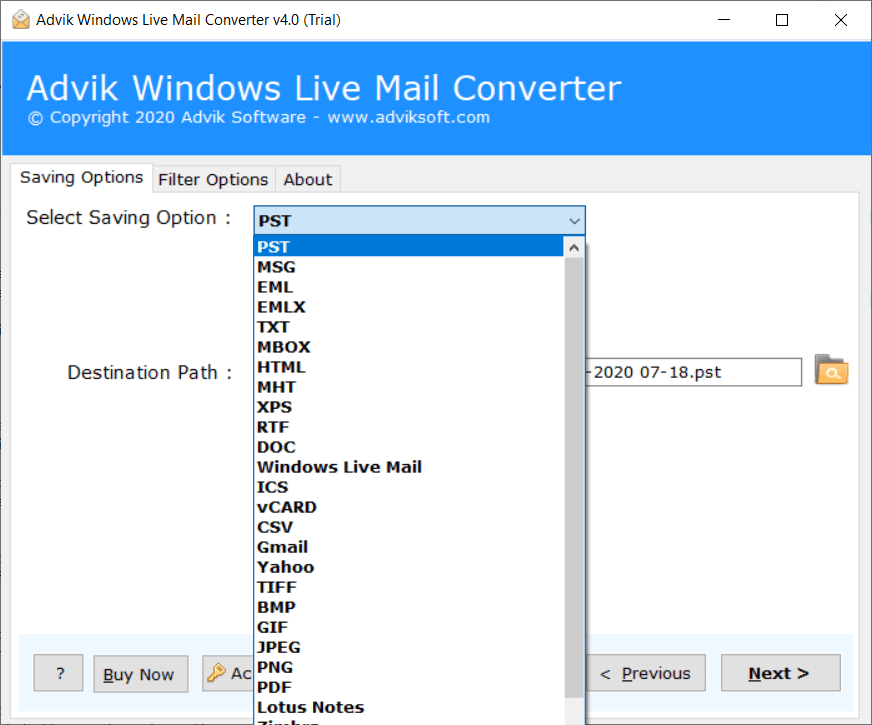
- Then, choose the required saving options from the list of 30+ different file formats.
- Choose destination path to save the resultant data file on your system. Click on the Next button.
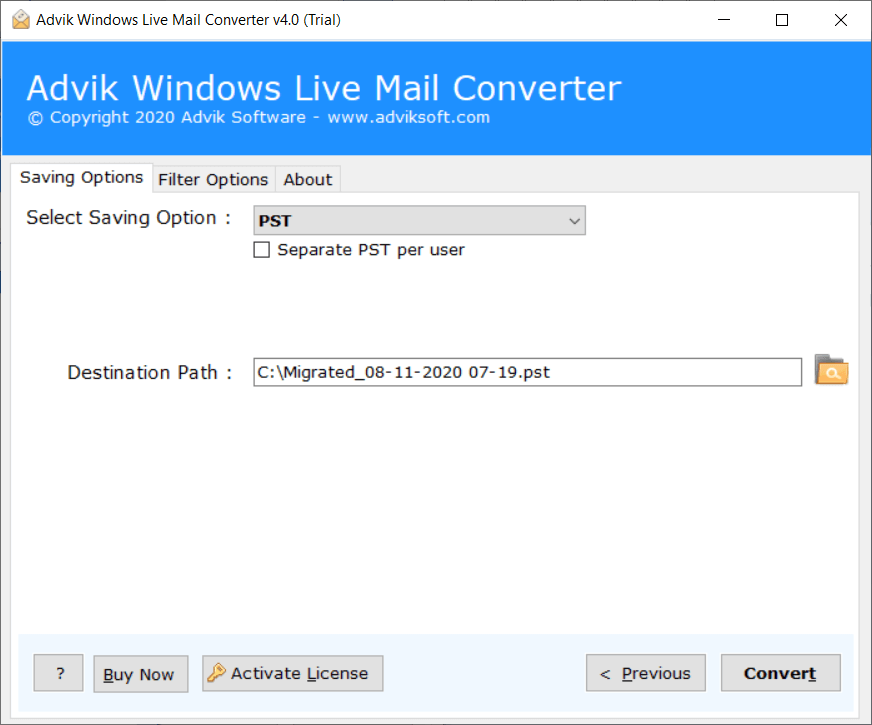
Done!! Now, copy the exported data file to another computer using any external USB, etc. The software offers a range of advantages. Below are a few highlights of this software.
- Export Windows Live Mail emails to various formats such as PST, PDF, MBOX, EML, etc.
- Supports batch conversion, allowing users to copy Windows Live Mail folders to new PC in bulk.
- Maintains the original folder hierarchy of the Windows Live Mail emails during the conversion process.
- Directly migrate Windows Live Mail to Office 365, Gmail, and all IMAP-based email services.
- Preserves email metadata, such as To, Cc, Bcc, Subject, Date, Time, and Attachment.
- User-friendly interface and 24/7 technical support team.
- Supports Windows 11, 10, 8, 7, Vista, and XP, and all below versions.
Final Verdict
In the above write-up, you will get manual and automated methods to transfer Windows Live Mail to new computer. You can choose any of those methods to move Windows Live Mail to new PC. Both solutions are easy and simple, but the professional approach provides more benefits and features along with transferring Windows Live Mail emails to new computer. So, choose wisely.
Frequently Asked Questions
Q 1. Can Windows Live Mail be transferred to a new computer?
Ans. Yes, there are two different ways to export Windows Live Mail to new PC. Both methods are explained in the above blog.
Q 2. Is it possible to export Windows Live Mail emails to new computer between 1 April 2022 to 31 July 2023?
Ans. Yes, using the advanced email filter feature, you can transfer emails from Windows Live Mail to new computer from a specific date easily.
Q 3. Does this software support all versions of the Windows operating system?
Ans. Yes, the software supports all the latest and old versions of Windows OS.
