How to Archive Emails in Yahoo to Save Space? – Updated 2026 Tutorial
Christopher Plummer | January 14th, 2026 | Data Backup
Are you stressed by an overloaded Yahoo inbox? It makes it difficult to find important emails and certainly impacts your productivity and communication. Choosing the Delete button can help you to declutter your mailbox, but if your old emails still hold valuable data, deleting them isn’t the best choice. Archiving your emails can be a smart way to declutter your inbox, improve performance, and keep your valuable messages safe while saving storage space. In this guide, we will discuss how to archive emails in Yahoo to save space. Here, we will provide two different ways to archive Yahoo emails.
Yahoo Mail is a free webmail service that offers email services all over the world. However, sometimes when there is a heavy workflow, there is trouble with storage space. Since Yahoo offers 1 TB of storage space, which is enough for an individual user. However, for corporate and business users who deal with thousands of emails in a day, this space is not enough for them. Due to the full storage space, some issues may arise that can affect your email data. Thus, it is required to archive emails in Yahoo Mail and free up storage space.
Without any further delay, let’s take a stroll toward the methods.
How to Archive Yahoo Emails Manually?
Follow the given instructions to archive emails in Yahoo to save space:
- Log in to your Yahoo Mail account using your login details.
- Open your Yahoo mailbox and select the emails you want to archive.
- Now, click on the Archive icon.
- The selected emails will move to the Archive folder.
Done! That’s how you can archive emails from Yahoo Mail, but users may face many issues while executing this process.
How to Archive Emails in Yahoo Mail Automatically?
If you want to archive Yahoo emails in bulk, then try the Advik Yahoo Backup Tool on your system. Using this tool, you were able to save emails directly from the mailbox on any storage device or system. The software can archive all Yahoo emails at once. Along with that, you can also choose to save selective email folders. It offers 30+ saving options to archive emails into multiple formats.
Download the FREE demo version to check its working procedure.


Steps to Archive Emails in Yahoo to Save Space
Step 1. Install and Open Advik Yahoo Backup Tool on your system.
Step 2. Enter your Yahoo Mail account email id and password and click on the Login button.
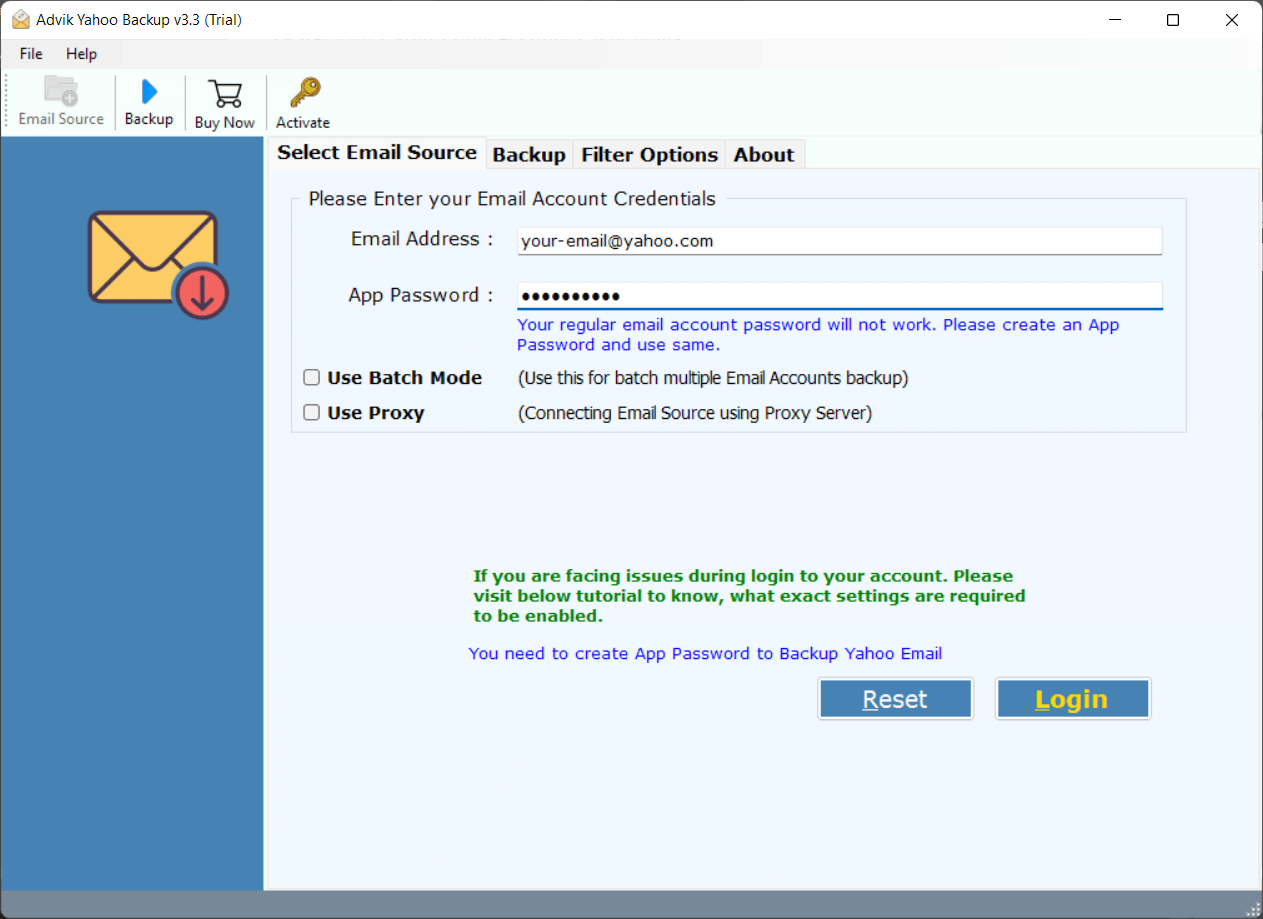
Step 3. Here you can select the email folders and archive selective emails only.
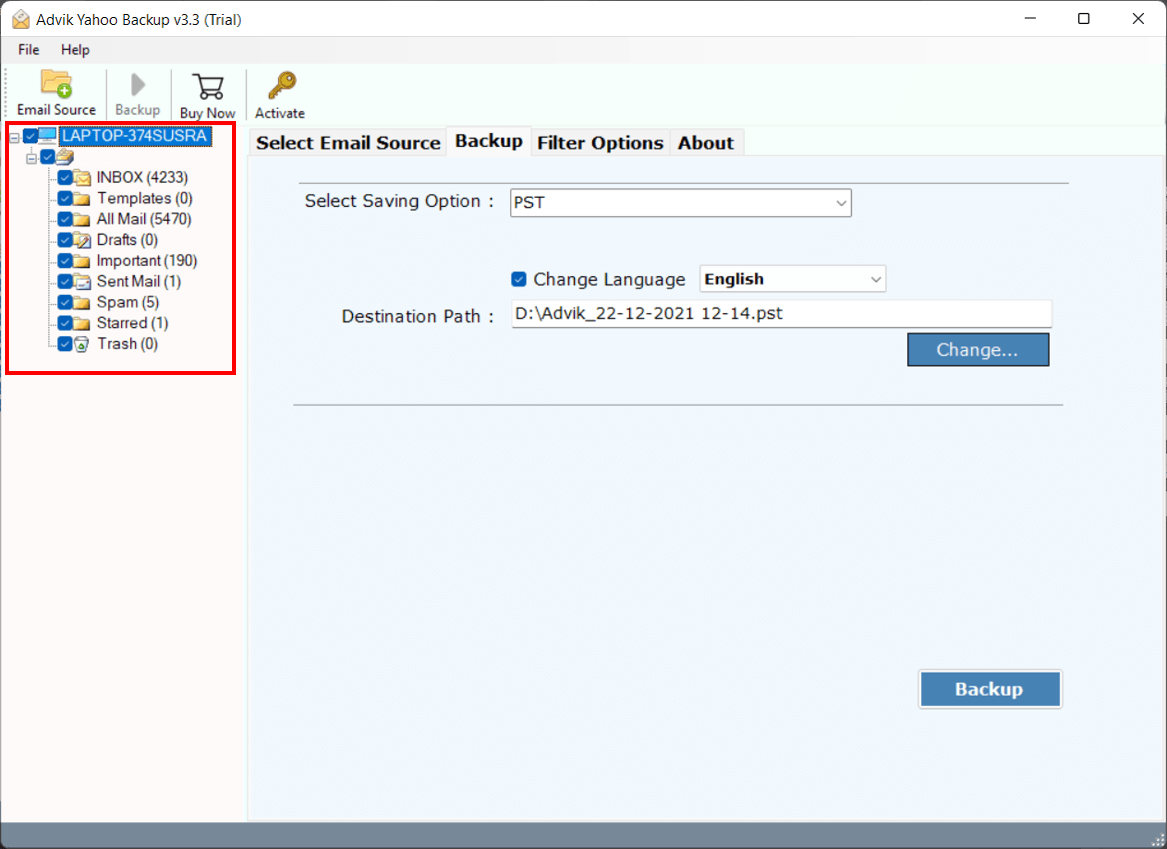
Step 4. After that, choose a saving option from the list (let’s choose PST here).
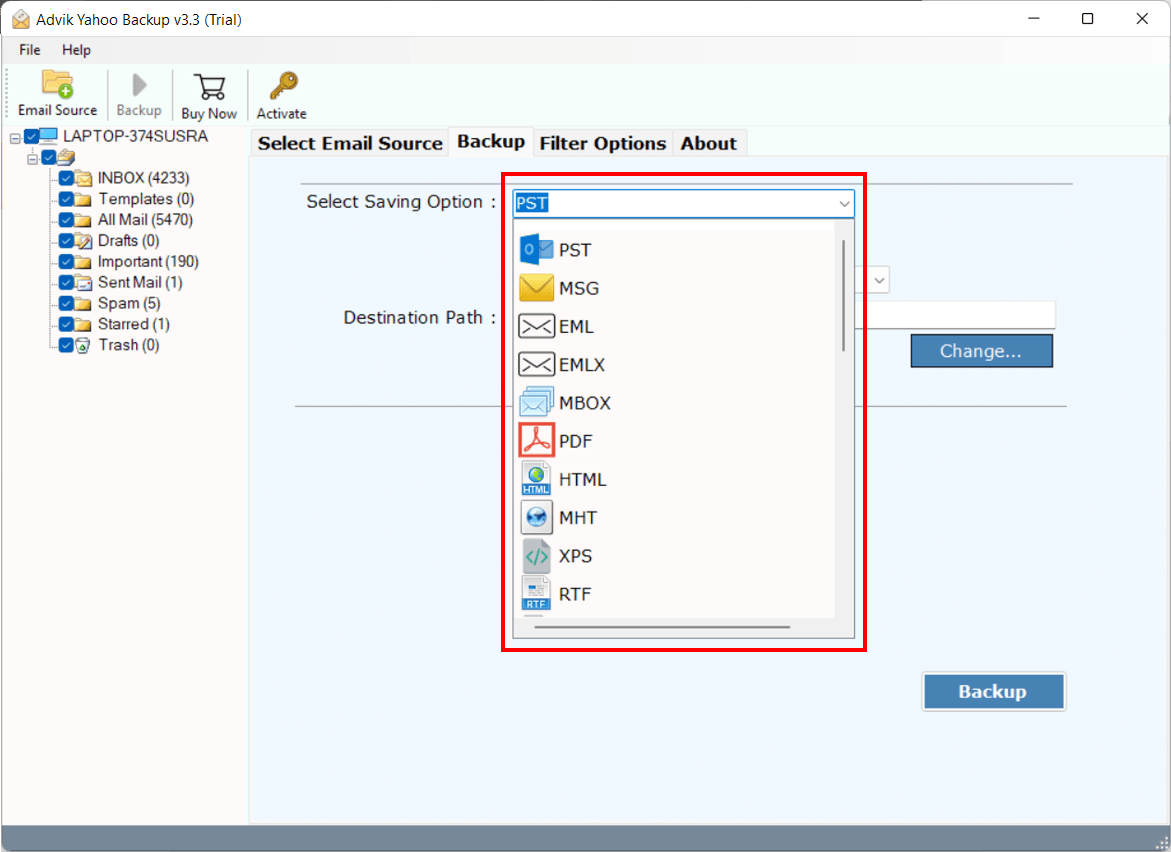
Step 5. Select destination location and click on the Backup button to start the archiving process.
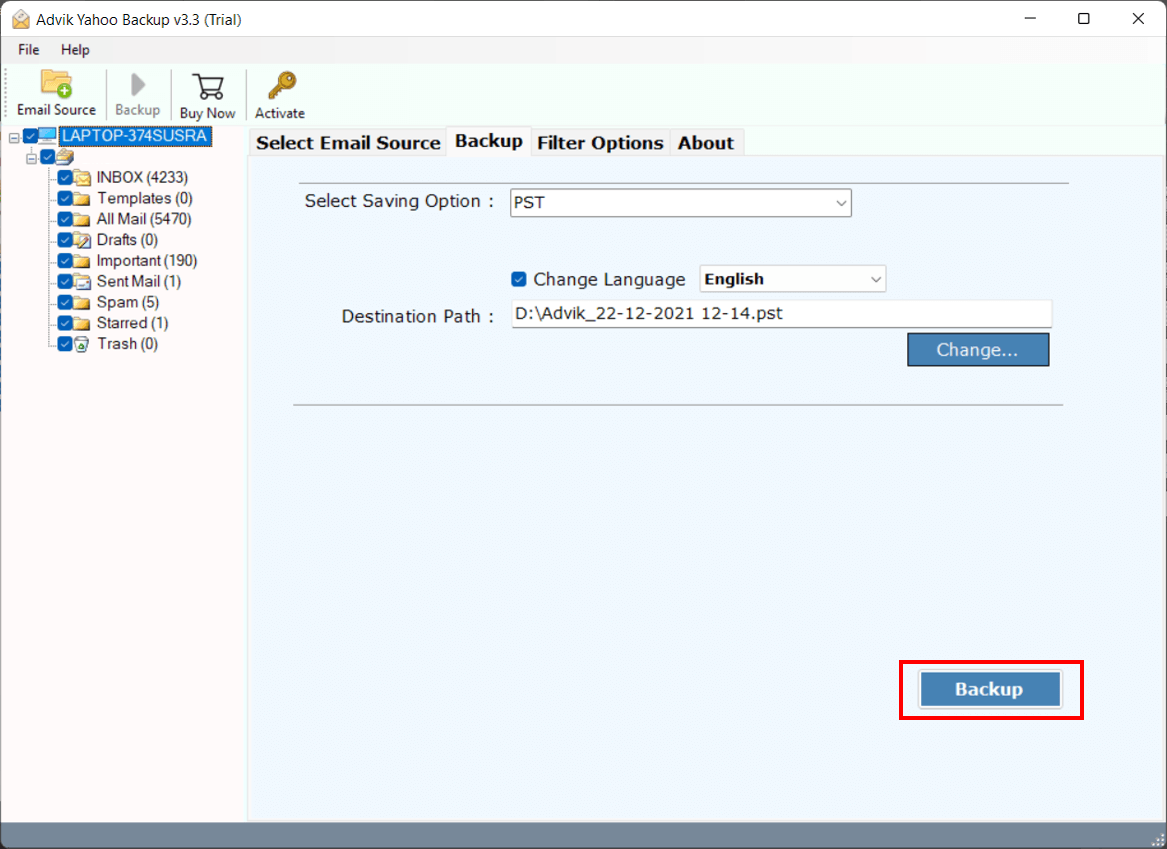
Finish! Here you archive emails in Yahoo to save space without any data loss.
Watch How to Archive Emails from Yahoo Mail
Why Choose Yahoo Backup Tool
There are various outstanding features of this automated tool that make the archive process efficient and secure.
- Maintain Folder Hierarchy: While the tool copy your Yahoo Mail emails to pc, there will be no modification in folder structures. It will save your Yahoo emails in the same hierarchy as your mailbox.
- Filter Options: With this archive solution you will find various filter options to archive important and needed emails only, In this way you can avoid unnecessary backup and save space.
- Various Saving Options: This Email Backup Tool offers multiple options to save Yahoo emails. You can use this tool and archive Yahoo Mail to EML, PST, PDF, MBOX, CSV and many other file formats.
- Maintain Data Integrity: While saving Yahoo emails this tool preserves email integrity throughout the archiving process. It will save emails with its attributes and properties such as – header info (to, from, bcc, cc, subject), content, inline image, hypertext, attachments, signatures, etc.
- Transfer Yahoo Mail to Other Webmail Accounts: This expert tool allows you to archive emails from Yahoo Mail to different webmail accounts. It will migrate Yahoo emails to iCloud, Gmail, Exchange Server, Yandex and many other webmail accounts.
Conclusion
To Archive emails in Yahoo to save space, we come up with two workable solutions. You can use the manual method and archive all Yahoo emails at a time. On the other hand, the automated tool will efficiently archive entire mailbox data in a single attempt without any data loss. You can opt for any of the given solutions and archive emails in Yahoo Mail to free up space.
Frequently Asked Questions
Q 1. How do I Archive Emails in Yahoo to save space?
Ans. You can save Yahoo email to flash drive or on your system in two ways – either use a manual way or use an automated tool.
Q 2. Where do archived emails go in Yahoo Mail?
Ans. Archiving emails moves them to the Archive folder. You can restore them any time.
Q 3. How do I archive all Yahoo emails at once to free up space?
Ans. The automated tool enables you to archive all emails at once and free up your storage space.