How to Export Roundcube to EML Files?
In this article, we will explain how users can save Roundcube emails as EML in an easy and precise manner. There are a plethora of users who want to export Roundcube to EML. As EML file format is flexible and supported by multiple email clients. If you are also looking to convert Roundcube emails to EML files then this blog will be really helpful for you.
Roundcube is a popular email service known for its user-friendly interface and robust features. However, sometimes users need to export emails from Roundcube to EML files, as it is a universal email message format that can be opened by various email clients. Whether you are switching to email clients or need to backup important emails, this guide will walk you through the step-by-step process.
Benefits of Exporting Roundcube to EML File
There are many reasons why users choose .eml files to save their Roundcube emails. Here are a few of them;
- EML files save one email at a time, so you can easily choose which ones to save.
- EML keeps the email exactly as it is, with no changes.
- You can easily move EML files from one platform to another.
- EML is the default file format to download Roundcube emails manually.
- EML is flexible and compatible with most email clients.
Methods to Export Roundcube to EML Files – Top 2 Solutions
After searching a lot, we have come up with two methods to convert Roundcube emails to EML file.
#1. Manual Solution via Roundcube Built-in Export Feature
#2. Automated Solution
Both methods are explained in more detail in the upcoming sections. So, let’s start further;
Method 1. How to Convert Roundcube Email to EML File?
This method is an in-built feature of Roundcube that enables users to download a single Roundcube email to EML file. To achieve this task, follow the steps mentioned below;
- First of all, access your cPanel account and choose Roundcube.
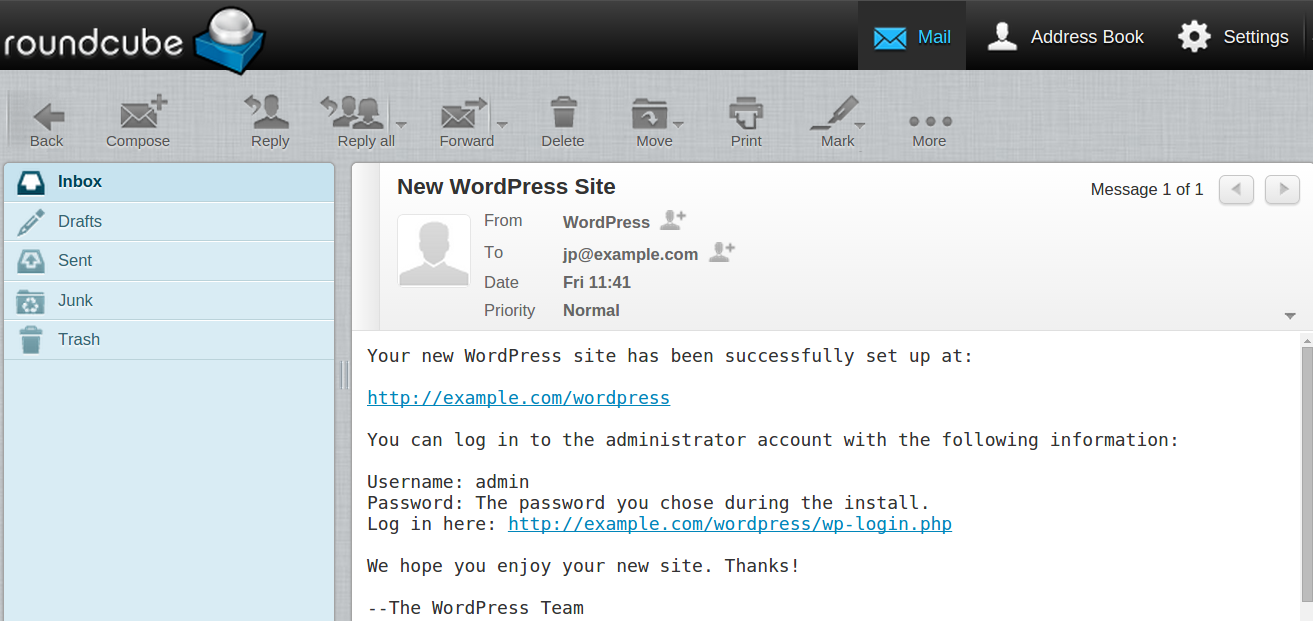
- Open an email message in your mailbox that you wish to export.
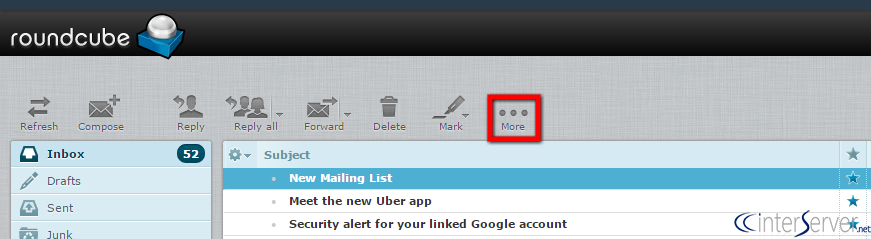
- Once you have selected the email you need to download, click on the “More” option above.
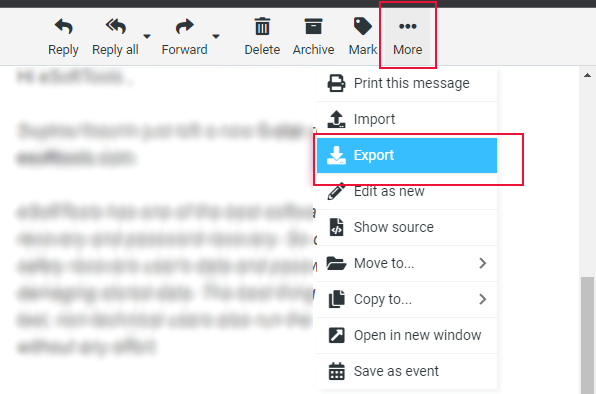
- From the menu, choose the “Export” option and continue to the next step.
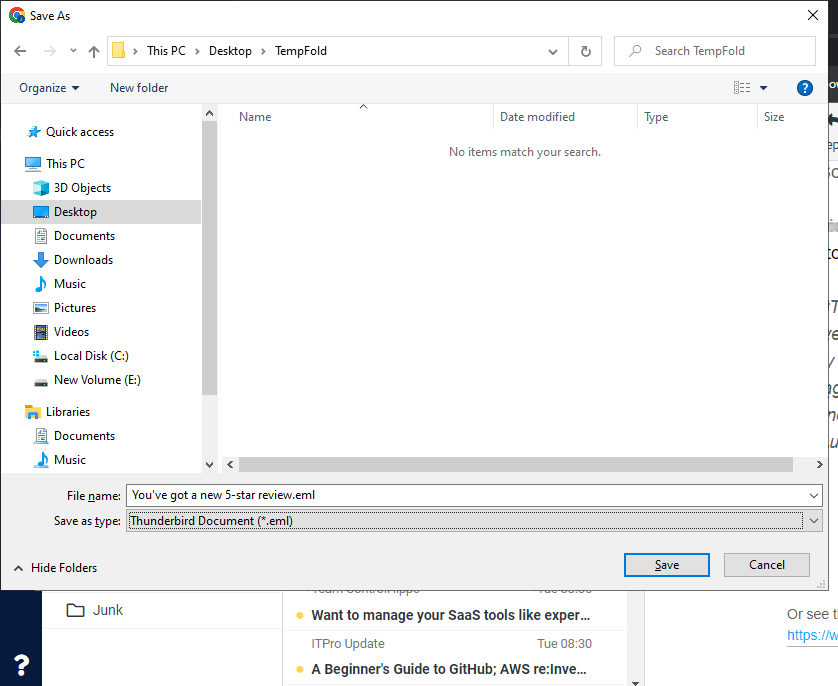
- Your file will then download in the .eml format to your computer.
Finished!! In this way, you can easily export Roundcube emails to EML file format.
Limitations:
- If the Roundcube export greyed out, then users won’t be able to use this method.
- Only allows to save a single Roundcube email at a time.
- No email filter options
To overcome these challenges, users are requested to go through the below solution as it is fully designed with a lot of amazing features.
Method 2. How to Export Roundcube Emails to EML File?
Advik Roundcube Backup Wizard can directly export email from Roundcube to EML file in a few simple steps. Also, it allows you to choose emails or folders from Roundcube account of your choice. You just need to enter your login details and select EML file format and it will quickly process the data. You can even choose the destination path to export Roundcube emails to EML of your choice so that you can remember the location of the downloaded files every time.
The application holds a simple and user-friendly interface so that non-technical users can also operate it without any assistance. However, users also get the benefit of a Trial version to check the working steps of this utility for FREE.


Steps to Export Roundcube to EML
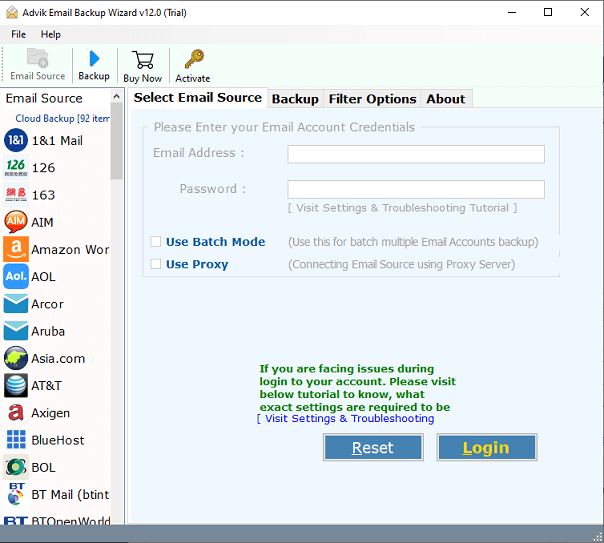
- Run the tool your Mac and Windows PC.
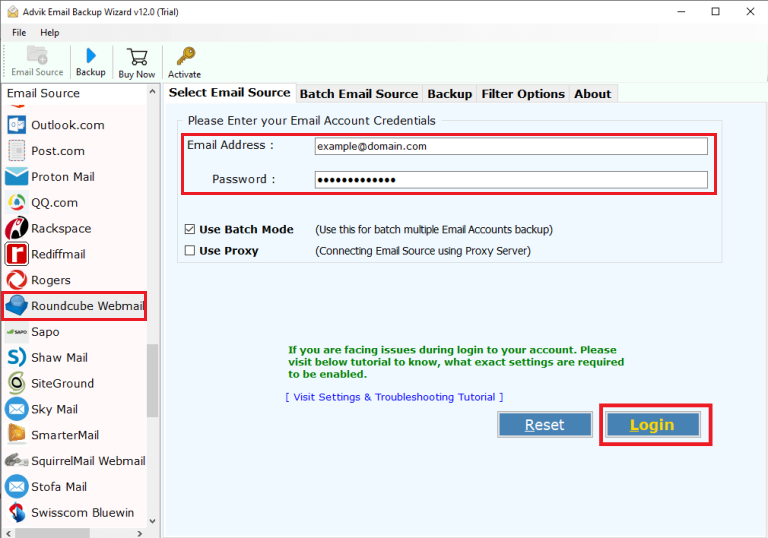
- Choose Roundcube and sign into the software panel.
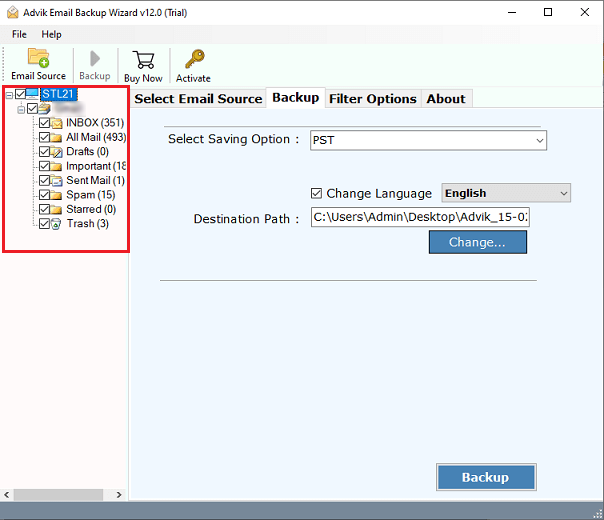
- Select the required email folders to export.
- Then, choose EML as a saving option from the list.
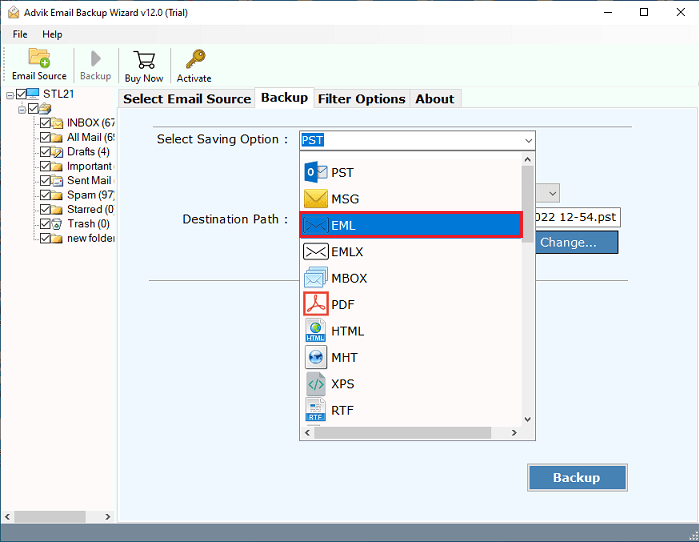
- Browse the desired destination path and tap on the Backup.
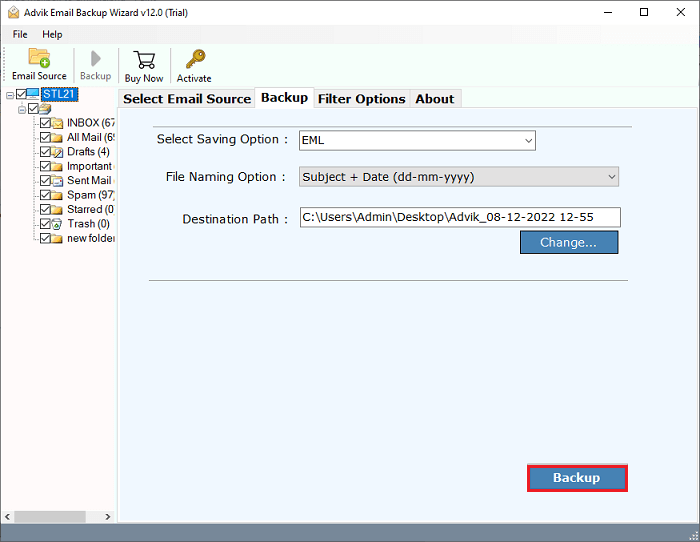
Done!! You can see that you just need to follow these simple steps and all your selected Roundcube emails will be downloaded as .eml file on your chosen location.
Now, we will see some more advantages of using this utility.
Why Use Advik Roundcube Backup Wizard?
Here are some key features of this tool. Take a look:
- Multiple File Formats: You can use this tool to save Roundcube email data in various formats you can export Roundcube to PDF, EML, PST, MBOX, HTML, and more.
- Extract Email Attachments: The tool also lets you download all attachments in Roundcube separately, including email addresses, attachments, and related data.
- Selective Email Conversion: You have the option to choose specific emails and folders for Roundcube to EML conversion or other formats.
- Maintain Mailbox Hierarchy: This tool preserves your Roundcube mailbox’s folder and subfolder structure while ensuring data integrity during the conversion.
- Export Roundcube Emails to Cloud: You can easily export your Roundcube emails to cloud services like if you need to migrate from Roundcube to Gmail, Office 365, Yahoo, Yandex, Outlook.com, Zoho Mail, GoDaddy, AOL Mail, Rackspace, AWS Workmail and more, it is possible with this single tool.
Conclusion
This write-up has discussed two different approaches to export Roundcube emails to EML file. The first method is a manual solution that is offered by Roundcube itself, but it exports only a single email at a time. Another one is the professional solution, which is 100% safe and easy to use. Anyone can operate it effortlessly and export emails from Roundcube to EML in bulk.
Therefore, choose the method that fulfills your needs and requirements without facing any issues.