How to Export Thunderbird to PST? 3 Easy Ways
Christopher Plummer | April 8th, 2026 | Mozilla Thunderbird
Mozilla Thunderbird is an open-source and free email client that is famous among Windows, Mac, and Linux OS users. It allows users to add multiple accounts and manage their emails. However, sometimes there are situations when users need to export Thunderbird to PST. By saving their emails in PST format, they can easily open and manage them in Outlook whenever needed. It can be due to various reasons depending on users’ personal requirements.
This write-up will provide a step-by-step guide on converting Thunderbird emails into PST using three different methods. Keep reading this blog till the end to learn quick and easy-to-implement methods to complete this task without any hassle.
Table of Contents
Before diving into the comprehensive article, it is important to know about the benefits the conversion will offer you. Let’s have a look at them.
Why Export Thunderbird to PST?
- Converting Thunderbird emails to PST enables a smooth transition of mailbox data to Outlook.
- PST files can store not only emails but also contacts, calendars, and other data, providing versatile storage options.
- Exporting emails into PST format prevents data loss and provides enhanced data backup and security.
- Users can protect their PST files with the password function.
Instant Solution: Easily export Thunderbird emails to PST with the Advik Thunderbird Converter. The tool securely converts your mailbox while preserving folder hierarchy and metadata. It is very easy to use. Start your free trial today!


How to Convert Thunderbird Emails to PST?
Here we will explain three methods to accomplish this task. First, we will look at two manual methods using drag & drop option or email clients like Outlook or IMAP synchronization and then we’ll discuss the third party Thunderbird to PST Converter tool.
Method 1. Save Thunderbird Emails into PST via Drag & Drop
1. Open Thunderbird on your system.
2. Choose the email that you want to export.
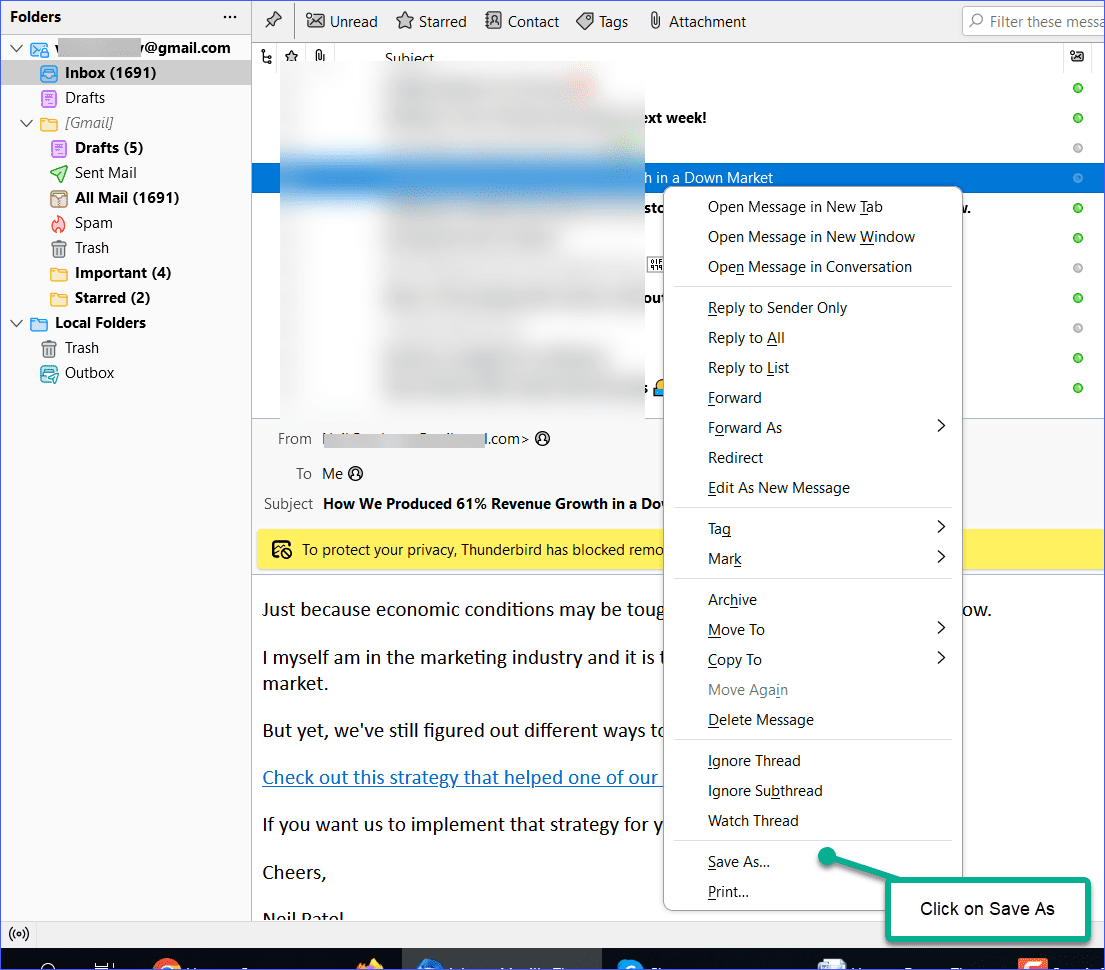
3. Right-click on it and choose Save As.
4. Choose destination folder, give it a name and click the Save button.
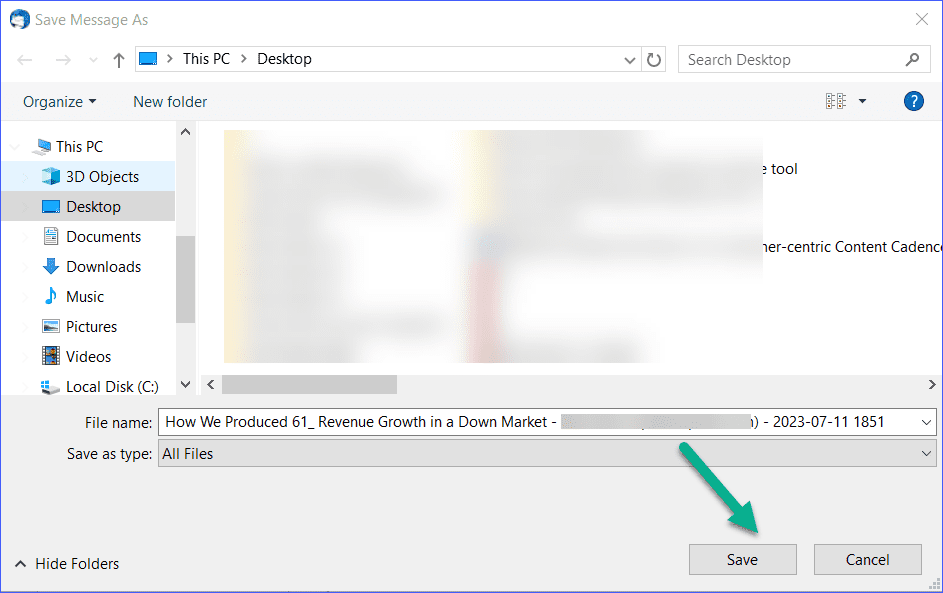
5. Thunderbird email will be saved in .eml format
6. Now, open MS Outlook and create a new folder.
7. Drag and drop the EML file to new folder.
8. Follow the same process for all exported files.
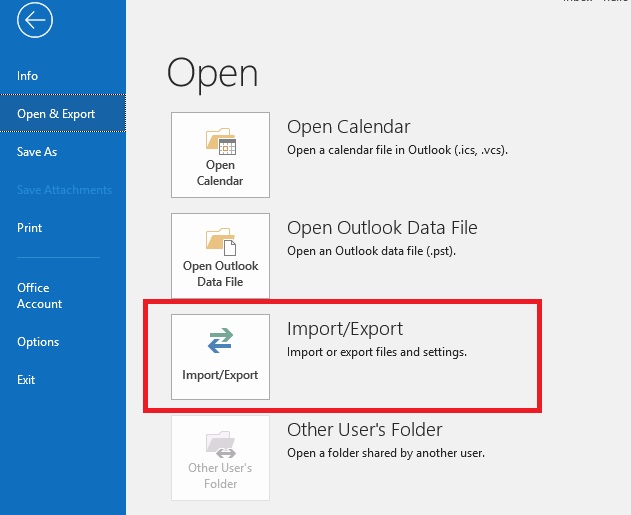
9. Now, navigate to File >> open & Export >> Import/Export.
10. Choose Export to a File and click Next.
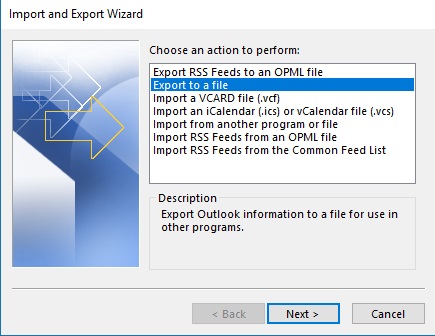
11. Select Outlook Data File (.pst) and press Next.
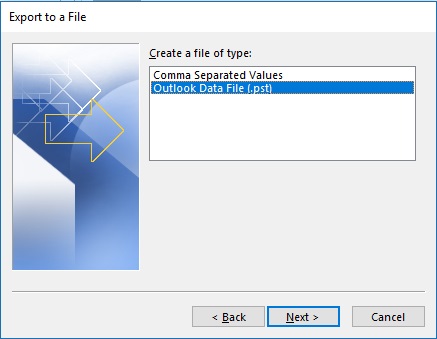
12. Choose the newly created folder and hit Next.
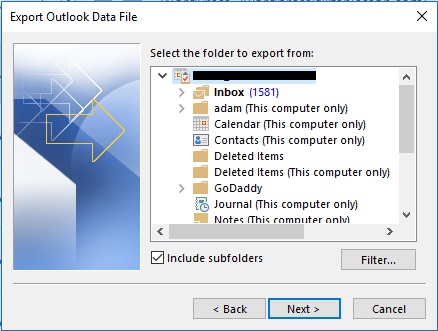
13. Browse the destination location and click the Finish button.
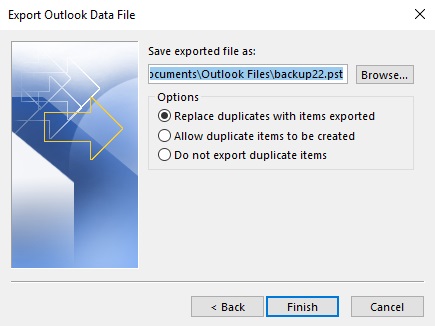
The process is complete! However, saving emails one by one takes a lot of time. If you have a large number of emails to export, then this is a time-consuming process.
Method 2. Convert Thunderbird to PST via IMAP
Another manual way to export Thunderbird to Outlook PST using Gmail. In this method, you need to add your Gmail account to Thunderbird & Outlook to complete this process. So, this approach works in multiple phases.
Phase 1. Enable IMAP in Gmail
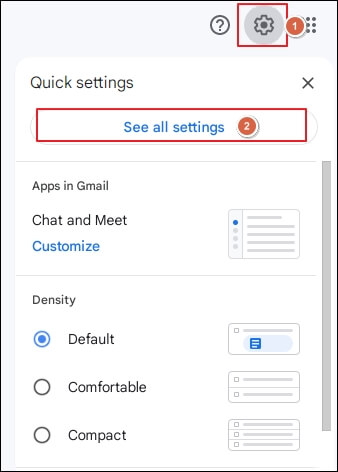
1. Log in to your Gmail account and go to Settings.
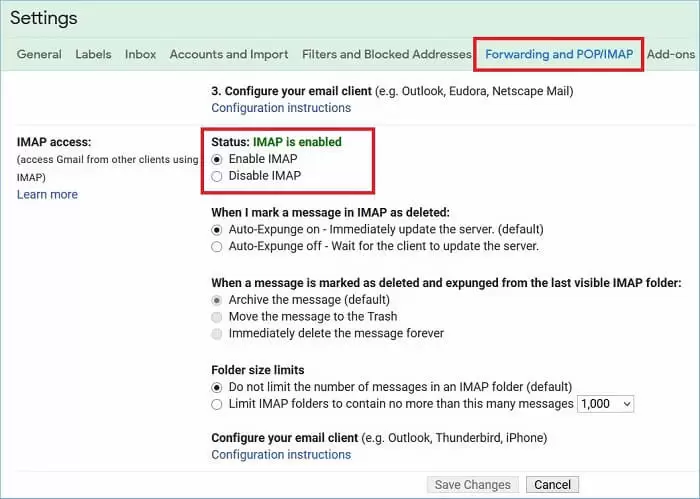
2. Click Forwarding & POP/IMAP section and Enable IMAP.
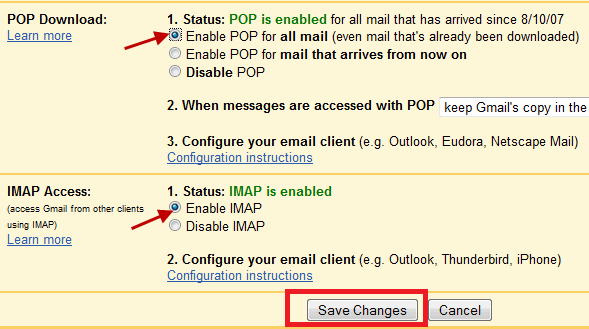
3. Click on Save Changes.
Phase 2. Set up Gmail with Thunderbird
1. Now, open the Thunderbird application on your system.
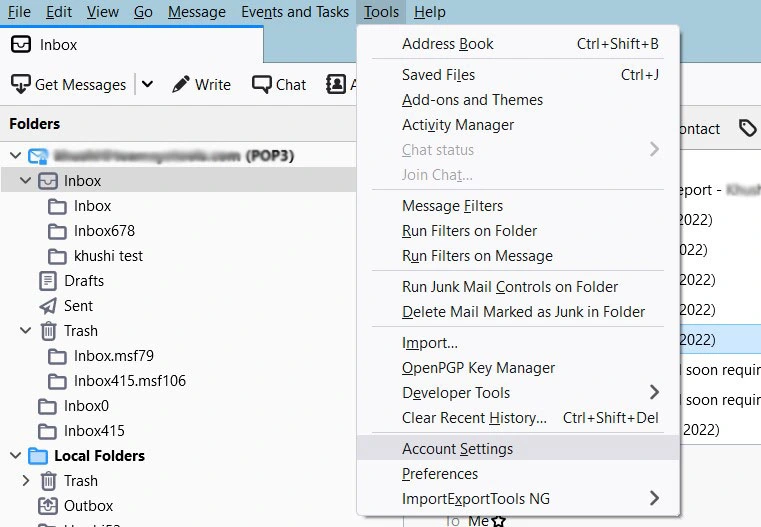
2. Navigate to Tools >> Account Settings.
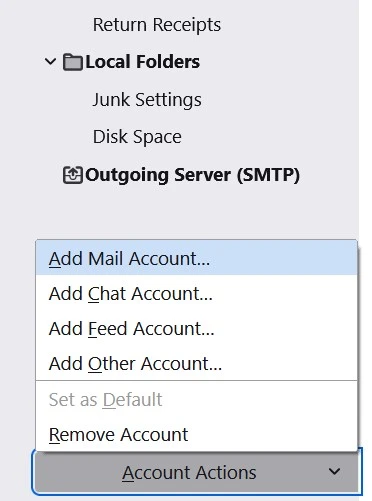
3. Click on Account Actions and select Add a Mail Account.
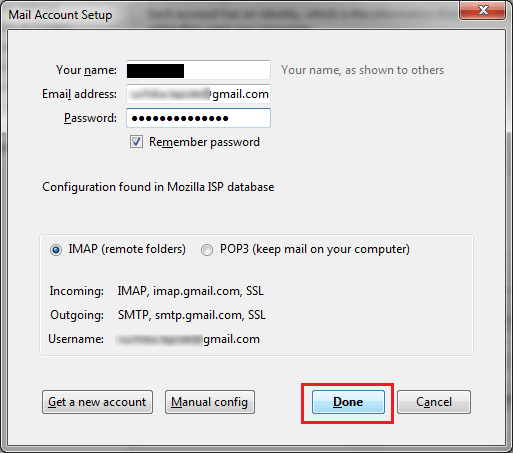
4. Enter your Gmail account login details to set up with Thunderbird.
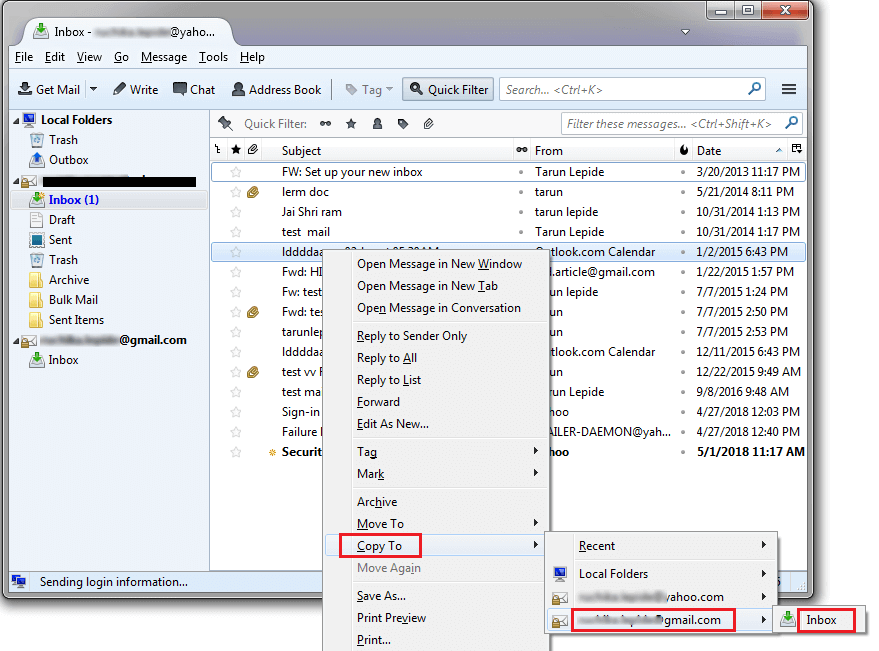
5. Use the Drag & Drop or copy/move option to transfer Thunderbird emails to Gmail folder.
Phase 3. Add the Same Gmail Account to Outlook
1. Now, run the Outlook email client on your system.
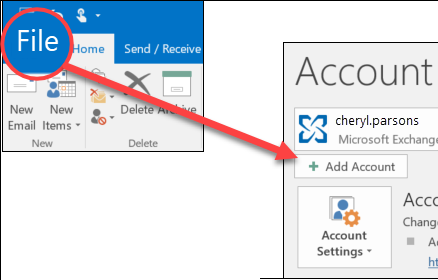
2. Click on File >> Add Account.
3. Enter the Email address of the same Gmail account and press Connect.
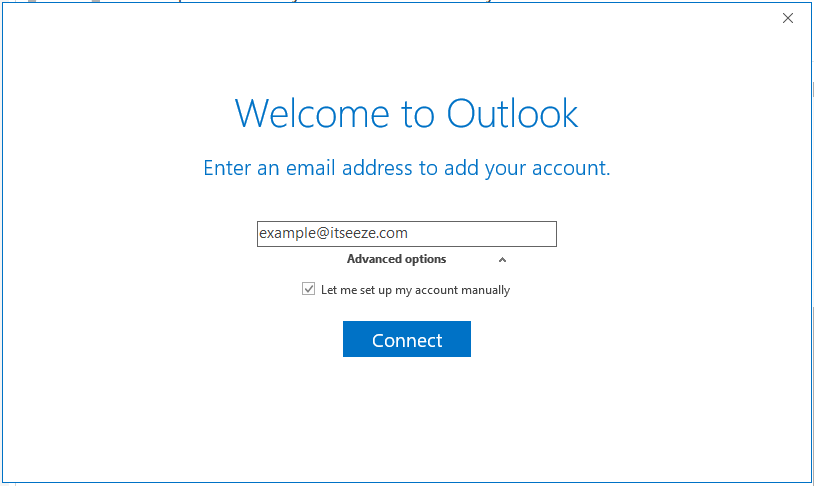
4. Once Outlook completes the configuration process then click on the Done button.
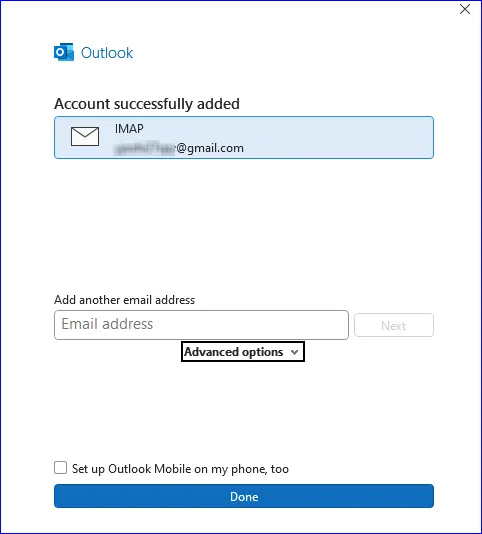
6. Now, a Gmail account is added to Outlook. You will have all Thunderbird emails in Outlook.
Phase 4. Export Thunderbird Emails into PST
1. Click on File >> Open & Export >>Import/Export in Outlook.
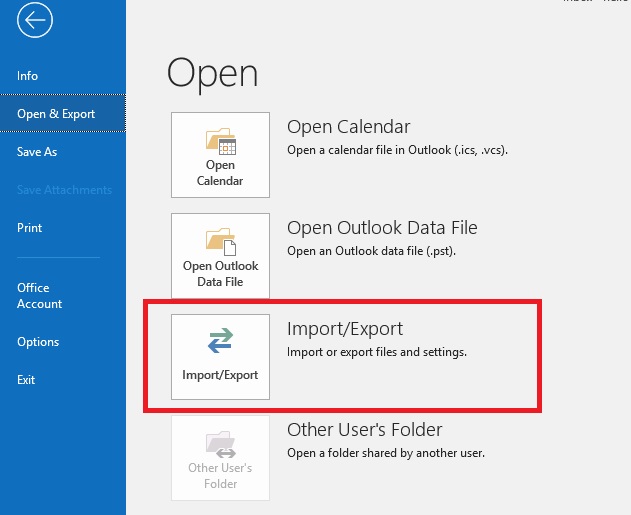
2. Choose Export to a File and click on the Next button.
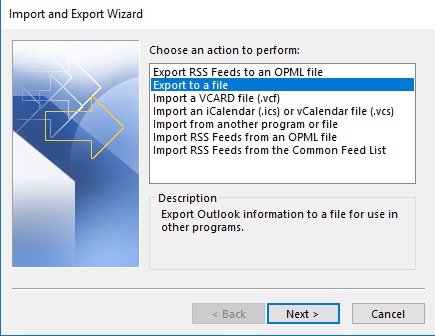
3. Select Outlook Data File (.pst) and press Next.
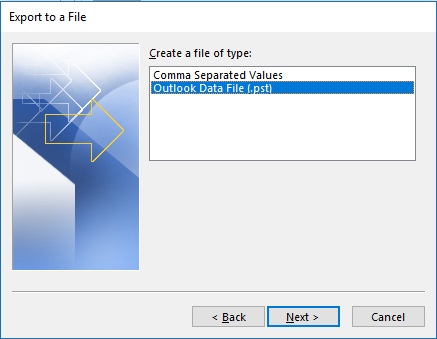
4. Choose the Gmail mailbox folder and hit Next.
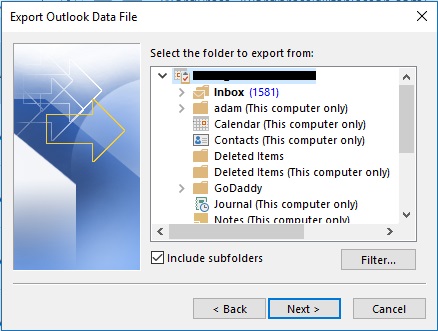
5. Browse the destination location and click on the Finish button.
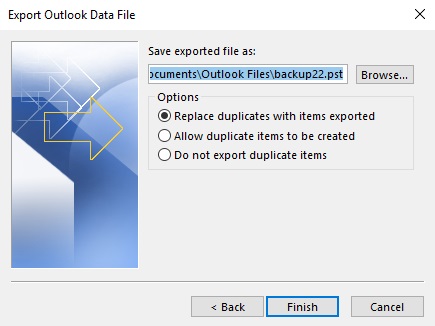
This is how you can export Thunderbird emails to PST file.
Note: This is a lengthy and time-consuming process. Users must have technical experts to perform the process.
To avoid such situations, refer to the method explained below.
Method 3. Download Thunderbird Data to PST Professionally
Check out the Advik Thunderbird Converter Tool on your system. It will detect your Thunderbird account profile and allow you to directly export Thunderbird to Outlook PST file format. It can export the entire Thunderbird mailbox in a single attempt. Also, it allows you to choose specific folders to export. The tool maintains the complete Thunderbird mailbox folders hierarchy throughout the process.
Download the trial version of Thunderbird to PST Converter and explore its amazing features.

Steps to Export Thunderbird Mailbox to PST
Step 1. Run the tool on your system.
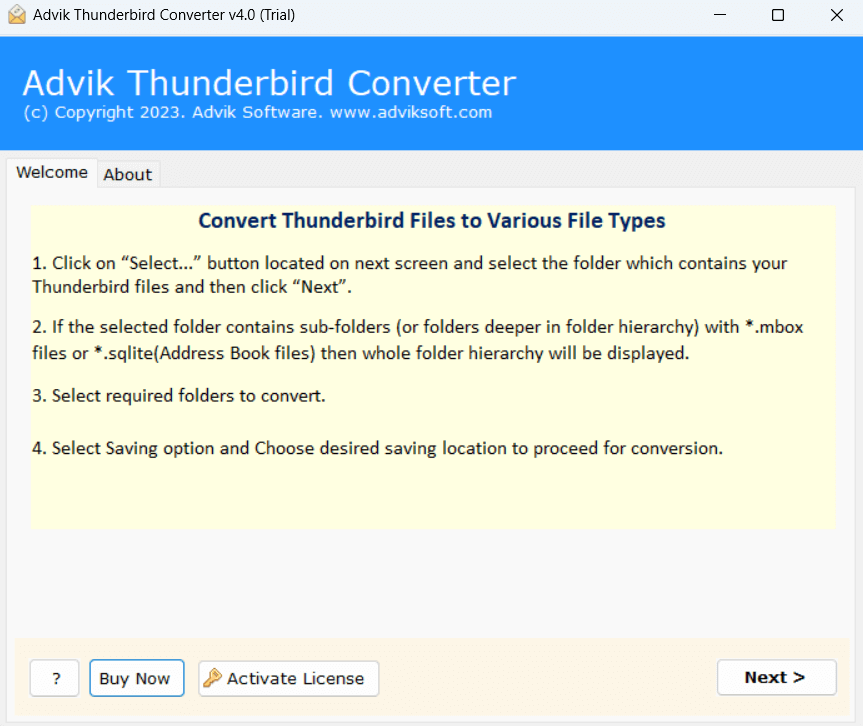
Step 2. Select your Thunderbird profile and press Next.
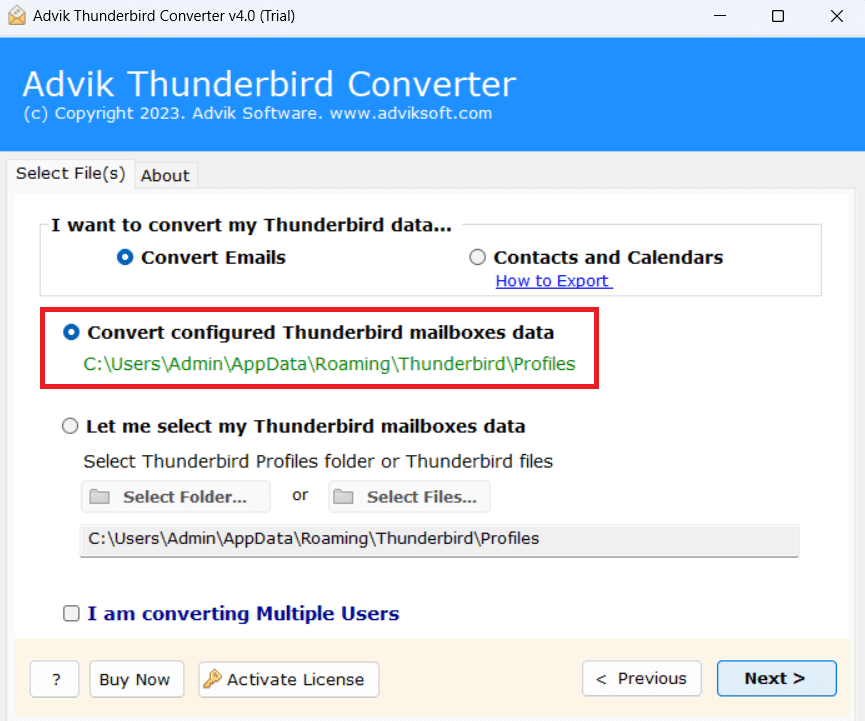
Step 3. Choose email folders that you want to convert into PST.
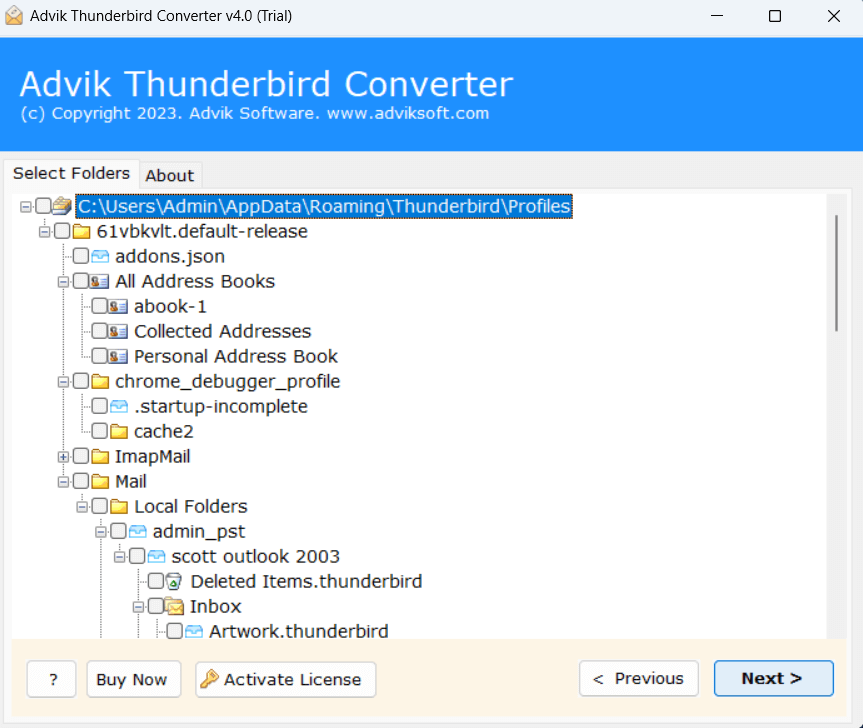
Step 4. Select PST as a saving option from the given list.
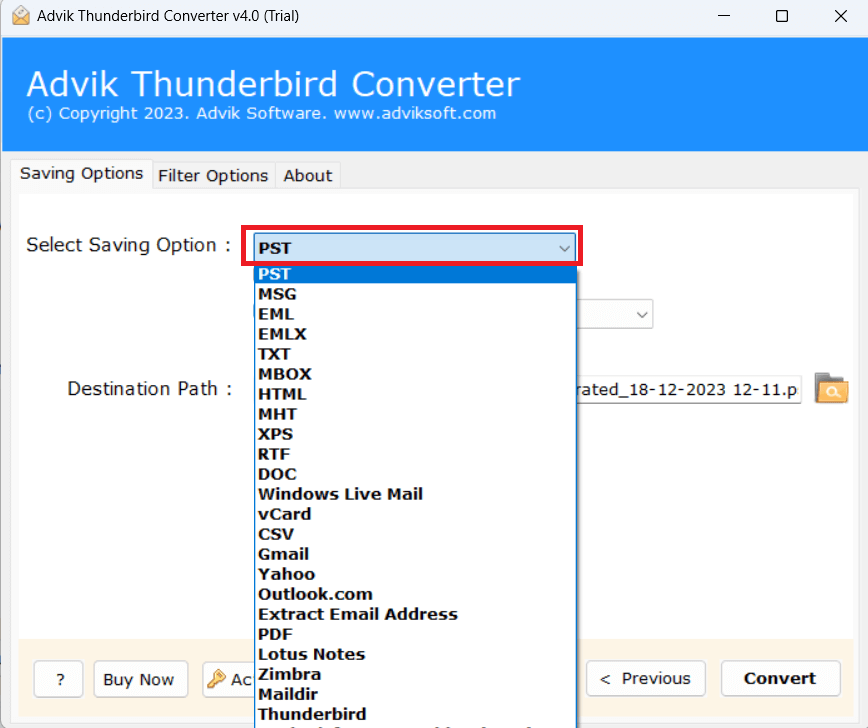
Step 5. Apply filters to export specific emails.
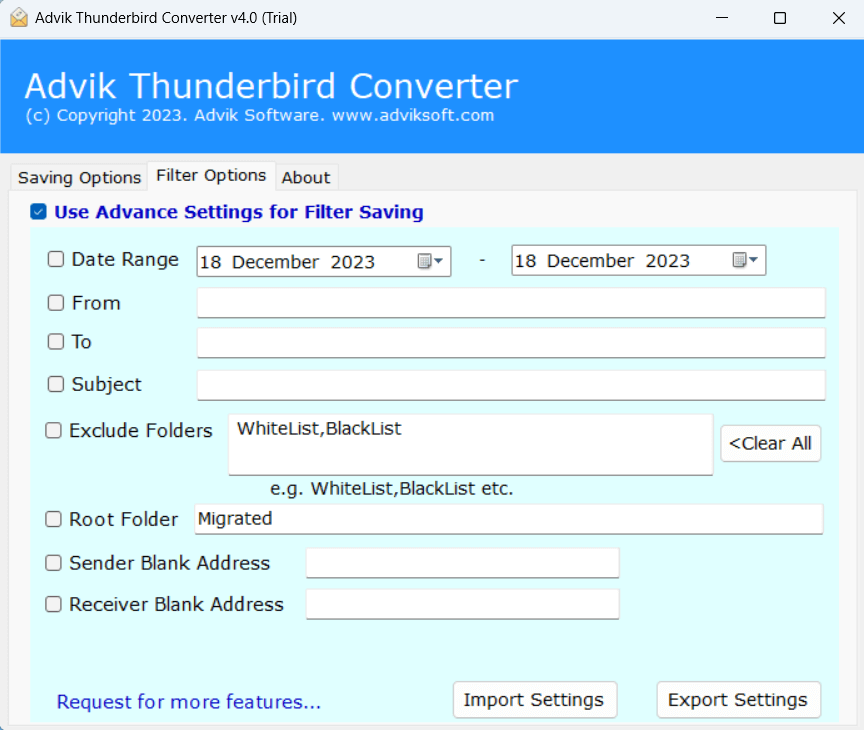
Step 6. Choose the target location and then hit Convert.
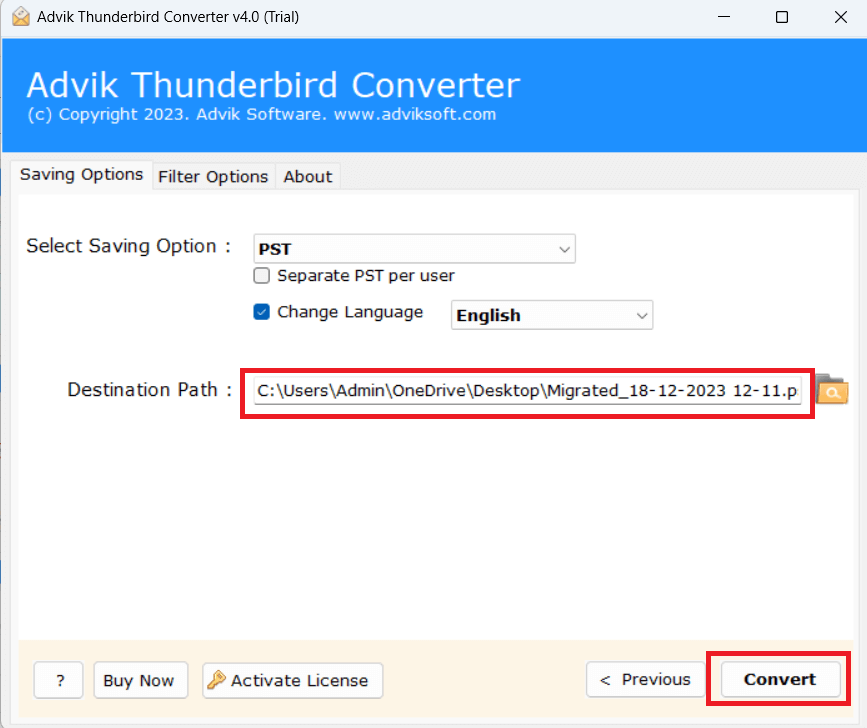
The software will start converting Thunderbird emails to PST file.
After completing this task, you will get the resulting data file in the destination location.
In this way, Thunderbird export emails to PST format in just a few simple steps.
Watch How Thunderbird to PST Converter Works
Benefits of using the Best Thunderbird to PST Converter
Some of the highlighted features of this tool are;
- Easily export Thunderbird emails to Outlook PST in bulk.
- Convert Thunderbird to PST with all components.
- Also, export Thunderbird emails to PDF, MBOX, EML, etc.
- Maintains folder hierarchy during the export process.
- Preserves Email Properties and other meta properties of emails.
- Advanced email filter options for selective email conversion.
- Import Thunderbird to Gmail, Office 365, Yahoo, and many more.
- Self-explanatory GUI to easily understand and execute the process.
- Compatible with all the latest and previous versions of Windows OS.
Final Words
In this post, we have discussed how to export Thunderbird to PST using manual and automated methods. You can choose any method that is most suitable for you. No doubt the manual methods are free, but they are prone to human errors, carry a risk of data loss, and lose the original formatting. However, if you want a secure and easy method, you must try automated software. It comes with a Free demo version to check the complete working steps.
Frequently Asked Questions
Q1. Can I export Thunderbird emails from a specific date range or folder?
Ans. Yes, with a professional tool like Advik Thunderbird to PST Converter, you can convert specific emails or folders.
Q2. Can I install your software on Windows Server 2022?
Ans. Yes, this software works with the latest versions of all Windows operating systems.
Q3. Will my folder structure remain intact after conversion?
Ans. Yes, the software maintains the original folder hierarchy in the PST file.
Q4. Is it possible to convert Thunderbird emails to PST without Outlook?
Ans. Yes, the automated tool can export Thunderbird messages to PST without requiring Outlook.
Q5. Can I export multiple Thunderbird profiles at once?
Ans. Yes, the automated tool supports batch conversion of multiple Thunderbird accounts.