How to Import PST to cPanel Email Account?
Jackson Strong | December 18th, 2025 | Email Migration
Learn the best simplified ways to import PST to cPanel email account. This source is chosen because cPanel email account resembles a business identity. Account creation in cPanel is completely free of cost.
Importing PST file in cPanel email account is quite complicated. As cPanel can import this file in the Server folder, but the same can not be transferred to the email account. However, you have to configure MS Outlook with a cPanel email account from your system. For that, you have to install MS Outlook on your computer or laptop. However, you can directly transfer PST emails into cPanel email account using a professional solution. We’ll discuss both methods in detail.
Let’s get started!
How to Import PST to cPanel Manually?
1. Open MS Outlook and go to File >> Add Account.

2. Set up your cPanel email account.

3. After configuration, click on File >> Open & Export >> Import & Export option.

4. Choose Import from another program or file and press Next.

5. Select Import Outlook Data File (.pst) option.

6. Browse and select PST file from your system.

7. Choose cPanel mailbox folders and click Finish button.

This is how you can import PST file into cPanel email account.
Why Above Method Not recommended?
- cPanel Email Account configuration is a lengthy process
- No email filter or folder selection option
How to Open PST File in cPanel Email Account Automatically?
There is no direct option in cPanel settings to import PST to Webmail. The free method has some limitations that might affect your Outlook mailbox or cPanel server to respond. So in this situation, it is better to choose an alternative solution.
Take the help of Advik PST Converter, this tool is specially developed to transfer emails from PST to cPanel email instantly. You can import multiple PST files to cPanel using this error-free wizard. Despite having a user-friendly interface, the software has a very straightforward email migration solution.


Steps to Import PST File to cPanel Mail
Step 1. Run Advik PST Converter on your system.
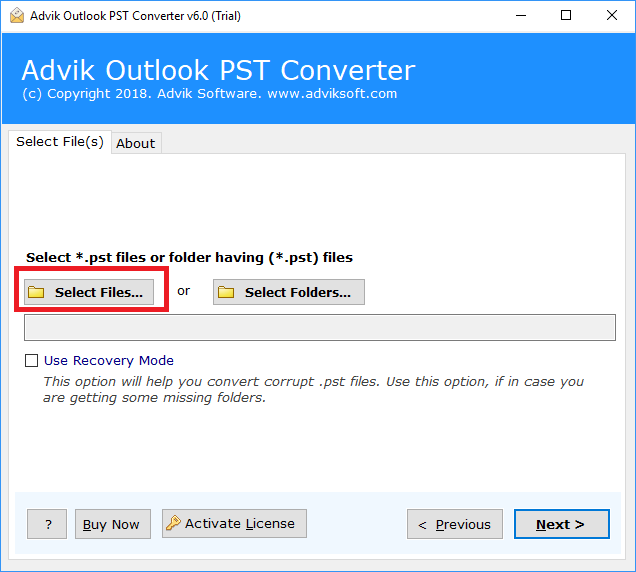
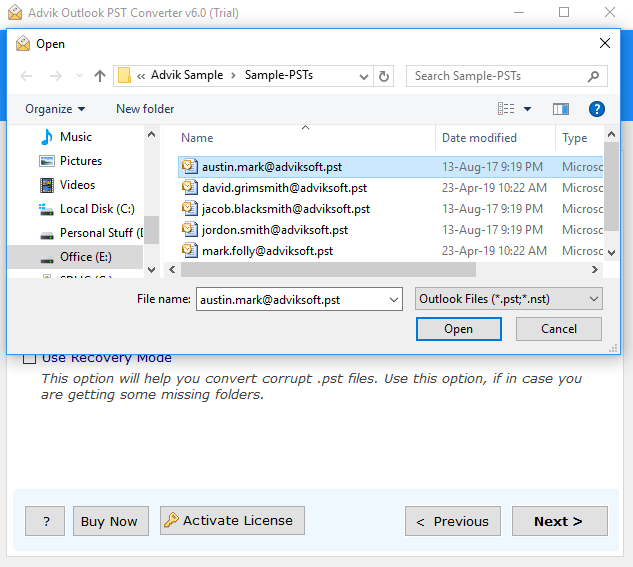
Step 2. Click Select File and add Outlook PST file in software.
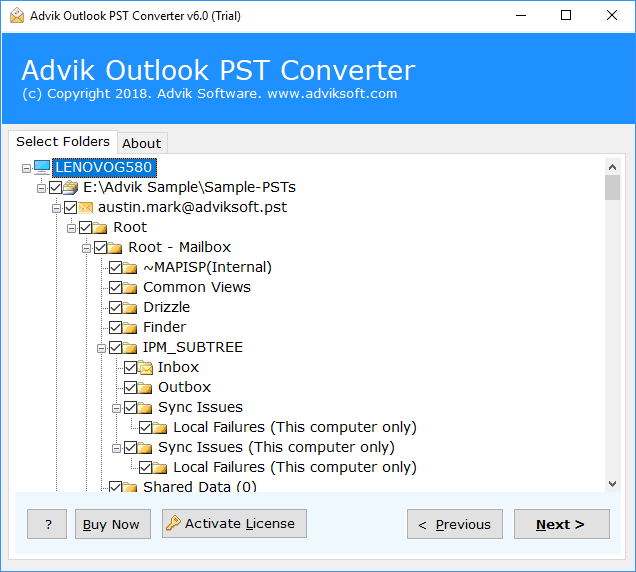
Step 3. Choose mailbox folders and click Next.
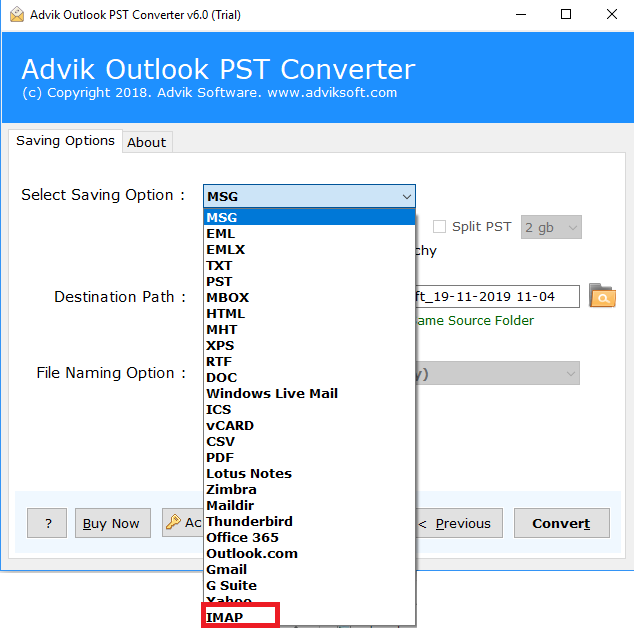
Step 4. Select IMAP as a saving option.
Step 5. Enter your cPanel mail account credentials and click Convert.
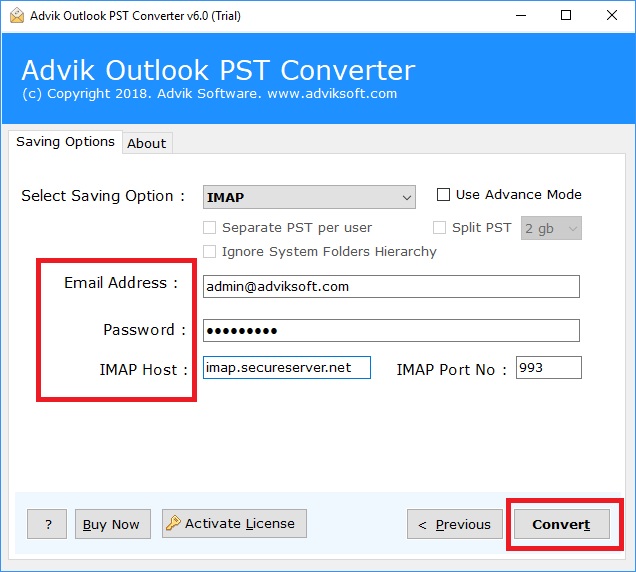
Done! Now sit back and relaxed! The software will transfer emails from PST into cPanel automatically.
Now you are fine after going through the simple and easy steps to import PST to cPanel email account. We have also provided a video tutorial to help you understand the whole working process in an easy way.
Watch How to Import PST File in cPanel Email
Benefits of Using Automated Tool
- Directly migrate PST file to cPanel email account without Outlook.
- Import single or multiple PST files in a single attempt.
- Transfer complete data from PST file, including emails, contacts, calendars, etc.
- Multiple saving options to convert PST to MBOX, PDF, EML, HTML, etc.
- Maintains folder hierarchy and email properties during the process.
- Advanced email filter options to import selected data items from PST file.
- Simplified user graphical interface for both technical and non-technical users.
- Compatible with all the latest and old versions of Windows operating systems.
Final Words
In this post, we have discussed how to import PST to cPanel email account. Here, we have explained both manual and automated solutions. You can choose any method as per your needs. However, we recommend you use the professional tool to migrate PST file to cPanel without Outlook. You can transfer emails from Outlook PST to cPanel email in bulk. All the main folder hierarchy will remain preserved. Thus, no data loss will occur. Download the Free demo and give it a try.
Frequently Asked Questions
Q1. How to import PST file from Outlook to cPanel?
Ans. There are two different ways to transfer PST file to cPanel email account: by configuring cPanel email account with Outlook or using a professional solution.
Q2. Can I upload selective emails from PST file to cPanel email account?
Ans. Yes, the software offers advanced email filter options to import selected emails.
