How to Import PST to Webmail | 2026 Tutorial
Jackson Strong | January 1st, 2026 | Email Migration, Outlook
Learn how to import PST to Webmail with complete mailbox data. This blog will describe the two most simplified methods to open PST file in Webmail account.
PST is undoubtedly a widely used file format to store emails, contacts, calendars, and other data items. However, the problem with it is that it can only be created and accessed by the Outlook application. If you don’t have access to Outlook, you won’t be able to access it. So, many users want to transfer PST file to Webmail accounts to access data from anywhere without relying on Outlook. In this blog, we will explain both manual and automated solutions to upload PST to Webmail.
Why Import PST to Webmail?
There are several benefits to transferring PST file to Webmail account. Some of them are;
- Accessibility: Access your PST data from any device with an internet connection.
- Cloud Storage: Emails are stored in webmail accounts and are backed up on the server.
- No Outlook Dependency: You do not need to install Outlook to open and read PST content.
- Data Protection: Safeguard your email data from system crashes or corruption.
- Simplified Email management: Centralize your data in one place
How to Import PST to Webmail With Outlook?
Outlook PST file contains emails, folders, contacts, notes, and various other Outlook data. This file can only be imported in Outlook officially. In case you want to manually import PST file in Webmail, then take help from Microsoft Outlook.
Follow these steps:
1. Launch MS Outlook on your computer.
2. Go to File and click Add Account.
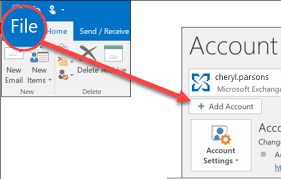
2. Configure your Webmail email account.
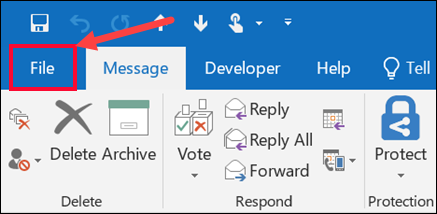
3. Once configured successfully, go to File.
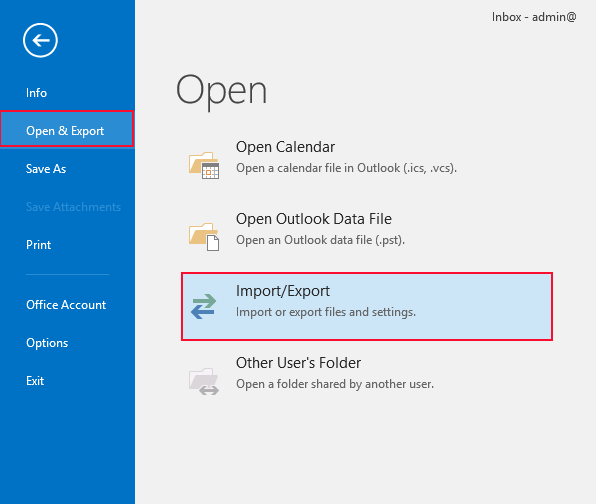
4. Now go to Open & Export >> Import/Export option.
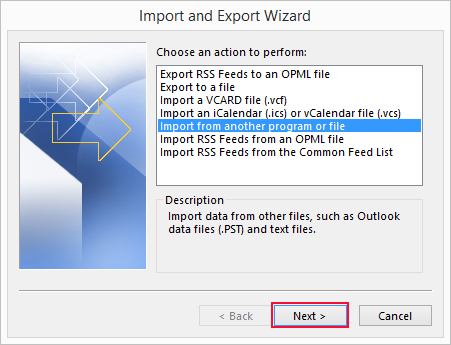
5. Select the Import from another program or file and press Next.
6. Choose Outlook Data File(.pst) option and hit on Next.
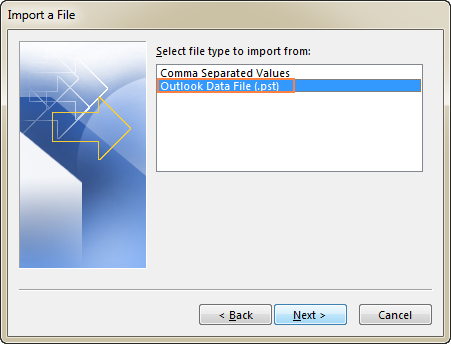
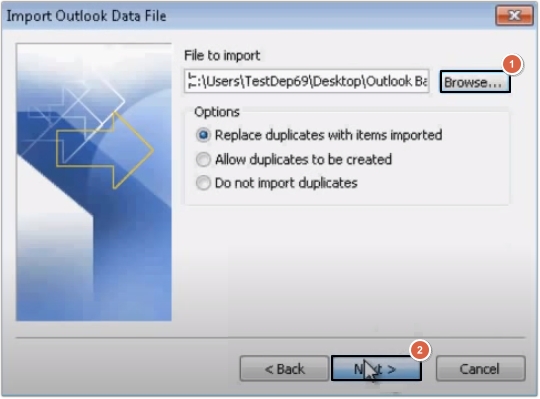
7. Browse and add PST file in Outlook.
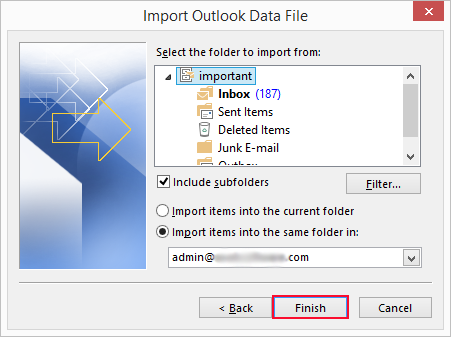
8. Select the Webmail account as primary and click Finish.
Note: If the Import Export Option is not available, then you won’t able to process the above steps. Below, we mentioned another alternative solution that doesn’t need MS Outlook.
How to Import PST File in Webmail Without Outlook?
For a direct and simple method, try the Advik PST Converter on your Windows PC. This program allows you to import PST to Webmail account directly. The tool will easily import emails from a PST file into Webmail in just 5 simple steps. Just upload the required PST file, choose email folders, enter webmail account details & click convert. The software can migrate multiple PST files to Webmail account in a single attempt.
Download the software and try it for free.


Steps to Import PST to Webmail Safely
Step 1. Run the software and click Select Files.
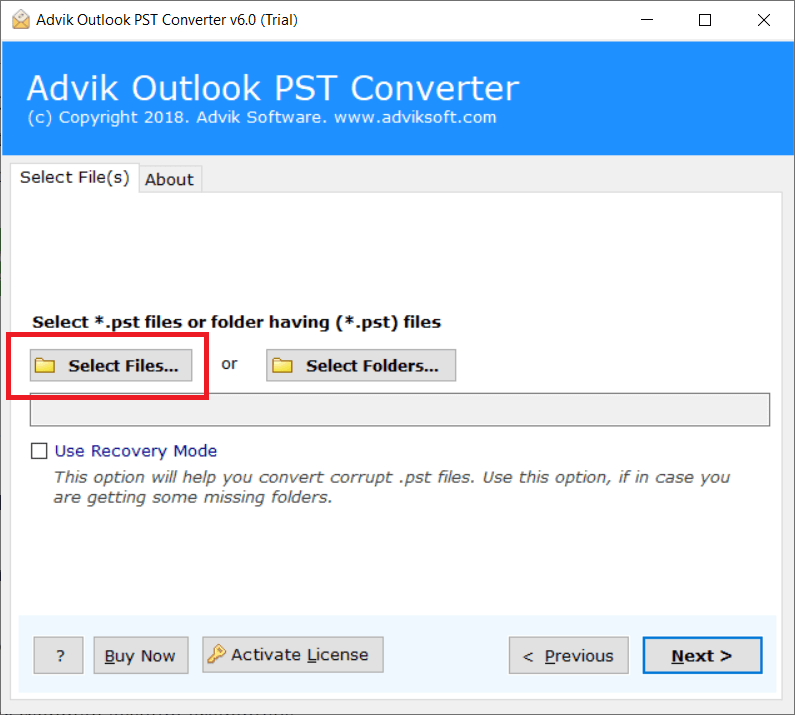
Step 2. Browse and locate .pst file into the software panel.
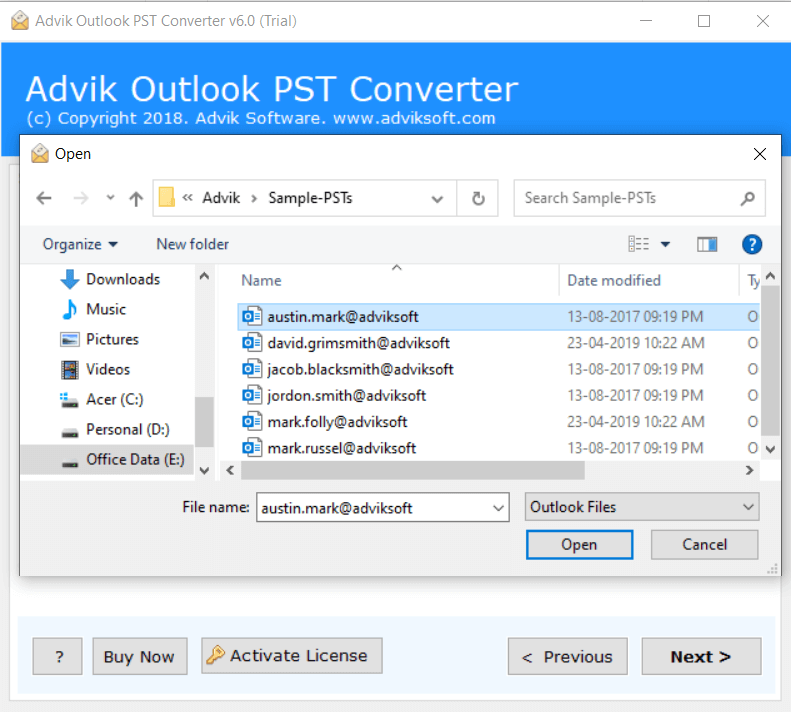
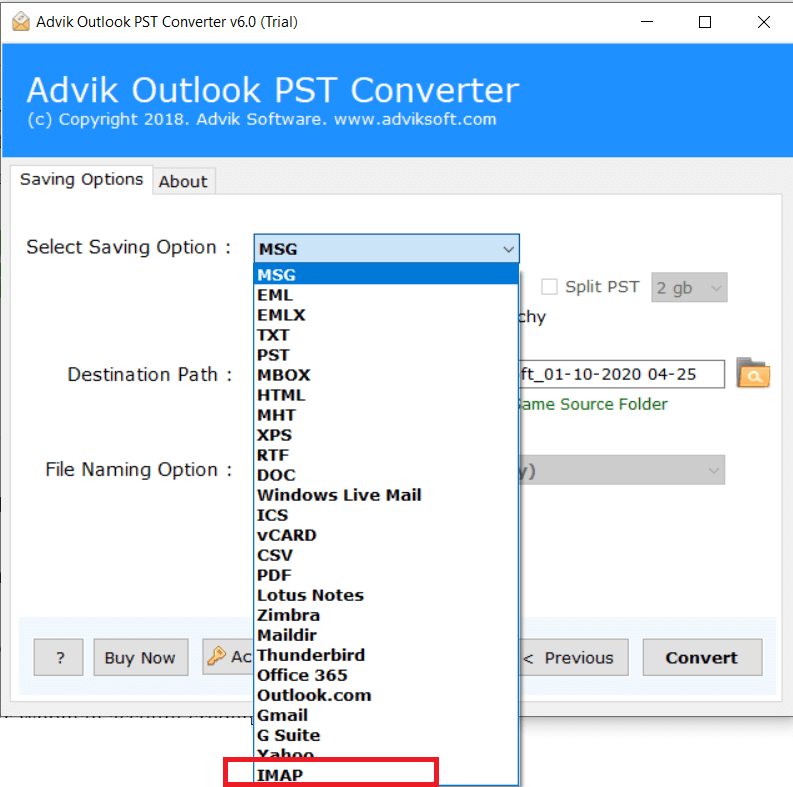
Step 3. Choose IMAP as a saving option from the list.
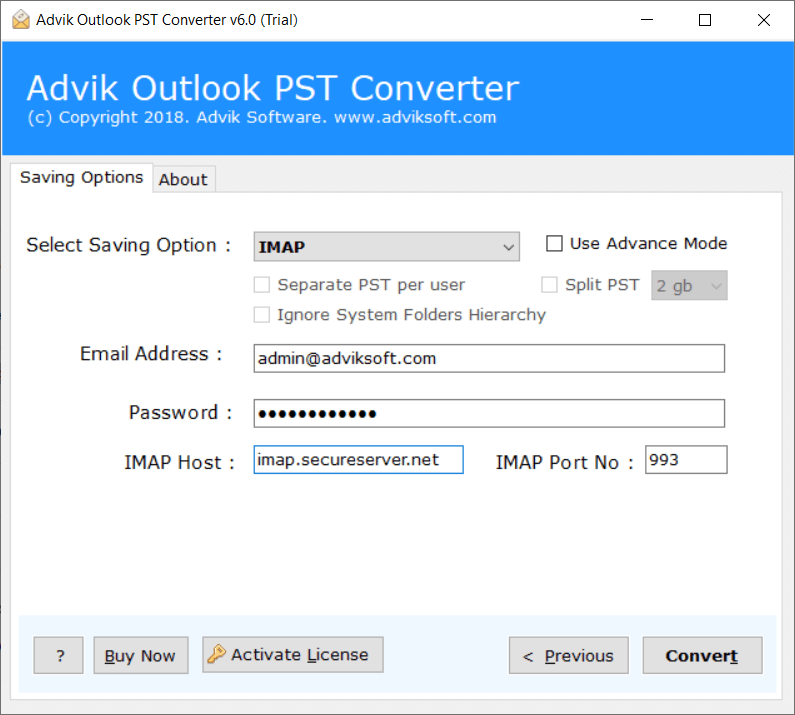
Step 4. Enter your Webmail account credentials.
Step 5. Click Convert to start email transfer process.
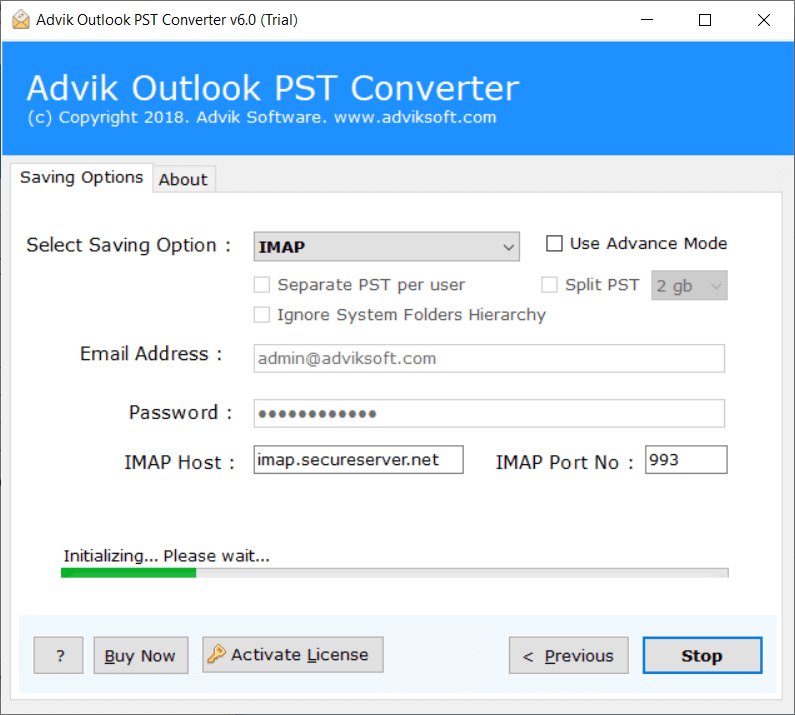
After the process completes, you can log in to your webmail account and check all the transferred PST file data.
Additionally, a log report will notify you once the process is complete.
Watch How to Import PST File to Webmail
Why Should You Go with Professional Software?
- Batch Import: Easily migrate multiple PST files into your web-based email account in one go. You can add multiple PST files to import in a single process.
- Preserve Email Formatting: Your email formatting, images, text, and attachments will remain intact during the import, preserving the original content.
- Direct Import PST to Webmail: Transfer PST file data directly to Webmail by entering your account details. you can import PST to Roundcube, Squirrel Mail, or any other.
- Maintain Folder Hierarchy: Rest assured about the originality of the folder hierarchy. As the software will keep it intact throughout the process.
- Windows OS Compatibility: The software is compatible with both Windows OS & supports all versions of these operating systems.
Conclusion
In this post, we have discussed how to import PST to Webmail using the two best ways. Users can use Microsoft Outlook to upload PST file to Webmail account. Since it’s a subscription-based service and not all users are using it. In this case, choose a tool to batch import PST file to Webmail account securely. You will get folder selection and email filter options. Thus, lots of advanced options are available in this software.
Frequently Asked Questions
Q 1. Can Webmail import PST files?
Ans. No, Webmail can’t import PST file directly. You have to take help from either Outlook or a third-party tool.
Q 2. How do I import a PST file into Webmail without Outlook?
Ans. You can directly migrate PST file to Webmail account with a professional tool.
Q 3. I want to import selective emails from PST file. Can I do this?
Ans. Yes, you can do this with the automated solution. The Advik Software offers an advanced filter option to import only selective emails.
