How to Migrate Gmail to Fastmail Account?
Christopher Plummer | January 28th, 2026 | Email Migration, Gmail
Do you want to migrate Gmail to Fastmail? If yes, then relax now. In this blog post, we will cover a step-by-step process for migrating from Gmail to Fastmail. After reading this blog post, anyone can easily transfer all emails from Gmail to Fastmail.
Gmail is the most popular email service. So, a question arises as to why users switch from Gmail to Migrate. There are a number of compelling reasons. As Fastmail is still a good option due to its wide variety of features such as email search feature, customizable notifications, Import/Export from other email services, Calendar, email and contacts in one application, proprietary anti-spam filters etc.
How to Migrate from Gmail to Fastmail?
There are two different ways – a manual and an automated solution to transfer Gmail to FastMail. is undoubtedly a great question. In the manual approach, your first step should be to set up email forwarding from your Gmail account to Fastmail. After that, you can transfer your emails using the Forwarding and POP/IMAP feature. On the other hand, the professional tool can directly move emails.
Let’s discuss each method in detail!
Method 1. How to Forward Gmail to FastMail for Free?
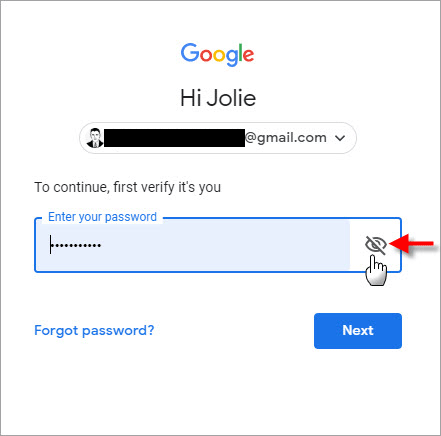
1. First of all, login to your Gmail Account using your login credentials.
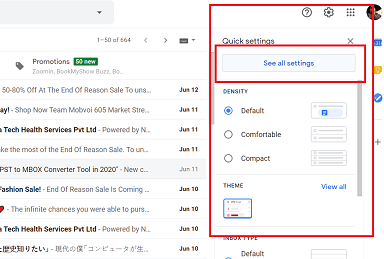
2. Now, Click on the “Gear” icon and navigate to the settings i.e. See all Settings.
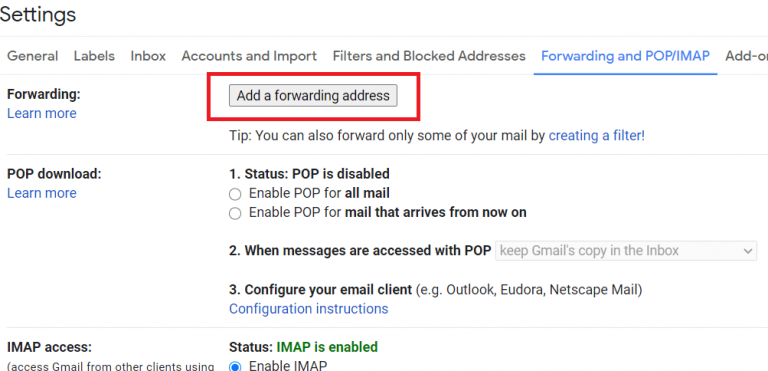
3. Thereafter, Click Forwarding and POP/IMAP >> Add a forwarding Address.
4. Type your Fastmail email address and tap “Next” button.
5. After that, check your Fastmail email account and click on the confirmation link you receive.
6. Now, refresh your Gmail account and again go to Forwarding and POP/IMAP and choose forward a copy of incoming mail and select your Fastmail address.
7. Then, click “Save Changes,” and all of your Gmail emails will now be exported into your Fastmail account.
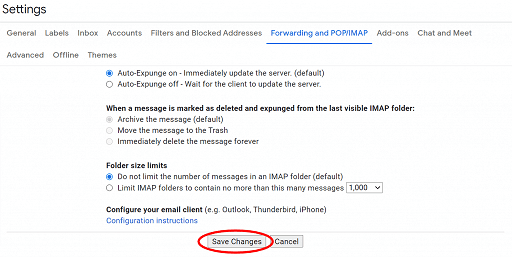
Finally Done!! You can actually see that this was the manual process to migrate from Gmail to Fastmail.
Method 2. How to Transfer Emails from Gmail to FastMail Securely?
Take help from the professional Advik Gmail Migration Tool. This software can easily migrate all emails from Gmail to FastMail with attachments. It is able to move Gmail folders to FastMail with same folder hierarchy. During the Gmail to FastMail migration process, the software will maintain and preserve email attributes. The software comes with an Advanced Email Filter option to export only specific emails.
Click below and download the software for free trial. You can transfer 25 emails from demo version.


Steps to Migrate Gmail to FastMail
1. Run software in your Windows PC.
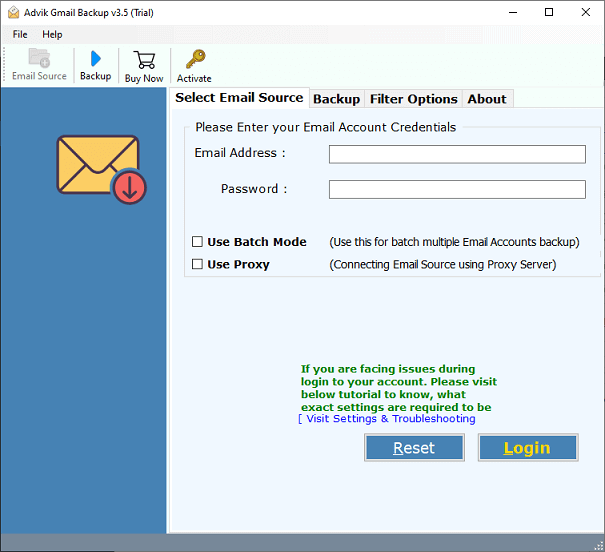
2. Enter your Gmail credentials and click Login.
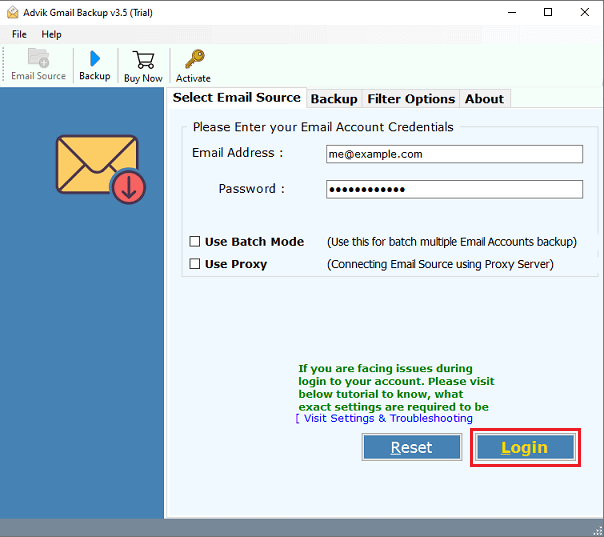
3. Select email folder to transfer to Fastmail.
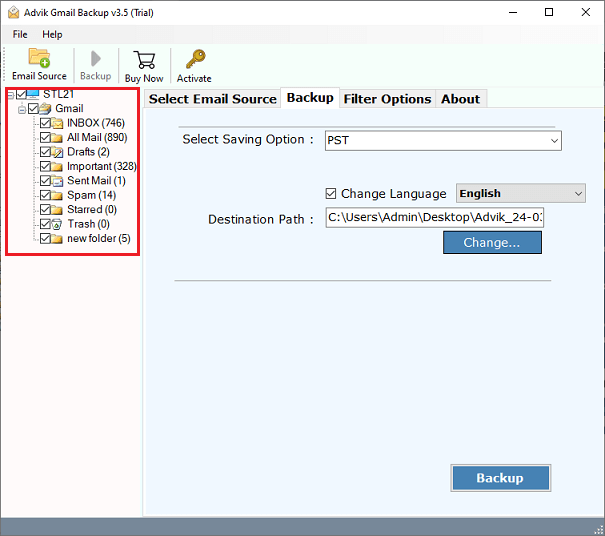
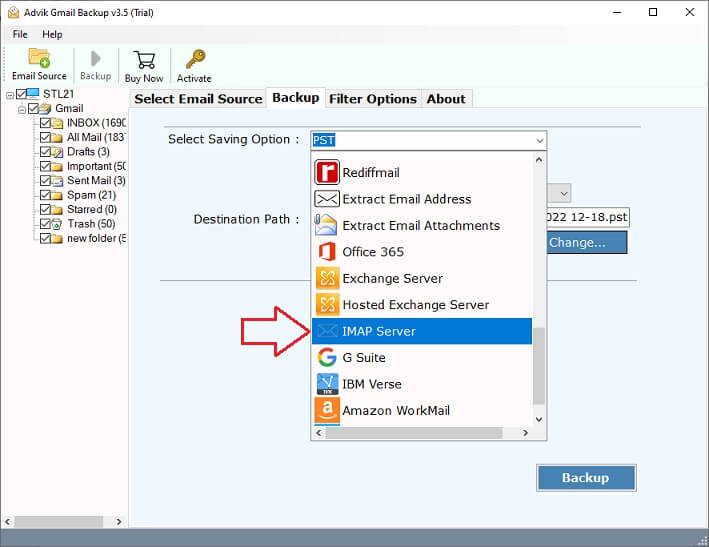
4. Select IMAP as saving option from software.
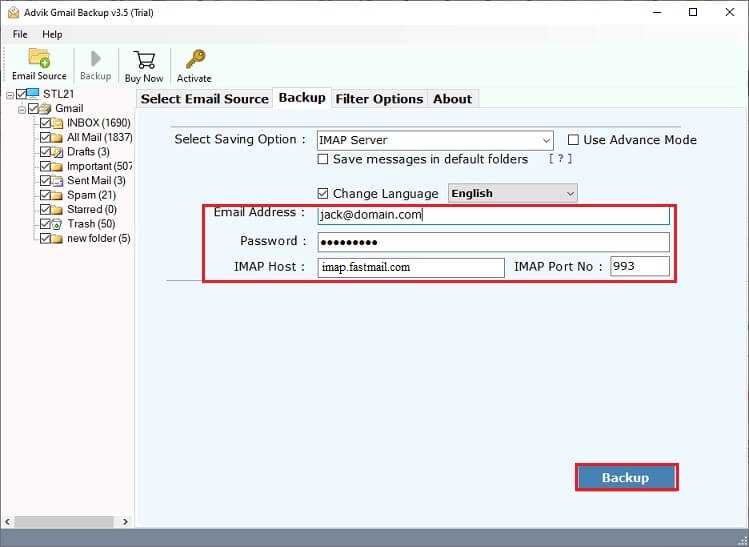
5. Enter your FastMail login credentials and click Backup.
The software will automatically start copying emails from Gmail to FastMail with attachments. Once the process get finished, the software will generate a log report of complete migration process.
Watch How to Migrate Emails from Gmail to FastMail
Why Choose Automatic Solution?
- Provides complete migration of emails from Gmail to Fastmail along with all data items.
- Export Gmail emails to PST, MBOX, PDF, CSV and many other file formats.
- Advanced email filter option to extract only required emails from Gmail.
- Selective email migration to choose the mailbox folders as per user choice.
- It will archive entire Gmail inbox with attachments without any hassle.
- Bulk Gmail to Fastmail migration to move emails from Gmail to Fastmail account.
- Allow to transfer emails from Gmail to Hotmail and many other webmail accounts.
- Simple and interactive GUI that can be easily accessed by users easily.
- It will download all Gmail emails without Takeout service effortlessly.
- Automated Tool to export data items from Gmail to Fastmail account
- Fast and 100% secure tool that does not store any of your personal information and delivers satisfactory results.
Final Words
We hope that we were able to solve your query regarding How to migrate from Gmail to Fastmail account after reading this article. We have mentioned the most straightforward solution that fulfils the user’s needs. You can easily use this tool to perform Gmail to Fastmail migration process. We have also given a FREE Trial version to check it’s efficiency and effectiveness of this tool and after being satisfied you can trust this tool to upgrade it to a licensed version.