How to Extract Emails from PST Automatically?
This tutorial discusses two effective methods to extract emails from PST file, manual method by using Microsoft Outlook and professional method by using Advik PST Email Extractor with complete decision guide.
If you have installed Outlook and need to save few emails only then the manual method might be enough. But, if you want to extract emails without Outlook, in multiple formats, from large PST file etc, the professional approach is more reliable one. You will also find guidance on how to implement complete solution without any error and also help you to choose a right methods as per your requirements.
There are two ways to extract emails from a PST file:
Microsoft Outlook (Manual Method): Here, you need to open PST file in Outlook, select required emails and export them manually. This method works for small mailbox but requires Outlook and provides limited options.
Advik PST Email Extractor (Professional Method): It loads one or multiple PST files, requires to choose an output format, you can also apply optional filters and extract emails in bulk without using Outlook.
This tutorial covers both methods with step-by-step instructions, screenshots, comparisons of both solution, usage and non-usage of both the methods in different circumstances, expert tips, troubleshooting solutions and answers of frequently asked questions.
Why Would You Need to Extract Emails from a PST File?
There are many situations where you need to extract emails from PST file. Here are some of the most common reasons:
1. You don’t have Microsoft Outlook: Many users get PST files from different sources such as from colleagues, clients or old computers but it’s not necessary that they always Outlook with them. PST email extraction is required in this case to access and read emails.
2. Make an Email Backup: PST is not compatible with other email clients or application so by exporting emails to PDF or EML formats, you can store it securely or also share it if needed.
3. Switch to Another Email Client: If you are moving from Outlook to Apple Mail, Gmail, Office 365, Thunderbird or another email service then extracting emails from PST file will help you make the migration process easy.
4. Export Important Emails: Sometimes you just want to send some emails to someone. Instead of sharing the whole PST file you can extract selected emails into any desired file format.
5. Archive old emails in Outlook: Businesses or organizations usually backup or save old emails for legal, compliance, or to keep record of their important emails. It helps to save important email messages for future reference.
6. Retrieve Emails from an Old Computer: If you have copied a PST file from the old system, then extracting emails helps you to read and save your mailbox without restoring the whole Outlook profile.
Things to Consider Before Extracting Emails
Before you start, make sure to check the following list;
- Ensure that your PST file is not corrupted and is in good state.
- Create a backup copy of the original PST file.
- Decide earlier that in which format you will extract your PST emails. (PDF, EML, MSG, HTML, etc.).
- If you only want emails from a specific folder, choose a method that allows you to extract selectively.
- For large PST files, choose method that supports it as it will keep attachments and folder hierarchy intact also.
If your PST file is corrupt or Outlook shows errors while opening it then first repair the PST file and then extract emails from it. This prevents incomplete process.
Method 1. How to Export Emails from PST File Manually?
If you have installed Outlook on your system, have healthy PST file that is working fine in Outlook so you can use this method. It works for a small number of emails and also can be time-consuming if you have large mailboxes.
Steps to Extract Emails from PST File
Step 1. Launch Microsoft Outlook on your Windows computer.
Step 2. Go to File >> Open & Export >> Open Outlook Data File.
Step 3. Browse to the PST file and click Open.
Step 4. Choose the mailbox folder that contains the emails you want to extract.
Step 5. Now, select individual or select all emails in a folder.
Step 6. Drag and drop emails to a Windows folder to save them as MSG files.
Step 7. Use File >> Save As to save an individual email.
Now, you can access the extracted emails from the selected location.
Note: The manual method works well for extracting few emails from PST file, but it becomes time-consuming when dealing with large PST files or when you need to extract emails in multiple export formats.
Method 2. How to Extract Emails from PST File Without Outlook
In case you do not have Microsoft Outlook installed or you need to extract emails from multiple PST files then you can also try any PST Email Extractor. With these applications, you can bulk extract emails and save them in various file formats.
For instance, we will suggest using Advik PST File Converter which is a professional tool to extract emails from PST files without using Outlook. It supports to export multiple emails from PST file in a single time and provides 25+ file formats like PDF, EML, MSG, etc. It also has advanced filters to export only the emails you need.
You can download the free trial version to evaluate its features before purchasing the full version.


Steps to Get Emails from PST File Automatically
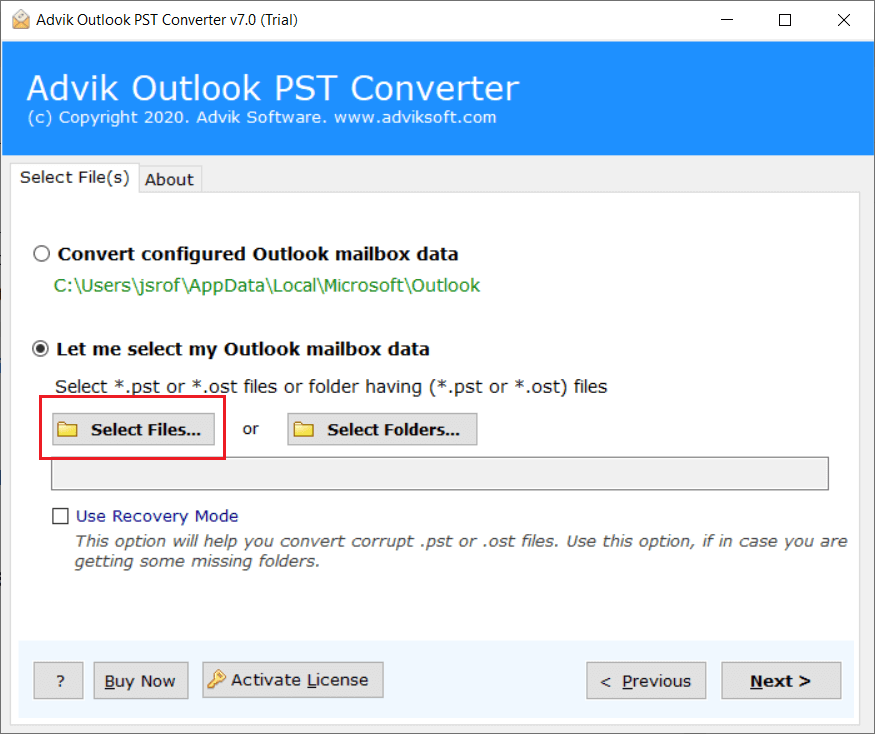
1. Launch PST Email Extractor Tool and click “Select Files”.
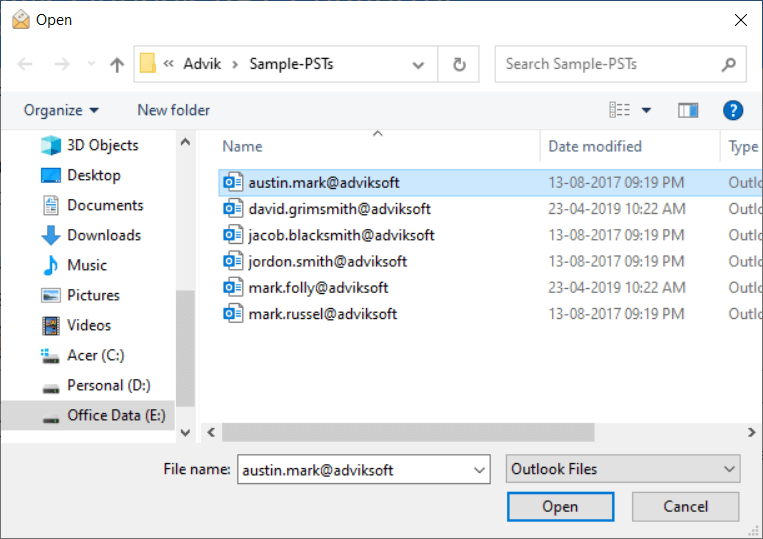
2. Browse and locate Outlook .pst file into software.
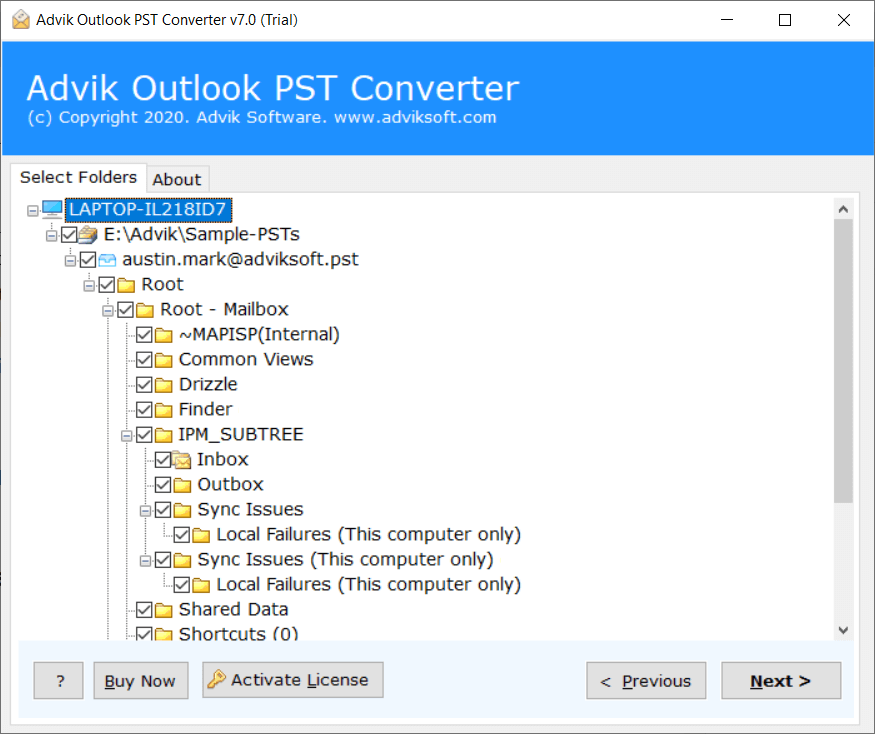
3. Now, select email folder from the list and click Next button.
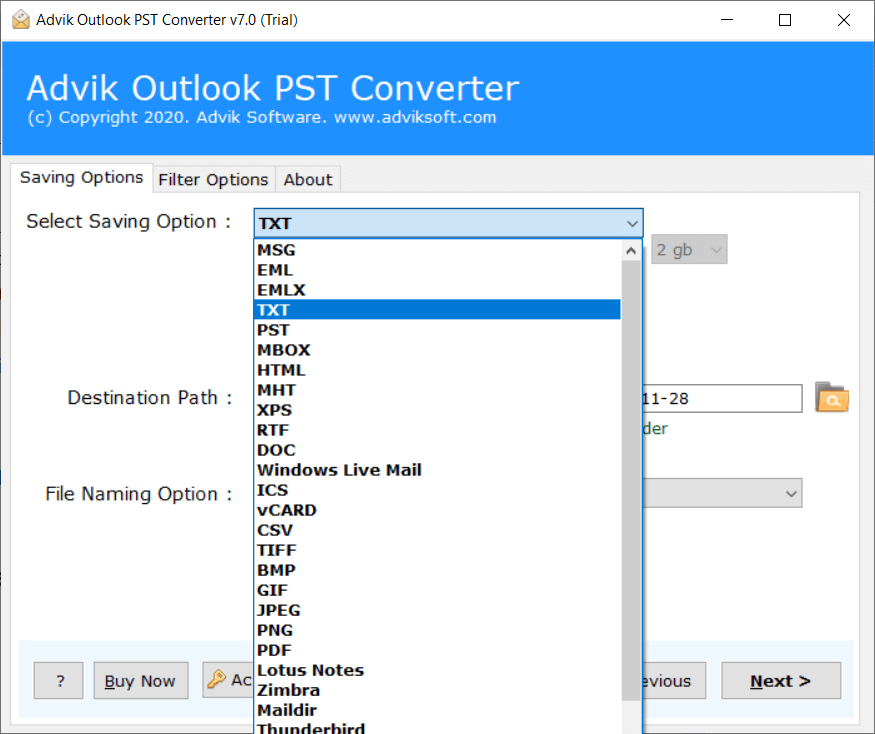
4. Now choose file format in which you want to extract emails to.
5. Select destination path and click Next button.
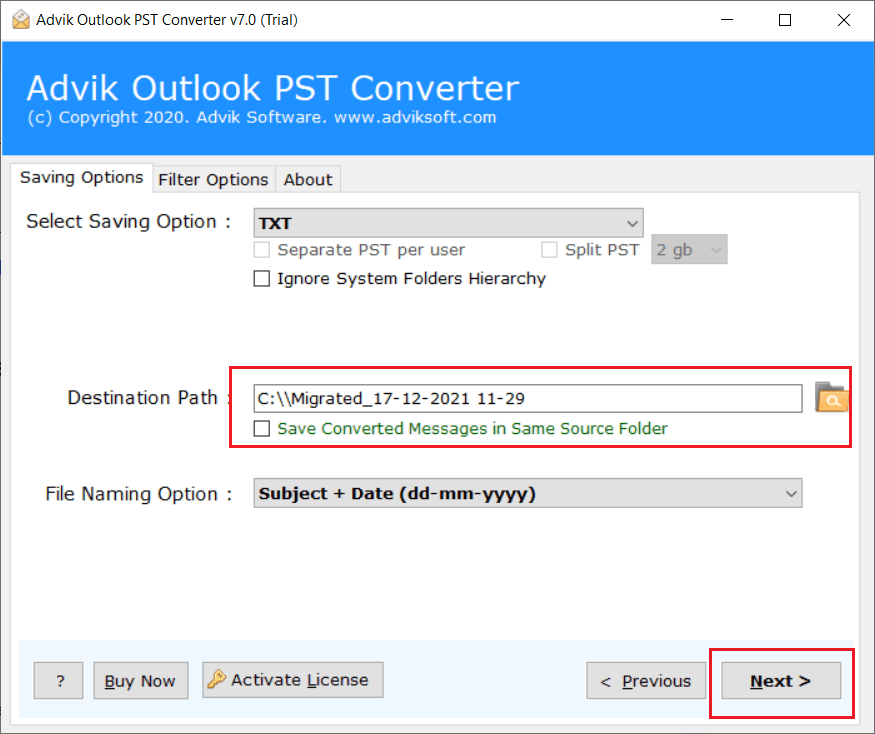
Done! This is all you have to do. The software will start extracting all emails from PST file in no time.
Watch How PST Email Extractor Works
When Should You Use a PST Email Extractor?
A dedicated PST email extractor is the better choice in various circumstances. Let’s find out the reasons mentioned below.
Extract Emails from Multiple PST Files
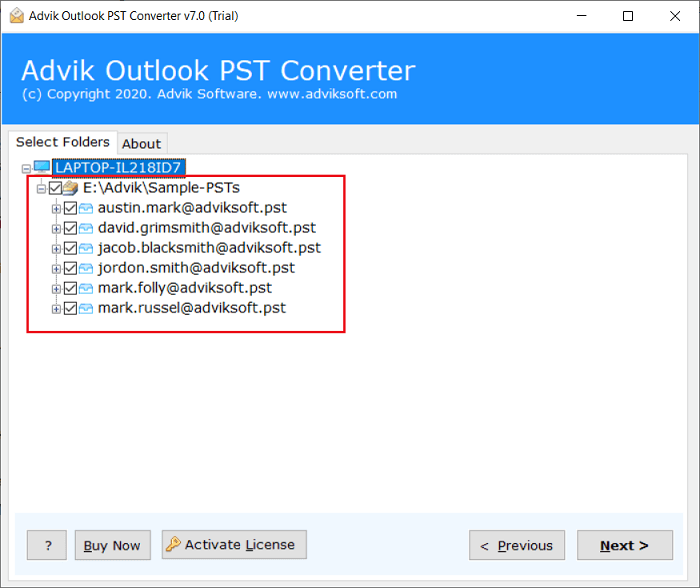
This is foremost the best feature of this tool. If in case you are dealing with multiple PST files, you can extract emails from .pst in one single attempt. Just select all the PST files in one go and follow the email export process.
Convert PST Emails and Save in 25+ Formats
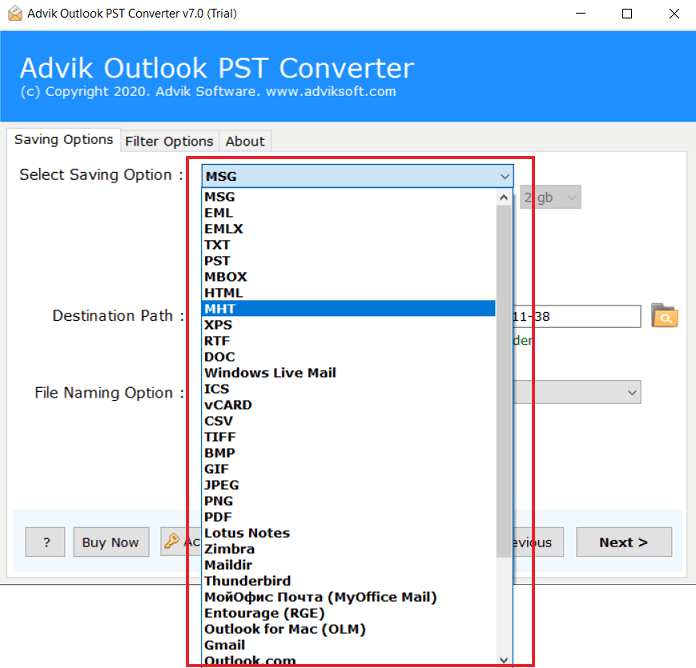
You can convert PST file to MSG, EML, GIF, JPEG, PNG, Maildir, and 25+ file formats.
Extract Contacts and Calendar
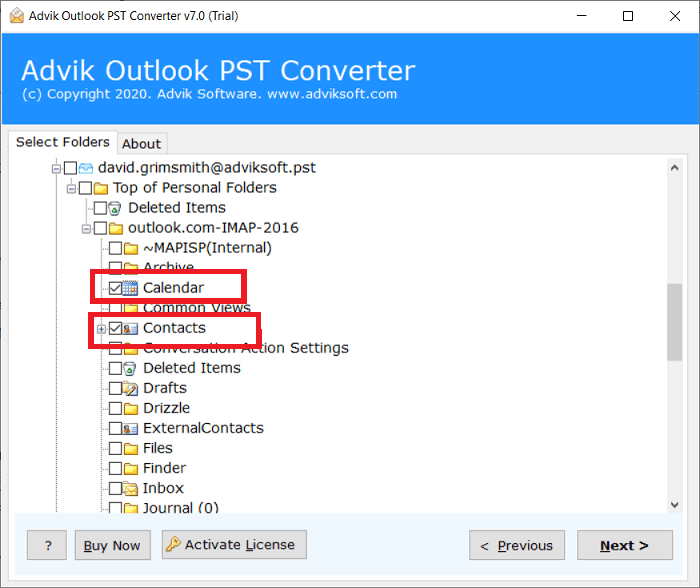
The software is basically used for email extraction and conversion. However, you can do much more with it. With this utility, you can extract calendar from PST file, extract contacts from PST file, and attachments also. Later save the extracted data in respective file format.
Maintain Folder Hierarchy Structure
Final Thoughts
It’s not a difficult task to extract emails from PST file if you have a guide that explains complete methods. Here, we have explained three workable methods available online. Either you can try manual, professional solution or you can use Python (for developers). Choosing a particular method is totally depends on your need. So, first analyse your requirement, test all the methods and then choose a reliable one. The manual approach can be sufficient if you have Microsoft Outlook installed and only need to extract few emails. However, when dealing with large mailboxes or when you require export choices as per your need then it becomes time-consuming.
Advik PST Email Extractor allows you to extract emails from PST files without Outlook and in bulk also. However, if you are technically competent and need a fully automated PST email extraction process, then you can do it using Python also.