How to Transfer Emails from One Hotmail Account to Another?
Jackson Strong | January 19th, 2026 | Data Backup, Outlook
Learn the most effective method to transfer Hotmail emails to another account. This tutorial includes two basic and simple approaches to move emails from one Hotmail account to another.
Creating a new Hotmail account or switching to a fresh email address doesn’t mean you have to lose your old emails. Microsoft Hotmail provides built-in options to transfer emails from one Hotmail account to another. In this guide, we’ll cover manual as well as professional methods so you can choose what best fits your needs.
Let’s get started with the first method without any further delay.
How to Transfer Hotmail Emails to Another Account Free?
To send your Hotmail emails to another email account, follow these steps;
- Open any web browser and log in to your Hotmail account.
- Click on the gear icon and then choose “View all Outlook settings.
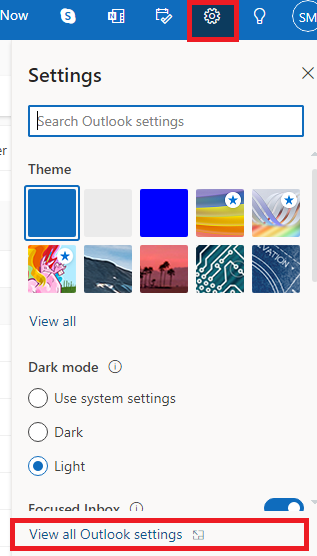
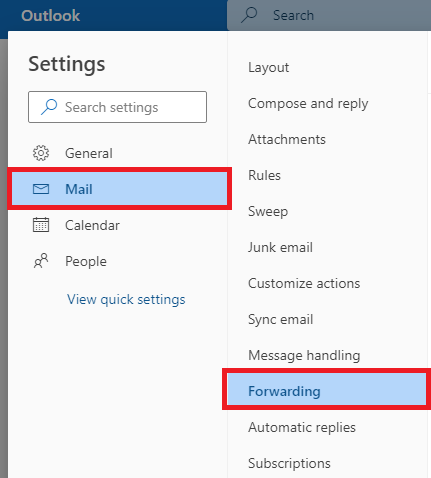
- A new box will pop up, now click on Mail and select Forwarding.
- Check the box that appears as enable forwarding. and enter the email address of the destination account.
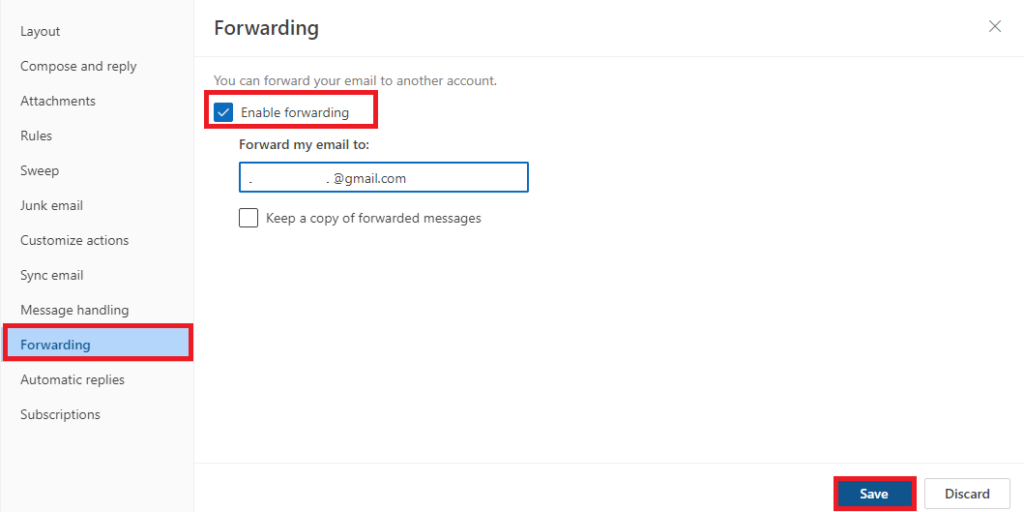
Done!! This is how you can move Hotmail emails to another account.
Note: These steps can be a bit technical, so it’s a good idea to get help from experts.
How to Transfer Folders from One Hotmail to Another?
This Hotmail to Hotmail email transfer process can be made easy with an automated tool. Here, we have the most recommended approach, i.e., Advik Hotmail Backup Tool. Using this application, users can choose the email folders of their Hotmail account of their choice and transfer them into another Hotmail account. Also, there is no restriction on transferring a limited number of accounts, you can transfer as much you can.


Steps to Transfer Emails from One Hotmail Account to Another
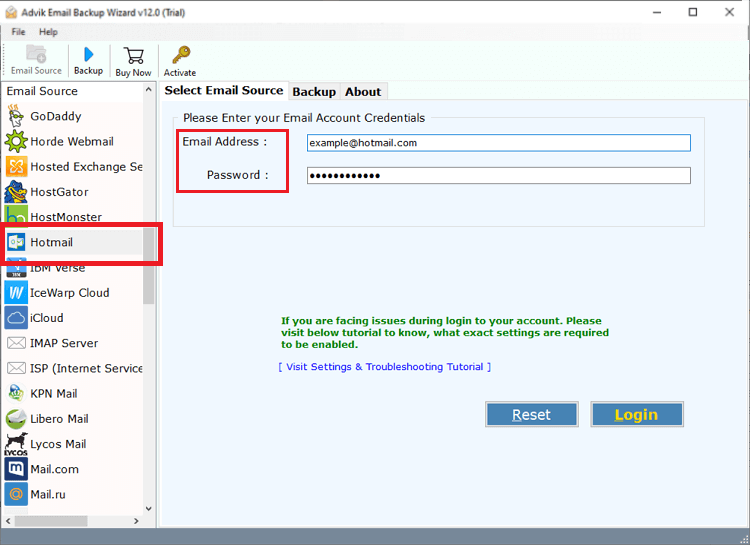
1. Launch Hotmail to Hotmail Tool in your PC.
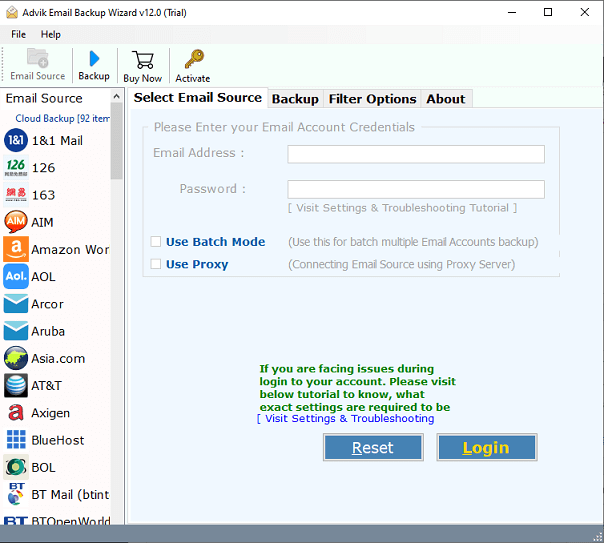
2. Enter your primary Hotmail login credentials to sign in.
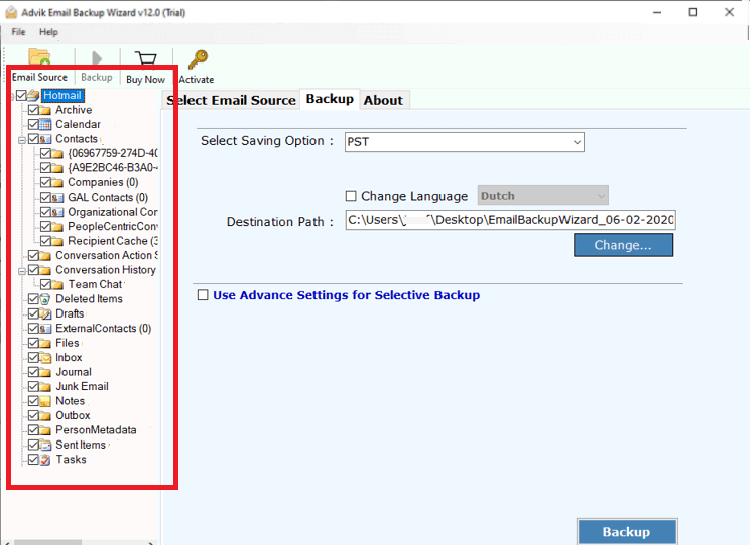
3. Select email folders to transfer and click Next.
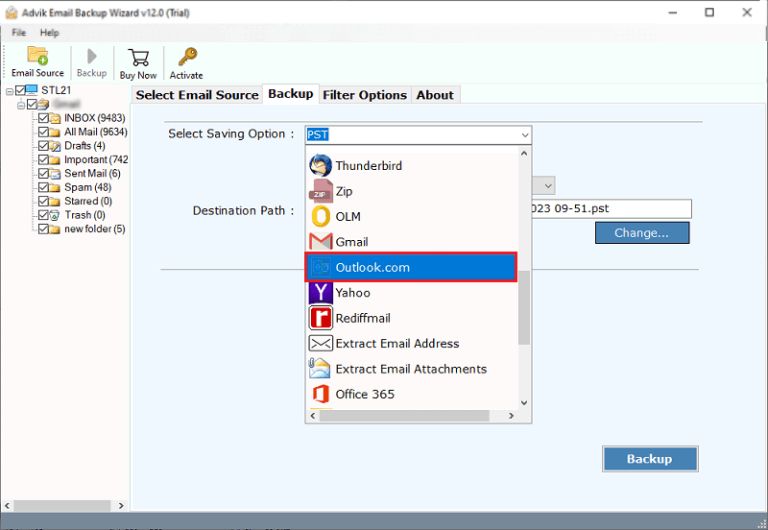
4. Choose Outlook.com as saving option from software.
5. Enter your Hotmail login credentials & click Backup.
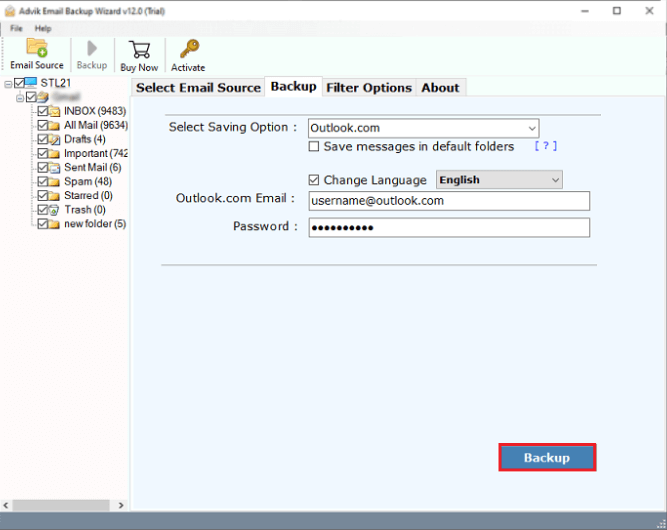
Finished! The software will start transferring emails from one Hotmail to another Hotmail account.
Why Choose Automatic Solution?
- This tool quickly export Hotmail email to PST, PDF, EML, and more.
- Transfer emails from one Hotmail to another Hotmail account with attachments and other items like Inbox, calendars, etc.
- It lets you download Hotmail emails to hard drive/PC/Computer etc.
- Freedom to choose the desired destination path to save the resultant data file without any issues.
- You can use the software’s email filter feature to move Hotmail emails by date and choose which ones to migrate.
- With this tool, users can also download all attachments from Hotmail account in just a few simple steps.
- It maintains the Hotmail mailbox data structure during the process and keeps everything in order.
- This application is compatible with all previous and latest Windows OS Versions, including Windows 11/10/8/8,1/7/XP/Vista, etc.
Watch How to Transfer Hotmail Emails to Another Hotmail Account
Final Words
This write-up highlights the two easiest and simplest ways to export folders from one Hotmail account to another. You must have seen two different solutions to transfer Hotmail emails to another account. However, we find an automated tool is easier to use and implement in comparison to the manual approach. The traditional method seems simple but doesn’t provide desired results.