Windows Live Mail to CSV Converter – Export Emails to Excel
Jackson Strong | January 4th, 2026 | Data Conversion, Windows Live Mail
Many users still have important emails in Windows Live Mail. Now, they want to export their emails into a more accessible and usable format like CSV, which allows users to open email data in Excel and other spreadsheet applications. That’s why they are searching for a solution to export Windows Live Mail to CSV file. Here, we’ll provide a secure and relaible Windows Live Mail to CSV Converter.
Why Convert Windows Live Mail to CSV?
There are several reasons to export Windows Live Mail emails to Excel CSV file. Some of them are:
- CSV files are easy to open.
- Easy sharing and portability of email data.
- Suitable for compliance and record keeping.
- Useful for importing data into a CRM system and project management tools.
Windows Live Mail to CSV Converter – Export Emails to Excel Sheet
Advik Windows Live Mail Converter is the perfect and accurate solution to export Windows Live Mail to CSV format. The tool enables any novice to easily to transfer WLM emails to Excel file. It lets you move all or only selected emails from the Windows Live Mail configured profile. It maintains the original structure of emails folders while exporting. The software also provides a free preview of all emails along with all attached information before saving it into .csv file format.
Click on the below link to download it for free.

Steps to Export Windows Live Mail to Excel
Step 1. Run Windows Live Mail Converter in your system.
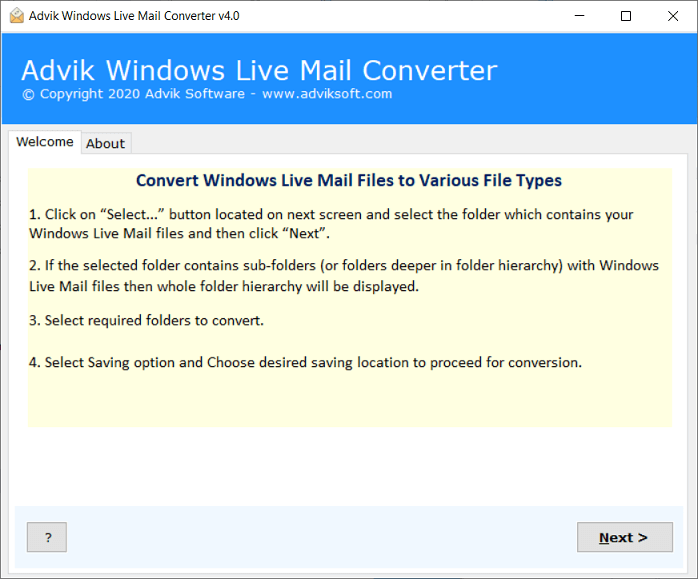
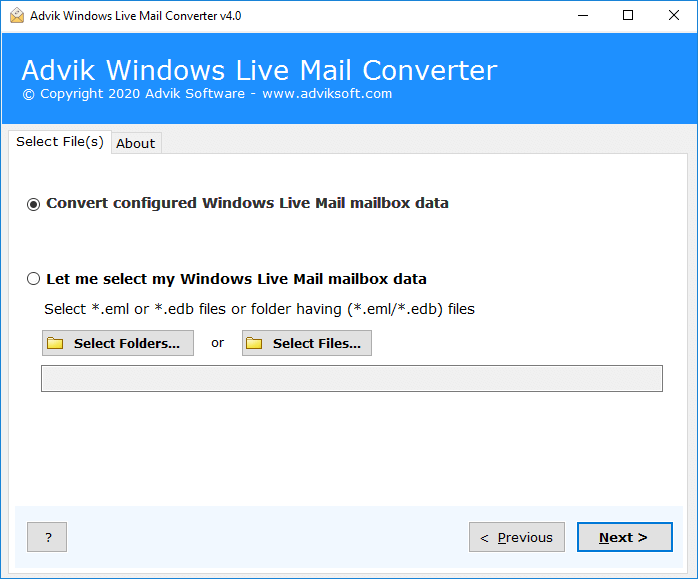
Step 2. Select your WLM profile and click Next.
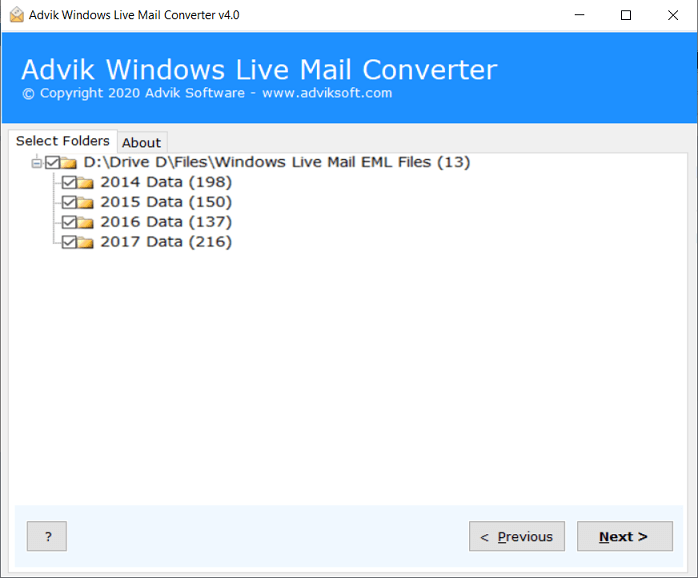
Step 3. Select email folders from the mailbox.
Step 4. Now, select CSV as email export option.
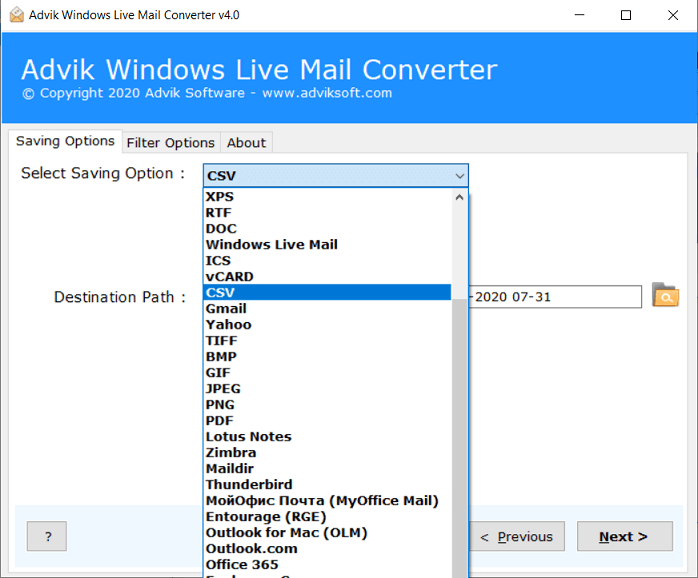
Step 5. Set output target destination to save resultant file.
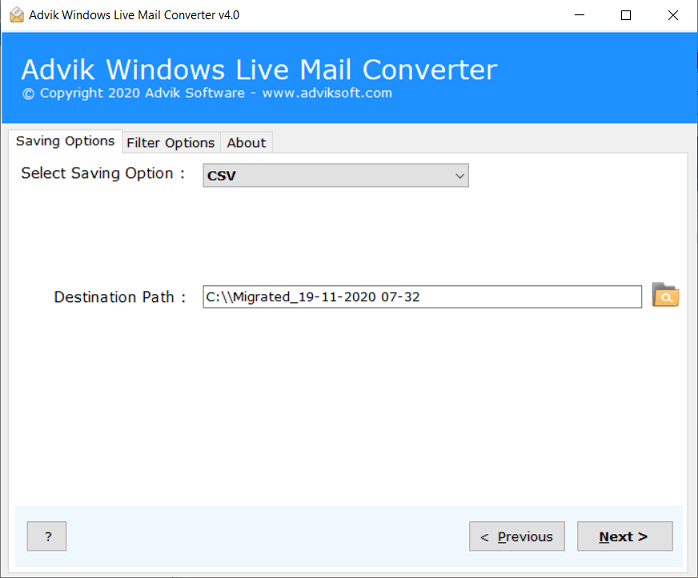
Step 6. Click Next button to start the conversion process.
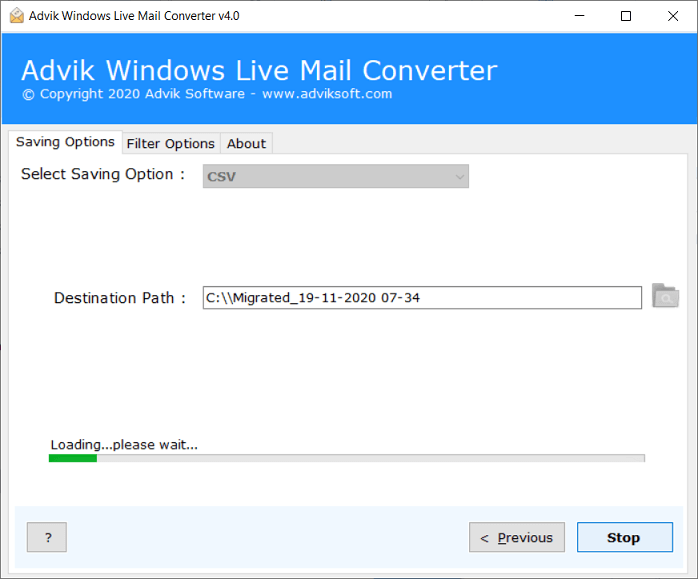
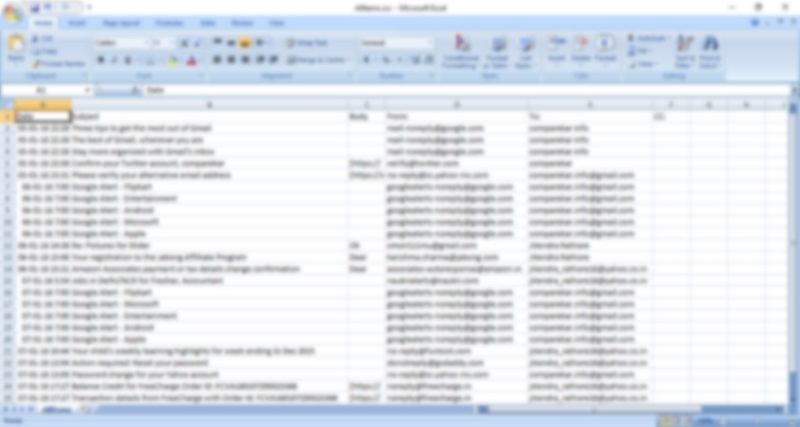
The conversion process will start automatically. You can also view the live progress report in the software window. When the process is complete, the message “Conversion Successful” will appear on the screen. Click OK and check the output from the selected location.
Impressive Features of Windows Live Mail to CSV Converter
The software comes with several beneficial features that enable users to convert according to their needs. Some of them are discussed below:
- Ease of Use: Windows Live Mail to Excel Converter tool has a simple and graphical interface. This way, any normal computer user can easily perform the conversion.
- 100% Safe: The application is completely free from viruses or malware. You can securely export Windows Live Mail emails to Excel CSV file.
- Batch Conversion: The software offers bulk conversion of emails. You can select as many WLM emails and the software will convert them in one attempt.
- Export Selective Emails: With the Windows Live Mail to Excel Converter tool, it is possible to select and export only required emails from WLM.
- Save Attachments: Along with emails, the software supports exporting Windows Live Mail to Excel with attachments.
- Maintains Email Formatting: The tool preserves all metadata properties of emails after the conversion. No modifications are made to the original formatting.
- Standalone Tool: It is a completely independent wizard that does not require the installation of an external application. You can easily export Windows Live Mail emails to Excel without installing any program. Plus, the Windows Live Mail application is also not required if you have EML files for conversion.
- Free Demo Version: You can then download the free trial version of the software. It allows you to export 25 items per folder. Once you are satisfied with the performance of the tool, you can purchase the full version to export more WLM emails.
- 24*7 Customer Support: The software has a full-time customer service team that will resolve any issues or questions you may have regarding the product. The team is always there for you and offers you a quick response to your request.
Final Verdict
This blog discussed the secure and quick solution to export Windows Live Mail to Excel CSV file. The recommended software is useful for all types of users to convert Windows Live Mail emails to CSV file. Check out this Windows Live Mail to CSV Converter and export emails into Excel easily.
Frequently Asked Questions
Ans. Yes, the software allows you to export multiple WLM emails to Excel CSV file at once.
Ans. Steps to export contacts from Windows Live Mail to CSV are;
Step 1. Run tool and select Windows Live Mail profile.
Step 2. Choose Contact folder from your account.
Step 3. Select CSV or vCard whichever format you like.
Step 4. Choose your target location to save file.
Step 5. Click Convert to start process.
Ans. No, the tool maintains all meta properties of emails during and after the conversion. No data will be modified throughout the whole process.
Ans. Yes, the software offers the freedom to select and export only the desired emails from WLM.
