How to Import Windows Live Mail to Thunderbird?
Windows Live Mail is no longer a free email client from Microsoft. Hence, most of the users want to migrate their emails from Windows Live Mail to a safe and secure email platform. If you are thinking of switching from WLM to Thunderbird application, this write-up will help you. This blog will show you 3 easy ways to import Windows Live Mail to Thunderbird in bulk.
Thunderbird is a popular free desktop-based email application for communication. It helps users to send/receive emails, and manage contacts, calendars, and tasks. In addition, users can simultaneously access their multiple email accounts in Thunderbird. This is the great advantage of the Thunderbird application, which allows users to manage their multiple accounts in one place.
Now, we will discuss the methods to export Windows Live Mail emails into Mozilla Mail. First, we will cover the manual method, and then we will explore an alternative approach.
How to Import Windows Live Mail to Thunderbird Free?
Two manual techniques for transferring Windows Live Mail emails to Thunderbird are here. We’ve discussed both methods below. You can choose one of them that meets your needs.
Method 1: Use the Drag & Drop Option
1. Open the Windows Live Mail application.
2. Click on File >> Export email >> Email messages.
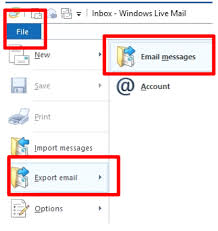
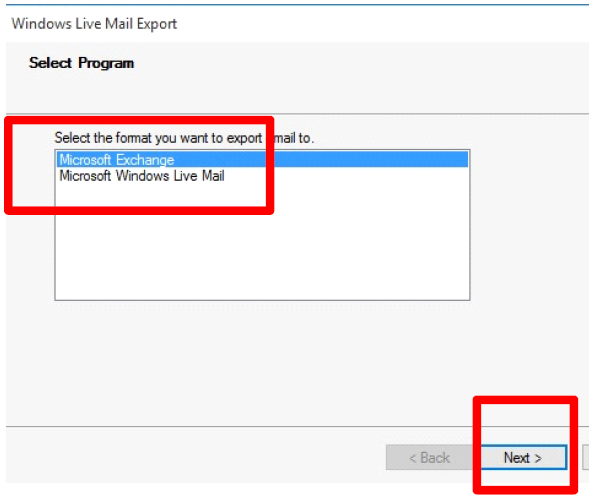
3. Select Windows Live Mail from the options and click Next.
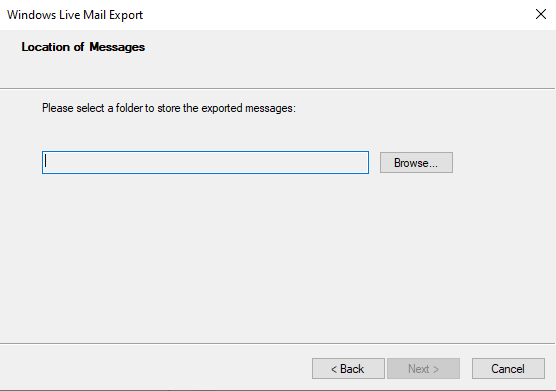
4. Next, click on Browse and choose the saving location, and press Next.
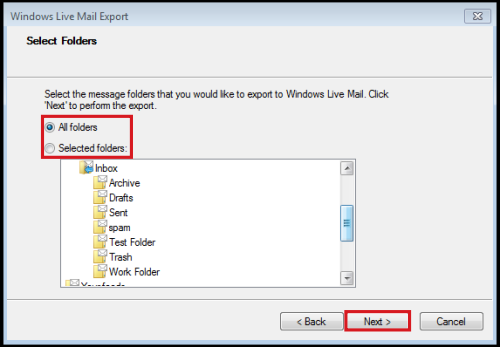
5. Choose the Windows Live Mail folders that you want to import and click Next.
5. The exported emails will be saved .in eml format.
6. Now, open Thunderbird, and sort the new subfolder.
7. Drag and drop EML file to a new folder.
After that, you can transfer all EML files to the desired folder.
Note– The drag-and-drop method is useful for fewer emails. If you need to migrate Windows Live Mail to Thunderbird at the organizational level. Then this manual method is not the right choice.
Method 2: Use Import/Export Option
1. Firstly, export WLM emails in .eml format.
2. Now, Open Thunderbird application on your system.
3. Install ImportExportTools NG in Thunderbird.

4. Once the extension is added, create a new folder by right-clicking.
5. Right-click on the folder and select ImportExportToolsNG >>Import EML messages.
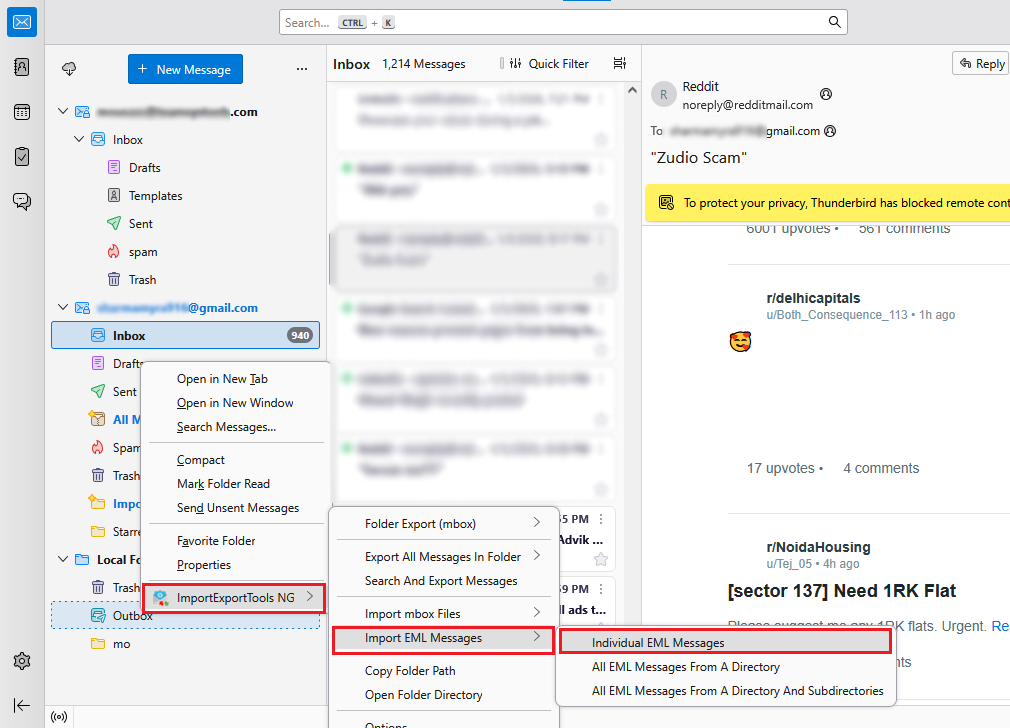
6. Select the folder having EML files to import Windows Live Mail to Thunderbird.
7. After the import process starts immediately.
How to Transfer Emails from Windows Live Mail to Thunderbird Automatically?
If you feel that the above manual methods are time-consuming and require technical expertise, you can go with an automated solution. Advik Windows Live Mail Converter is an advanced utility to export Windows Live Mail to Thunderbird. This software will import Windows Live Mail folders to Thunderbird in batch. No manual trick or configuration is required for this task.
The software is very easy to use, even for a novice without technical expertise. It also provides a free preview of emails along with their attachments. The best thing about this tool is that it does not have any size limitations. Thus, you can transfer as many emails or folders to Thunderbird.


Note: Mozilla Thunderbird should be installed on the PC to perform the import process.
Steps to Migrate Windows Live Mail to Thunderbird
- Launch the software and choose the configured mailbox data option.
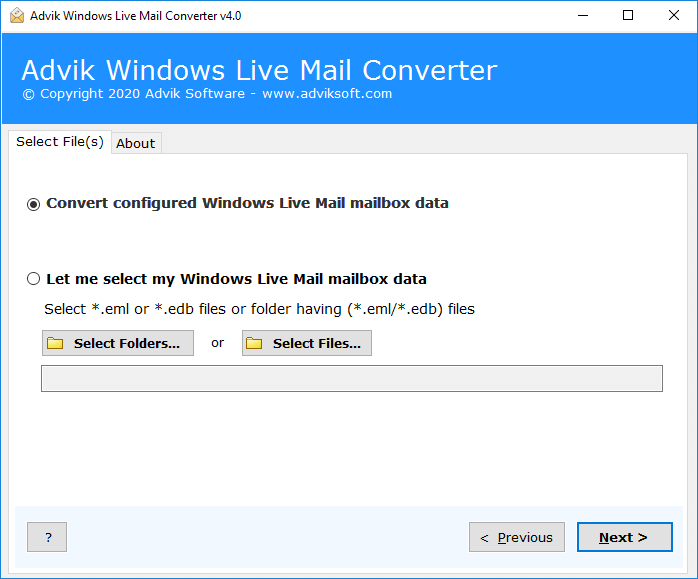
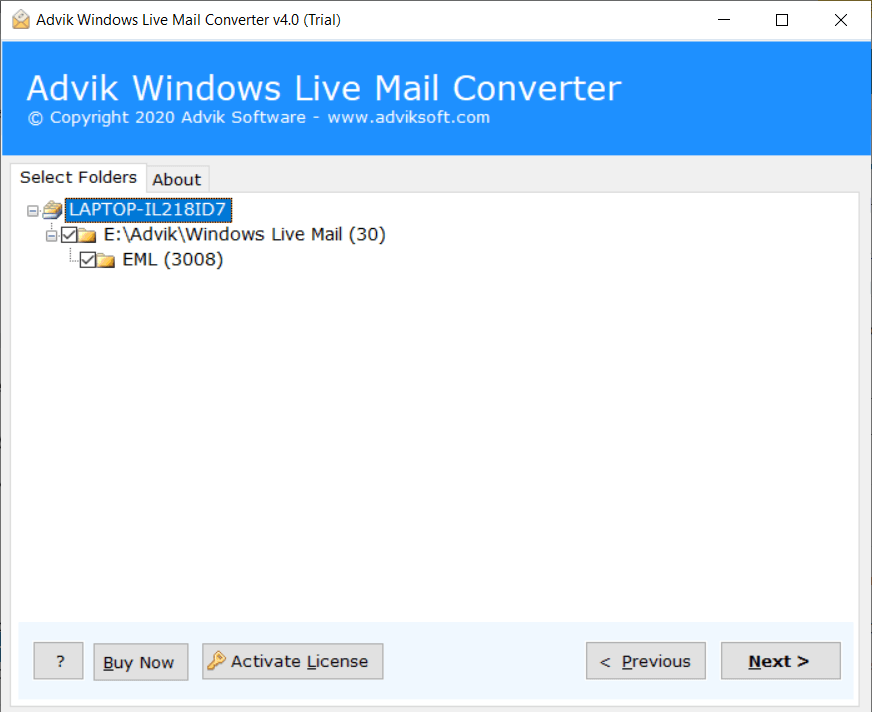
- Choose email folders and click Next button.
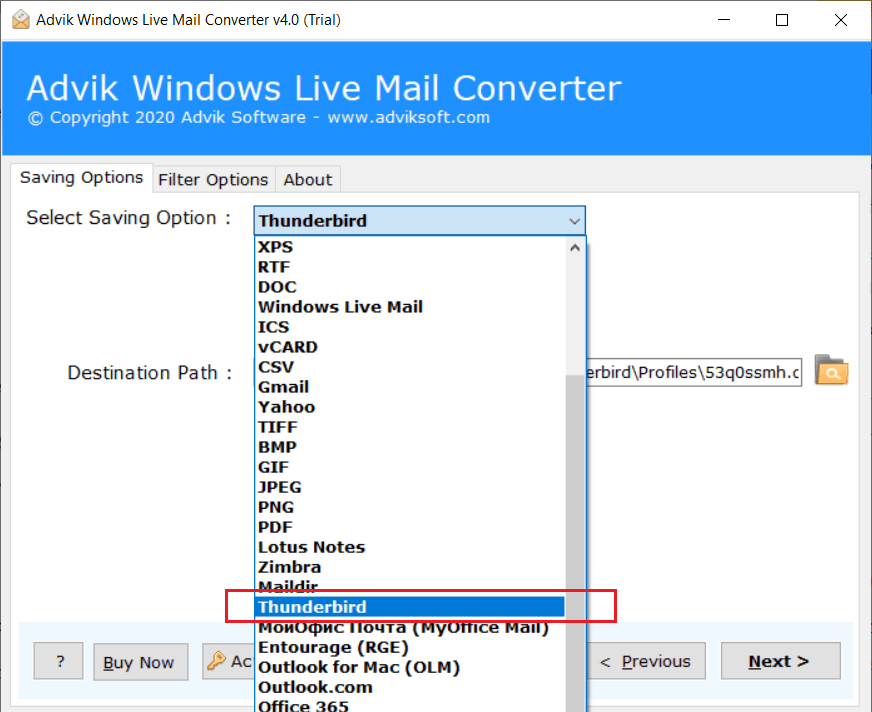
- Select Thunderbird as saving option from the list.
- Click Convert Button to import Windows Live Mail to Thunderbird.
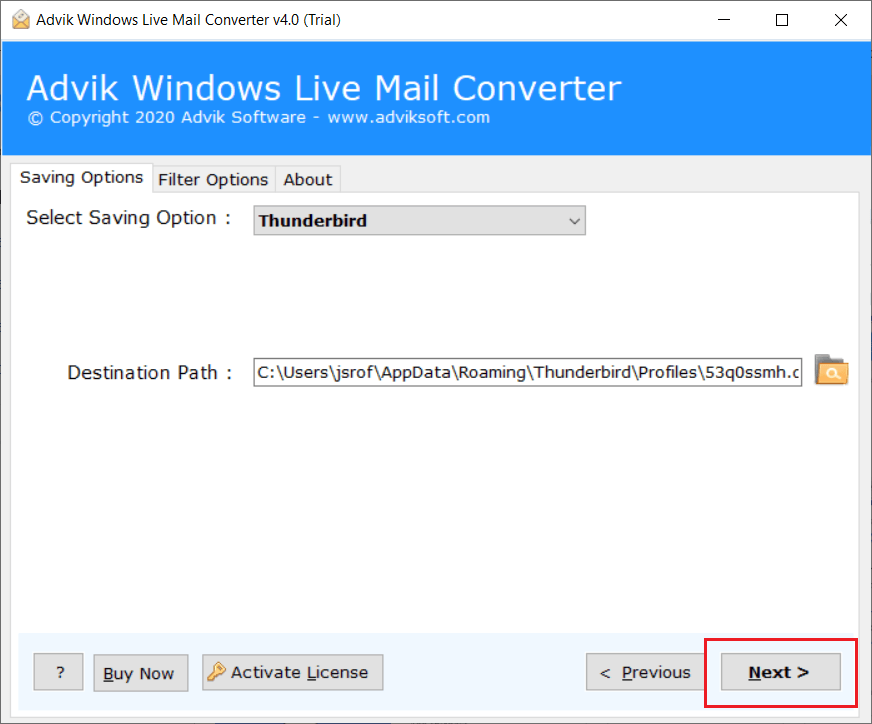
You’re Done! The software will take only a few minutes to accomplish this migration task. Once it is complete, you review the imported emails in your Thunderbird application.
Watch How to Import Emails from Windows Live Mail to Thunderbird
Why Should You Choose Windows Live Mail to Thunderbird Converter?
The software is the best choice to convert mailboxes from Windows Live Mail to Thunderbird. It provides you with several beneficial features that will help you to accomplish this task according to your needs. Here we discussed some of the features of the software:
- Simplified Interface: The software comes with a simple and graphical interface that even novices can easily understand. Even a normal user with no technical knowledge can run it and import Windows Live Mail to Thunderbird 78. With its user-friendly GUI, users can effectively use it without any further assistance.
- No File Size Limitations: Using this tool, it becomes easy to transfer as many emails without any limitations. This tool allows users to upload any number of EML files to the software interface so that users can bulk import Windows Live Mail to Thunderbird.
- Dual Option to Load Emails: The software is capable of loading emails directly from the WLM profile if it is installed on the PC. Moreover, you can select EML files manually from your system. As this tool allows users to upload EML files through dual options, it will be easy for them to choose multiple EML files or folders.
- Direct WLM Emails Migration to Cloud: This application provides a direct option to transfer Windows Live Mail data to various cloud servers. Such as Windows Live Mail to Outlook 2019, Office 365, Exchange, Gmail, G Suite, Thunderbird, Zoho Mail, Zimbra, Outlook.com, and many more.
- Import All or Selected Items: The tool provides the option to select all or only required emails to import into Thunderbird application. With Advanced Email filters, you can easily perform selective Windows Live Mail to Thunderbird migration process.
- Compatibility: The best feature of this tool is that you can utilize this program on any Windows OS system. It is a Windows-based utility that can be easily installed on Windows 10, 8, 8.1, 7, XP, Vista, and other versions. It also supports both 32bit and 64bit Windows versions without any issues.
Free Download Windows Live Mail to Thunderbird Converter
You can download the free trial version of the tool to check the working performance. The free version allows you to move 25 emails per folder from Windows Live Mail to Thunderbird. If you want to transfer more emails, you can purchase the full version via email or chat.
Conclusion
Email migration is a common need for users to meet the demands of their daily work. Here we have the covered most frequently searched query, “How to import Windows Live Mail to Thunderbird 115?”. We explained the two techniques that can be used to export Windows Live Mail emails into Thunderbird. Check out all the methods one by one and choose the one that suits you best for your needs.