How to Convert Outlook Email to EML Files in Bulk?
Jenny Lowrence | October 28th, 2025 | Data Backup, Outlook
Learn step-by-step instructions to convert Outlook email to EML files. Here, we will show you two different ways – manual and automatic to export email from Outlook to EML files.
Outlook is a popular email client provided by Microsoft. It is widely used by millions of professionals and businesses worldwide. However, there are times when users need to export Outlook emails to EML format especially if they are switching email clients, backing up emails, and sharing emails with other users on a different platform.
Why Convert Outlook to EML Files?
There are several reasons to export email from Outlook to EML files, which are given here;
- Email Client Migration: Switching from Outlook to Thunderbird, Windows Live Mail, Apple Mail, etc.
- Archiving: Users want to save Outlook messages as .eml for backup or legal compliance.
- Compatibility: EML files are supported by various email applications. Users can easily open .eml files on multiple platforms.
- Share Individual Email: EML file stores a single email message with headers and attachments. It is useful if users need to share some individual emails.
Now, let’s get started to learn the two easy approaches to save EML from Outlook.
Can Outlook Export EML File Directly?
No, Outlook cannot save email as EML file directly. However, by importing Outlook emails into Thunderbird and then exporting emails to EML files.
Follow the below steps to convert Outlook email to EML files:
- Open Mozilla Thunderbird.
- Go to the Tools Menu and choose Import.
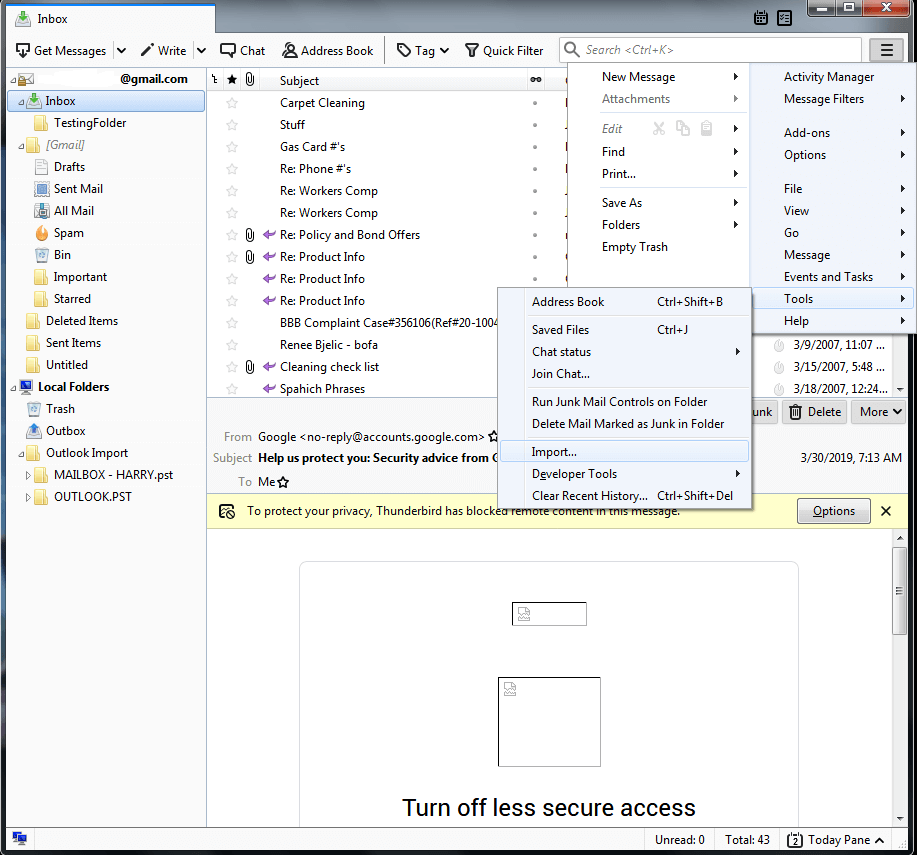
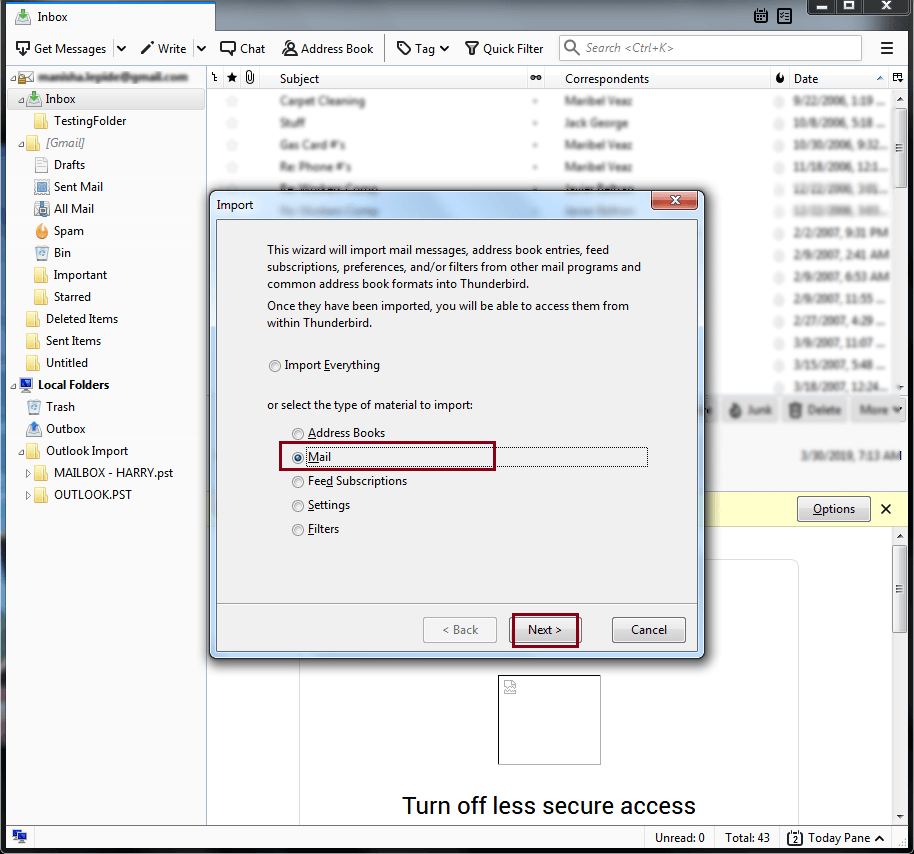
- Select Mail and click Next.
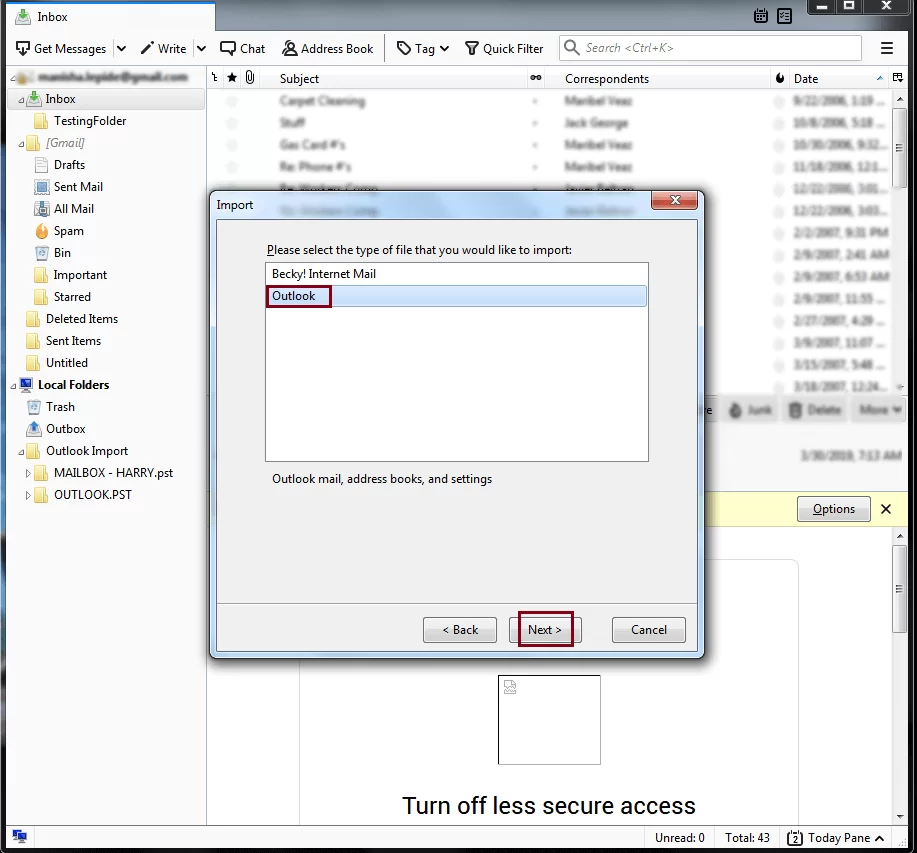
- Choose Outlook and click Next.
- Wait a few minutes for the import to finish.
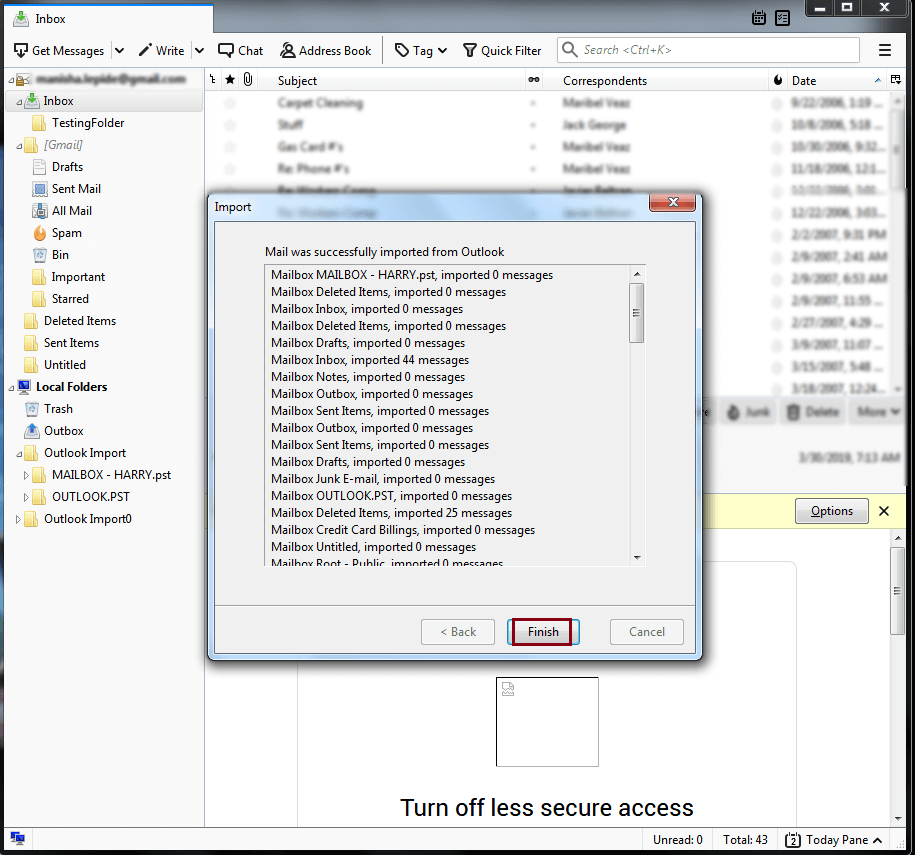
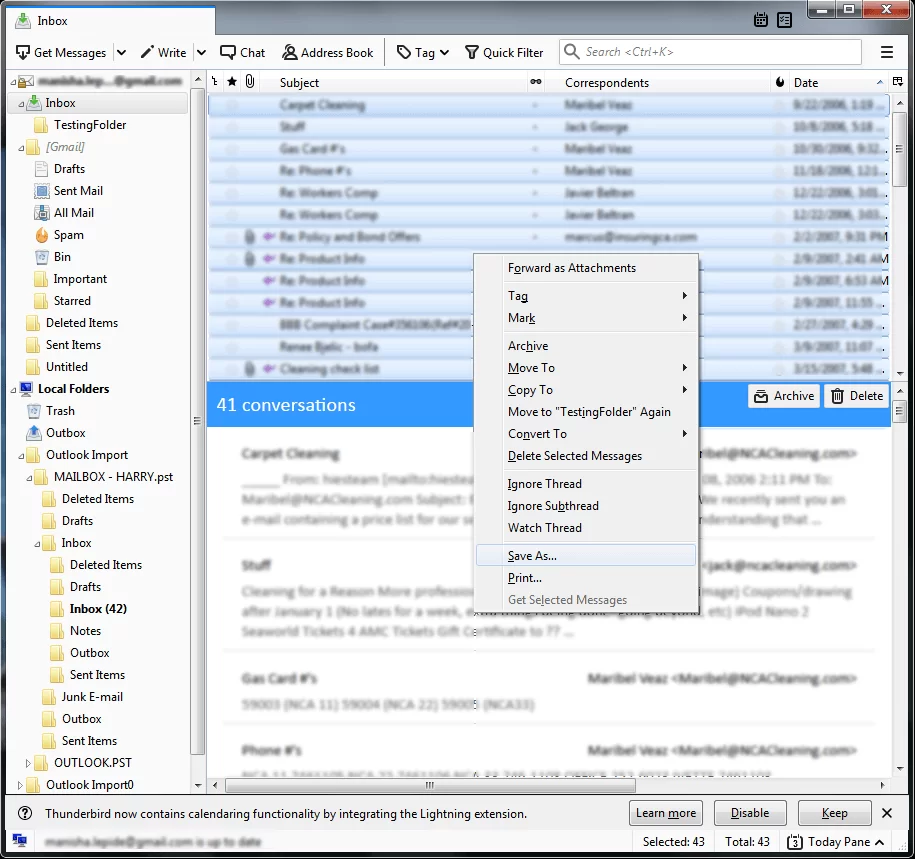
- Select all the Outlook emails and choose Convert to EML files.
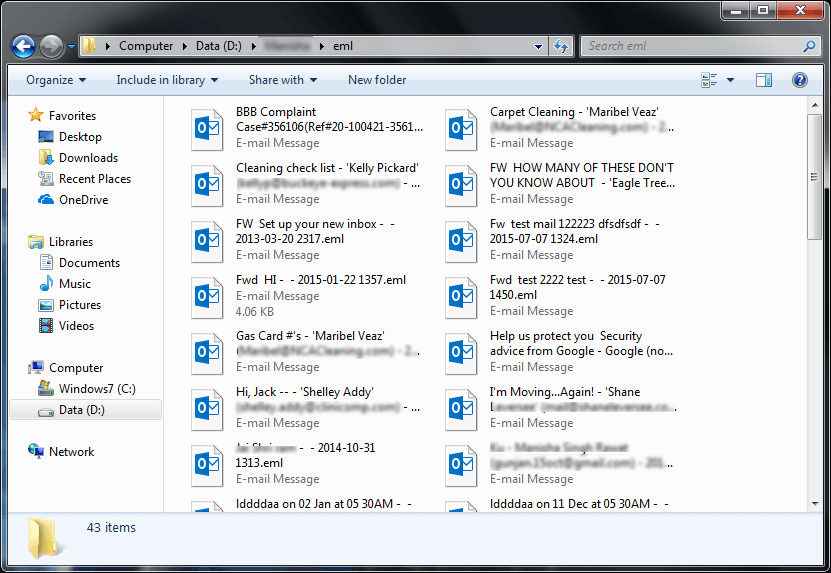
- All your emails will be saved in .eml format.
Limitations of Manual Solution;
- Lengthy and time-consuming process.
- Require technical knowledge for importing Thunderbird to Outlook.
- Data loss chances are higher due to the complicated steps to transfer emails between two email clients.
How to Convert Outlook Email to EML Files Securely?
Check out Advik Outlook OST Converter software for Windows. This program will directly export Outlook to EML files. With this utility, you can save Outlook email as EML format in bulk. It preserves email attributes and structure during the process. It will detect your Outlook profile once you run this software on your computer, and you will be able to convert Outlook emails to EML files.
Download its trial version and explore its features and benefits for FREE.


Steps to Save Outlook Email as EML in Bulk
1. Run Advik Outlook to EML Converter on your PC.
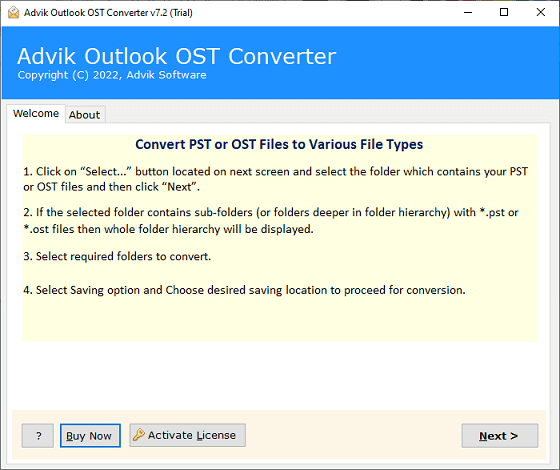
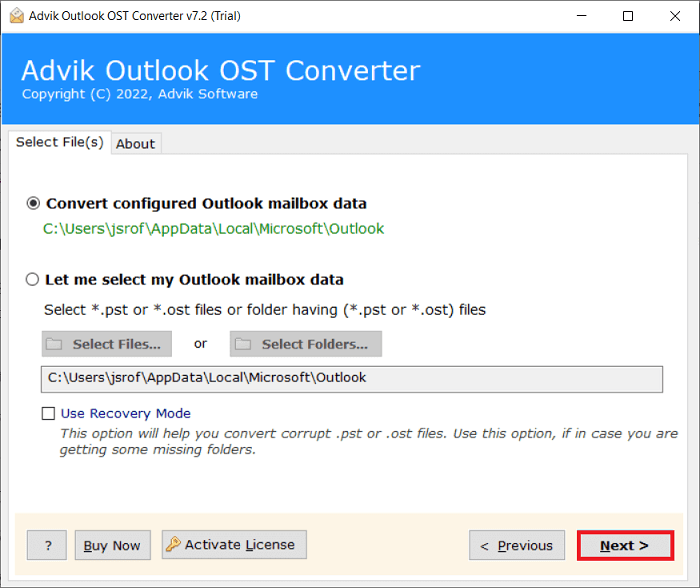
2. Click Configure Outlook mailbox data and tap Next.
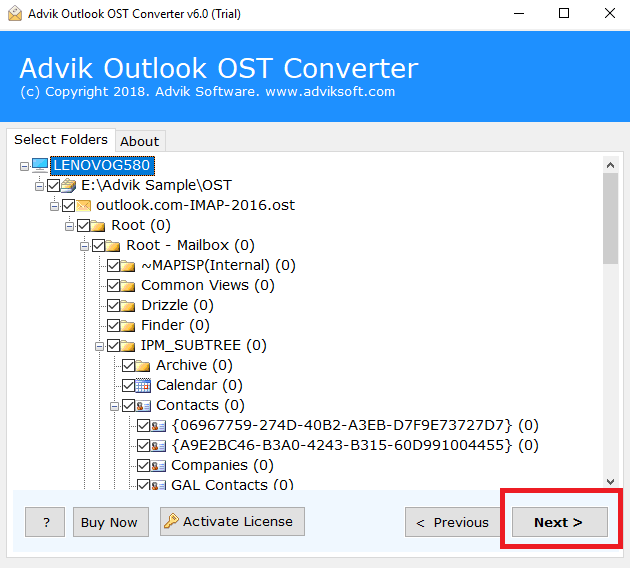
3. Select Outlook email folders and click Next.
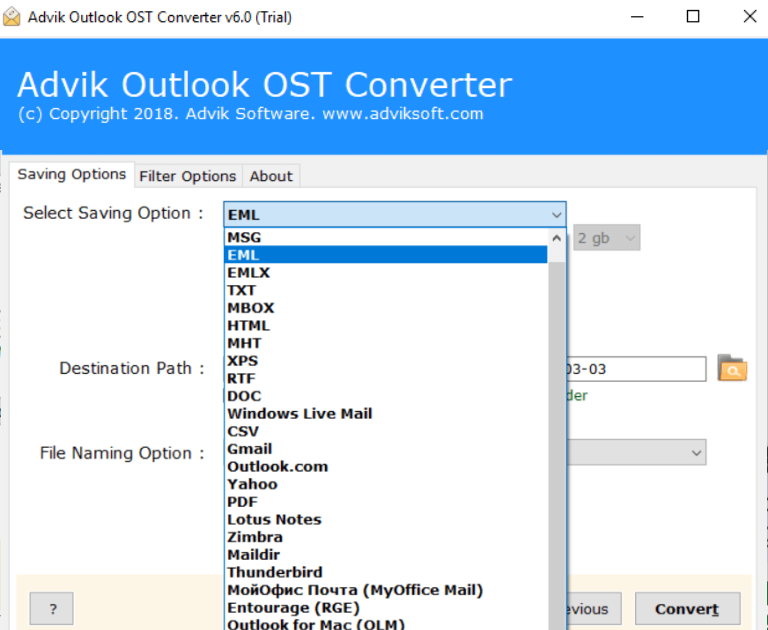
4. Select EML as a saving option from the list.
5. Browse the destination path and press the Convert button.
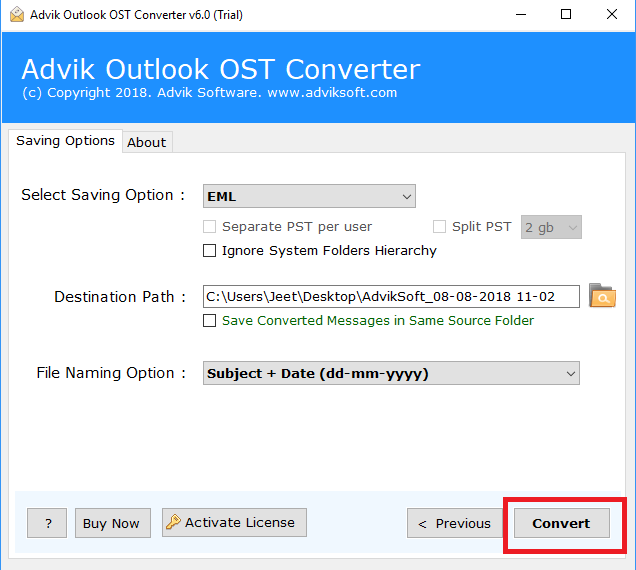
The software will start converting Outlook emails to EML files automatically. All your emails will be saved in the same folder hierarchy without any modification.
Watch How to Export Email from Outlook to EML in Batch
Benefits of Using the Outlook to EML Converter Tool
- Offers an easy-to-use and flexible user interface for both technical and non-technical users.
- Selective Outlook email conversion, along with attachments in a separate folder.
- Dual options to load Outlook data and directly select the Outlook profile.
- You can also export Outlook emails to Outlook.com, Gmail, Yahoo Mail, etc.
- Advanced email filters to choose some specific Outlook emails based on To/from, subject, Cc, Bcc, etc.
- 10+ File Naming options to convert Outlook email to EML file in an arranged manner.
- With this tool, users can also export Outlook emails to Word document, and many other file formats.
- It is an effective approach that also lets you copy Outlook emails to USB flash drive/PC/Computer, etc.
- Runs smoothly on all the previous and latest versions of Windows operating systems.
Final Words
This technical post was all about exporting Outlook emails to EML file format. Both methods help convert Outlook email to EML file format. You can use either of these two methods and complete the process to save Outlook email as EML file. However, using the suggested tool is easier and more convenient as compared to the manual approach. Also, it offers a FREE demo version to convert the first 25 Outlook emails from each folder at no cost.
Frequently Asked Questions
Q1. How to Save an email as an EML file in Outlook manually?
Ans. Connect Outlook with Thunderbird and drag and drop emails as .eml files.
Q2. Can I convert multiple Outlook emails to EML at once?
Ans. Yes, both manual and automated solutions can export Outlook emails to EML in bulk.
Q3. Can I export emails from Outlook 2023 to EML with this tool?
Ans. Yes, this tool supports all versions of Outlook, including Outlook 2023, 2021, 2019, 2016, and earlier versions.
Q4. Can I install your software on Windows Server 2022?
Ans. Yes, this software works with the latest versions of Windows operating systems.