How to Export Yahoo Mail to Word Document (.doc) Files?
Christopher Plummer | January 12th, 2026 | Data Backup, Yahoo Mail
Summary: Yahoo Mail is an online and cloud-based account that lets you send and receive emails with other users. Its primary function is to send and receive messages. Apart from this, it has several useful functions like formatting email messages, handling attachments, saving, storing, and deleting emails. Sometimes, users need to export Yahoo mail to Word Document (.doc) files for various reasons. If you also want to convert Yahoo email to Word Document then this post is for you. Here, we are going to explain two different ways to accomplish this task. Read this article till the end to know more.
Reasons to Export Yahoo Emails to DOC Files
Users want to copy Yahoo email to Word Document for a variety of reasons. Some of them are;
- Saving Yahoo emails in a Word Document allows users to access them offline.
- Word files are small and lightweight, and require minimal storage space.
- DOC files can be easily opened on computers, smartphones, or tablets.
- Word documents are editable using Microsoft Word or any compatible application.
How to Convert Yahoo Email to Word Document for Free?
- Log in to your Yahoo Mail account.
- Open the email that you want to export.
- Press Ctrl+A to select all text of email.
- Now, press Ctrl+C to copy the text.
- Open a new Word Document and paste thae text by pressing Ctrl+V.
Now, your Yahoo email will be saved in a Word Document on your system. However, this is a simple approach but it can be time-consuming if you have a large amount of data to export
How to Export Yahoo Mail to Word Document Automatically?
Try the Advik Yahoo Backup tool to easily convert Yahoo emails to Word Document format. With this tool, you can export Yahoo inbox items directly to Word format. It can export Yahoo emails to DOC in bulk. It is a simple, fast, and 100% safe solution. It gives you an advanced filter option to export selected emails.
Download the free demo version of this amazing tool to export Yahoo Mail to a Word document without facing any technical glitches.


Note: Use Yahoo Mail App Password to Sign in
Steps to Convert Yahoo Emails into Document Format
1. Install and open Advik Yahoo Mail Backup on your computer.
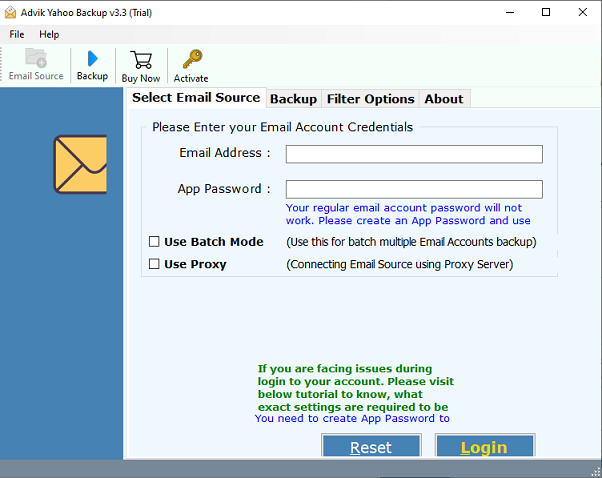
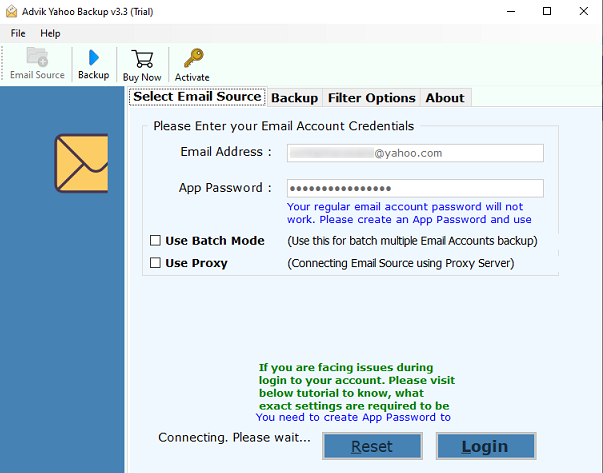
2. After that, enter your yahoo login credentials to access in the interface panel.
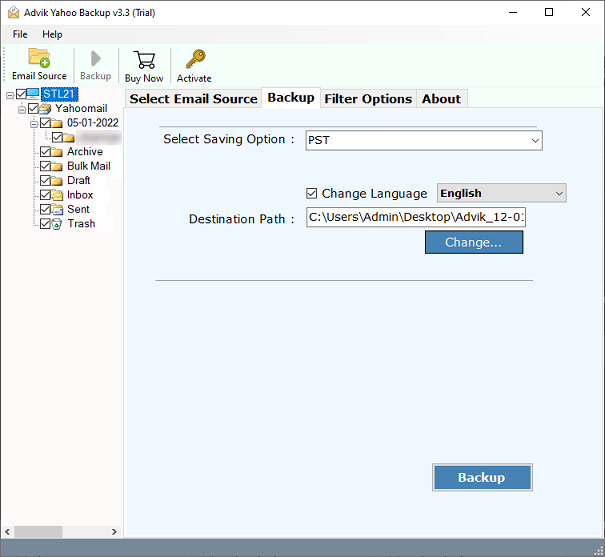
3. Select email folders to save into .doc format. (Or use Filter Option to convert specific emails)
4. Now choose “DOC” as a select saving option.
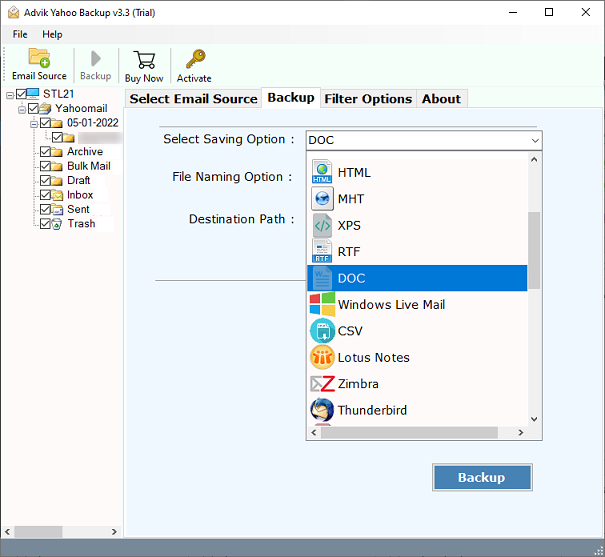
5. Also, you can choose and change the destination location to save your DOC file.
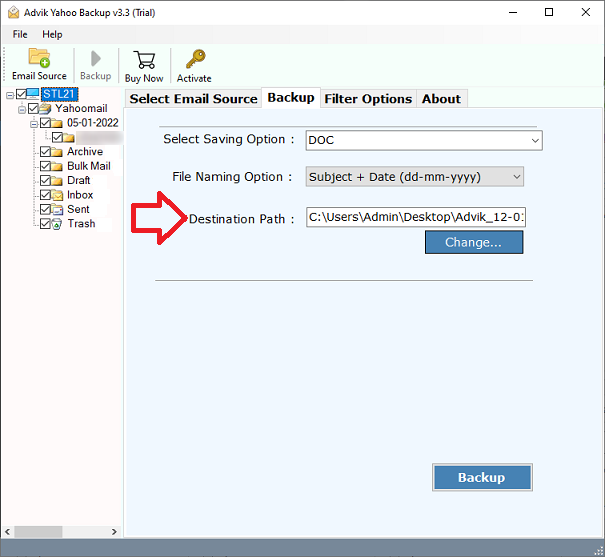
6. Finally, click on the “Backup” button to start the process of exporting yahoo email as a word document.
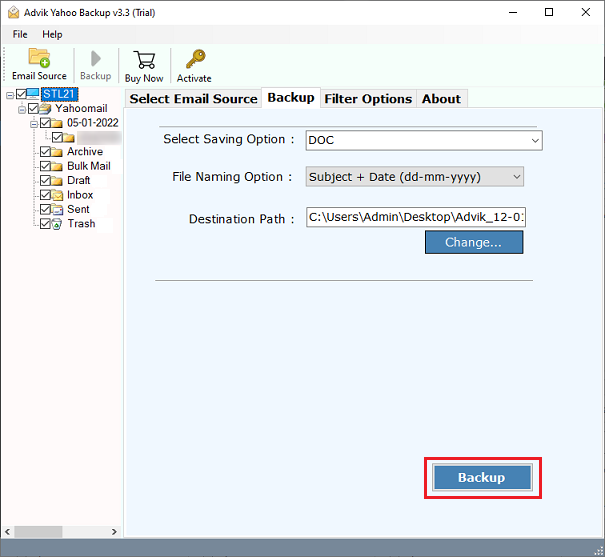
Finished! This is how easy is to save Yahoo emails as .doc format in batch.
Video Tutorial – How to Export Yahoo Mail to Word Document File?
Watch the easy and simple steps to export Yahoo emails to DOC file through video guide.
Benefits of an Effortless Solution – Advik Yahoo to DOC Converter
- A perfectly safe and secure solution.
- Email attachments can be saved in the Destination folder, along with the attachment-designated folder.
- Backup Yahoo Mail to PST, EML, PST, MSG, DOC, 15+ File formats.
- In a few steps, the app creates a word document of your Yahoo Mail emails.
- The software keeps the Yahoo Mailbox folder originality the same as itwas before the backup.
- During the backup procedure, the software has no restrictions on the Yahoo Mail account database.
- It is a completely secure platform that does not save Yahoo Mail information in the user interface.
- Export Yahoo Emails directly to other email services such as Gmail, Office 365, Yandex Mail, etc.
- The platform has a simple and intuitive graphical user interface panel that makes it simple to use and understand.
- Email Filters Options to Backup Specific Emails and Folders.
- Simple, Fast, and 100% Safe Email Backup Solution.
- Export email attachments from Yahoo Mail to PC in a separate folder.
- Works on all Microsoft Windows operating systems, including Windows 11 and all previous versions.
Wrapping up
In this article, we have discussed the entire process of saving Yahoo Mail emails in DOC. Every email’s content can be manually copied and pasted into new Word documents, but this method is not suitable if you have many Yahoo Mail emails for conversion. In this situation, use the above suggested tool and export Yahoo mail to Word document in bulk.
