How to Import Windows Live Mail to Windows 10 Mail?
Jackson Strong | January 4th, 2026 | Data Backup, Windows Live Mail
Do you want to import Windows Live Mail to Windows 10 Mail app? If yes, then this blog is for you as it explains how to move folders from Windows Live Mail to Windows 10/11 Mail app in easy ways.
As we all know, Windows Live Mail was widely used for managing emails on older Windows versions, but now it has shut down its services and is no longer compatible with newer versions. However, Microsoft introduced the Windows 10 Mail app with Windows 10. So, users are continuously transferring their data from WLM to Windows 10 Mail app, There is no direct option to export Windows Live Mail to Windows 10 Mail app. Here, we will provide a professional solution that will help you to accomplish this migration process.
How to Import Windows Live Mail to Windows 11/10 Mail App?
Download and install the Advik Windows Live Mail Converter. With this program, users can also import Windows Live Mail to Windows 10 mail app in just a few simple clicks. The working steps of this handy application are also very easy and can be effortlessly used by both technical and non-technical persons.
Moreover, it enables users to import emails from Windows Live Mail to Outlook, Zoho Mail, Outlook.com, Yandex Mail, AWS Workmail, Thunderbird, Gmail, Yahoo Mail, Office 365, AOL Mail, etc. This application has a direct migration facility that also takes care of the originality of Windows Live Mail emails.
Also, with its demo version, users can also evaluate the performance of this utility for FREE!!

Steps to Migrate Windows Live Mail to Windows 10 Mail
- Run Advik Windows Live Mail Converter on Windows PC.
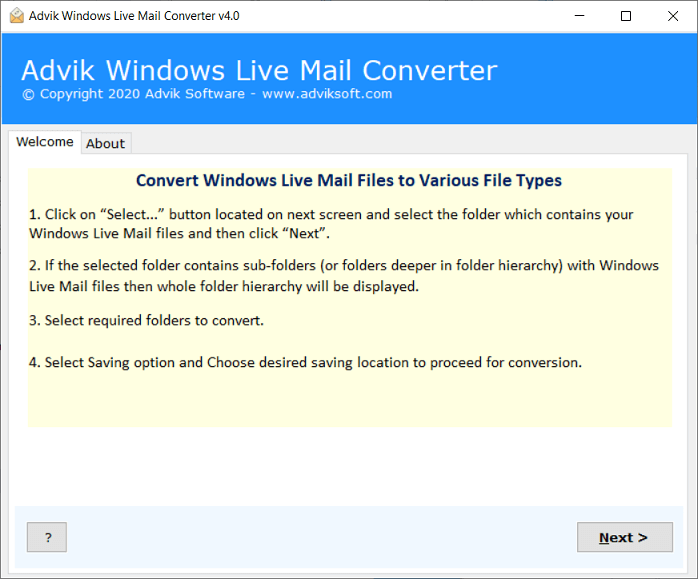
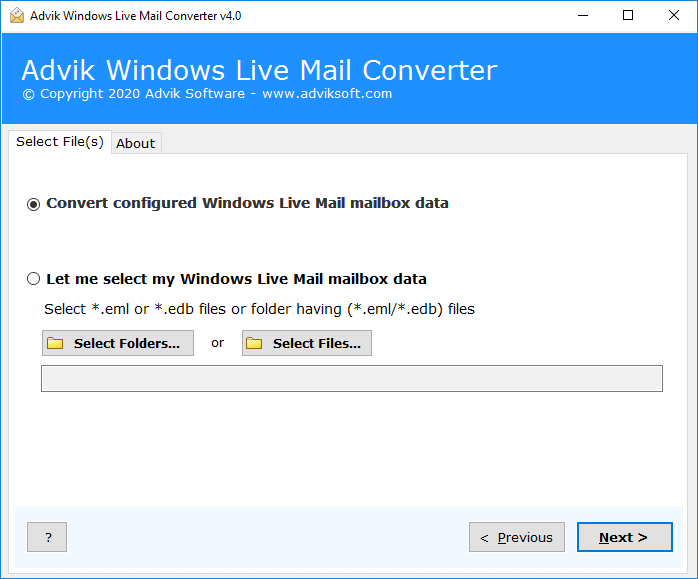
- The software will detect Windows Live Mail profiles automatically.
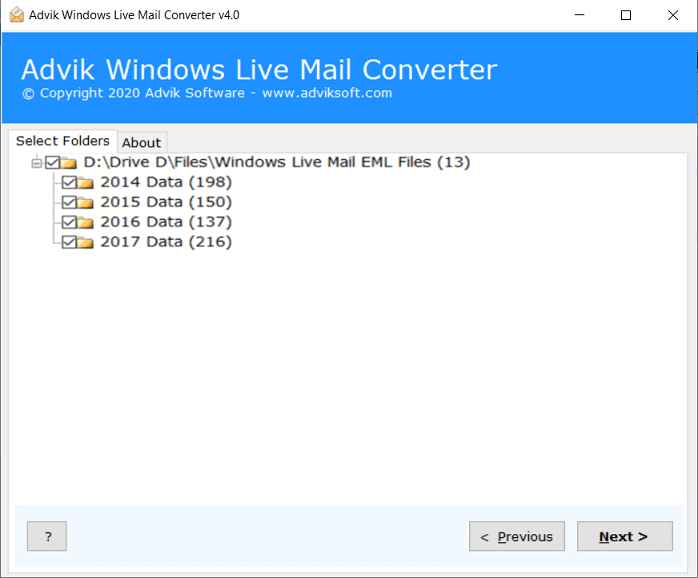
- Choose the required email folders from the given list.
- Select IMAP or any email service as a saving option.
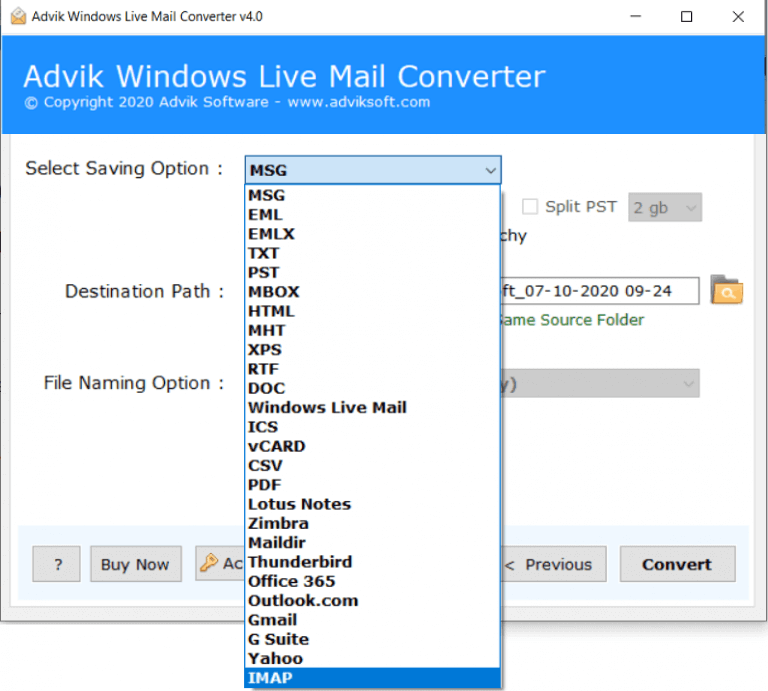
- Enter the login credentials of your email account and click on the Convert button.
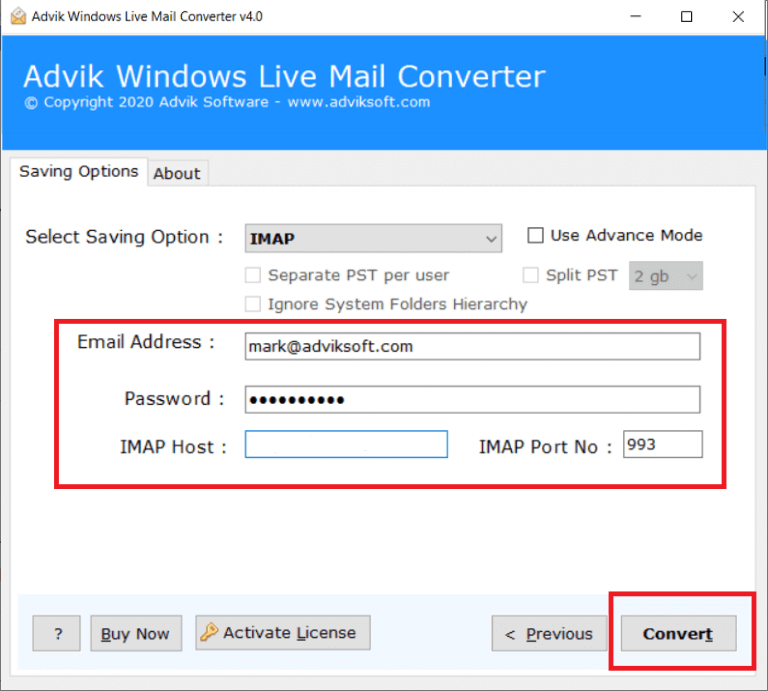
Done!! Once the data is migrated, the tool will give the completion message on the screen.
Now, you can see all of the Windows Live Mail transferred into the Windows 10 Mail app.
Benefits of using Advik Windows Live Mail Converter
- Automatically Configure Windows Live Mail Profile: With this tool, users can effortlessly import email from Windows Live Mail to Windows 10 Mail. The process is simple and easy as it automatically fetches data from your configured Windows Live Mail.
- Multiple File-Formats: With this tool, users can also save Windows Live Mail in various file formats. Such as that, users can also convert Windows Live Mail to PST, EML, PDF, MSG, DOC, MBOX, HTML, CSV, OLM, and many more.
- Preserve Integrity of Email Data: This application offers a direct migration feature and ensures the originality of Windows Live Mail emails throughout the process. The tool safeguards data integrity, including hyperlinks, images, email headers, and more, even after the completion of the process.
- Advance Email Filters: The Tool includes an advanced email filter feature that allows users to move selective folders from Windows Live Mail to Windows 10 Mail app. By using filters such as date range, subject, sender, and recipient, users can selectively import Windows Live Mail to Windows 11 mail based on specific criteria.
- 100% Safe and Secure Application: Users can rest assured that their confidential information is protected during the process. The built-in security measures ensure that Windows Live Mail email content is secure when entered into the tool’s interface.
- User-Friendly Interface: This application makes Windows Live Mail to Windows 10 Mail import process easy, with no need for advanced technical skills. The tool’s intuitive GUI guides users effectively through the process and provides clear instructions at each step.
- Windows Compatibility: This software supports importing emails from Windows Live Mail to Windows 10 Mail App on all OS versions. Such as that you can use this utility on Windows 11, 10, 8.1, 8, XP, Vista, and many more.
Final Words
Therefore, the blog is completed now with the most effective and reliable approach. As there is no other direct way except this to import Windows Live Mail to Winodws 10/11 Mail app. You need to use this application to easily complete this process. You can also try the software’s FREE demo edition to check the efficiency and effectiveness of the tool.